





A smart-pole display may look straightforward on a drawing, but the rollout also needs a power route, a clear walking path and a team that can maintain it. Start with the street and the people using it. This checklist helps municipal teams turn the display idea into a coordinated site, content and service plan before ordering a pilot.
Start With the Deployment Decision
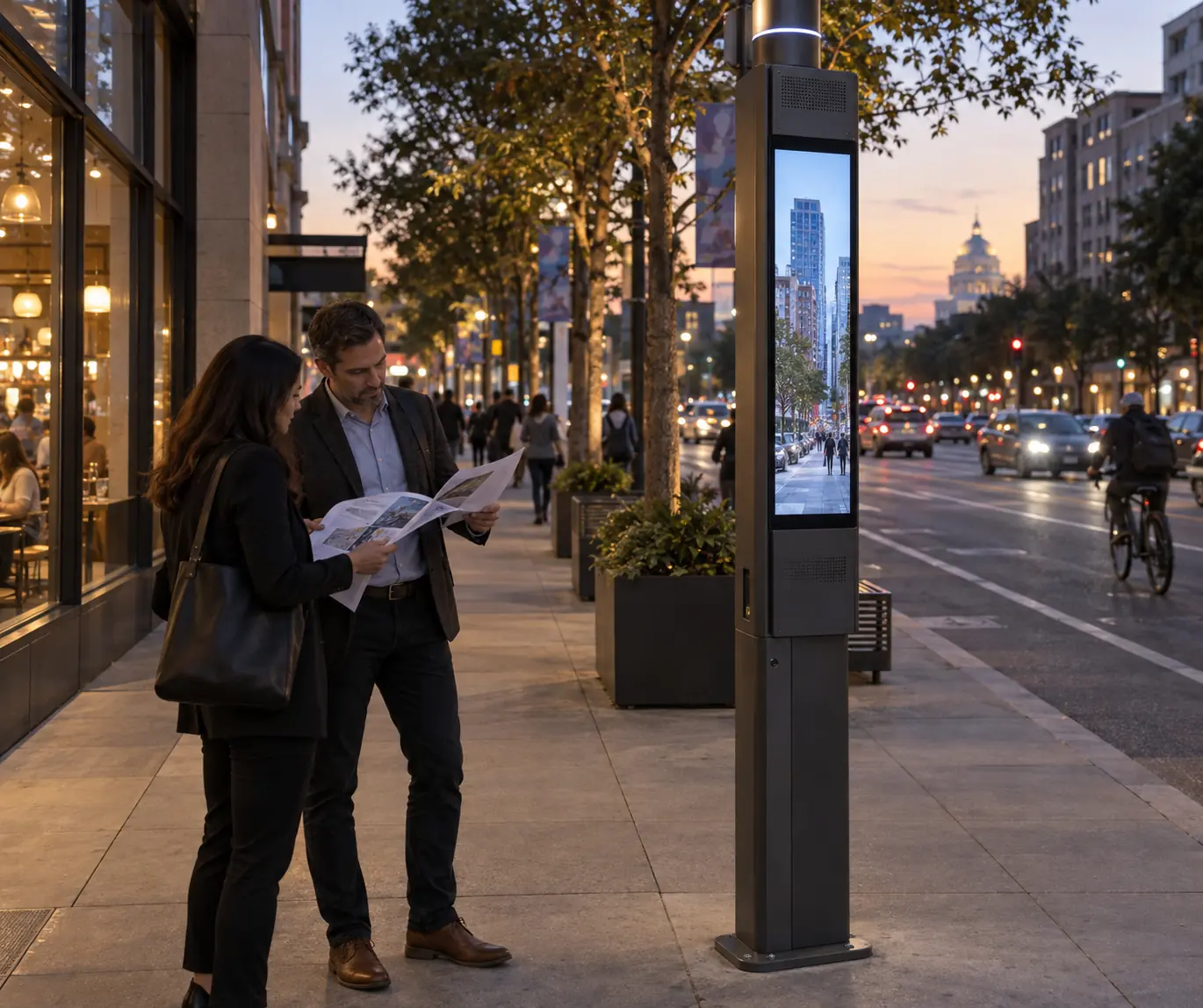
A smart pole display is not just a screen choice. In city planning, it is a streetscape decision that can touch transportation, public works, IT, permits, and procurement at the same time. The LA Bureau of Street Lighting’s smart pole example (linked above; accessed September 2026) shows why municipalities often treat smart poles as multi-purpose infrastructure rather than a single-purpose sign.
That matters because a project can be visually attractive and still fail the first gate if the site cannot support the power path, the mounting concept, or the maintenance workflow. If you are writing a smart pole display deployment checklist, start by asking whether the location can support the whole system, not just the display face.
Assign an owner to four items before the pilot: site approvals, power and connectivity, content operation, and maintenance. Record where responsibilities cross between the city, utility, network provider and supplier. That short responsibility map prevents routine questions from becoming delays.
Map Site Conditions to Display Requirements
For most municipal buyers, the first screen is not the product catalog. It is the location. A downtown pedestrian corridor, a transit stop, and a plaza can all support a smart pole display, but each one changes how visibility, traffic flow, and service access should be judged.
| Site condition | What it changes | What to verify | When to slow down |
|---|---|---|---|
| Pedestrian corridor | Clutter, sidewalk width, crowding, and viewing angle | Clear walking path, pole base clearance, and sightline conflicts | If the pole base competes with foot traffic or street furniture |
| Transit stop | Waiting behavior, dwell time, and message length | Whether riders can read the content at a glance | If the display would distract from boarding or curb access |
| Plaza or civic space | Viewing distance, content pace, and public gathering patterns | Where people naturally pause and whether the screen fits the space | If the unit would dominate the space or create service disruption |
| Power proximity | Conduit complexity and utility coordination | Where power comes from and who approves the route | If power work is still undefined |
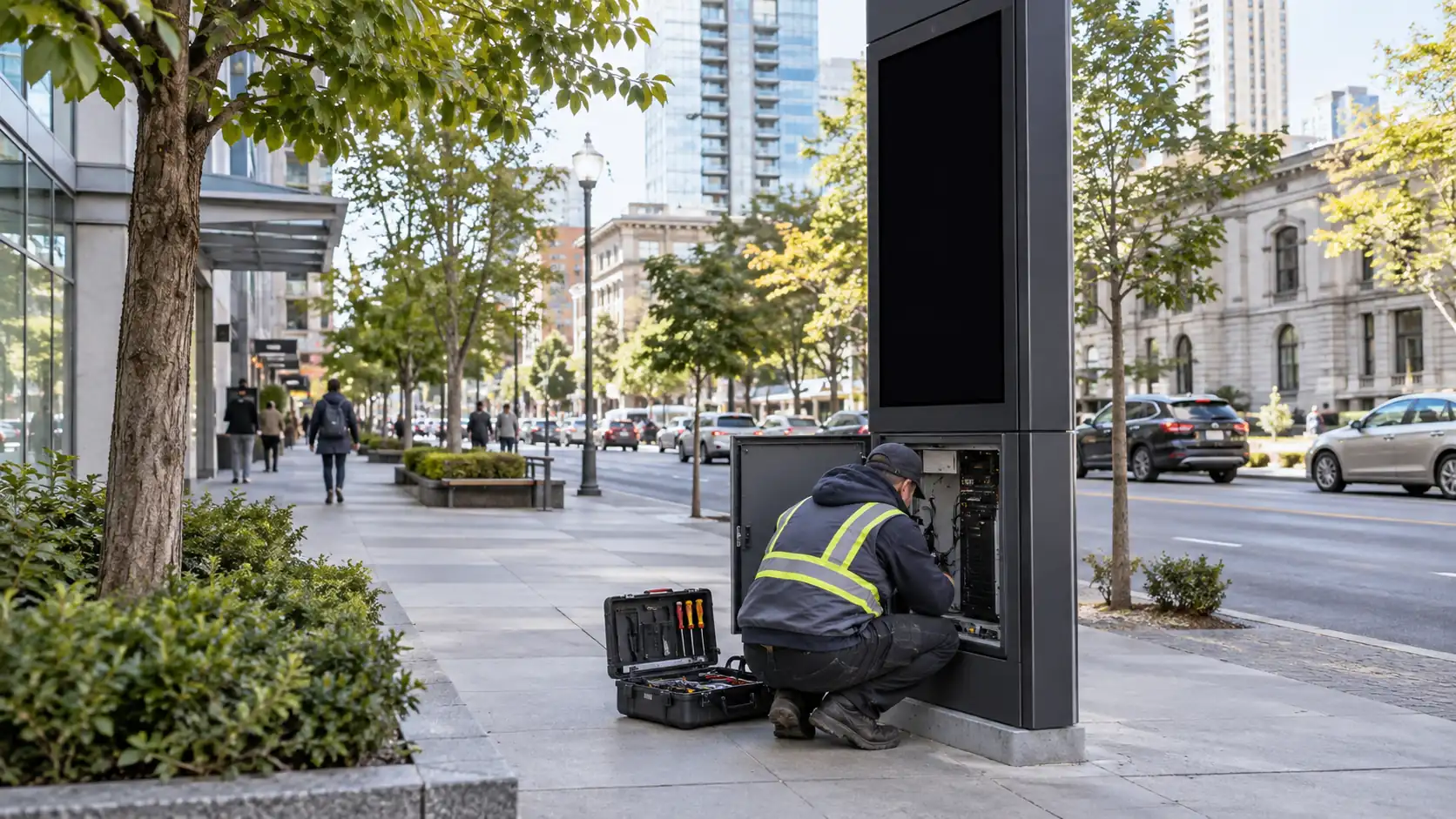
| Maintenance access | Crew safety and service workflow | Whether the display can be reached without disruptive closures | If service would require repeated lane or sidewalk control |
For a C-Pole smart city display or any similar product family, the useful question is not "Does it look right?" It is "Does this site support the installation, the daily use pattern, and the repair plan?" That framing keeps the shortlist tied to the actual street context.
The hidden trade-off is that high-visibility locations often bring higher service friction. The better the public exposure, the more important it becomes to check mounting access, curb conflicts, and the route for electrical work before anyone starts comparing features.
Compare Technical and Operational Trade-Offs
Municipal buyers should compare proposals by asking what each feature changes in the field, not by treating every spec as equally important. Outdoor protection, front service, thermal design, control workflow, and electrical coordination matter because they affect how the unit behaves after handoff.
The NEMA 250 enclosure guidance is useful here because it reminds city teams to check the enclosure concept, not just the screen size or brightness claim. In public infrastructure, outdoor exposure is a deployment issue, not a brochure detail.
| Evaluation factor | Why it matters in municipal deployment | What to verify | Common red flag |
|---|---|---|---|
| Outdoor protection | Weather, dust, and long-term exposure can affect reliability | Whether the cabinet is specified for the intended outdoor setting | Vague claims with no enclosure detail |
| Daytime readability | Public content has to work in real streetside light | Readability at the actual site and content size planning | Brightness claims with no site context |
| Front-service design | Service access affects downtime and lane or sidewalk disruption | How a technician reaches parts and opens the unit | A service method that assumes easy rear access in tight ROW locations |
| Power draw and routing | Utility work can delay rollout and add coordination steps | Electrical load, route, and who owns the work | Hidden utility work in a "simple install" proposal |
| Control system and content workflow | Staff need a manageable way to update content | Who pushes content, who approves it, and how errors are corrected | A platform no one in the city has been trained to use |
| Warranty and support scope | Lifecycle cost depends on what the city can actually get repaired | Parts, response process, and escalation path | Warranty language that sounds broad but leaves support vague |
Match the display to its operating job. For driver-facing road messages, use the highway VMS procurement guide. For a pole that also hosts communications equipment, use the smart-pole 5G integration guide to plan shared power, space and maintenance responsibilities.
Include a short content test in the pilot: read an ordinary message in daylight, update it from the intended console and confirm what happens when the connection drops. If public alerts are part of the brief, use the emergency-alert integration guide to define priority, expiry and return to routine content.
Build the Procurement and Compliance Checklist
This is where the smart pole display deployment checklist becomes procurement-ready. For public-right-of-way projects, the city should verify accessibility, sidewalk clearance, and local approval steps before it commits to a vendor. PROWAG is useful because it frames the right kind of question: not whether the screen is attractive, but whether the public space remains usable and non-obstructed.
For RFP prep, ask for the following before award:
- Site drawings that show pole location, clearance, and cabinet placement.
- Electrical details that explain the power path and any utility coordination.
- Mounting details that show how the unit attaches and how it is serviced.
- Maintenance instructions that describe access steps, tools, and staffing assumptions.
- Warranty terms, support process, and parts expectations.
- A clear list of what the vendor includes and what the city must provide.
The right standard here is simple: city staff should be able to verify the proposal against the requirement list, not just accept the vendor’s narrative. If the document set does not let procurement, public works, and legal review the same facts, the project is not ready for signoff.
If your team is comparing traffic and VMS display options, keep the procurement language tied to evidence. Avoid blanket claims of compliance, because local code, signage rules, and right-of-way conditions can change what is acceptable.
A practical boundary to remember is this: PROWAG helps with accessibility review, but it does not replace local permitting or engineering approval; check its current rulemaking status at access-board.gov when you start a project. A project may still need separate review for signage, electrical work, and streetscape impacts.
Plan Maintenance and Rollout Before Launch
-
Define the pilot scope and success criteria.
Decide which street, corridor, or district will test the concept and what the city needs to learn from it. The pilot should answer a deployment question, not just show that the screen powers on.
-
Test maintenance access in the field.
Verify whether crews can reach the unit safely with the equipment and work practices the city already uses. This is where many projects slow down, because serviceability in the public right-of-way depends on access clearance, crew workflow, and nearby traffic control. For displays expected to run continuously, pair this field check with a spare-parts and repair-turnaround plan before rollout.
-
Assign staff ownership early.
Public works, IT, procurement, and permitting should each know what they own. If ownership is vague, downtime and handoff issues usually grow later.
-
Confirm the content and operations workflow.
Someone needs to approve messages, update content, and respond when something changes. A clean installation can still become a nuisance if no one knows who manages day-to-day operations.
-
Use the pilot as a readiness test, not a blank check.
A successful pilot reduces uncertainty, but it does not prove the whole city is ready. Before expansion, review maintenance findings, permit feedback, and staff workload.
That is where a street pole LED display concept should be treated as a rollout decision, not just a purchase. If the pilot reveals access or utility friction, revise the plan before scaling. If the pilot is clean and the support process is clear, then expansion becomes a more defensible choice.
For teams that want a broader reference point, the main value of the pilot is to expose hidden friction early. The wrong conclusion is that a working pilot means the city can skip the same checks elsewhere.
Smart Pole Display Deployment Checklist
Use this pre-approval list before you move into final vendor selection:
- The site supports the intended audience, viewing angle, and pedestrian or vehicle flow.
- Power routing is identified and the electrical work owner is named.
- Mounting, pole attachment, and cabinet placement have been checked for service access.
- Local accessibility, right-of-way, and permit reviews are mapped to the project.
- The vendor has submitted drawings, electrical details, and maintenance instructions.
- Warranty, support, and parts expectations are written into the procurement package.
- Public works, IT, procurement, and legal know who approves what.
- The pilot has clear success criteria and a rollout gate.
If any one of those items is still vague, pause before awarding. That is the most reliable way to keep a smart pole display project aligned with municipal requirements and avoid preventable rework.
FAQs
What Should a City Verify Before Issuing an RFP for a Smart Pole Display?
Start with site conditions, power availability, access clearances, and who owns each approval. The best RFPs are written after the city knows what it can support physically and operationally, not before. That keeps the procurement language tied to real deployment constraints.
How Do Municipal Teams Judge Whether a Vendor’s Display Is Serviceable in the Public Right-Of-Way?
Ask for maintenance steps, access points, required tools, and the service workflow in a real street setting. Then validate those assumptions on site. If the unit sounds easy to maintain but needs repeated sidewalk or lane disruption, that is a sign to slow down.
What Documents Should Be Requested During Vendor Evaluation?
Request drawings, electrical details, mounting details, maintenance instructions, warranty terms, and support escalation steps. Also ask the vendor to state what is excluded. That reduces surprises later and makes the comparison more useful for procurement and legal review.
Can a Pilot Project Be Used to Approve Citywide Deployment?
A pilot can reduce uncertainty, but it should not be treated as automatic proof for citywide rollout. Expansion should depend on documented maintenance results, permit feedback, staff workload, and whether the site pattern repeats cleanly across other locations.
Why Do Power and Access Checks Matter More Than Product Features in Early Planning?
Because a display can look suitable in a proposal and still fail in the field if the power path, maintenance access, or permit route is unclear. Early planning should rule out hidden friction first. Features matter more after the city knows the site can actually support the project.
Should the Checklist Change Between a Downtown Corridor and a Transit Stop?
Yes. In a pedestrian corridor the binding issues are sidewalk clearance, sightline conflicts, and pole-base clutter; at a transit stop they are dwell time, message length, and curb access during boarding. Re-run the same four gates — site, power, access, and ownership — for each new location pattern instead of reusing one pilot finding citywide.
Final Takeaway
The safest way to buy a smart pole display is to treat it as a municipal deployment project, not a single product decision. Check the site first, then power, access, compliance, procurement, and rollout. If the project clears those gates, vendor comparison gets much easier. If it does not, revise the plan before award.





