





A smart pole should simplify the street, not turn one lamp post into five separate projects. Plan lighting, 5G equipment, displays, power and maintenance as shared infrastructure from the outset. This guide covers the design envelope, approvals and retrofit decision; its permitting examples are U.S.-based.

Why Smart Poles Are Becoming Urban Infrastructure Hubs
Cities are consolidating 5G, lighting, cameras, sensors, and displays because one well-planned pole can reduce clutter while giving multiple departments a common asset to work from. That is why a smart street pole 5G small cell deployment often starts as a lighting upgrade and then expands into a broader smart city decision.
The practical value is coordination. When lighting, communications, and public safety teams share the same pole plan, it becomes easier to phase work instead of reopening the same corridor again and again. The FCC notes that small wireless facilities are commonly attached to existing utility and light poles, which is one reason shared-pole planning has become the default path in many U.S. cities FCC small wireless facilities overview.
If your project is really a corridor modernization effort, a dedicated smart pole platform can be a better fit than scattered add-ons. If the district only needs one isolated device, the case for a full multi-functional street pole urban planning program is weaker. When an alerting or emergency-messaging function is on the pole list, the smart pole emergency alert workflow guide covers how that function changes the review sequence.
For the public-facing display component, compare the C-Pole Smart City Display against the corridor’s viewing distance, content and brightness-control needs. Specify radio equipment and carrier integration separately with the communications owner.
Key Design Choices for Shared Street Poles
The first design check is the physical envelope. Radios, cameras, sensors, displays, cable paths, and service access all compete for space, so smart pole 5G integration should begin with a layout review before anyone gets attached to a preferred device package. In plain terms, if the pole cannot hold the equipment cleanly, the concept is not ready yet.
Give each device an explicit power and network allocation. Record lighting circuits, continuous radio power, display duty cycle, surge protection, available backhaul and who owns each connection. Sharing a pole does not mean sharing a network or making an LED display into a 5G base station. Reserve service clearance and cable routes for the planned expansion; the smart-pole IoT integration guide develops that handoff.
Downtown districts usually need a tighter visual profile than arterial roads or campus-style corridors. That does not mean every pole must look identical, but it does mean the aesthetic target should be set early. If the visual goal is strict, a compact integrated design is usually easier to defend than a pile of separate attachments.
For planners comparing display-oriented options, the DOOH Street Pole LED Screen Solution is a useful navigation point when the concept includes pole-mounted messaging or public-facing content, but it still needs to fit the site’s access, power, and streetscape rules.
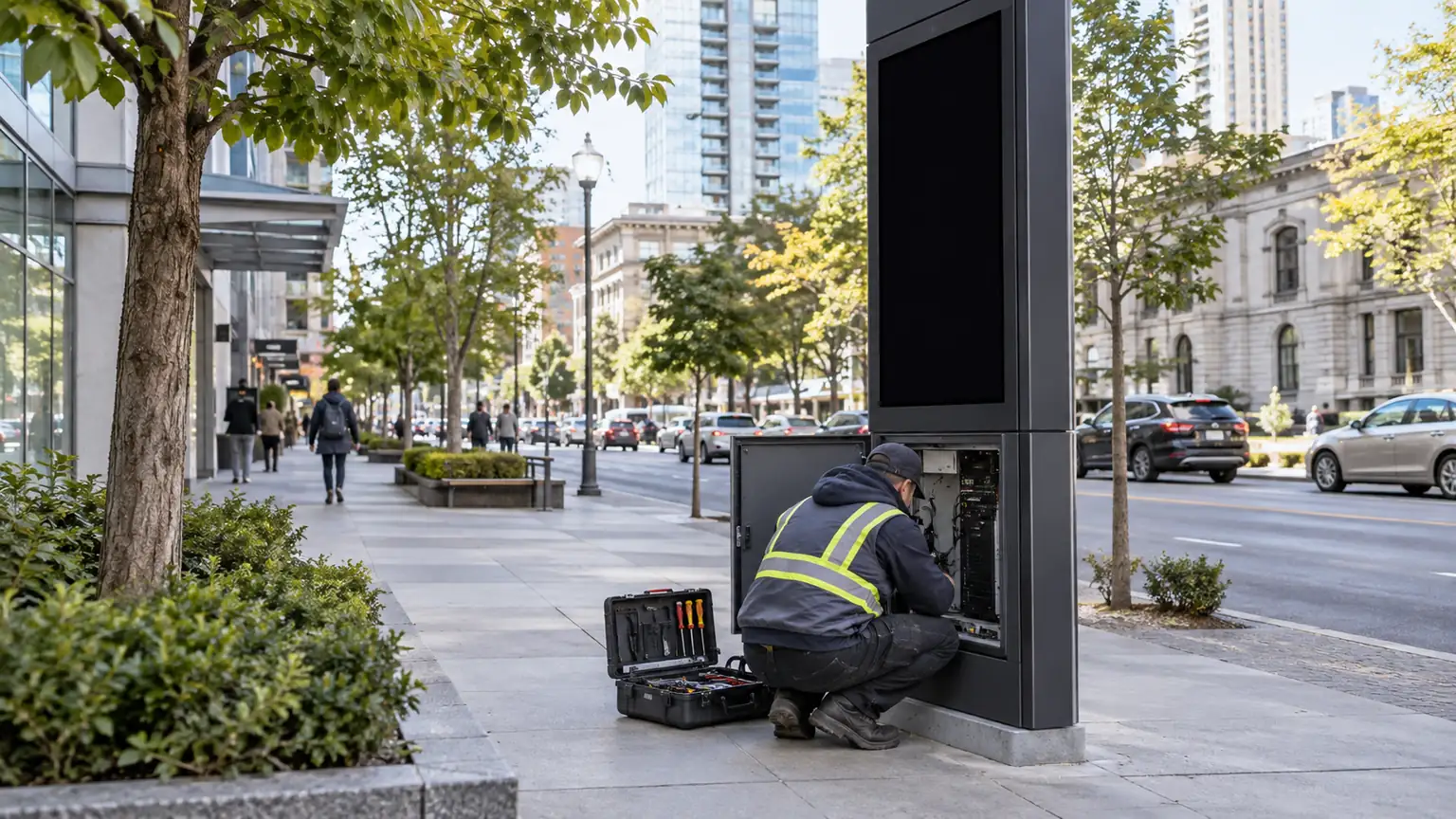
Before freezing the pole standard, try the maintenance sequence on the drawing: can a technician reach the display, radio enclosure and disconnects without removing another department’s equipment? Catching that clash now is easier than rebuilding a finished corridor.
Permitting and Coordination That Slow Projects
Most delays come from process, not hardware. State and local review of small cell projects commonly involves transportation, public works, zoning, and utilities, and that overlap can create back-and-forth if one office changes the design after another office has already reviewed it NCSL small cell legislation overview.
A shared pole can require separate reviews for rights-of-way, lighting, signage, sidewalk clearance, traffic impacts and communications. Map the applicable FCC small-wireless rules and local processes with the responsible authority; one approval does not automatically cover every attachment. The NLC small-cell guidance helps frame the municipal coordination questions. Assign an owner to keep the design and approval versions aligned.
- Transportation review, because lane impacts, sidewalk clearance, and work windows can change the installation plan.
- Public works review, because pole placement, access, and maintenance responsibility affect long-term operations.
- Zoning or planning review, because appearance and land-use compatibility often shape public acceptance.
- Utilities review, because power and attachment conditions can determine whether the site is feasible.
- IT or communications review, because backhaul, device access, and network architecture affect the final configuration.
The decision sentence for planners is simple: if one office is not clearly responsible for coordination, the project will usually drift. If you assign a lead owner early, you can keep design revisions from circulating endlessly between agencies.
If your corridor includes signal or message-display needs, the Traffic & VMS collection is a practical internal browsing path, but it should come after the permitting map, not before it.
A city should also keep RF compliance documentation in the review package. Applicants are typically expected to demonstrate FCC RF exposure compliance for small cell equipment, and local review of RF exposure limits must stay within the federal framework rather than adding stricter municipal thresholds. Confirm the governing authority document for the specific jurisdiction, because the applicable citation varies by state and city.
Choosing Between Retrofit and New Build
| Decision Factor | Retrofit Existing Poles | New-Build Smart Pole Standard |
|---|---|---|
| Control over appearance | Usually limited by the existing corridor | Usually higher because the standard is designed from scratch |
| Coordination burden | Often lower only when the existing pole already fits the use case | Often higher at the start, but more orderly once standards are set |
| Future expansion | Depends on current structure and utility layout | Usually better for phased expansion |
| Best-fit project type | Existing streets with usable poles and clearances | Redevelopment districts and new corridor plans |
Retrofit is the better path when the existing pole, foundation, electrical service, and clearances already support the extra equipment. The FCC notes that small wireless facilities are commonly attached to existing utility and light poles, which supports reuse when the site is actually compatible FCC small cell attachment notes.
New build is the better path when the city wants more control over appearance, access, and future expansion. That is especially true in redevelopment districts, where a repeatable smart pole standard can be adopted before the corridor fills up with legacy attachments.
Use this rule of thumb: retrofit when the pole already works and the district is mostly adapting what exists; choose new build when the city wants a durable standard and expects the corridor to keep evolving. The wrong choice is the one that forces repeated reconstruction later.
For teams building around public messaging and outdoor media, the Outdoor DOOH collection is a broader browsing path, but it belongs in the conversation only after the city decides whether the pole standard itself is stable.
A Practical Planning Checklist for 2026
- Define the corridor goal first. Decide whether the project is mainly about lighting, 5G, public safety, wayfinding, or a combination.
- Map every review owner early. Transportation, public works, zoning, utilities, IT, and communications should all know who is leading coordination.
- Confirm pole and site constraints. Check clearances, access, electrical service, and whether the existing asset can realistically support added equipment.
- Choose the equipment package by function. Keep the layout aligned with what the corridor actually needs, not with what the vendor can add.
- Sequence approvals before procurement. If permits, RF documentation, and utility coordination are not aligned, hardware selection will not save the schedule.
- Set maintenance and upgrade rules. A future-ready pole standard should leave room for service access and phased upgrades without redesigning the entire corridor; the smart pole LED maintenance guide covers service intervals and spare-part planning after integration.
The final check is simple: if maintenance crews cannot service the pole without disrupting the street, the design still needs work. Smart pole 5G integration is only a good planning decision when it reduces long-term friction, not when it just concentrates it.
For public-facing display use cases, the C-Fit Easy Multi-use 640 Outdoor LED Display is a reasonable browsing path for planners comparing display-oriented solutions, but only after the city confirms the corridor’s structural, access, and permitting conditions.
Related Resources
FAQs
Q1. How Much Space Do 5G Small Cells Need on a Pole?
Space needs vary by hardware, mounting method, and whether the pole is also carrying lighting, cameras, or displays. The practical planning move is to confirm the equipment envelope, access zone, and clearance requirements early, before the city treats any pole as a candidate.
Q2. What Agencies Usually Review a Smart Pole Project?
Most projects touch transportation, public works, zoning or planning, utilities, and sometimes IT or communications. The exact path varies by city, but the common failure point is assuming one department can approve the whole project without coordination.
Q3. Can Existing Streetlights Be Converted Into Smart Poles?
Sometimes, yes, if the pole, foundation, electrical service, and permit path all support the added equipment. The key is not whether conversion is possible in theory, but whether the specific corridor can handle the load, access, and visual changes without forcing redesign.
Q4. Why Do Some Smart Pole Projects Stall During Permitting?
They usually stall when too many offices review the same pole from different angles and no one owns the final coordination step. Late design changes are another common trigger because they reset review cycles and create new questions about attachments, access, or appearance.
Q5. What Should Be Included in a Future-Ready Pole Standard?
A future-ready standard should reserve room for power, connectivity, maintenance access, and phased upgrades. The best standards are flexible enough to support new devices later, but specific enough to keep the corridor visually consistent and operationally manageable.
What Planners Should Do Next
Start with the corridor, not the equipment catalog. If the site can support shared infrastructure cleanly, smart pole 5G integration can simplify approvals, reduce clutter, and create a more durable street standard. Verify pole capacity and permitting path before committing to any specific hardware package, then phase additions only after the first installation proves workable. For the site-by-site municipal pre-install review, the smart pole display deployment checklist covers the verification detail.





