





Smart pole LED maintenance changes as soon as 5G and IoT hardware are added, because the pole is no longer just a display or light source. It becomes a layered asset with communications gear, sensors, power components, and more access points to service. The result is simple: uptime depends less on one repair and more on clear ownership, heat management, and a maintenance plan that fits the site.
Why Maintenance Changes After Integration
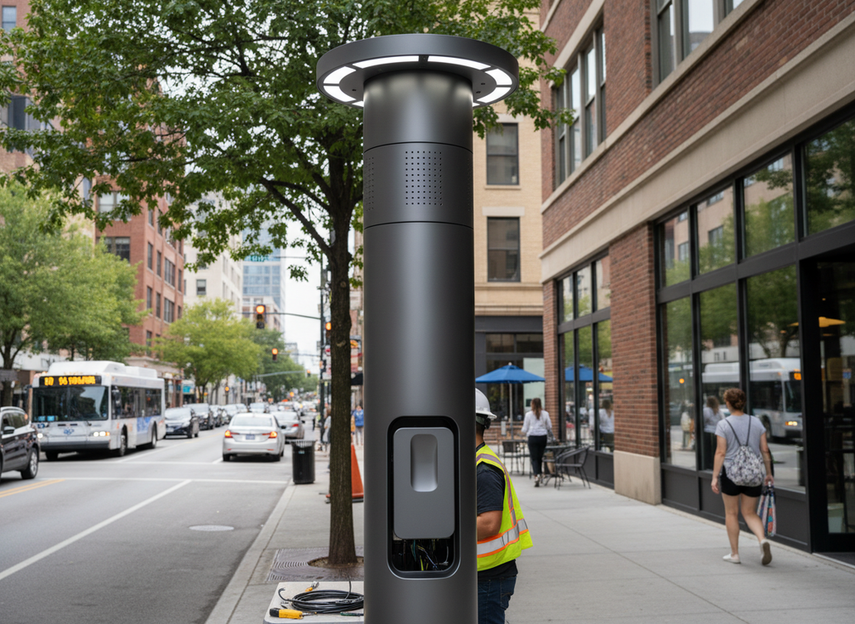
When a city adds 5G radios, sensors, and connected controls, the maintenance surface widens. A smart pole LED system now includes the visible display, the communications layer, the sensor layer, cable runs, enclosures, and the physical access path to reach them. That is why smart pole LED maintenance is no longer just a lighting task; it is an O&M task for a networked asset.
For municipal teams, the main planning change is that a fault can come from more than one layer. A display may still look fine while connectivity, temperature, or a sensor module is already drifting. A multi-layered infrastructure change means the service plan has to cover both the hardware you see and the systems you do not.
That also changes the first deployment question. It should not be, “Does it turn on?” It should be, “Who owns the routine service, who gets the alert, and who can physically reach the equipment when something fails?”
Define Ownership Before the First Service Call
The cleanest municipal smart pole ownership model is the one that leaves no gap between detection and repair. Before rollout, cities should assign responsibility for inspections, cleaning, software or firmware coordination, emergency repair, documentation, and vendor escalation. The municipal planning guidebook is explicit that interagency cooperation and third-party agreements matter when infrastructure maintenance, data handling, and system content span multiple parties.
A practical split usually falls into three patterns. Municipal-managed O&M works when the city has trained staff, access procedures, and a reliable asset record. Contractor-managed service works when response windows, access rights, and reporting cadence are written into the contract. Hybrid responsibility is common when the city owns the asset but outsources specialized electronics, network support, or emergency repair.

The key question is simple: if your team cannot name the person who closes the ticket, opens the enclosure, and signs off the fix, the ownership model is not ready yet. Unclear ownership is what turns a simple fault into a week of handoffs.
Municipal-Managed O&M
This model fits cities that already handle streetlight or public works service in-house. It can work well when crews are trained, access is straightforward, and the network is not spread across too many vendors. The trade-off is staffing: the city keeps control, but it also keeps the burden of dispatch, travel, and documentation.
Contractor-Managed Service
This model fits teams that want a more predictable service level for a specialized system. The contract needs to say more than “maintain the poles.” It should name response windows, access permissions, reporting cadence, and which repairs are preventive versus emergency work. If those terms are vague, the service agreement looks complete on paper but breaks down at the first failed enclosure.
Hybrid Responsibility Split
Hybrid ownership is often the most realistic option for shared infrastructure. The city may own the pole and the display, while a contractor handles electronics or network escalation. That split only works if one team owns the alert, one team owns the site visit, and one team can approve replacement parts. Otherwise, issues bounce between stakeholders instead of getting repaired.
If you are comparing broader system paths, a street pole display solution or broader outdoor DOOH options can help with navigation, but the maintenance question still comes back to who carries dispatch and escalation.
Thermal Load and Access Constraints
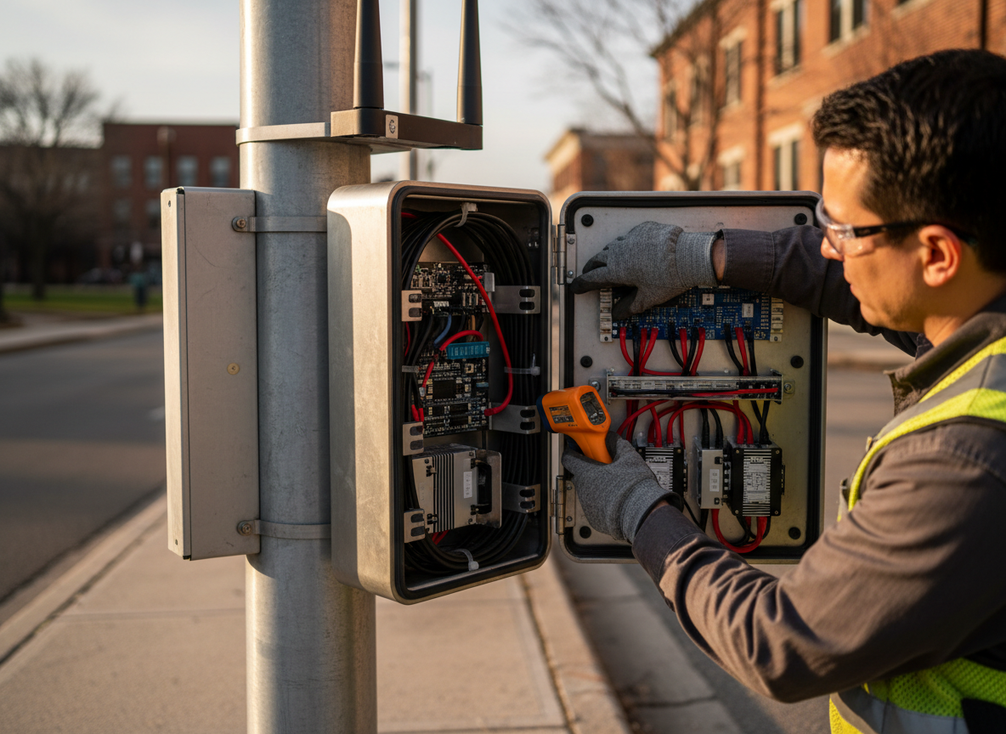
Added electronics increase heat and make access harder. That is the central maintenance problem after integration. In a dense enclosure, modems, switches, power devices, and cable bundles compete for space, and the system can accumulate heat faster than a simpler pole. The risk is not only component stress; it is also longer troubleshooting time when crews have to work in a cramped cabinet.
A direct technical warning from smart-pole deployment experience is that thermal accumulation becomes a real roadblock when active components sit in sealed compartments, and the enclosure gets harder to service at the same time. Thermal accumulation in smart poles is not a cosmetic issue; it is a maintenance driver.
The practical rule is to treat heat and access as one decision. If you improve ventilation but leave no service clearance, crews still struggle. If you improve access but crowd the cabinet with new devices, the system may still run hot. The point is to reduce risk, not pretend the extra hardware disappears.
| Issue After Integration | Why It Appears | Maintenance Impact | Practical Mitigation |
|---|---|---|---|
| Heat buildup in compact enclosures | More modems, switches, controllers, and cabling share less space | More nuisance faults, earlier component wear, and longer troubleshooting | Review enclosure layout, airflow path, and component spacing together |
| Crowded service access | More devices are added without redesigning the cabinet or pole access path | Longer repair time and more repeated site visits | Preserve service clearance and keep access points easy to open and document |
| Dust, debris, or moisture intrusion | More openings, seals, and field interfaces create more weak points | Higher cleaning burden and more inspection sensitivity | Use better sealing, housekeeping, and dust control during service visits |
| Cable crowding and labeling gaps | Additional connections are added after integration | Harder fault tracing and slower restoration | Improve cable management, label every serviceable path, and update as-built records |
For dense urban installs, this is where maintenance frequency becomes a local decision rather than a generic rule. A shaded, low-traffic site behaves differently from a pole cluster with little cabinet space and heavy summer exposure. Cities should set the cadence from environment, exposure, and service history, not from a universal promise.
Remote Monitoring and Fault Alerts
Remote monitoring is useful because it helps teams triage faster. It can flag a power loss, a connectivity drop, a device fault, a cabinet temperature anomaly, or a sensor that stops reporting. That means maintenance staff can prioritize the right pole before they send a truck, which is especially helpful when the city is managing many scattered assets.
But alerts are decision support, not a substitute for inspection. A fault alert can tell you that something changed. It cannot confirm that the cabinet is clean, the fasteners are tight, the enclosure is dry, or the heat path is still healthy. A fault alert dashboard may help with routing and triage, but the physical condition still has to be checked on site.
The most useful alert setup is the one that filters noise. Teams should define which events trigger immediate dispatch, which ones become a work order, and which ones stay in a trend log for review. If every warning becomes urgent, the dashboard loses trust. If no one owns the alert trail, repeat faults can stay hidden until a harder failure appears.
When monitoring shows repeat connectivity drops or repeated cabinet-temperature anomalies, the system has moved from “watch it” to “inspect it.” A recurring alert is usually a pattern, not a one-off.
Alert Signals That Matter
The alert types worth tracking first are power loss, network dropouts, repeated device faults, abnormal cabinet temperature, and sensor health. Those are the signals most likely to support dispatch decisions without turning the dashboard into noise.
What Alerts Cannot Replace
Alerts do not prove cleanliness, corrosion, loose fasteners, hidden heat damage, or water intrusion. They also do not replace physical testing after repair. If a fault repeats, the site visit is usually the next step.
Setting a Practical Escalation Path
A good escalation path sends the alert to the right responder, records who acknowledged it, and logs what was closed. That sounds basic, but it is what keeps maintenance from bouncing between IT, electrical, and field crews.
Build a Maintenance Checklist That Works
A useful smart pole LED maintenance checklist should be a sequence, not a pretend universal schedule. Start with safe access, then move through inspection, thermal and enclosure checks, monitoring review, corrective action, and closeout documentation. That flow matters more than a fixed calendar because the real conditions vary by site.
- Confirm site access and safe work conditions before opening anything.
- Check the enclosure for heat buildup, dust, moisture, and visible damage.
- Inspect cable routing, fasteners, seals, and service labels.
- Review remote alerts and compare them with what the site actually shows.
- Test the likely fault path, then correct the issue and verify the fix.
- Record the closeout, update asset notes, and confirm spare parts or escalation contacts if the fault suggests a repeat risk.
For cities with many poles, this is where a disciplined smart city series can help with navigation, but the checklist itself should stay tied to the asset you actually operate. The final step is documentation and parts readiness, because repeat repairs become slower when records are missing.
If your team wants one simple rule, use this: the checklist should reduce repeat dispatches, not just tick boxes. If the same cabinet keeps failing, the checklist needs a deeper root-cause step.
What Municipal Teams Should Verify Next
Before rollout, confirm who owns inspections, who receives alerts, who can enter the enclosure, and who approves replacement parts. Then check thermal design, access clearance, service records, and spare-parts coverage. If any of those pieces are unclear, the O&M plan is not ready for a citywide deployment.
Use the final review to confirm the maintenance handoff, not just the install date. We recommend treating the plan as ready only when it is staffable, auditable, and clear about escalation.
FAQs
What Maintenance Do Smart Poles Require After 5G and IoT Integration?
They usually need visual inspection, cleaning, enclosure checks, connection review, alert review, and targeted repair. The key change is that the service mix now includes both the physical pole hardware and the connected electronics. In practice, the more devices and access points you add, the more important it becomes to log what was checked and what was only observed remotely.
Who Should Own Smart Pole LED Maintenance in a Municipal Deployment?
Ownership can sit with the city, a contractor, or a hybrid model, but the contract or operating plan has to name the responder for each failure type. The cleanest test is simple: if an alert fires tonight, can one team answer who dispatches, who opens the cabinet, and who closes the work order? If not, the ownership split still has gaps.
How Do Smart Pole Fault Alerts Help Maintenance Teams?
They help teams prioritize, route, and spot patterns faster. Alerts are most useful when they separate urgent failures from warnings and show whether a problem is repeating. They do not confirm cleanliness, corrosion, or hidden heat damage, so a repeated alert should usually trigger an on-site inspection rather than more dashboard watching.
Why Does Thermal Management Matter More After Integration?
Because extra hardware adds heat in the same limited enclosure space. That makes cabinet layout, ventilation, dust control, and service clearance part of the maintenance plan, not just the design review. If a site already runs hot or is hard to open, integration can push it into a more fragile operating range even when the display itself looks fine.
Can a Checklist Prevent Downtime on a Smart Pole LED System?
It can reduce preventable downtime and make maintenance more consistent, but it cannot remove every site-specific failure. The best checklists are the ones that force a real inspection, a clear closeout, and a note on repeat risks. If a recurring fault keeps coming back, the checklist should point to a design or access problem, not just another routine visit.





