





LED Video Walls for High-End Integration: The Ultimate Colorlight Processing & Staging Guide
In the deployment of high-impact digital out-of-home (DOOH) media networks, mission-critical command control centers, and premium live stadium entertainment, system architects operate under strict constraints. When an indoor fine-pitch video wall or outdoor advertising billboard displays frame tearing, color inaccuracies, or structural latency, the downstream operational liability rests entirely on the integration partner.
Through our direct enterprise infrastructure engineering partnership, Chipshow seamlessly integrates advanced Colorlight inside native video processing hardware across our flagship outdoor fixed (Slim, Smart, Vent, Fit) and premium indoor fixed (Max, Pad, Mesh) product portfolios. This integrated ecosystem moves processing performance beyond the boundaries of standard standalone controllers, enabling pixel-perfect mapping directly at the core of the display network.
To secure system reliability and maximize display asset return on investment (ROI), engineering leads must standardize configuration control protocols. This technical document provides access to certified software download branches, maps hardware loading capabilities, and serves as your diagnostic blueprint for high-performance field staging.
Hardware Profile Matrix: Master Splicing Infrastructure Manuals
Colorlight X100 Pro Series Video Splicers
Engineered for broadcast environments, visualization centers, and control hubs requiring flexible multi-window layouts, high-order input configurations, and stable multi-platform web application controls.
X100 Pro-4U: Features a modular 15-slot chassis supporting up to a 26 million pixel load capacity, accommodating 4 inputs and 4 outputs simultaneously with progressive 10-bit deep color input paths.
[Download: Chipshow-Colorlight X100Pro-4U-Specification-V2.0_1774493530 Official Technical Specifications Manual]
[Download: Chipshow-Colorlight X100Pro-4U-Specification-V2.0_1774493833 Official Technical Specifications Manual]
X100 Pro-7U: Heavy-duty architecture handling up to a 52 million pixel load threshold, allowing up to 8 hot-swappable input boards and 8 output boards for simultaneous 4K ultra-high-definition canvas configurations.
[Download: Chipshow-Colorlight X100 Pro-7U Video Splicer Official Technical Specifications Manual]
Colorlight Universe Series Video Splicers
Next-generation FPGA-driven video wall processing platforms engineered for massive canvas arrays, live venue staging matrices, and high-density multi-screen installations.
[Download: Chipshow-Colorlight Universe Series UserManual]
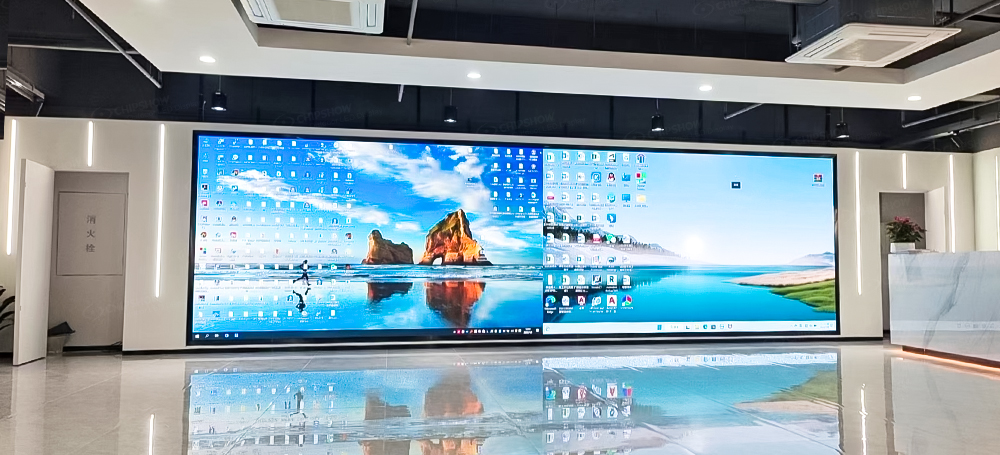
U6 Max: Advanced modular configuration managing up to a 130 million pixel density loading floor across 15 customizable slots.
[Download: Chipshow-Colorlight U6 Max Video Splicer Official Technical Specifications Manual]
U9 Max: Mid-scale processing engine supporting an expansive 260 million pixel system loading capacity across 20 hot-swappable slots.
[Download: Chipshow-Colorlight U9 Max Video Splicer Official Technical Specifications Manual]
U15 Max: Flagship multi-screen control engine delivering up to an unparalleled 520 million pixel master loading canvas via 40 dedicated slot divisions.
[Download: Chipshow-Colorlight U15 Max Video Splicer Official Technical Specifications Manual]
Unified Software Download Center
To prevent data corruption, configuration mapping failures, and unexpected processing drops, technicians must deploy the correct firmware-matched control utilities. Use the direct download links below to acquire stable enterprise software builds:
LEDSETTING System Configuration Utility
The core hardware configuration package utilized by field technicians for receiving card parameter detection, pixel-level connection mapping, and physical layout daisy-chain assignments.
[Download: Official LEDSETTING Configuration Software – Stable Enterprise Build]
LEDVISION Display Management Suite
The master control interface designed for detailed screen configuration, custom resolution setup, structural boundary mapping, and direct color gamut adjustment loops.
[Download: Official LEDVISION Display Management Software – Stable Enterprise Build]
GrandShow Creative Media Server Software
The specialized rendering engine engineered for multi-layer roaming, free creative splicing control, background subtitle acceleration, and high-resolution master media playback orchestration.
[Download: Official GrandShow Creative Media Server Software – Stable Enterprise Build]
Professional Engineering Playbook: Resolving Display Anomalies
1. Eliminating Visible Panel Seam Lines via Advanced & Delta Algorithms
Bright or dark gap anomalies at physical cabinet intersections can disrupt visual continuity across close-view indoor environments. To resolve these structural variations without degrading pre-existing optical uniformity configurations, engineers must implement the following operational steps:
Access the central web control application, navigate to advanced settings, and enter the authorized diagnostic node using authentication code 168.
Execute a receiving card detection loop to confirm module-level software status alignment across the target screen group.
Enable the specialized Advanced Seam Correction engine while keeping the baseline runtime calibration layer deactivated.
Lower display brightness down to an evaluation index of 20% to clearly isolate high-contrast module seams under dim room conditions.
Select a subtle step correction increment size (e.g., 0.005 or 0.001) to prevent over-compensation artifacts.
Locate the specific edge coordinate on the visual mapping layout interface and apply minor adjustments using the positive or negative trim controls until edge-line visibility is eliminated across the screen plane.
2. Maximizing On-Camera Scan Purity & Eradicating Rolling Shutter Flicker
Flicker anomalies and dark rolling bands on camera feeds are caused by poor refresh cycles and driver limitations inside lower-tier electronic modules. Achieving clean presentation playback on high-shutter broadcast cameras requires strict tracking of the interaction between the processor and the screen:
Synchronized Genlock Tracking: When deploying high-end corporate presentation screens, system designers must hook the master video splicer’s GENLOCK IN port directly to a studio sync reference signal generator. This forces the output frame rate to lock exactly with the camera shutter cycle, eliminating frame-skipping artifacts.
Color Gamut Alignment: Navigate to the Precise Color Management engine via the web application interface. This system converts wider physical device spaces (such as Rec.2020 or DCI-P3 profiles) down into uniform sRGB standard limits. This process uses real-time FPGA mapping to match brand color values cleanly on recording feeds without oversaturating or distorting image highlights.
3. Securing Signal Redundancy via Port Loop & Fiber Fallbacks
High-stakes projects require multi-tier signal fallback loops to protect against physical link interruptions and cable failures:
Intra-Board RJ45 Redundancy: Utilizing standard Gigabit Ethernet outputs (such as the 20×1G RJ45 board), configure an intentional signal loop by routing the primary data path out from Port 1 through the display cabinets, and returning the endpoint back into an assigned redundant backup port (e.g., Port 2) on the exact same board face.
High-Bandwidth 10G Fiber Redundancy: For long-distance transmission lines exceeding standard copper limitations, select the 10G Fiber Output Board. Set the card configuration properties to Redundancy Mode via the system management dashboard. In this configuration, Port 1 runs as the primary single-mode 20 km data highway, while Port 2 mirrors the signal loop automatically. If a primary fiber trunk is compromised, the backup line takes over processing loads instantly without frame drops.
Certified .RCFGX Configuration Profiles
Every unique production run of LED displays possesses subtle microscopic hardware variations across diode manufacturing batches. Uploading an unverified, generic configuration file (.rcfgx) downloaded from public forums can cause color imbalances, drop your module refresh limits, or cause hardware faults on the receiving card.
To secure a certified copy of your batch-verified configuration profile, connect to Chipshow’s Global Support Gateway. Please submit your formal Screen Model Number, Original Purchase Contract Reference, and the Batch Serialization Stamp found on your cabinet’s electrical housing label. Our engineering division will cross-reference the factory build records and route the correct, calibrated .rcfgx matching data map directly to your staging team.
[Request Batch-Verified Calibration Configuration Profiles: 24/7 Chipshow Emergency Support]





