





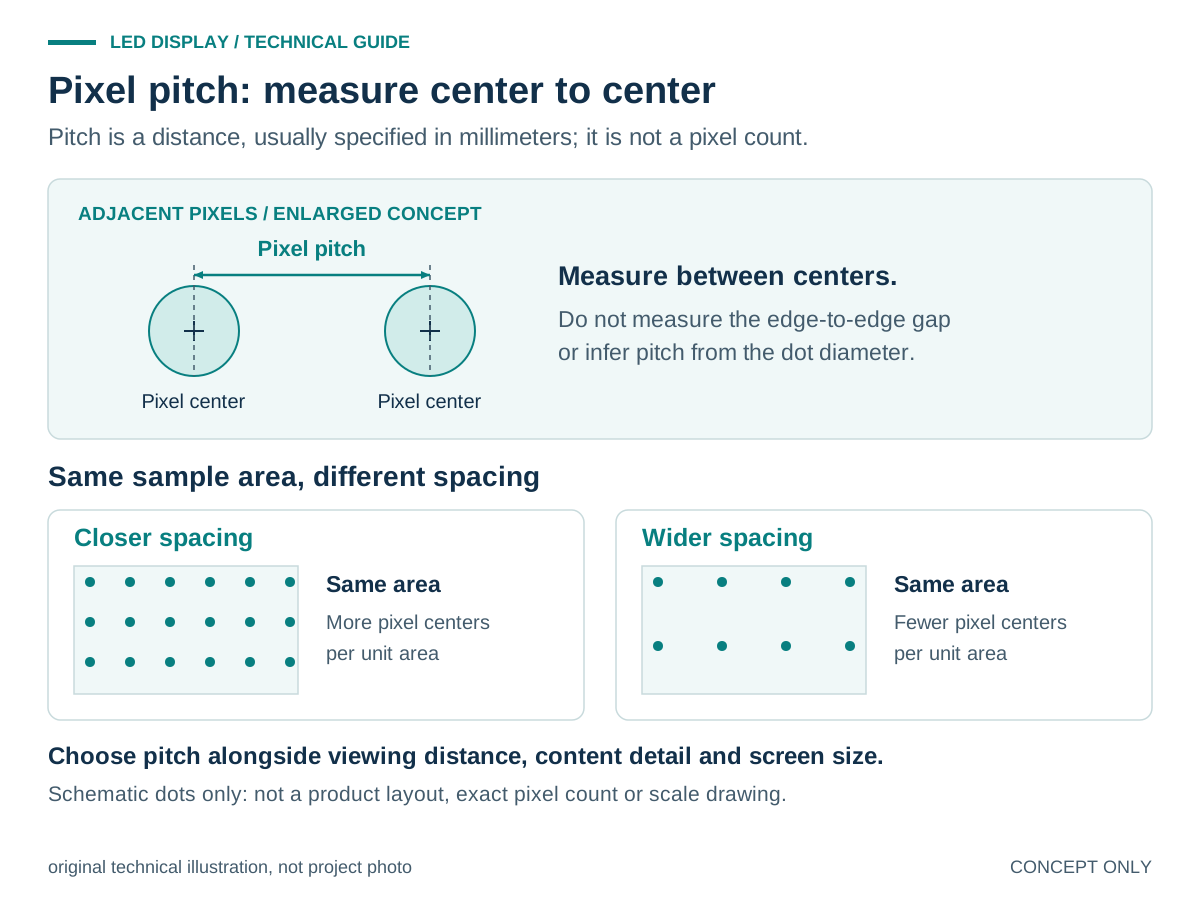
Pixel pitch is the center-to-center distance between adjacent display pixels, normally measured in millimeters. For advertising, pitch and screen dimensions determine the native pixel canvas, while text size, contrast and viewing conditions influence whether the message can be read.
What pixel pitch means—and what it does not
A display pixel is an individually controlled picture element. In a full-color LED display, red, green and blue light combine to create its color. Pixel pitch describes the spacing of those picture elements. It is not the total number of pixels on the screen, and it is not the physical size of an LED package. A designation such as P4 normally indicates a nominal pitch of 4 mm. Two screens with the same pitch can have different resolutions because their physical display areas differ. Conversely, a smaller pitch puts more pixels into the same display width and height.
How pitch relates to the advertising canvas
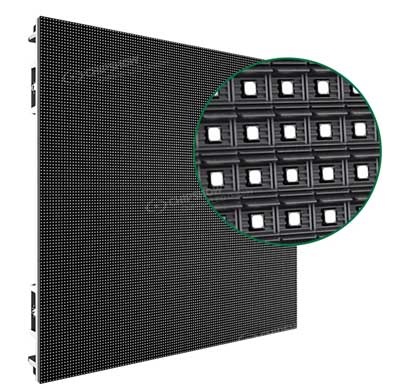
For a regular pixel grid, approximate horizontal pixel count equals active display width in millimeters divided by horizontal pitch. The same calculation applies vertically. A hypothetical 4,000 mm active width at a uniform 4 mm pitch gives 1,000 pixels across. That geometry example is only a calculation: an actual screen must match the selected modules and cabinet layout.
Why advertising readability needs more than a pitch number
The native pixel canvas sets a limit on the detail available to the creative team. It does not guarantee that a passerby can read the offer. Text size, stroke thickness, contrast, viewing position and the time available to look all matter. Shrinking a desktop advertisement to fit an LED canvas can leave the legal line or price qualifier unreadable even when the main image looks clear.
Start with a message hierarchy: the main offer, the brand and any essential qualification. If essential words cannot be read in the intended viewing situation, simplify the layout or revisit the screen brief rather than assuming finer pitch alone will solve the problem.
A practical advertising-copy test before ordering
- Use the actual message, not only a demonstration video.
- Ask for the proposed native pixel dimensions and prepare artwork for that canvas.
- Include the smallest essential text, a realistic price and the actual logo.
- Review the sample from the nearest and typical audience positions under representative lighting.
- Check the intended dwell time and transitions.
- Decide what must be understood in one viewing opportunity.
- Record which content passed, which needed redesign and which conditions still need an on-site check.
- Use the same checklist on your own artwork and viewing site before ordering.
Keep the rest of the screen specification separate
Indoor or outdoor use does not, by itself, dictate one correct pitch. Environmental suitability, service access and the full system specification require their own checks. The business LED display requirements guide addresses that wider purchasing brief. The COB packaging comparison covers a different question: how display packaging choices should be evaluated, rather than how pitch is defined.
For an application-specific company reference, see the C-Lite P4.81 Bulgarian volleyball court article. Its named pitch is not a recommendation for every advertising screen. When requesting a proposal, provide the screen dimensions, audience positions and sample campaign artwork so readability can be discussed against a real use case.





