





Smart pole LED display IoT integration only makes sense when you treat the pole as shared infrastructure, not just a lighting asset. For municipal planners, the real question is whether the pole can handle lighting plus data, connectivity, and service payloads without creating a maintenance or power problem later.
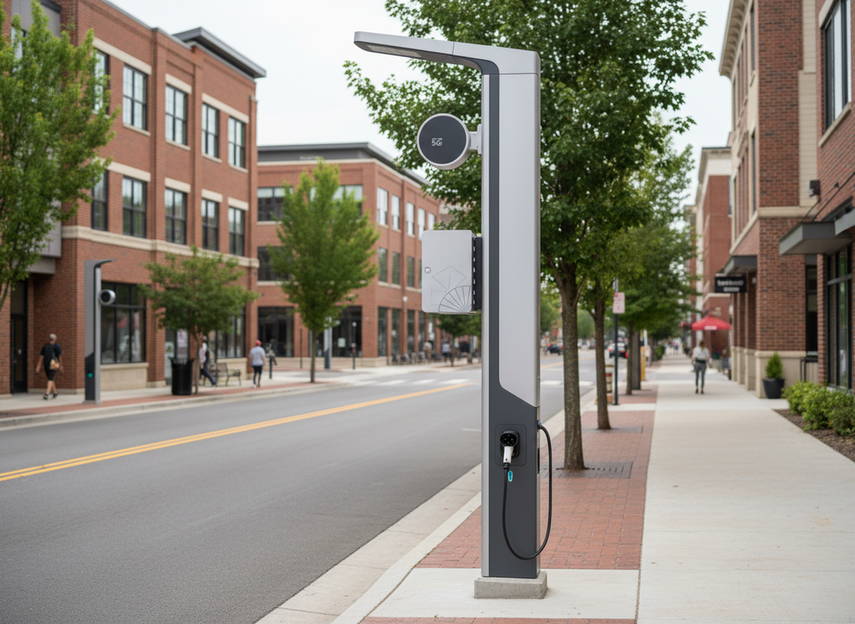
What Smart Poles Do Beyond Lighting
Smart poles are often evaluated as multi-function infrastructure nodes that can support more than street illumination. In practice, that can mean a lighting pole with room for sensors, network gear, cameras, or local messaging, depending on the project.
That shift matters because every added function changes the electrical, mounting, and maintenance conversation. A smart pole LED project that looks simple on paper can become a shared infrastructure program once you add data flows, access needs, and service responsibility.
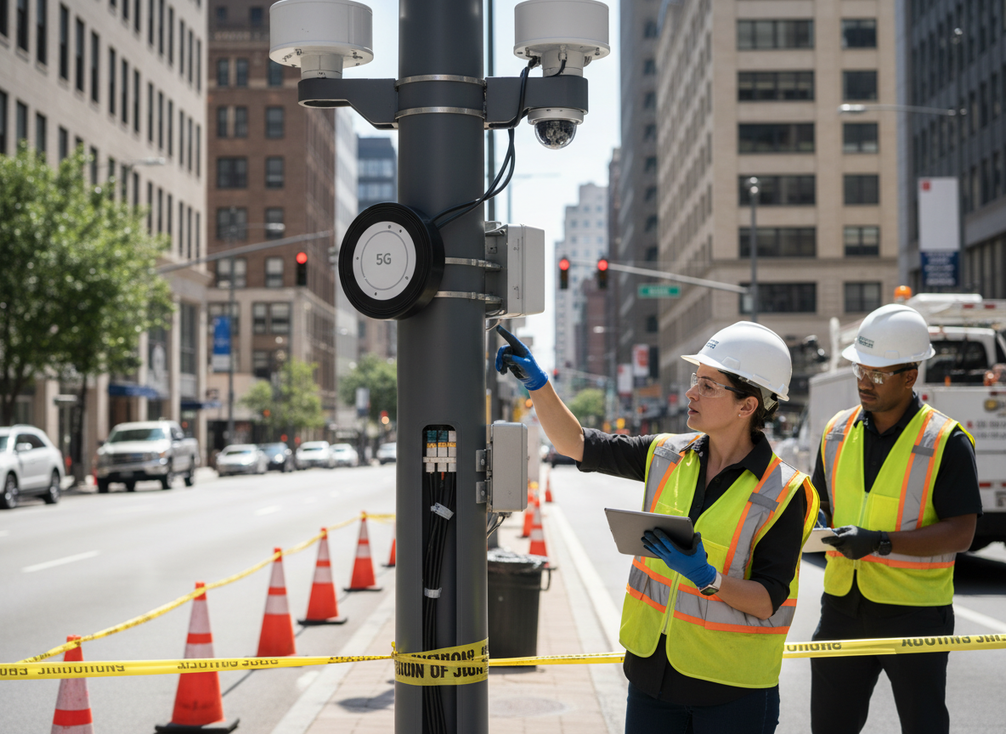
For most municipalities, the first question is not “what can it do?” but “what problem is this pole solving?” If the answer is only lighting, keep the design simple. If the answer includes monitoring, connectivity, or public messaging, plan the pole as a node that needs room for power distribution, control gear, and future access.
Integration Options for Cameras, Sensors, and Connectivity
A smart pole can host more than one payload, but the fit depends on the device family and the site. Cameras, environmental sensors, connectivity gear, and display modules each create different mounting, power, and network requirements. That is why municipal smart pole data node use cases should be sorted by coordination burden, not by marketing claims.
Cameras and Public-Safety Payloads
Camera payloads usually need the most careful structural review. PennDOT’s camera mounting and structural support guidance is a reminder that support structure, height, cabling, and access all matter before a camera is added to a pole. For planners, the practical issue is not whether a camera can be attached in theory, but whether the pole can support the load, the enclosure, and the maintenance routine.
Camera projects also tend to bring privacy review, storage planning, and service coordination into the same decision. If those pieces are not already defined, a camera-ready pole can create more process work than expected. That is why a public-safety-adjacent deployment should be treated as a structural and operational decision, not a simple hardware add-on.
Environmental Sensors and Street-Level Data
Environmental sensors are often the easiest way to turn a pole into a data node without overbuilding the site. The NTCIP environmental sensor interoperability standard defines how Environmental Sensor Stations can report data such as air quality, weather, and pavement conditions in a conformant way. For a city, that means sensor selection and backhaul coordination are planning issues, not afterthoughts.
This is where smart city pole sensor and camera requirements start to diverge. Sensors usually need less structural support than cameras, but they still need a clear reporting need, accurate placement, and a maintenance path. If the city only wants a pilot or limited data collection, a lighter sensor package is often the better starting point than a heavier multi-device build.
Small Cells, Backhaul, and Network Coordination
Connectivity payloads add a different kind of complexity. The standards-based connectivity payloads framework for roadside units shows why telecom-adjacent equipment is a separate coordination track from lighting design. Even when the network plan is modest, the pole still has to accommodate space, cabling, backhaul, and coordination with the communications partner.
That is especially important for municipalities thinking about 5G or other connectivity expansions. Do not assume every smart pole is ready for telecom equipment just because it has available height or a cabinet. The safer rule is simple: if the deployment depends on network performance, the network design should be reviewed as its own workstream.
Display Modules and Local Messaging
A display module can turn a pole into a local communication point for alerts, wayfinding, or civic messages, which is where smart pole LED display IoT integration becomes a practical planning term instead of a slogan. The trade-off is that display placement, brightness control, and maintenance access all become part of the total load.
This is where the recommendation changes: if the site already has a clear public-message use case and the pole has room for service access, a display can be useful. If the site is already crowded with cameras, sensors, and connectivity gear, the display may be the first feature to cut back so the project stays manageable.
Smart Pole Payloads: Coordination Burden and Power-Planning Complexity
Use this to compare how common payload types change coordination and shared-power planning in typical municipal deployments.
Show comparison data
| payload class | planning load | coordination burden | power-planning complexity |
|---|---|---|---|
| Environmental sensors | Lower | Lower | Lower |
| Camera payloads | Moderate | Moderate | Moderate |
| Connectivity gear | Moderate | Moderate | Moderate |
| Display modules | Moderate | Moderate | Moderate |
| Mixed payload stack | Higher | Higher | Higher |
How to Plan Shared Power and Control
-
Inventory every device first. List the lighting load, then add each auxiliary device, control cabinet element, sensor, camera, or network unit separately. The point is to avoid assuming one power budget covers everything.
-
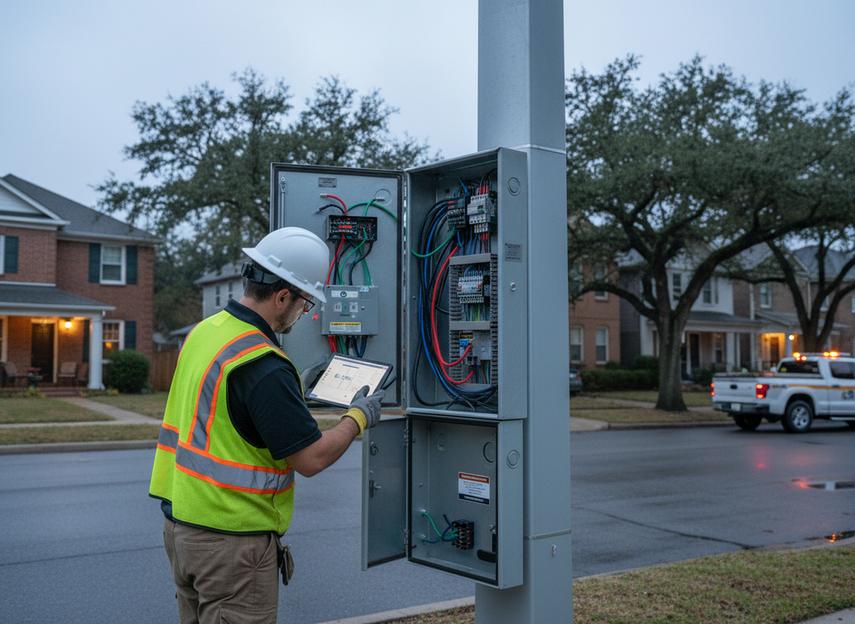
Separate lighting from auxiliary demand. The municipal guidebook on shared power loads and controls is useful because it treats controls, protection, and metering as part of the planning sequence. In a retrofit, this is where surprises usually show up.
-
Check the electrical path, not just the pole. A smart pole LED power budget should include the circuit, controls, surge protection, and any metering or cabinet hardware that supports commissioning. If those pieces are not reviewed together, a project can look feasible until the last stage.
-
Confirm commissioning and future expansion. If the city expects new payloads later, leave room for them now. That is often cheaper than revisiting the pole after the first deployment, especially when access windows are limited.
The decision sentence is simple: if your deployment adds anything beyond lighting, plan the electrical system as a shared budget, not as a single capacity number. That is the safest way to avoid underpowered retrofits and avoidable change orders.
Ownership and Maintenance Models
| Ownership Model | Control Over Access | Maintenance Responsibility | Budget Visibility | Best Fit | Main Trade-off |
|---|---|---|---|---|---|
| Municipal-owned | Highest | City-led | Clearer internal view | Cities that want direct control | More in-house coordination |
| Integrator-managed | Medium | Contract-based | Good if scope is tight | Projects with a strong vendor partner | Service boundaries must be explicit |
| Shared-service / joint-use | Shared | Split or coordinated | Can be harder to untangle | Multi-party corridors or utility-adjacent sites | Access and repair roles can get vague |
Joint-use and shared-service models can reduce duplicate infrastructure, but they also add coordination around access, repair timing, and responsibility. The joint-use maintenance tradeoffs matter most when multiple parties touch the same pole, because confusion on who responds can become a service issue later.
For total cost of ownership, the key is not only the upfront pole package. It is also who replaces parts, who approves access, and who owns downtime when something fails. If those boundaries are unclear, the cheapest-looking option can become the hardest to operate.
How to Match Use Cases to Deployment Conditions
- Corridor lighting upgrade with light sensors: Best when the city wants a low-complexity step into municipal smart pole data node use cases. Keep the payload simple if cabinet space, access, or budget is tight.
- Downtown district with civic messaging: Works better when public visibility justifies a display or camera package. This is a stronger fit when permitting, mounting review, and maintenance access are already solved.
- Transit-adjacent connectivity corridor: Choose this only when telecom coordination and backhaul planning are already part of the project. Heavier connectivity makes sense when the site is meant to support broader network goals.
- Environmental or traffic sensing pilot: A good entry point when the city wants data first and expansion later. Start with sensors if you need a clearer operating model before adding cameras or displays.
- Retrofit on an existing pole: Treat as the most constraint-sensitive option. Verify structure, power, and access before assuming the pole can absorb more payloads.
- New streetscape installation: Best when the city wants future expansion room built in from the start. That makes it easier to add payloads without redesigning the entire node later.
A smart pole is not automatically the right answer just because the site can physically support more hardware. It is the right answer when the use case, power path, and maintenance model fit together. If one of those three is missing, simplify the payload rather than forcing a full stack.
Final Takeaway
Smart poles work best when you plan them as infrastructure nodes with a clear job, not as hardware platforms that must do everything at once. The strongest deployments usually start with the lightest payload that still solves the municipal problem, then add devices only when the power, mounting, and service model are already clear. If you are comparing options, start with the use case, then verify the power budget, then lock down maintenance ownership before you buy.
FAQs
How Can a Smart Pole Host Multiple Devices at Once?
It can, but only if the pole is designed as a shared system from the start. Mounting, electrical supply, network coordination, and maintenance access all have to fit together. If one of those parts is missing, the number of devices matters less than the coordination burden they create.
What Should Be Checked Before Adding Cameras to a Smart Pole?
Check structural support, pole loading, cabling, enclosure space, sight lines, and service access. Privacy review and data handling rules also matter for many municipal deployments. The main mistake is treating a camera as a simple accessory instead of a payload that changes the whole pole design.
Why Does Power Budget Planning Matter for Smart Poles?
Because the pole’s shared power has to cover lighting plus every auxiliary device and control element. If planners only size the lighting load, the system can become underpowered once cameras, sensors, or network gear are added. Good planning protects reliability and leaves room for future expansion.
Can Existing Poles Be Converted Into Smart Poles?
Sometimes, but retrofit projects need more verification than new installs. Structural condition, electrical capacity, access, and permitting all have to be checked before you assume the pole can take additional load. A retrofit is often the more constrained path, so it should be treated that way early.
What Is the Biggest Maintenance Risk in Smart Pole Projects?
Ambiguous ownership. If no one is clearly responsible for access, parts, repairs, and response timing, service delays become more likely. That is why maintenance terms should be defined before deployment, not after the first outage.





