





A redundant LED video wall for command center use should be treated as layered protection, not a blanket uptime promise. In a command center video wall, the real goal is simpler: if one power supply, signal path, or controller component fails, the wall should keep the room informed or recover in a controlled way. That is why buyers should specify redundancy by failure mode, not by slogan.

What Redundancy Means in a Command Center Wall
In a control room, redundancy means more than "extra power." It usually means the display is designed with separate paths that reduce the chance one component takes the whole wall down. In mission-critical rooms, that matters most when the wall feeds operators who cannot wait for a reset.
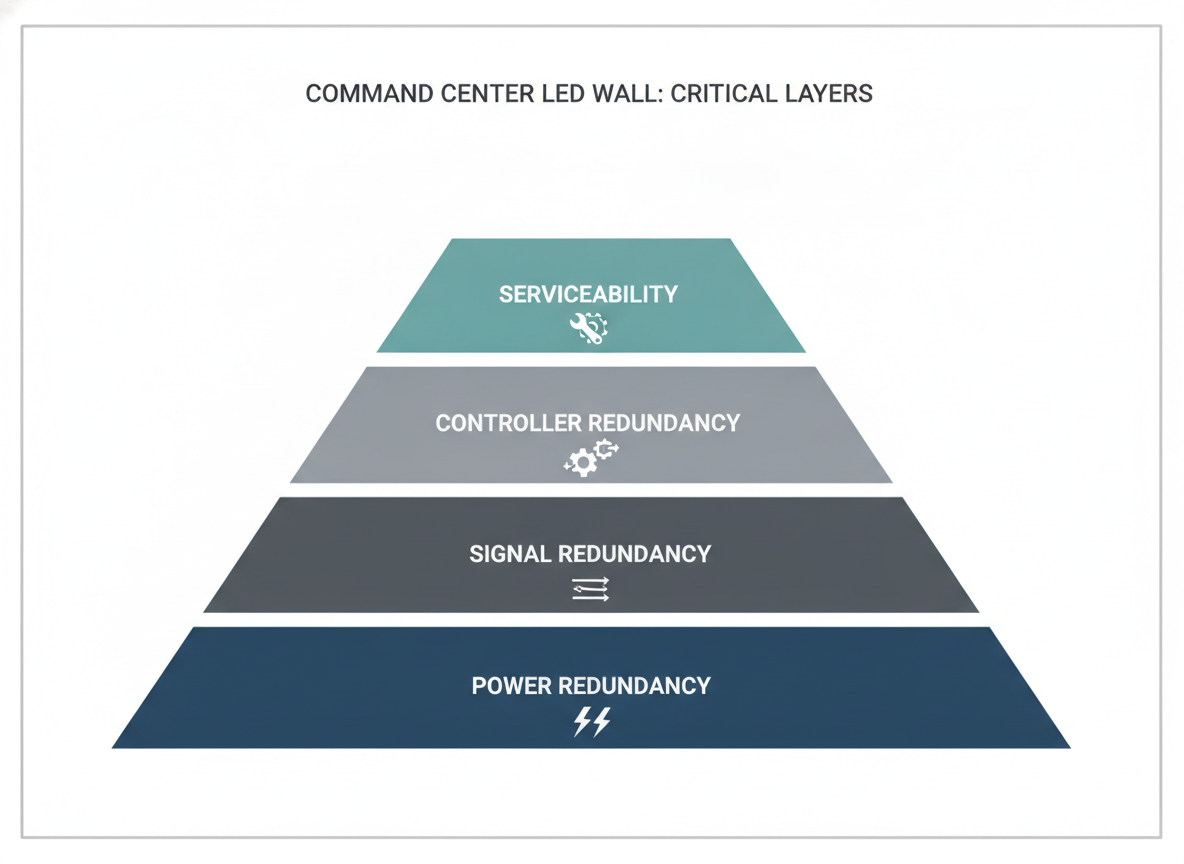
The useful question is not whether a display is labeled reliable. It is whether the design reduces single-point failure risk across power, signal, and controller layers. A wall can have strong electrical redundancy and still lose visibility if the signal chain or controller is a single point of failure.
For procurement teams, that distinction matters early. It changes how you write the spec, what you ask integrators to document, and what you reject as a vague "high reliability" claim. If you are comparing options, browse command center solutions alongside mission-critical video walls only as navigation paths until the failover details are verified.
How Dual Power Paths Reduce Single-Point Failure
Mission-critical displays often use N+1 or 1+1 power redundancy, where multiple power supply units share the load or stand ready so one PSU can fail without stopping the wall. That is the core reason dual power paths matter in a command center display reliability design. The benefit is practical, not magical: one failed supply should be less likely to become a full visual outage.
What buyers should check first is how the system behaves when one feed or one supply drops. A redundant power design can be arranged as a backup feed, a redundant PSU layout, or a broader load-sharing scheme, and those are not the same thing. If the upstream power path is shared, or if only part of the wall is covered, the real resilience may be lower than the brochure suggests.

That is why cabinet layout and service planning matter. A dense wall with poor access can still be hard to repair even if the electrical design is sound. If your room is closer to a 24/7 operations center than a casual presentation space, a zero-downtime COB wall is worth reviewing only after you confirm the exact power-path behavior you need.
A useful decision sentence: if one PSU failure would interrupt operations, ask for dual power paths by design; if a brief visual interruption is acceptable during maintenance, a simpler arrangement may be enough. The boundary is important, because power redundancy alone does not equal whole-wall redundancy.
| Redundancy layer | Protects against | Does not protect against | What to verify |
|---|---|---|---|
| N+1 / 1+1 power redundancy | Single PSU failure or loss of one power path | Full wall redundancy, or a signal/controller failure | Failover behavior, image-integrity impact, serviceability |
| Power redundancy only | Localized power-path failure | Display-wide outage from a separate fault | What happens during switchover |
| Serviceability | Slower repair and replacement | Runtime resilience by itself | Access, swap procedure, maintenance impact |
Signal and Controller Redundancy You Should Not Skip
Power redundancy is only one layer. A command center wall can still become operationally useless if the signal path or controller is a single point of failure. That is why the University of Houston’s AV design standards and verification procedures emphasize documenting failover behavior and the impact of a single component failure on image integrity.
For buyers, the practical move is to treat power, signal, and controller paths as separate verification items. Ask what happens if the controller fails. Ask whether the source switch is redundant. Ask how the wall behaves if one signal route drops. If the vendor only answers with general reliability language, that is not enough for a procurement decision.
This is also where many teams overbuy the wrong thing. They spend budget on redundant supplies but leave the controller chain under-specified. If you need a broader category to compare against, review the C-Max fine-pitch lineup as a browsing step, but verify failover documentation before treating any model as a fit.
The clean rule is this: if the room cannot tolerate a visible blind spot, ask for separate proof of signal and controller resilience, not just electrical redundancy. If the room can tolerate a short service pause, the spec can stay simpler, but it should still document what failure affects what part of the image.
How to Turn Redundancy Into a Procurement Checklist
A good spec does not ask for "maximum redundancy." It asks for the smallest set of protections that matches the room’s failure impact. In 24/7 monitoring environments, the spec should explicitly request failover behavior, switchover expectations, and the effect of a single component failure on image integrity. That is more useful than vague language about reliability.
Use a checklist like this during RFP review or integrator comparison:
- Define the room’s downtime tolerance. If the wall supports emergency response or dispatch, the failure tolerance is much lower than in a standard corporate lobby.
- Name the failure modes that matter most. Power loss, controller loss, and signal loss should be separate items.
- Ask for documentation of failover behavior. The buyer should know what stays visible, what blanks, and what needs manual intervention.
- Ask how service access affects the design. A spec that ignores maintenance clearance can still fail in practice.
- Require acceptance language. The integrator should show how the wall will be checked after a repair or replacement.
If you want a follow-up reference point for resilience-minded product evaluation, engineering resilience notes can be useful as a navigation target, but it should not replace failover documentation in the bid package. C-Max indoor displays are best compared only after the specification is written around failure impact.
A decision sentence worth using in procurement reviews: choose the redundancy level that protects the most expensive failure, not the one that sounds strongest in marketing copy. If power, signal, and controller losses are all unacceptable, the spec should say so plainly; if only one layer is mission-critical, do not pay to duplicate every layer.
Maintenance Access and Component Swap Planning
Serviceability is part of uptime. Front-serviceable designs are preferred in tight control rooms because they let technicians replace components from the front without dismantling the entire wall front-service access. That does not mean every wall is hot-swappable. It means the maintenance path should be planned before the first component fails.
In real use, the friction often comes from access, not the part itself. If the cabinet is hard to reach, the swap takes longer and the room stays at risk longer. Good planning covers spare modules, labeling, isolation steps, and the order of checks after replacement. A redundant wall that is difficult to service can still create avoidable downtime.
The safest buying question is simple: can the wall remain operational while one component is removed, or does maintenance require a controlled pause? If the answer is unclear, ask the vendor to document the exact swap workflow. You can also review the zero-downtime C-Pad category as a category path, but keep the maintenance question separate from the product name.
Another useful sentence for project teams: if a spare part exists but the access path is poor, the wall is only partially protected. Maintenance planning should include who swaps the part, how the change is verified, and how the room returns to normal operation.
Choose the Right Redundancy Level for Your Room
The right design is the least-complex setup that still protects the room’s real mission. An emergency operations center usually justifies stronger separation and more detailed failover documentation than a room with scheduled maintenance windows. An enterprise NOC or SOC may need balanced redundancy, plus clear service access and acceptance testing.
Before award, review four things together: power paths, signal paths, controller behavior, and service access. If one of those is still a single point of failure, the wall is not fully protected in practice. If all four are overbuilt beyond the room’s downtime cost, you may be paying for complexity you do not need.
For many buyers, the best next step is to compare a mission-critical lineup against the room’s actual failure impact, then ask for the engineering proof that matches it. That is the most reliable way to specify a redundant LED video wall for command center use without overbuying or overpromising.
FAQs
How Is Redundant Power Different From Backup Power in an LED Wall?
Redundant power usually means parallel or independent power paths that are meant to reduce single-point failure risk. Backup power may only keep upstream gear alive or support part of the system. In procurement, the important question is which components stay powered and what the wall does when one path drops.
What Should a Control Room RFP Ask for Besides Dual Power?
Ask for documented failover behavior, the impact of a single failure on image integrity, controller redundancy, signal routing behavior, and service access requirements. Those items help prevent a design that sounds resilient but still leaves a controller or signal chain as the real weak point.
Can a Redundant LED Video Wall Keep Running During Maintenance?
Sometimes, but only if the design and maintenance workflow support it. Front access, spare parts, labeling, and clear swap procedures all matter. Buyers should ask whether service can happen while the wall stays operational or whether a controlled pause is required.
Why Do Signal Paths Matter If the Power Supply Is Redundant?
Because power redundancy does not protect every failure mode. If the controller or signal chain fails, the wall can still lose operational visibility. That is why signal and controller paths should be verified separately from electrical redundancy.
What Is the Safest Way to Compare Redundancy Options Without Overbuying?
Start with downtime impact, then choose the smallest redundancy set that protects the room’s critical failures. Compare power, signal, controller, and service access together, and require the vendor to explain what happens during a single component failure before you award the project.
Final Takeaway
Choose redundancy by failure mode, not by slogan. Keep power, signal, controller, and service access separate in the spec, then match the design to the room’s downtime cost.





