





A flexible LED wall can be built in many shapes and sizes, but that freedom can create problems if the ratio is wrong. This screen aspect ratio guide explains how to match content, cabinet layout, pixel count, and viewing use before production begins. The goal is simple: avoid stretched video, black bars, awkward cropping, and costly layout changes.
What Is Screen Aspect Ratio and Why Does It Matter for LED Walls?
Screen aspect ratio is one of the first layout decisions in an LED video wall project. It affects the wall’s shape, content format, cabinet count, pixel resolution, and final viewing experience.
Common Aspect Ratios: 16:9, 4:3, 21:9, and Custom Formats
Aspect ratio means the relationship between screen width and screen height. A 16:9 screen is 16 units wide for every 9 units high. A 4:3 screen is more square. A 21:9 screen is wider and more cinematic.
Common ratios include:
- 16:9: Standard for video, presentations, broadcast, and many meeting rooms.
- 4:3: Useful for some control rooms, legacy content, and more square display areas.
- 21:9: Common for wide immersive visuals, retail walls, and premium presentation spaces.
- 32:9: Very wide format for command centers, showrooms, and panoramic content.
- Custom ratio: Used for architecture, atriums, creative walls, and brand spaces.
For most buyers, a 16:9 LED wall is the easiest starting point because most video content already uses that format.
The Role of Aspect Ratio in LED Wall Layout and Content Fit
Traditional displays come in fixed sizes. LED video walls are built from cabinets and modules. That gives more freedom, but it also means the final ratio must be planned.
If the LED wall ratio does not match the content, three problems may appear. The image may stretch. The content may be cropped. Or black bars may appear at the top, bottom, or sides.
Pixel pitch also matters. Pixel pitch means the distance between LED pixels, measured in millimeters. A wall can have the right physical ratio but still miss the target pixel resolution if the cabinet count and pixel pitch are not planned together.
Which Aspect Ratio Fits Your Application?
The best ratio comes from the content first, then the space. A conference room, retail store, lobby, museum, and control room do not all need the same shape.
16:9 for Broadcast, Presentations, and Video Playback
A 16:9 LED wall is the safest choice for most business and media uses. It matches common video files, slide decks, web content, livestreams, and broadcast formats.
Choose 16:9 when the wall will show:
- Corporate presentations
- Video playback
- Product demos
- Web conferences
- Broadcast feeds
- Training content
- Event visuals
A 16:9 LED wall can simplify content production when the sources are 16:9. Confirm exact source and native pixel dimensions as well: a ratio match does not by itself provide a 1920 × 1080 or 3840 × 2160 canvas.
21:9 and Ultra-Wide Ratios for Immersive Spaces
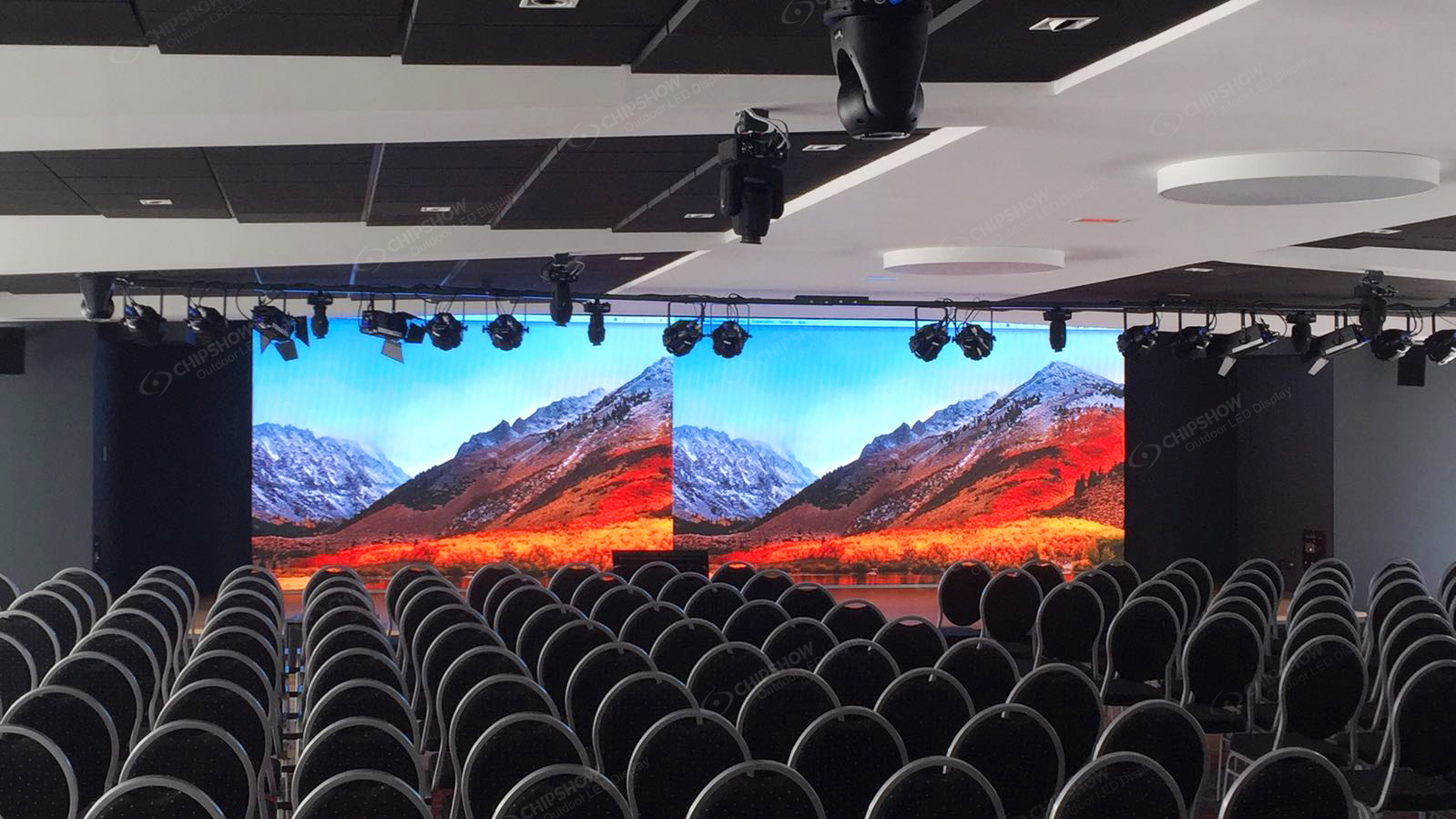
A 21:9 ratio creates a wide visual field. It works well when the wall is meant to feel cinematic or immersive. Retail stores, brand showrooms, museums, and experience centers often use wider ratios to create stronger impact.
Ultra-wide means wider than standard 16:9. It can look impressive, but it needs matching content. Standard 16:9 videos may leave empty side areas or require creative cropping.
Use 21:9 or wider ratios when the content is planned for a panoramic layout from the start.
Custom Ratios for Architectural Feature Walls
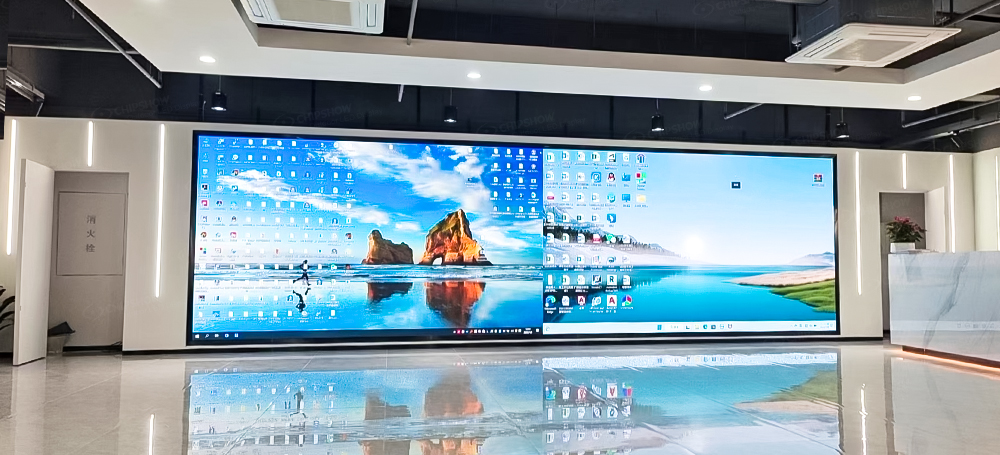
Custom ratios are useful when the screen must fit a wall, column, atrium, curved surface, or special brand installation. These layouts can create strong visual identity because they are not limited to standard display shapes.
However, custom ratios need more planning. The content team, LED supplier, and installation team should confirm the physical size, pixel map, and playback format before production.
For architectural projects, the ratio should serve the space. It should not only chase a dramatic shape.
How to Avoid Content and Scaling Problems with LED Video Walls
Most LED wall display problems are not caused by the screen itself. They often come from a mismatch between the wall ratio and the content format.
Matching Content Resolution to the LED Wall Ratio
Source content resolution means the pixel size of the video, image, or signal sent to the LED wall. For example, 1920×1080 is a common 16:9 HD format. 3840×2160 is a common 16:9 4K format.
If the wall is built as a 16:9 LED wall, standard 16:9 content usually fits cleanly. If the wall is 21:9, 32:9, or custom, the content should be designed in that same ratio.
Before finalizing the wall, confirm:
- Main content format
- Target pixel resolution
- Playback system
- Video processor capability
- Text size and readability
- Whether live feeds will be used
Content should be planned before the cabinet layout is locked.
Managing Mixed-Format Content on LED Video Walls
Scaling means resizing content to fit the screen. Cropping means cutting off part of the image. Letterboxing means adding black bars to preserve the original ratio.
Mixed-format content is common. A lobby may show videos, slides, brand graphics, and live feeds. Each may use a different ratio.
The best approach is to create a content safe area. This gives designers a main zone where important text, logos, and faces stay visible even when the source format changes. It is also useful to create separate templates for 16:9, vertical, and ultra-wide content.
Worked Example: Fit, Crop, or Stretch the Same Source
For a 1920 × 1080 source on a 1600 × 1000 canvas, centered scaling to fit the whole source produces 1600 × 900 pixels, leaving 50 empty rows above and below. Scaling to fill the canvas while preserving proportions retains the central 1728 of 1920 source columns, cropping 96 source columns from each side. Stretching scales width and height differently and changes object proportions.
These are ideal geometric results. Confirm the processor’s discrete crop and placement settings and check subtitles, logos, and faces with the actual content. Equal aspect ratios still need a native-pixel and scaling check.
How to Calculate LED Video Wall Dimensions from an Aspect Ratio
A correct LED wall layout is a math problem and a cabinet planning problem. The ratio, cabinet size, pixel pitch, and target resolution all work together.
Start with the target ratio. Then choose a cabinet or module size that can build that shape with minimal gaps or unused space.
A simple process looks like this:
- Choose the target ratio, such as 16:9.
- Confirm the available wall width and height.
- Select the LED cabinet size.
- Calculate how many cabinets fit across and down.
- Check the final physical ratio.
- Calculate the final pixel count.
- Match the result to the content format.
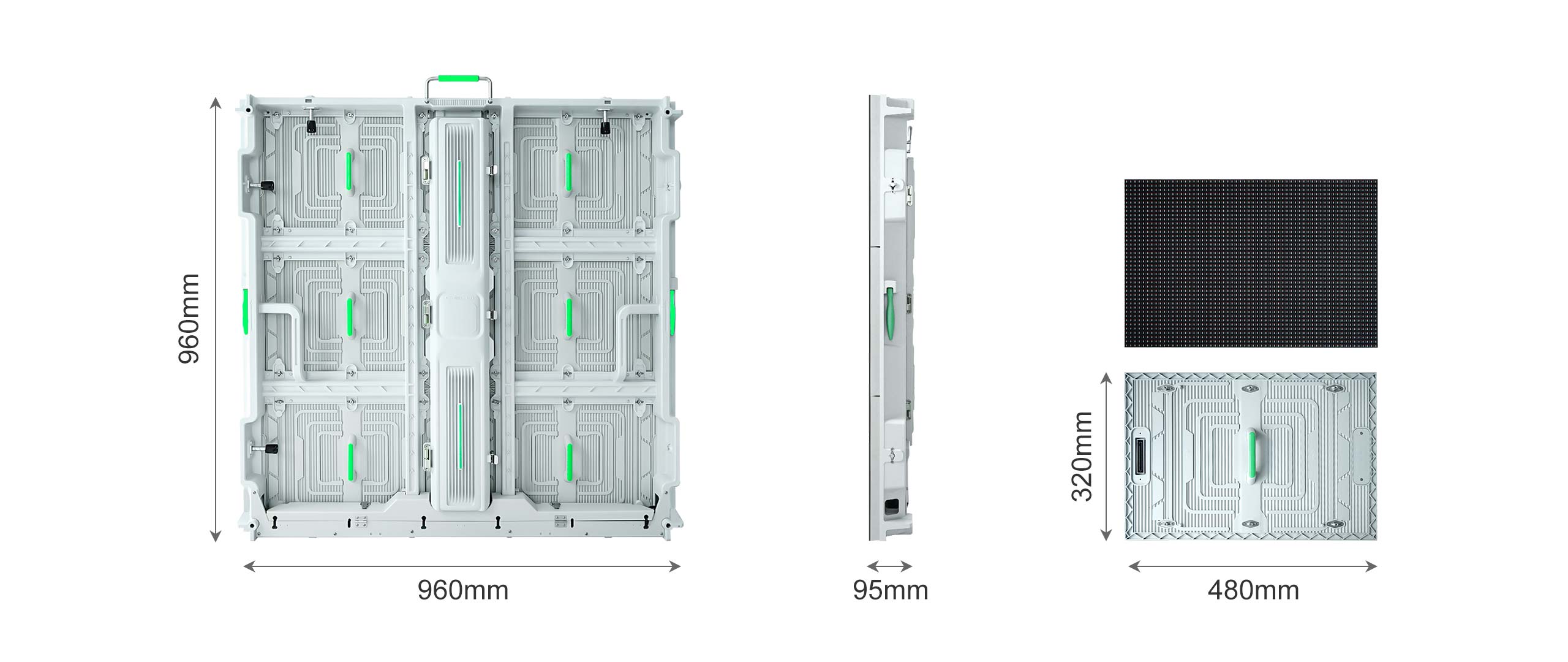
For example, Chipshow indoor fine-pitch products include cabinet structures such as 600×337.5 mm and 600×675 mm. A 600×337.5 mm cabinet follows a 16:9 physical shape, which can help simplify 16:9 LED wall planning. Larger cabinet combinations can then be used to reach 2K, 4K, or 8K solution targets depending on pixel pitch and wall size.
Confirm the Complete Cabinet Grid
For identical rectangular cabinets without additional spacing, active width equals cabinet active width × columns, and active height equals cabinet active height × rows. An exact a:b ratio requires columns ÷ rows = (a ÷ b) × (cabinet active height ÷ cabinet active width).
As a calculation example, assume a 600 × 337.5 mm active cabinet with a 320 × 180 native pixel matrix. A 6 × 6 grid uses 36 cabinets and produces a 3600 × 2025 mm active area with 1920 × 1080 pixels. This example specifies the inputs for the arithmetic; use the offered cabinet’s actual drawing and pixel matrix for a purchase layout.
Quick Reference: Common 16:9 LED Wall Sizes and Pixel Counts
The table below shows simple examples of 16:9 planning logic. Actual pixel count depends on pixel pitch and cabinet resolution, so final numbers should come from the selected product specification.
| 16:9 Layout Goal | Common Use | Planning Focus |
| Small 16:9 wall | Meeting rooms, training rooms | Close viewing and clear text |
| Medium 16:9 wall | Lobbies, boardrooms, retail demos | Balanced size and resolution |
| Large 16:9 wall | Auditoriums, events, worship spaces | Visibility from longer distance |
| 4K style 16:9 wall | Executive rooms, showrooms, control rooms | Fine pitch and enough total pixels |
| 8K style 16:9 wall | Command centers, premium display spaces | Large format and high pixel density |
A table like this helps early planning, but the final layout should be checked with cabinet drawings and exact pixel data.
Aspect Ratio Decisions That Impact Total Project Cost
Aspect ratio affects more than visual design. It can change cabinet count, installation complexity, content production work, and lead time. A standard ratio is usually easier to plan, while a custom ratio may need more layout review. Key cost factors include:
- Cabinet count: The final ratio decides how many cabinets are needed across and down. More cabinets usually mean higher hardware and installation cost.
- Cabinet fit: If the selected cabinet size does not match the target ratio cleanly, the layout may need adjustment.
- Pixel pitch: A finer pixel pitch can increase pixel density and cost, especially for close-view indoor LED walls.
- Video processing: Custom ratios may need more careful signal planning, scaling, or processor setup.
- Content design: A 16:9 LED wall can use common video and presentation formats more easily. Custom ratios often need custom content templates.
- Installation structure: Wide, tall, curved, or architectural layouts may need extra mounting review.
- Maintenance access: The final layout should leave enough space for front or rear service, depending on the cabinet design.
- Lead time: Standard layouts are often simpler to review. Custom layouts may take more coordination before production.
A custom aspect ratio can be valuable when it supports the space and content goal. If most content is standard video, a 16:9 LED wall may offer a more practical balance of cost, content fit, and long-term operation.
How Chipshow Helps You Plan an LED Video Wall Layout
A strong LED video wall layout needs product knowledge and content awareness. Chipshow supports indoor LED display projects with fine-pitch options, cabinet planning, and solution matching for different viewing needs.
Flexible Cabinet Sizes for Easier Ratio Matching
Chipshow offers indoor LED display configurations that can support standard and customized display layouts. For 16:9 planning, cabinet formats such as 600×337.5 mm can help simplify ratio matching. For other layouts, different cabinet combinations can be reviewed based on the wall size and application.
Chipshow indoor fine-pitch options can support applications such as conference rooms, command centers, museums, exhibition spaces, and professional display environments. For visual reference, project teams can review the Chipshow C-Max indoor LED display reference when discussing indoor video wall planning.
Layout Review Support from Chipshow
Before production, Chipshow can help project teams review the target size, viewing distance, pixel pitch, cabinet count, and resolution goal. This helps avoid common layout problems such as stretched content, poor readability, difficult service access, or a ratio that does not match the buyer’s main content.
For complex projects, share the wall dimensions, expected content type, target ratio, installation method, and maintenance access requirements. A clear brief helps the LED supplier recommend a practical layout instead of only quoting a screen area.
Plan Your LED Video Wall Ratio With Chipshow
The right aspect ratio starts with content, then moves to screen size, cabinet layout, and pixel count. A 16:9 LED wall is often best for video and presentations, while 21:9 or custom ratios can fit immersive or architectural spaces. Share your content format, room dimensions, target resolution, and viewing distance with Chipshow to plan a video wall layout that fits both the space and the message.
FAQs
Q1. What Is the Best Aspect Ratio for a Conference Room LED Wall?
A 16:9 LED wall is usually the best choice for conference rooms because it fits slides, video calls, training content, and common media formats. It also helps teams avoid content stretching and black bars. For rooms with unusual walls, a custom ratio may work if the content is designed for it.
Q2. Can I Build a 16:9 LED Video Wall With Any Cabinet Size?
Not always. The cabinet size must combine into a shape close to 16:9, and the final pixel count must match the content goal. A cabinet designed around a 16:9 format can make planning easier.
Q3. What Happens if Content Does Not Match the LED Wall Aspect Ratio?
The content may be stretched, cropped, scaled, or shown with black bars. The best fix is to design content for the actual LED wall ratio. For mixed-format content, templates and safe areas help keep key visuals readable.
Q4. Is 32:9 a Good Ratio for a Retail LED Display?
A 32:9 ratio can work well for wide retail walls, product storytelling, and immersive brand visuals. It needs custom content to look its best. If most content is standard video, 16:9 or 21:9 may be easier to manage.





