





Choose front-access LED panels when technicians cannot safely reach the rear; choose rear access when a suitable platform or aisle serves the components that need repair. Check modules, power supplies, receiving cards, cables, tools, and technician positions separately. Then compare installation scope and five-year service cost for the actual site.
What Are Front-Access and Rear-Access LED Panels
The two designs differ at the cabinet level, and that difference affects every downstream decision from site planning to long-term servicing.
Front-Access LED Panels
Front-access panels let technicians remove specified components from the viewing side. Confirm exactly which parts are front-serviceable and the approved removal method; front-removable modules do not automatically mean every power or control component can be serviced from the front.
- Magnetic mount systems are common in indoor and semi-outdoor installations. A suction cup tool lifts each module from the front. Measure the complete authorized replacement time on the proposed module.
- Front screw-fixed systems with a rotary wrench apply to larger outdoor panels. Verify retention and sealing performance for the assembled outdoor configuration.
Cabinet depth and mass depend on the complete design. Even a front-service wall may need rear space for cooling, connections, and installation; use the model’s clearance drawing rather than assuming zero rear clearance.
Rear-Access LED Panels
Rear-access panels use a rear door, back panel, or other designed access point. Confirm component removal, working space, ventilation, cable routing, and the mounting frame together. Access direction alone does not establish better cooling or structural strength.
Why Installation Space Drives the Maintenance Decision
Before comparing panel specifications or pricing, confirm what the physical site allows, because that single constraint eliminates most of the decision tree.
When There Is No Rear Access
Where the final structure prevents safe rear service, choose a design that provides the required front-side component access. Confirm tool and lifting clearance as well as cabinet depth; front access alone does not determine structural load.
When Rear Access Is Available
Where rear space is available, either access design may work. Set working clearance from component removal envelopes, tools, technician access, fall protection, and applicable project requirements; 80–120 cm is not a verified universal industry rule.
Confirm This Before Construction Begins
The last practical point to confirm your maintenance design is before structural drawings are finalized. Converting a sealed installation to the alternative design after construction is complete typically costs more than the original price difference between the two panel types. Involve structural engineers at the planning stage. Confirm at that point whether a rear maintenance corridor will be built or the rear surface will be sealed.
Which Maintenance Design Fits Each Outdoor Installation Type
Each installation category carries a different set of physical and operational constraints, and matching the maintenance design to those constraints determines both initial cost and long-term serviceability.
Digital Out-of-Home (DOOH) Billboards and Roadside Digital Signage
Freestanding roadside billboards with rear structural access suit rear-access panels. Compare hardware, thermal design, and service scope for the proposed system. Building-integrated or street-furniture DOOH screens frequently require front-access design. For DOOH network operators, the deciding calculation is downtime cost per hour of lost advertising revenue, not the upfront panel price difference.
Building Facades and Glass Curtain Walls
For facade-integrated screens, identify which side technicians can safely reach and which components can be replaced from it. Specify front and rear enclosure protection according to exposure, and request the model-specific report. IP65 on both sides is not an automatic requirement for every facade design.
For shaded or street-level screens, test grayscale, contrast, and legibility at the intended operating brightness. Set the range from site lighting and content rather than adopting a universal 600–800 nit target.
Large-Format Fixed Screens: Stadiums and Rooftops
A dedicated rear platform can make rear servicing practical. If front service is planned at height, confirm whether a lift, platform, gondola, or scaffolding is required and price that access method; installation height alone does not prescribe one solution.
Rental and Stage LED Panels
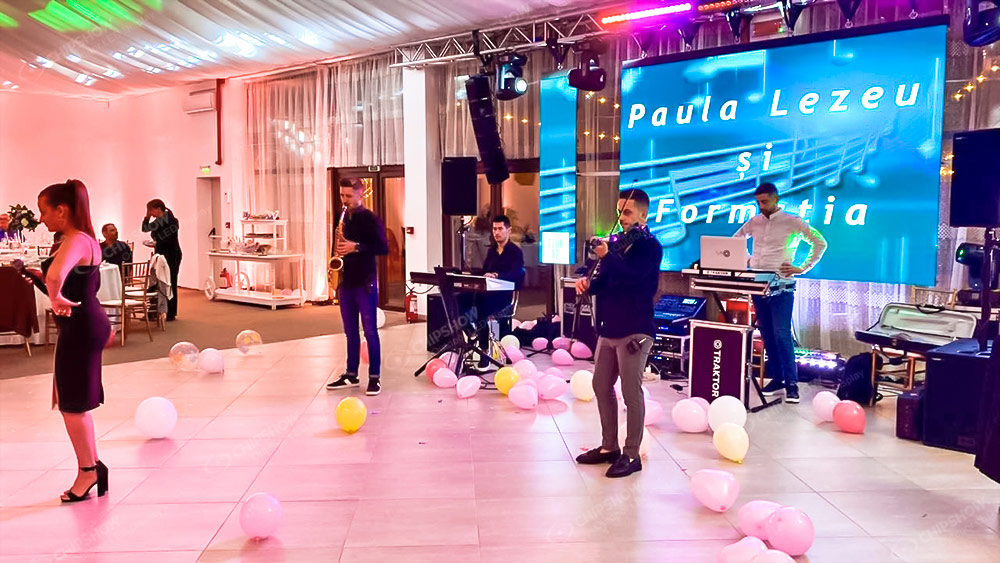
Rental companies prioritize fast load-in and load-out, single-operator handling, and resistance to repeated transport stress. Front-access panels allow technicians to swap a faulty module without accessing the rear of a hung structure.
For camera-covered rental events, verify refresh/scan timing, brightness, camera exposure, and synchronization together. A high refresh rate does not by itself eliminate moiré interference patterns ; these depend on spatial sampling of the LED pixel pitch by the camera. Approve the captured result with the actual shooting settings.
Lightweight materials and service access are separate design choices. Compare the complete cabinet and rehearse handling and replacement to establish their effect on labor.
How Pixel Pitch Affects Your Maintenance Choice
Pixel pitch is not just an optical specification; it sets practical limits on which maintenance approach is safe, accurate, and cost-effective in the field.
Fine-Pitch Outdoor Displays
Choose access direction from the component design and available working positions, then verify removal and realignment on a sample. Pixel pitch affects handling precision, but no pitch threshold alone makes front access safer or rear access unsuitable.
Large-Pitch Modules (P8 and Above)
Larger pitch does not by itself establish module robustness, wind resistance, or cooling capability. Request retention, enclosure, thermal, and service documentation for the exact cabinet and mounting design.
What Does Each Maintenance Design Actually Cost Over Five Years
Hardware price is one input in the cost calculation; labor, structural preparation, energy consumption, and downtime losses determine the total figure that matters for a DOOH operation.
Initial Hardware and Structural Cost
Compare matched hardware quotations rather than assuming a 5–10% premium for front access. Include working platforms, wall openings, structure, removal tools, cooling clearances, labor, and commissioning in both bids.
Five-Year Operational Cost Comparison
| Cost Factor | Front-Access | Rear-Access |
| Technician count per service visit | Task-specific crew plan | Task-specific crew plan |
| Estimated time per module replacement | Time the complete replacement procedure | Time the complete replacement procedure |
| Scaffolding for screens above 6 m (20 ft) | Confirm the site access method | Confirm safe rear platform or aisle |
| Maintenance corridor construction | Not required | Confirm model- and site-specific clearance |
| Thermal design complexity | Assess full thermal design | Assess full thermal design |
Use the operator’s service history and expected tasks to estimate visits and paid hours. Five-year service cost = scheduled labor + access hire + parts + callouts + other agreed costs. A universal visit count or two-to-three-year payback is not established by access direction alone.
Common Mistakes Buyers Make When Choosing a Maintenance Design
Several of these errors are recoverable early in a project and become very costly once structural or procurement work is finalized.
Confirming Maintenance Design After Construction Is Complete
The most costly error in LED installation projects is finalizing the maintenance design after structural work is done. At that stage, the retrofit scope depends on the cabinet and mounting design. Include maintenance design as a specification item in the structural engineering brief, not in the equipment procurement document.
Assuming All Outdoor Screens Default to Rear Access
Outdoor installations may need front, rear, or dual service depending on safe access. Assess module retention against the actual wind and vibration requirements; neither magnets nor screws alone establish compliance for every cabinet.
Overlooking Technician Skill Requirements for Front-Access Panels
Both access designs need trained technicians and the supplier’s procedure. Verify safe component removal, connector handling, alignment, calibration, and resealing; rear access is not a general exemption from specialist training.
Not Verifying IP Ratings Across the Full Enclosure
Specify enclosure protection for the actual exposure and request a report for the assembled configuration. IP65 describes one protection class; access direction does not make it a universal front-and-rear requirement. Inspect and restore seals after service.
How to Choose the Right Maintenance Design for Your Installation
Use this sequence to eliminate unsuitable options before comparing products.
Step 1: Confirm safe working access. Compare the model’s removal envelopes and access drawing with the actual aisle, platform, or lifting arrangement.
Step 2: Verify component replacement. Check modules, power supplies, cards, and cables at the selected pitch, including tool access and realignment.
Step 3: Assess the service team. Confirm training, authorized tasks, isolation procedures, tools, and local support for either access design.
Step 4: Calculate five-year total cost of ownership (TCO), not the hardware quote alone. Add hardware cost, structural construction cost, five-year labor cost, and estimated downtime revenue loss. The result often favors the option with the higher upfront price.
Step 5: Agree the maintenance design before construction. Check any later change with the supplier and structural designer; retrofit scope depends on the cabinet and installation, not a universal full-cabinet replacement rule.
Quick Reference: Maintenance Design by Installation Type
| Installation Type | Recommended Design | Primary Reason |
| Wall-flush indoor DOOH | Front-access | No rear space available |
| Building facade or curtain wall | Front-access | Rear sealed by architectural structure |
| Street-furniture DOOH | Front-access | Compact depth; grayscale retention at low brightness required |
| Freestanding roadside billboard | Rear-access | Rear corridor available; lower hardware cost |
| Rooftop large-format screen | Rear-access | Rear maintenance platform typically present |
| Stadium or arena perimeter | Rear-access | Heavy structure; rear walkway standard |
| Rental and stage LED | Front-access | Assessed handling method and actual camera tests |
| High-wind gantry or highway | Rear-access | Verify retention and wind-load design |
For DOOH network operators managing multiple installation types, confirm the maintenance design at the structural planning stage for each site individually.
Specify the Right Front-Access Outdoor LED Display for Your Installation
Maintenance design is a site constraint, not a product preference. Front-access panels are the correct specification for wall-flush, facade, and rental applications. Rear-access panels remain the practical choice for freestanding structures with full rear clearance. Confirm your site constraints and five-year TCO before requesting quotes.
FAQs About Front-Access LED Displays
Q1: Can a Rear-Access Outdoor LED Display Be Retrofitted for Front-Access Maintenance Later?
A conversion depends on the cabinet, module retention, component layout, and installation clearances. Ask the supplier for an approved retrofit design and cost. Do not assume that front service can be added to an existing rear-only cabinet.
Q2. Does Maintenance Choice Impact the Cooling and Lifespan of the Screen?
Access direction does not establish cooling performance or service life. Compare measured temperatures, airflow clearances, power settings, and service requirements for the complete installation. A common-cathode driver is not a prerequisite for a universal 100,000-hour half-life.
Q3. Can Front-Access Modules Be Serviced While the Screen Is Powered On?
Isolate the affected equipment according to the supplier’s service procedure before removing components. Only perform a live or hot-swap task when that exact component and procedure are explicitly designed and authorized for it. Front access alone does not permit powered servicing.
The following questions address mixed installations, connector wear, and continuity of service.
Q4. Can Front-Access and Rear-Access Panels Be Mixed Within the Same LED Installation?
Mix access designs only when the supplier or integrator confirms mechanical alignment, module compatibility, control mapping, and service procedures. Some cabinets support dual access; a continuous wall does not automatically need to become two displays because access varies.
Q5. How Does Repeated Module Removal Affect Connector Wear in Front-Access Panels Over Time?
Repeated removal can wear connectors and retention parts. Request connector mating-cycle ratings and the approved handling method for the exact design; there is no verified universal 200–500-removal limit. Log service cycles and replace worn parts as required.
Q6. Is Rear-Access Maintenance Preferable in Environments Where the Screen Must Remain Visible During Servicing?
Rear access can keep technicians away from the viewing face, but replacing power or signal components may still interrupt output and require isolation. Define sectional redundancy and the approved service procedure if continued display operation is required.





