





An LED video wall processor is a workflow decision, not just a feature list. For a command center, the safer choice usually favors stable operation, flexible mapping, and easy day-to-day control. For broadcast, the shortlist tightens around sync, camera-facing output, and low delay. The key is to match the processor to the job the wall has to do, not the longest spec sheet.
Command Center vs Broadcast: What Changes
Command centers and broadcast rooms often look similar on paper, but they are judged by different risks. A command center is usually built around 24/7 reliability, predictable operator behavior, and multi-window visibility. A broadcast wall is judged more by live timing, camera-facing performance, and how cleanly it stays in step with the production chain.
That is why the same LED video wall processor can fit one project and miss the mark in another. If the wall is mostly a control-room canvas, stability and mapping flexibility usually matter more than camera sync. If the wall sits in a live production path, sync and delay become the first filters. The decision starts there, before you compare port count or branding.
If you want a simple rule, use this: choose for uptime and layout control when the wall is an operating tool, and choose for timing control when the wall is part of the show.

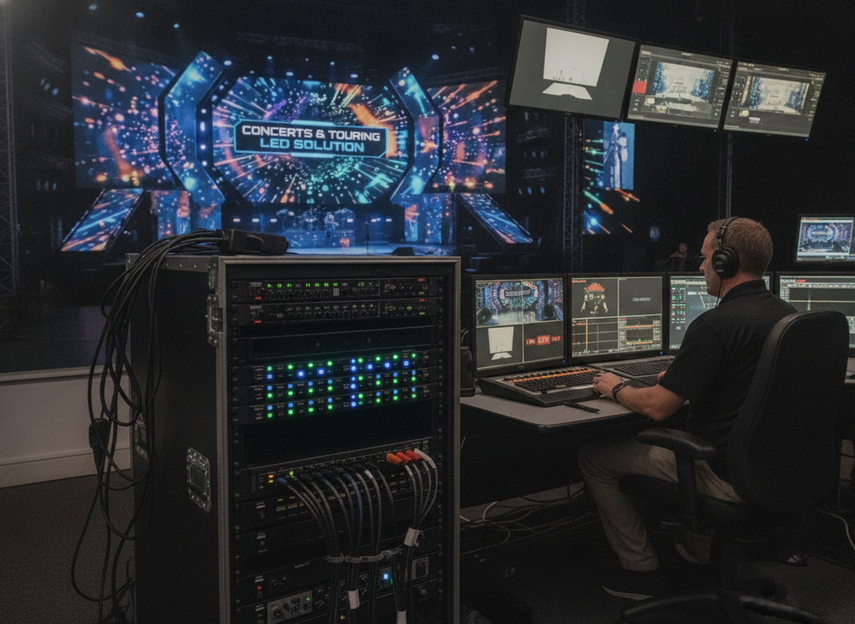
Command center solutions can be a useful starting point when the buying question is about installed reliability rather than live-camera sync. For touring or event-style deployments, concert and touring LED solutions are a better browsing path when the workflow is closer to production than to continuous monitoring.
Port Capacity Sets the Wall Layout
Port capacity is easiest to misuse. Buyers often read it as a simple "more is better" number, but it is really a layout constraint. The useful question is whether the processor can distribute the wall cleanly for the resolution, source count, and mapping style you actually need.
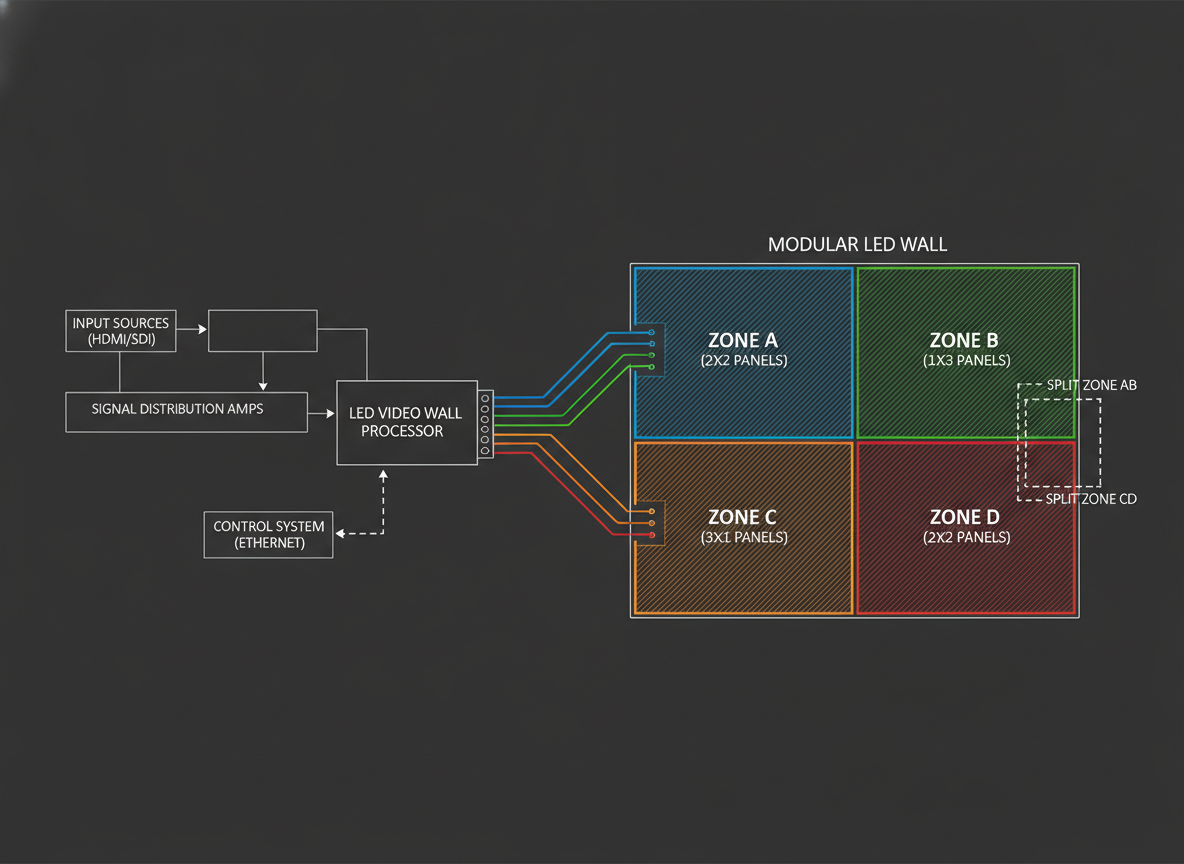
For a simple single-canvas wall, the port count has to match the wall’s output load without awkward grouping. For a control room with multiple zones, the processor also has to keep those zones flexible when layouts change. In broadcast, the routing has to stay clean enough for fast operator changes and live source switches.
What to check first:
- How the wall will be split today.
- Whether the design may expand later.
- How the processor handles scaling and output mapping.
- Whether the output format matches the intended cabling and wall structure.
A higher port count only helps if the processor can use it in the way your wall is built. In other words, the right LED controller port capacity comparison is about usable output headroom, not a raw port number. If you are comparing installed-room options, C-Pad mission-critical walls are a relevant browsing path for mission-critical walls, while C-Max indoor displays are better suited to general indoor display exploration.
| Scenario | Command Center | Broadcast |
|---|---|---|
| Primary priority | Stable 24/7 operation and flexible multi-window control | Camera-facing sync and fast live response |
| Must-verify feature | Reliable output mapping and consistent behavior | Genlock support and low-latency signal path |
| Common mistake | Buying for port count alone and ignoring operator workflow | Treating a non-synced processor as "good enough" for on-air use |
Genlock and Latency in Live Workflows
Genlock is the synchronization method that keeps the LED wall aligned with cameras or the rest of a live timing chain. In a camera-facing broadcast path, it matters because the display and the camera need to stay in step. Without that lock, visible tearing or rolling scan lines can show up when the wall is filmed, which is why genlock is used to sync video signals to an external source in live workflows.
That does not mean every broadcast-related installation needs the same level of sync. If the wall is not being filmed, genlock becomes more of a helpful feature than a hard requirement. But when the wall is part of an on-air path, the safer buying stance is to treat it as required, not optional. That is the difference between a wall that looks fine in a room and a wall that behaves cleanly on camera.
Latency is the other part of the live-workflow test. It is the delay between the input signal and the displayed output, and it matters most when the wall is used for live switching, monitoring, or quick operator response. In broadcast processor selection, low delay is part of the expected package for camera-facing production tools, while installed command rooms usually care more about consistent operation than razor-thin timing.
A useful decision sentence is this: if the wall is on camera, sync first and latency second; if the wall is not on camera, stability and layout flexibility usually come first. That is why the genlock vs no genlock LED processor question only has one right answer when the workflow is truly live.
For command centers, the trade-off usually flips. A slight delay matters less than reliable switching, predictable behavior, and easy operator control across many windows. For broadcast, the processor has to fit the live chain cleanly enough that timing does not become a visible problem.
Dataton’s sync guidance is a helpful background reference when you are sorting out whether the wall is really part of a timed camera workflow. For live-production documentation, the H-Series rental LED test report is a relevant background link, though it should not be treated as proof of any unrelated processor model’s specs.
Which Processor Fits Which Scenario
The cleanest way to translate specs into a choice is to ask what failure would hurt most. In a control room, the main regret is usually unstable operation or awkward mapping. In broadcast, the main regret is sync failure, visible delay, or a processor that makes live switching harder than it should be.
| Scenario | Priority | Processor Trait To Verify | Common Mistake |
|---|---|---|---|
| Command center | Stable 24/7 operation and flexible multi-window control | Reliable output mapping, serviceable installation, consistent behavior | Buying for port count alone and ignoring operator workflow |
| Broadcast | Camera-facing sync and fast live response | Genlock support, low-latency signal path, clean routing | Treating a non-synced processor as "good enough" for on-air use |
| Mixed-use deployment | Enough flexibility to handle both timing and layout demands | Verify both sync support and layout headroom before shortlist | Assuming one spec set covers both environments equally |
The table is intentionally simple because the buy/no-buy decision is usually simple too. If the wall is mission-critical and always on, put stability and mapping first. If the wall is part of a live production chain, put sync and delay first. If the project must serve both jobs, do not assume the processor can compromise without consequences. Check both sides of the requirement before you commit.
For installed control-room buyers, mission-critical walls are the more natural browsing path. For buyers comparing different indoor display approaches, C-Max indoor display options are a practical category starting point when you are still narrowing the use case.
Final Buyer Checks Before You Spec
Before you send a purchase request, verify the wall configuration, not just the processor name. Confirm the exact wall size, the split layout, the source count, and whether the installation may expand later. Then match those needs against the processor’s output structure and mapping behavior.
Use this last-mile checklist:
- Confirm the signal flow from source to processor to wall.
- Check whether the wall is camera-facing or purely operator-facing.
- Verify that the processor supports the required synchronization behavior.
- Make sure the output layout fits today’s wall and tomorrow’s expansion plan.
- Review documentation for installation assumptions, not just feature claims.
- For mixed-use projects, get both timing and layout requirements in writing.
- If the project is still unclear, escalate to the vendor or integrator before ordering.
If you need a fast next step, compare the processor against the wall drawing and the live-use case side by side. That will tell you whether you need broadcast-style sync, command-center flexibility, or a compromise platform that still meets both.
FAQs
When Does Genlock Matter for an LED Video Wall Processor?
Genlock matters when the wall has to stay synchronized with cameras or another live timing chain. If the wall is not being filmed, it is usually less critical. That is why the same feature can be a must-have in broadcast and only a nice-to-have in an operator-only control room.
How Much Port Capacity Do I Need for My Wall?
Start with the wall layout, source count, and expected expansion path. Port capacity should be read as usable output headroom, not a universal "ports per screen" rule. If the layout is simple, raw count matters less than clean mapping and correct output structure.
Why Does Latency Matter in Broadcast but Not Always in Command Centers?
Latency is more visible when the wall is part of live switching, camera sync, or on-air monitoring. In a command center, the bigger risk is often inconsistent behavior or poor mapping rather than a small delay. That is why the buying order changes with the workflow.
Can One LED Processor Serve Both Command Center and Broadcast Use?
Sometimes, but only if it satisfies both the sync requirement and the layout requirement. Mixed-use projects should verify genlock, delay, output mapping, and installation assumptions before they shortlist anything. If one of those is weak, the processor may fit neither role well.
What Should I Verify Before Comparing Model Specs?
Check the exact wall drawing, signal flow, camera-facing status, and any expansion plans first. Then compare the processor only against the requirements that matter for that workflow. A spec sheet is useful, but it is not enough by itself to prove fit.
Final Buyer Checks
The best LED video wall processor is the one that matches the wall’s job. For command centers, that usually means stable operation, flexible mapping, and predictable control. For broadcast, it usually means genlock support, lower delay, and clean live timing. Before you buy, check the wall layout, sync need, and signal flow against the processor’s real role in the system. That is the fastest way to avoid overbuying or choosing the wrong class of processor.





