





A strong LED display supplier checklist helps you judge more than specs and price. For mission-critical projects, the real question is whether the supplier can support uptime, repairs, and long-term ownership. Use written documents as the source of truth, and treat warranty terms, spare parts, service response, and escalation paths as separate checks.

What to Verify Before You Compare Quotes
Before you compare quotes, reset the frame: this is a risk and uptime review, not a beauty contest for pixel pitch or cabinet design. A supplier can look competitive on paper and still leave you exposed if the warranty is vague, the spare-parts plan is thin, or no one owns service escalation. That is why a LED display supplier checklist should start with documents, not with discounts.
For command rooms and other uptime-sensitive installs, written terms matter more than verbal promises. A quote should tell you what is covered, what is excluded, who responds first, and how replacement parts move through the support chain. Those are the basics that separate a support-ready bid from one that needs more clarification.
The first pass is simple: check warranty wording, spare-parts availability, support routing, and handover records. If any of those are missing, the quote is not ready for approval yet. If they are present, you have a real basis for comparison instead of a sales conversation.
Questions That Reveal Supplier Reliability
Ask the same core questions of every vendor so you can compare answers side by side. The goal is not to collect more marketing language. It is to see which supplier gives specific, written, and supportable answers.
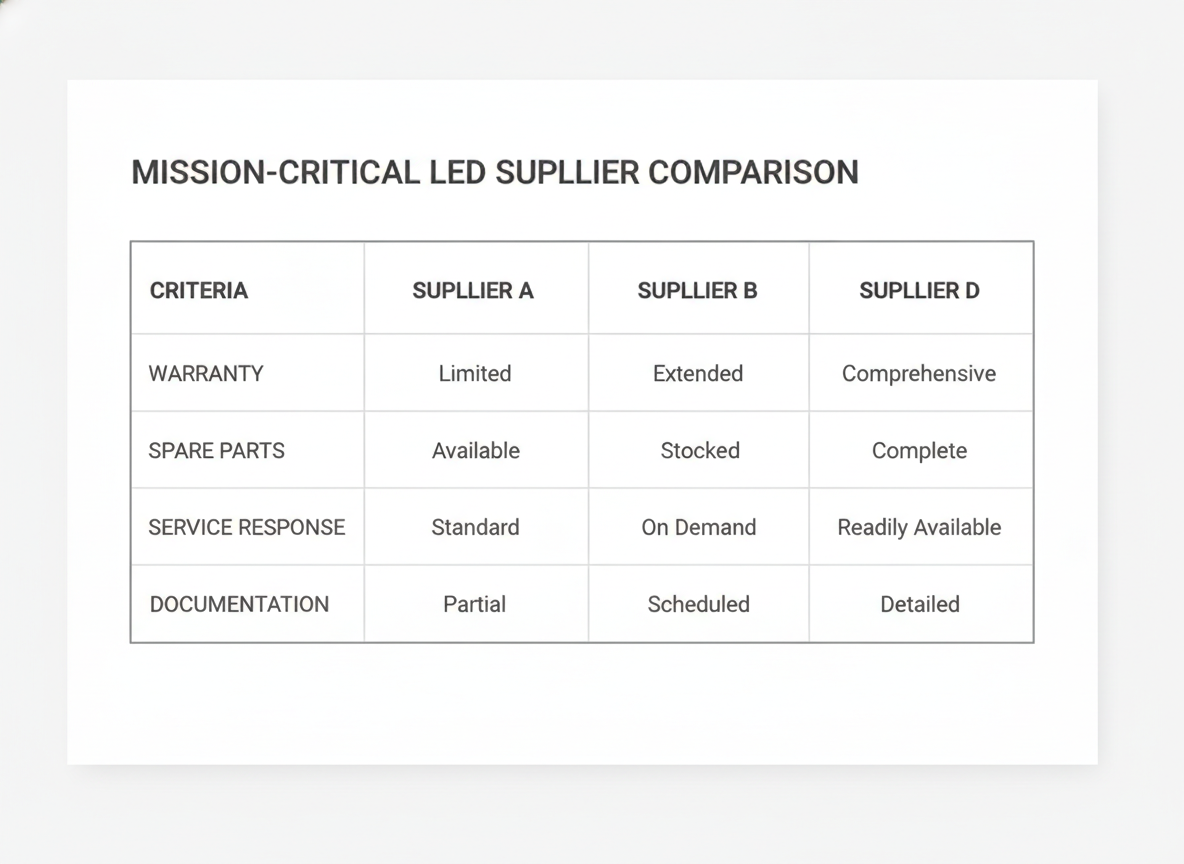
Warranty Terms and Coverage
Start with the written warranty, then ask what it actually covers. Commercial LED warranties often fall in the one-to-five-year range, but duration alone does not tell you whether labor, shipping, or on-site service are included. Ask for the start date, the claim process, exclusions, and any condition that could shorten coverage.
Also ask whether the warranty is tied to the product family, the purchase order, or the installer arrangement. That matters because a long term can still be hard to use if the process is narrow. Unauthorized repairs by non-certified technicians can void the manufacturer’s warranty, so the service path should be explicit before you buy.
Spare Parts and Replacement Planning
For mission-critical buying, spare parts are not an afterthought. Ask which parts ship with the order, which ones the supplier recommends stocking on site, and how replacements are ordered later. The most useful answers name the critical modules, power supplies, receiving cards, or other parts most likely to affect uptime.
A weak answer sounds like "available if needed." A stronger answer includes the part list, lead time, and whether revisions affect interchangeability. That is the difference between a plan and a hope. It also helps you judge whether the supplier has thought through the long tail of ownership.
Service Response and Escalation Paths
Support quality shows up in the first response, not just the repair outcome. For mission-critical environments, a 24-to-48-hour response window is a common benchmark for critical faults, but you should treat that as a benchmark, not a universal guarantee. Ask who answers first, who escalates technical problems, and how after-hours support is routed.
You also want to know what happens if the installer cannot resolve the issue. Is remote diagnosis part of the normal flow? Is field service available? Who owns the case until closure? If the supplier cannot name that path clearly, the support promise is too soft for an operational display.
Documentation and Ownership Records
Ask for the document package before you approve the order, not after install. At minimum, you want the quote packet, the warranty statement, the spare-parts list, support contacts, and any commissioning or handover records the supplier provides. Those documents help with future claims, maintenance, and internal audits.
This is also where component transparency matters. Buyers should verify the specific brands used for core parts like LED chips and driver ICs, because those choices affect long-term reliability and color consistency. If the supplier will not name them, you are missing a useful reliability signal.
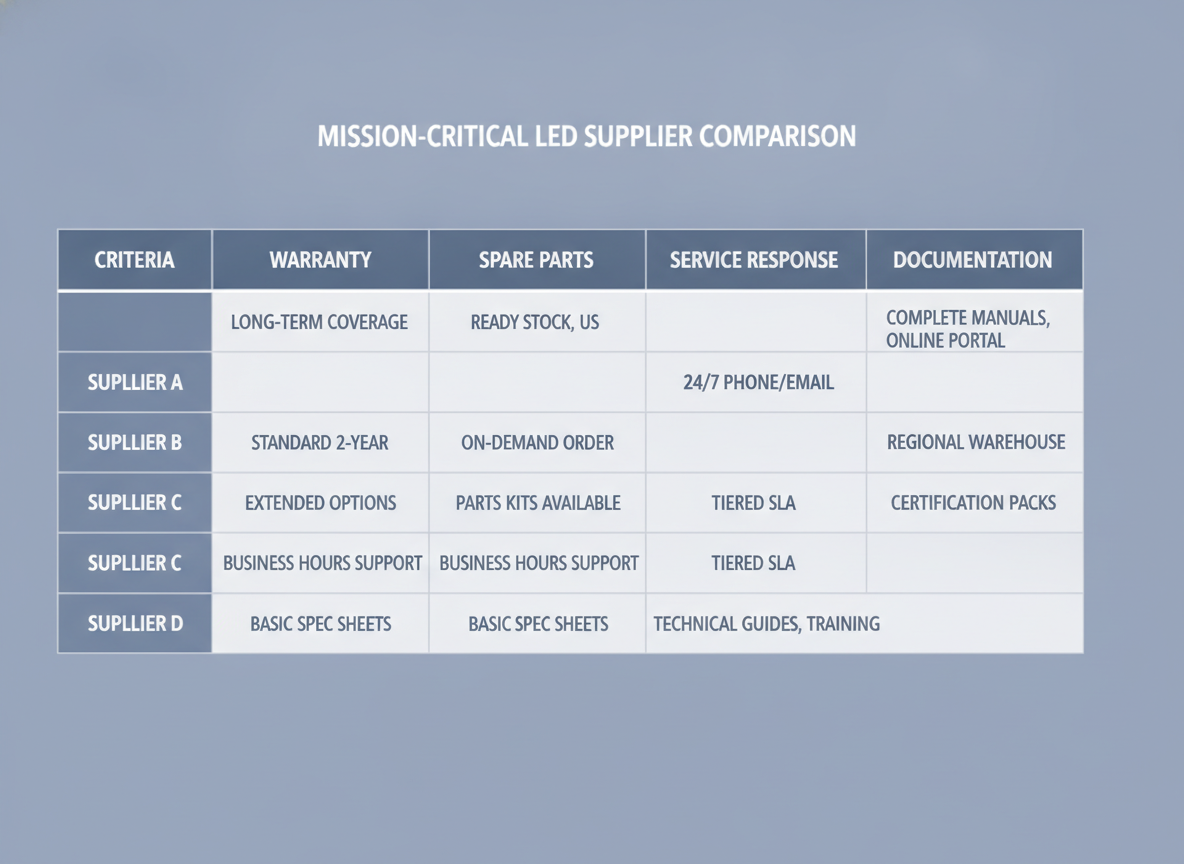
How to Score Answers Across Suppliers
Use one simple rule: score the answer, not the sales pitch. A strong response is specific, written, and easy to verify. A weak response is broad, verbal, or missing the document you need to back it up. That makes the LED display supplier checklist useful in an RFP, a quote review, or a final approval meeting.
| Evaluation Area | Strong Answer Looks Like | Ask For This | Weak Answer Looks Like |
|---|---|---|---|
| Warranty scope | Coverage, exclusions, start date, claim path | Warranty statement and sample terms | "Standard coverage" with no detail |
| Spare parts | Named parts, lead times, interchangeability notes | Spare-parts list and stock plan | "Available on request" |
| Service response | Named contacts, escalation path, after-hours routing | Support sheet and SLA language | No clear owner for the case |
| Documentation | Quote packet, commissioning records, handover files | Final document set | Missing or inconsistent paperwork |
| Repair path | Certified support channel and warranty-safe process | Service authorization details | Unclear who may perform repairs |
Use the table as a shortlist tool, not a score contest. If one supplier has better hardware but weaker paperwork, the safer choice may still be the one with clearer support ownership. That is especially true when downtime is expensive and replacement access matters.
Red Flags That Should Slow the Purchase
- Vague warranty language with no exclusions, start date, or claim process. That often means the coverage sounds better than it is.
- No spare-parts list for modules, power supplies, or receiving cards. That can leave you guessing about downtime risk.
- No named escalation contact. If nobody owns the handoff, repairs can stall.
- Support promises that stay verbal. If it is not written, it is hard to enforce.
- Refusal to document certified repair paths. That can create warranty risk later.
- Inconsistent quote and handover documents. If the paperwork does not match, future claims can get messy.
Procurement teams should be wary of quotes that lack a detailed spare-parts list or fail to define a clear technical escalation path from the installer to the manufacturer. That warning from working engineers matches a simple buyer reality: unclear support today often becomes slow recovery later. When a supplier cannot answer directly, slow the purchase until the document set is clean.
If you are reviewing a broader compliance or handover packet, a mission-critical documentation checklist can help you separate must-have records from nice-to-have extras. Use it as a support tool, not a substitute for the supplier’s own warranty and service terms.
What to Request Before You Approve the Order
- The signed warranty statement, including what is covered and excluded.
- The spare-parts list, including which items ship with the order and which are stocked later.
- The support contact sheet, with first-response and escalation ownership.
- The commissioning or handover packet, including any serial-number or asset records.
- The certified repair and service process, so future work does not create avoidable warranty issues.
If the vendor cannot provide these items in writing, the LED display supplier checklist says the order is not ready. If the packet is complete, you can approve with more confidence because the support path is visible before the installation starts. For teams comparing mission-critical options, that is the difference between a good quote and a supportable purchase.
Final Takeaway
A good LED display supplier checklist does not just compare hardware. It tests whether the supplier can support uptime, repairs, and ownership after the install. Focus on written warranty terms, spare parts, service routing, and document handover, then treat vague answers as a reason to pause. If you are narrowing bids, ask for the full support packet before you sign the order.
FAQs
What Warranty Terms Should a Buyer Verify Before Signing?
Confirm the coverage scope, exclusions, start date, claim process, and whether labor or shipping is included. The best comparison is the written warranty, not a verbal promise from sales. If the document is vague, ask for the exact language that governs service, replacement, and repair responsibility.
What Spare Parts Should Be Included in a Mission-Critical LED Order?
At minimum, ask about modules, power supplies, receiving cards, and any other parts that would create downtime if they failed. Also verify whether the supplier recommends on-site stocking and what the lead time is for reorder parts. The right mix depends on your uptime risk and access plan.
How Do You Compare Two Suppliers With Different Support Models?
Compare the documented response path, escalation ownership, and repair authority, not just the headline service claim. A supplier that names contacts, response windows, and certified support channels is usually easier to manage than one with a looser promise. The question is which bid gives you the clearest recovery path.
Why Does Documentation Matter for Long-Term LED Ownership?
Documents support warranty claims, maintenance planning, and internal audits. Keep the warranty statement, spare-parts list, commissioning records, and support contacts together in one file set. If something fails later, those records can save time and reduce back-and-forth during a claim.
Can a Strong Quote Still Hide Long-Term Support Risk?
Yes. A competitive price can still hide weak warranty wording, missing spare-parts planning, or unclear service ownership. That is why you should review the written documents before approval. A quote is only support-ready when the follow-through is visible on paper.





