





Replacing an aging LCD video wall with direct-view LED can remove the bezel grid and give the space a cleaner, more continuous image. Start by measuring the available width, height and depth, then compare cabinet layouts and pixel pitch. Matching the aspect ratio helps with content, but the actual dimensions and mounting design determine how much of the existing installation can be reused.
Why LCD Video Walls Are Being Phased Out
LCD video walls served commercial spaces well for over a decade, but three structural problems make them increasingly difficult to justify in 2026.
Visible bezels break the image. Every LCD panel has a frame. In a 3×3 video wall, those bezels create a visible grid across the display surface. Content that should look like one continuous image reads as nine separate screens stitched together — distracting in a corporate lobby, unacceptable in a broadcast studio.
Brightness degrades unevenly. LCD backlights lose intensity over time, and they do not all fade at the same rate. After two to three years, a 3×3 wall often shows one or two panels visibly darker than the others. Replacing a single aging panel is rarely practical — the new unit will not match the color temperature of the surviving screens, creating a patchwork effect.
Recurring maintenance adds up. LCD panels in a video wall run 12 to 16 hours daily in many commercial environments. Power supplies, cooling fans, and backlight modules fail on a predictable cycle. For a facility manager overseeing multiple locations, the cumulative cost of service calls, replacement parts, and downtime quickly erodes the initial hardware savings.
These three problems — bezel distraction, brightness mismatch, and maintenance frequency — are exactly what a direct-view LED replacement solves. Installation figures used later in this guide (cabinet size, service depth, alignment tolerance) are planning references to confirm against the exact model and site survey, not universal guarantees.
Can You Replace LCD with LED Without Structural Changes?
Often, parts of the existing installation can be reused. Check the opening dimensions, support capacity and fixing locations before selecting the LED cabinet grid. A 16:9 image shape is a useful starting point, but it does not tell you whether the new screen fits the same opening.
A standard commercial LCD panel (46″, 49″, or 55″) follows a native 16:9 aspect ratio. When you arrange multiple LCDs into a video wall — a 2×2, 3×3, or 4×4 grid — the total display area remains 16:9. The underlying wall structure, mounting rail positions, and video source resolution are all built around this proportion.
The assembled LED wall’s aspect ratio depends on both the cabinet shape and the number of cabinets across and down. Different cabinet shapes can produce the same final ratio. Compare the complete layout with the available opening so the design fits the room and the intended content.
For example, four 640 × 480 mm cabinets across and three down produce a 2,560 × 1,440 mm display, which is 16:9. That is the same proportion as a 16:9 LCD wall, not necessarily the same size. Other grids using those cabinets have different proportions, as the table below shows.
Beyond dimensions, modern LED cabinets typically have a depth of 70 to 90 mm, allowing the display to sit close to the wall. Many commercial-grade cabinets also support full front service, meaning no rear clearance is required for maintenance access.
Matching LCD Layouts to LED Panel Dimensions
These calculated layouts use a nominal 640 × 480 mm cabinet. They show why “close in size” and “the same shape” are different checks. Measure the existing display and opening on site; the approximate LCD dimensions below do not include every model’s frame or installation gap.
| Existing LCD layout | Approximate LCD size | Example LED grid | Calculated LED size | Fit check |
|---|---|---|---|---|
| 2 × 2 of 55-inch panels | 2,430 × 1,370 mm | 4 across × 3 down | 2,560 × 1,440 mm | 16:9; wider and taller than the old wall |
| 3 × 3 of 46-inch panels | 3,060 × 1,720 mm | 5 across × 4 down | 3,200 × 1,920 mm | 5:3; wider and taller, with a different aspect ratio |
| 3 × 3 of 55-inch panels | 3,650 × 2,050 mm | 6 across × 4 down | 3,840 × 1,920 mm | 2:1; wider but shorter |
| 4 × 4 of 46-inch panels | 4,080 × 2,300 mm | 6 across × 5 down | 3,840 × 2,400 mm | 8:5; narrower but taller |
| Single 98-inch LCD | 2,160 × 1,220 mm | 3 across × 2 down | 1,920 × 960 mm | 2:1; smaller in both dimensions |
Check width, height and aspect ratio separately. A slightly larger LED wall can make the upgrade more impactful when the surrounding wall has room for it. A fixed recess needs a closer dimensional match. Ask the supplier for a scaled layout showing the active image, cabinet edges, mounting depth and any trim.
For a fixed recess, choose a cabinet or module layout that fits the available dimensions first. A finer pixel pitch increases resolution within that area; it does not change the physical cabinet size. Use the pixel pitch and resolution guide to compare the image detail once the geometry is settled.
Step-by-Step Retrofit: From LCD to LED
Step 1 — Assess the Existing Installation
Before removing any LCD panel, document the following:
- Wall structure: Is the LCD array mounted on a steel frame, reinforced drywall, or a dedicated structural beam?
- Mounting type: Are the LCDs on individual articulating brackets or a fixed grid rail system?
- Power and data: Where are the electrical outlets and signal cables routed? Mark these before disassembly.
- Viewing distance: Measure the closest and farthest viewer positions. This determines the appropriate pixel pitch.
Step 2 — Remove the Old LCD Array
Disconnect all power and signal cables. Remove each LCD panel and its mounting bracket. If the existing steel frame is in good condition and level, it can often be reused as the base structure for the LED cabinet grid — saving material and labor.
Step 3 — Install the LED Mounting Structure
Use the mounting system specified for the selected LED cabinets. If the existing steel frame is being reused, confirm how the new rails connect to it and where the loads are transferred. Fixing type and spacing depend on the substrate and design; a drywall finish is not itself the load-bearing support. Include the rails, cabinet, ventilation needs and service access when checking total installation depth.
Step 4 — Hang and Connect the Cabinets
Fit and align the cabinets using the selected system’s locating and locking features, checking the surface and seams as the wall is built. Follow its power and signal-routing plan, leaving the required access for service. Record the accepted alignment and cable map before closing the installation.
Step 5 — Power On, Align, and Calibrate
Once all cabinets are connected, the system powers on segment by segment. A calibration routine adjusts brightness and color uniformity across the entire surface. This step typically takes 15 to 30 minutes for a medium-sized wall. The video processor is then configured to map the original content source (often a 1920 × 1080 or 3840 × 2160 signal) to the new LED pixel canvas.
LCD Replacement vs. LED Retrofit: Total Cost Comparison
LED often requires a higher initial hardware budget, so compare complete ownership costs over the period your business expects to use the wall. A six-to-eight-year planning scenario can be useful, provided both offers use the same period and include the relevant service, parts and energy costs.
| Comparison | LCD replacement | LED retrofit |
|---|---|---|
| Initial scope | Panels, mounts, controller compatibility and installation | Cabinets, mounting, processing, spares and installation |
| Image continuity | Visible panel bezels remain | Continuous image without LCD bezel interruptions |
| Repair planning | Replacement-panel availability and color matching | Compatible modules, service access and recalibration |
| Image consistency | Check matching between new and retained panels | Check low-gray and color uniformity before and after module replacement |
| Energy | Use the proposed system’s power at the intended settings | Use comparable brightness, content and operating hours |
| Support term | Warranty, labor, parts availability and response | Warranty, labor, stocked spares and restoration workflow |
The retrofit premium buys a continuous image and a different service model. It can be good value when visible bezels, repeated panel replacements or mismatched LCD stock are already costing the business time and money. Compare those costs with the proposed LED maintenance and support plan rather than treating hardware price as the whole decision.
LED also carries its own trade-offs: higher initial cost, calibration requirements, and close-view uniformity that should be checked against your content and viewing distance.
For organizations with multiple locations — retail chains, bank branches, franchise networks — the maintenance savings scale. One service team can support a standardized LED installation across dozens of sites with a small inventory of spare modules, instead of stocking different LCD panel models for different vintages.
Illustrative Retrofit Scenarios by Application
The three scenarios below are illustrative planning patterns, not verified customer case records. They show how projects of this shape are commonly scoped; your site conditions decide the final configuration.
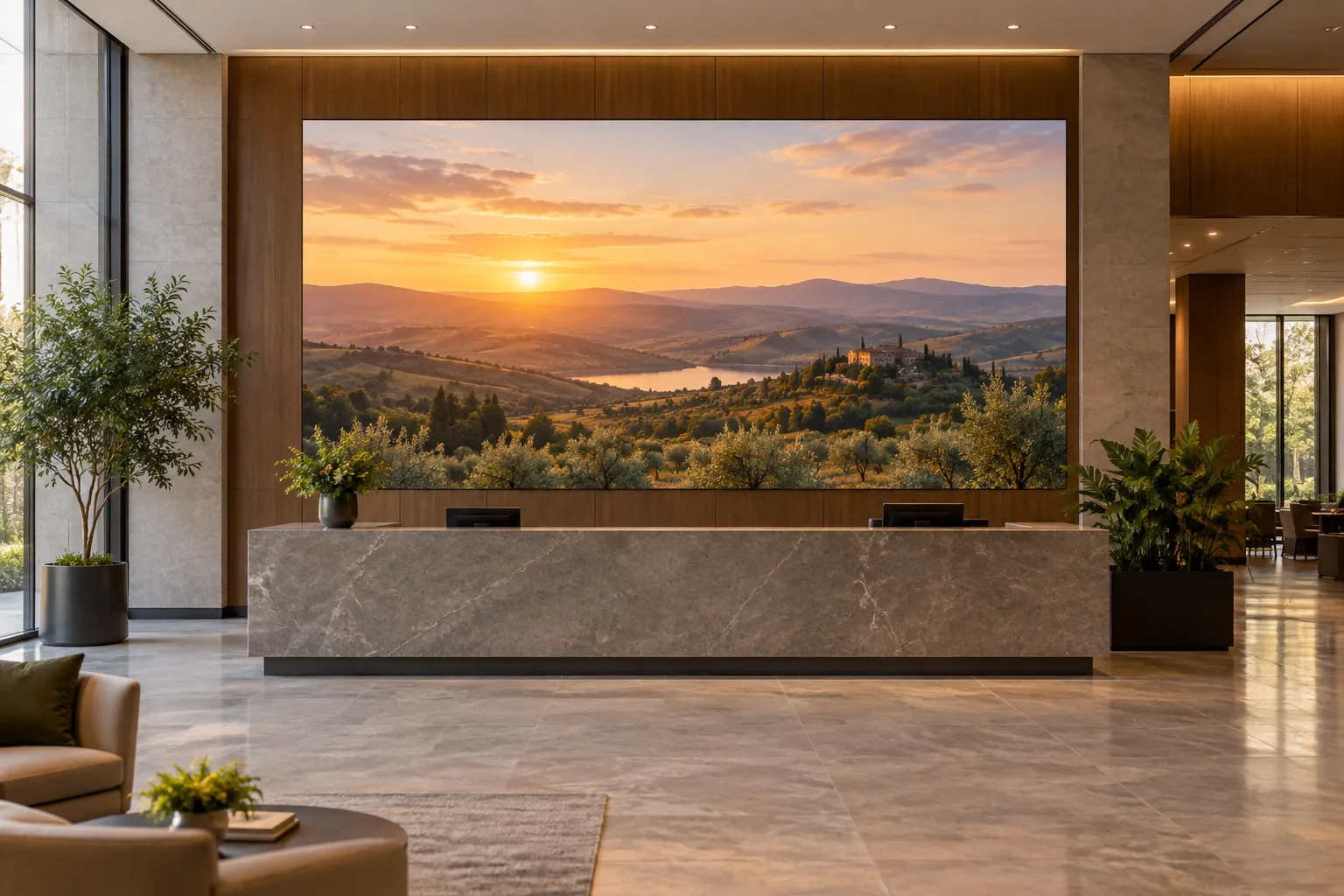
Corporate Lobby — 2×2 55″ LCD → 4×3 LED P2.5
A four-year-old 2×2 LCD welcome wall had developed a visible crosshair pattern cutting through the company logo on screen. A 4×3 LED array at P2.5 eliminated the bezel grid entirely. Compared with the 2×2 layout in the dimension table above, the replacement wall occupies a slightly larger area within the same wall section. Content was re-rendered at the new resolution once; no structural wall changes were needed.
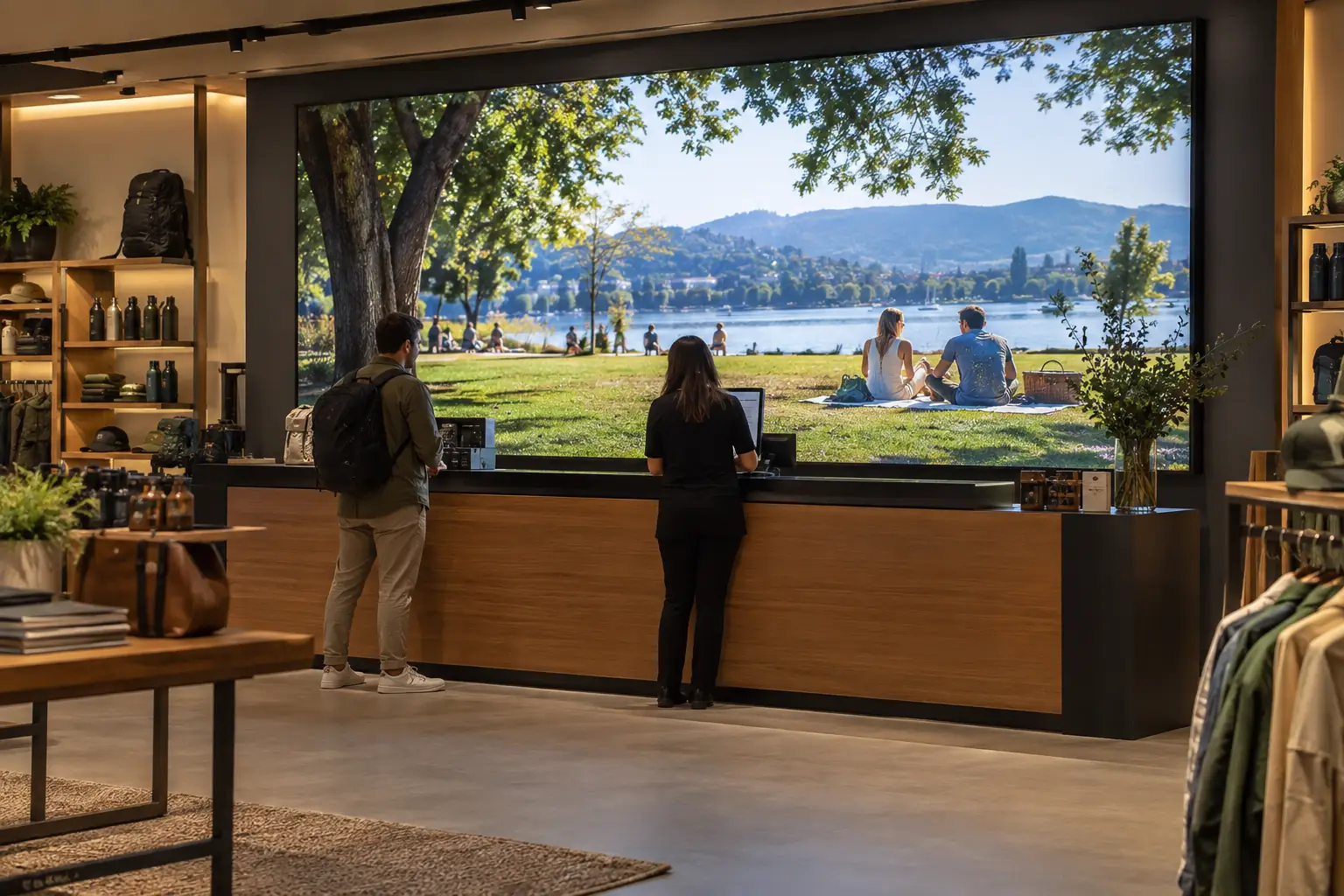
Retail Flagship Store — 3×3 46″ LCD → 6×4 LED P2.5
A retail chain upgraded a 3×3 LCD video wall behind its cash-wrap counter after three years of use. The motivation was straightforward: two corner panels had developed visible vignetting that made promotional content look unprofessional. A 6×4 LED replacement at P2.5 delivered uniform brightness across the full surface and eliminated the recurring panel-swap cycle.
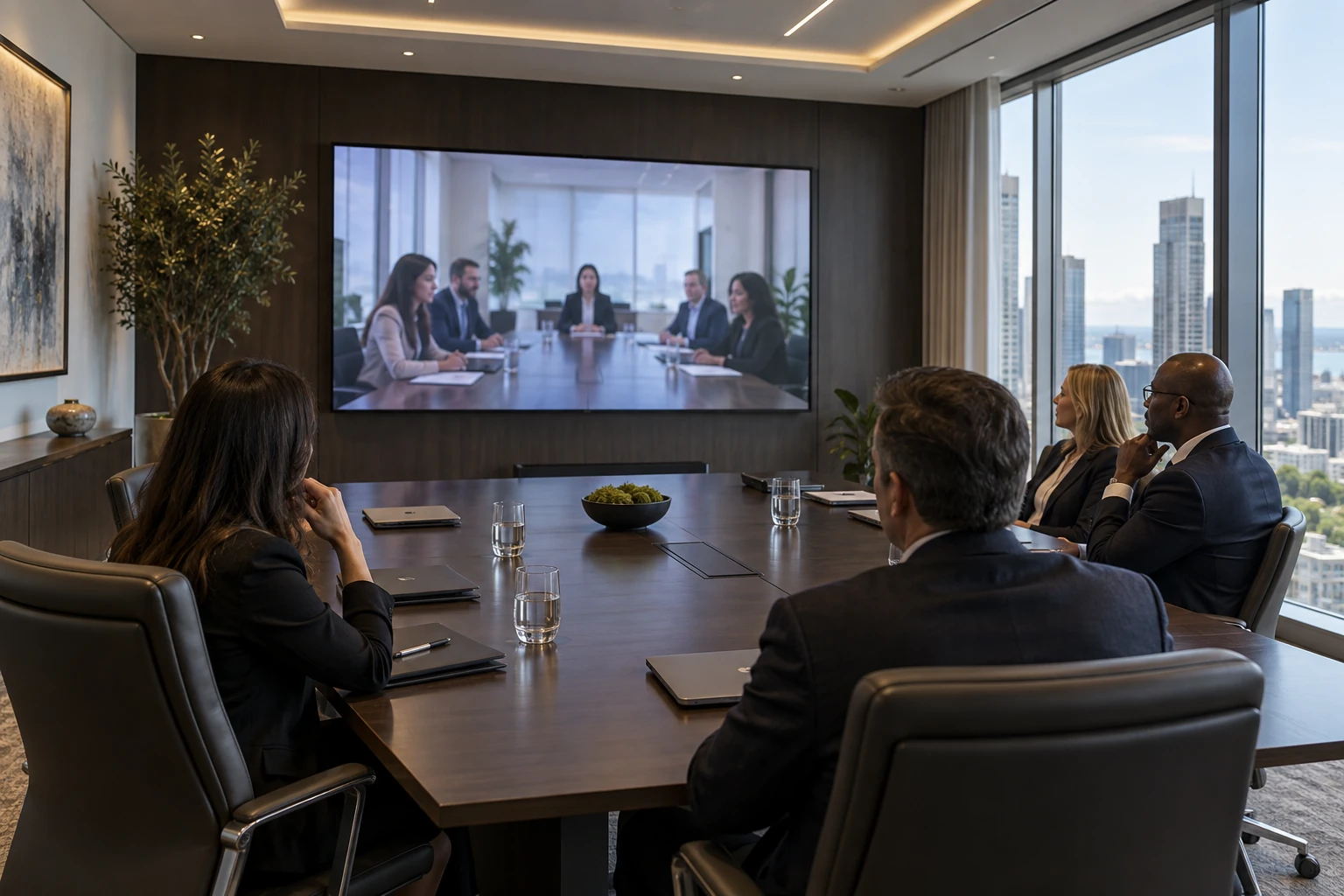
Conference Room — Single 86″ LCD → 3×2 LED P1.86
An executive boardroom replaced a single 86″ interactive LCD with a 3×2 fine-pitch LED display at P1.86. The LED surface provides a hardened front layer that resists accidental impact during presentations. A matte finish also solved the persistent glare issue that ceiling lights had been causing on the glossy LCD panel.
How to Choose the Right LED Display for Your Retrofit
LED display options for indoor retrofit projects fall into three broad categories. Your choice depends on viewing distance, budget, and environment.
Standard SMD: the workhorse option. SMD displays are a practical starting point for corporate lobbies, retail spaces and public areas. Compare the pitch, cabinet dimensions and front-service design in the actual offer. Chipshow’s C-Max commercial range provides options for this discussion; choose the specific cabinet layout that fits the retrofit rather than assigning one size to the entire family.
COB — For premium environments with close viewing. Chip-on-Board (COB) encapsulation bonds the LED chips directly to the PCB and seals them under an epoxy layer, creating a hardened, collision-resistant surface with a matte finish that suppresses glare. This technology is ideal for boardrooms, broadcast studios, and luxury retail where viewers stand within 1.5 to 2 meters of the screen. COB panels are typically available at P1.5 to P1.8 pitches.
Budget SMD — The cost-conscious path. Entry-level SMD cabinets offer the same form factor and front-service design as standard models at a more accessible price point. Suitable for small businesses, quick-service restaurants, and franchise locations upgrading from aging LCD menu boards or promotional screens.
A note on pixel pitch: As a rule of thumb, divide the closest viewing distance in meters by 1.2 to estimate the appropriate pixel pitch in millimeters. The pixel pitch explainer for advertising displays covers how pitch, viewing distance and content legibility relate. For a 3-meter viewing distance, 3 ÷ 1.2 ≈ 2.5 mm — confirming P2.5 as a solid choice for most indoor retrofit applications.
Frequently Asked Questions
Can I Reuse My Existing LCD Wall Mount for LED Cabinets?
In most cases, yes — but with an adapter. LCD panels use VESA mounting patterns (200 × 200 mm to 600 × 400 mm), while LED cabinets mount on a continuous rail system. If your existing steel frame is structurally sound, the LED mounting rails can be bolted directly onto it, eliminating the need for new wall penetrations.
Do I Need to Replace My Video Processor When Switching to LED?
It depends on your current setup. If your LCD video wall uses a dedicated video wall controller with HDMI or DVI outputs, the same controller can feed the LED sending card. The key check is output resolution — the LED processor needs to map the source signal to the new pixel canvas. Most modern controllers support custom resolutions. If your source is a simple media player with a single HDMI output, the transition is straightforward.
How Long Does an LCD-to-LED Retrofit Take?
For a medium-sized wall (3×3 to 4×4 LCD equivalent), plan on one day for LCD removal and structural preparation, and one to two days for LED cabinet installation and calibration. The total timeline typically runs two to three working days, with minimal disruption to surrounding business operations. Front-service modules shorten later maintenance, but exact swap time depends on the model and its documentation; post-installation maintenance is planned work rather than zero downtime by default.
Can the Retrofit Be Done Without Business Downtime?
Plan the swap for outside trading hours where the schedule allows: removal, rail work and cabinet hanging are sequential, and front-service modules keep later maintenance short. For a multi-site rollout, pair the project with a spare-parts and repair-turnaround plan so service cover exists from day one.
Is LED More Energy Efficient Than LCD for Video Walls?
Compare the proposed systems at the brightness and operating schedule the room will use. Power depends on the actual hardware, content and settings; LED can also change the economics through module-level service and spare-parts planning. Keep the energy calculation separate from maintenance savings so the quote shows where the benefit comes from.
What Pixel Pitch Should I Choose for an Indoor LCD Replacement?
For most indoor retrofit projects:
- P2.5 is the practical default for viewing distances of 3 meters and beyond. It provides a clear image for retail, corporate lobbies, and public spaces.
- P1.86 serves closer viewing (2 to 3 meters), such as conference rooms, reception desks, and premium retail.
- P1.53 to P1.25 is for critical close-up viewing (under 2 meters), including broadcast studios, executive boardrooms, and high-end showrooms.
How Is Content Managed After the Retrofit?
Your existing content management system remains in place. The LED display appears as a single monitor to the content player. If you were using a 1920 × 1080 signal for the LCD wall, it feeds the LED processor the same way. The processor scales the signal to the new physical pixel count. For larger LED configurations beyond Full HD, you may choose to upgrade to a 4K content source to take full advantage of the higher native resolution.
Conclusion
LCD video walls have a finite lifespan, and the signs of aging — bezel fatigue, uneven brightness, recurring service calls — are unambiguous. Replacing them with a direct-view LED display is not a speculative technology jump. It is a well-understood retrofit with predictable dimension mapping, measurable cost trade-offs, and a well-documented installation process used across typical commercial retrofit projects.
Measure the opening, check the support and choose a cabinet grid that fits before settling the pixel pitch. Then compare the installed price and support plan with the cost of keeping the LCD wall. For a meeting-space upgrade, the meeting-room display comparison helps define the content test. A well-planned LED retrofit can deliver a much cleaner image while making future service easier to organize.





