





For most commercial indoor LED video wall projects, the right choice depends on viewing distance, ambient light, technology fit, and installation constraints—not simply the smallest pixel pitch. P1.5–P2.5 can be a practical range for many conference rooms, corporate lobbies, and retail environments, while finer pitches (P0.78–P1.8) suit close-viewing control rooms and executive boardrooms. Buyers should also compare COB vs. SMD, service access, operational power draw, and hidden costs such as structural reinforcement, spare modules, and calibration before selecting a supplier.
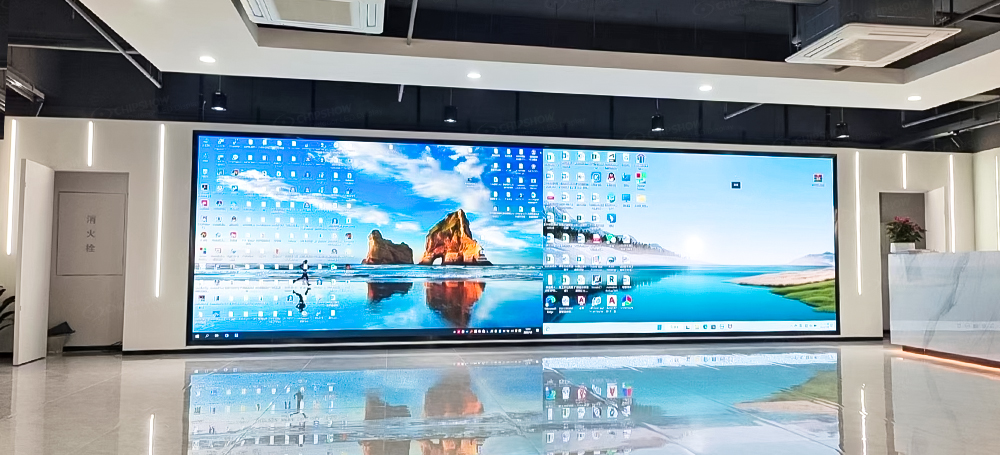
Indoor LED Video Wall Selection Quick Guide
| Application | Typical Viewing Distance* | Key Priority | Technology / Pitch to Consider* |
| Conference Room | 1.5–4 m | Fine detail + viewing comfort | Fine pitch / COB |
| Corporate Lobby | 3–8 m | Aesthetics + visual impact | P2.0–P2.5 |
| Retail / Shopping Mall | 2–6 m | Brightness + TCO | P1.8–P2.5 |
| Control Room | Close viewing | Reliability + fine detail | Fine-pitch / COB |
| Trade Show / Pop-Up | 1.5–5 m | Portability + fast setup | P3.9–P6.25 |
Choosing the best indoor LED video wall for a commercial space is not about picking the most expensive panel or the smallest pixel pitch. It is about matching the right technology to your viewing distance, your ambient light, your installation constraints, and your five-year budget. This guide walks through every decision a B2B buyer needs to make—from conference rooms and retail stores to control centers and corporate lobbies—so you walk away with a clear, defensible choice, not a spec sheet you will regret.
Indoor LED Video Wall: What Matters Before You Buy
Most buyer’s guides start with pixel pitch. They shouldn’t. Pixel pitch matters, but it is only one variable in a four-part equation. Before you look at a single datasheet, map these four dimensions:
1. Viewing scenario
Who is looking at this wall, and from how far? A retail shopper three meters from a storefront display has completely different requirements than a control room operator staring at a P0.9 screen for ten-hour shifts.
2. Ambient light
A brightly lit shopping atrium needs more nits than a dimmed corporate boardroom. Over-spec brightness in a dark room creates glare and eye fatigue; under-spec it in a sunlit lobby and your content washes out.
3. Technology fit
COB, SMD, and emerging Mini-LED are not just buzzwords. Each trades off cost, durability, viewing comfort, and repairability in ways that directly affect your total cost of ownership.
4. Installation reality
Can your wall bear the weight? Do you have rear access for service, or must the modules come out from the front? These on-site constraints can eliminate entire product categories before you even compare prices.
Once these four dimensions are clear, the product selection becomes straightforward. Skip this step, and you will find yourself comparing apples to oranges—or worse, paying for specifications you cannot use.
Match Your Space: 5 Commercial Scenarios and What They Demand
The best indoor LED video wall for a luxury hotel lobby is not the best one for a 24/7 network operations center. Here is how five common commercial scenarios differ in their requirements—and which specifications actually matter for each.
Scenario 1: Retail Store & Shopping Mall
Typical viewing distance: 2–6 meters
Key requirements: Daytime visibility under mixed lighting, easy content management, cost-per-square-meter efficiency for larger surface areas
Recommended configuration: P2.5 can be a practical choice for many retail installations with viewing distances around 3 meters. P2.5 keeps larger walls cost-efficient while staying sharp at typical viewing distances.
Why: Retail displays almost always back against a wall with no rear clearance, so front-service access is essential.
Tips: For stores with unusually close viewing distances, high-resolution content, or premium brand environments, a finer pitch such as P1.8 may be justified.
Look for cabinets with die-cast aluminum construction rather than sheet metal. Retail environments run 12–14 hours a day, seven days a week; extruded aluminum dissipates heat more effectively and resists the minor warping that cheap frames develop over years of thermal cycling. If the store layout has mixed viewing distances—close at the checkout counter, farther in the main aisle—cross-pitch module compatibility within the same mounting frame can save on hardware costs.
Multi-site retail deployments
For franchise rollouts or multi-location retail deployments, compare candidate pitches using the same content at each store’s nearest viewing position. P2.5 and P1.8 are not guaranteed to look identical at three meters: text size, content and visual acuity affect the difference. Compare installed cost across stores after confirming the required image quality.
Key considerations:
- centralized content management
- cost per m²
- cabinet standardization
- module compatibility
- serviceability
- spare parts consistency
Scenario 2: Corporate Lobby & Reception
For most corporate lobbies, prioritize pixel pitch based on viewing distance, then evaluate cabinet depth, surface finish, color consistency, and service access.
Typical viewing distance: 3–8 meters
Key requirements: Premium aesthetics, flush wall integration, visual impact when the screen is off
Recommended configuration: P2.0–P2.5 can cover most lobby viewing distances. The more important specification is depth: a cabinet profile under 80 mm allows flush wall mounting without protruding into the walking space. Anti-glare surface treatments matter in lobbies with large windows or skylights; a matte finish reduces reflections that would otherwise wash out the content during daylight hours.
Why: Lobby audiences stand 3–8 meters away, where P2.0–P2.5 already resolves content cleanly; what separates a premium install is how the screen integrates with the architecture—flush mounting, minimal depth, and a surface finish that complements the surrounding materials.
Tips: For lobbies where visitors view or interact with the screen at close range, a finer pitch may be justified.
A corporate lobby LED wall must look impressive both powered on and powered off. When clients and partners walk in, they should not see a utilitarian black rectangle bolted to the wall. The display should integrate with the architecture—flush-mounted, minimal depth, with a surface finish that complements the surrounding materials rather than clashing with them.
When the screen is off, a dark gray or textured surface reads as an intentional design element. When it is on, the display should render brand colors accurately—corporate logos and brand videos look amateurish on a wall with visible color shift between modules.
Scenario 3: Conference Room & Boardroom
Typical viewing distance: 1.5–4 meters
Key requirements: Eye comfort for long meetings, fine detail for presentations and spreadsheets, low operating noise
Recommended configuration: P1.5–P1.8 is the practical range for most conference rooms.
Why: Conference rooms are where pixel pitch matters most—and where COB technology earns its premium. Participants sit close, sometimes for hours, scrutinizing financial data, architectural renderings, or video feeds. COB’s encapsulated surface can provide a smoother appearance and may be more comfortable for close-viewing environments, especially where users spend long periods looking at the display.
Tips: Compare finer pitches with the actual slides, dense text, and viewing positions before deciding whether the added cost provides useful detail.
Ask what the quoted surface-hardness rating measures and request the relevant test method. A 4H pencil-hardness result describes resistance under that surface test; it does not prove that a chair or easel impact cannot damage the display. Confirm any impact-resistance claim separately for the exact model.
For premium boardrooms that double as executive briefing centers—where sub-P1.5 resolution matters because attendees examine GIS data, medical imagery, or engineering schematics—consider panels in the P0.9–P1.5 range. At this level, cabinet weight becomes a factor: lighter cabinets (under 5 kg per module) simplify wall mounting and reduce structural load on interior walls.
Scenario 4: Control Room & Command Center
Typical viewing distance: 1–3 meters (operators), 3–8 meters (overview)
Key requirements: 24/7 reliability, absolute color accuracy, zero downtime tolerance, dust and impact protection
Recommended configuration: For mission-critical 24/7 operation, combine fine pitch (P0.78–P1.2) with environmental protection—IP54-rated front and back protection on an indoor wall is uncommon but valuable.
Why: Operators stare at these walls for full shifts, so resolution granularity for GIS maps, network topology diagrams, and surveillance feeds—plus protection against dust ingress from suspended ceilings and constant HVAC airflow—determines long-term performance.
Tips: The critical specification here is not pixel pitch alone—it is environmental protection combined with fine pitch, and selecting on upfront price rather than long-term stability is a common failure mode.
Control rooms are the most demanding indoor application. Operators stare at these walls for full shifts; a single dead pixel or color shift can cause missed signals. The wall must run continuously for years, often in environments with suspended ceiling dust and constant HVAC airflow.
Agree the color-uniformity metric, measurement conditions, acceptance limit, and recalibration plan for the project. A commissioning result does not establish the same performance for years. The wall cannot develop pink or green zones in year two—a common failure mode in control rooms that selected on upfront price rather than long-term stability.
Scenario 5: Trade Show Booth & Pop-Up Retail
Typical viewing distance: 1.5–5 meters
Key requirements: Rapid setup and teardown, no permanent installation, remote content control
Recommended configuration: P3.9–P6.25 is the practical range for temporary installations.
Why: Temporary use does not remove the need for readable content at close range. Test the proposed pitch at the booth’s nearest viewing position. Also check setup time, playback control, transport dimensions and the installation crew required.
Tips: Wheels matter: a display that requires two people and a van to reposition will sit unused, while a rollable unit gets deployed three times a day.
Not every indoor LED wall is permanently installed. Trade show exhibitors, pop-up stores, and seasonal retail activations need a display that goes up in minutes and ships in a rolling case—no rigging, no wall mounting, no technician required.
Bringing it together: Chipshow offers indoor LED solutions across these use cases, from fine-pitch COB displays for close-viewing environments to portable LED systems for trade shows. The key is matching the right product to your specific scenario, not defaulting to the most expensive option. See the C-Max series for retail, lobby, and conference room applications, the C-Pad series for control-room-grade COB, and the C-Mesh Smart Poster for plug-and-play trade show deployment.
COB vs SMD: Which Technology Fits Your Budget
The COB-versus-SMD debate dominates LED video wall procurement conversations. Here is the practical decision framework—not a marketing comparison:
| Dimension | COB (Chip-on-Board) | SMD (Surface-Mounted Device) |
| Surface durability | Encapsulated surface; request exact-model surface and contact-resistance evidence | Check exposed components, contact protection, and permitted handling for the exact model |
| Viewing comfort | Compare close-viewing samples at the intended brightness and room lighting | Compare actual pixel structure and content from the planned viewing positions |
| Color consistency | Request commissioning uniformity data and the recalibration plan | Request commissioning uniformity data and the recalibration plan |
| Repairability | Confirm the approved module-replacement and repair route | Confirm whether component repair is permitted and who performs it |
| Cost (per m²) | Compare matched quotations for pitch, area, brightness, controls, and service scope | Compare matched quotations for pitch, area, brightness, controls, and service scope |
| Best for | Close viewing (< 3m), 24/7 operation, high-touch environments | Medium-to-long viewing (3m+), budget-driven projects, retail rollouts |
The Decision Rule
- Your audience sits within 3 meters for extended periods? → COB (C-Max Fine-Pitch COB or C-Pad series)
- Your audience is 3+ meters away, and budget is a primary constraint? → SMD (C-Max Standard or C-Max-Eco)
- You are installing in a high-traffic public area where physical contact is likely? → COB’s impact resistance justifies the premium
The middle ground does exist: a corporate lobby can use SMD if the nearest viewer is five meters away, and a retail store with tight margins should not pay for COB that shoppers will never stand close enough to appreciate
Pixel Pitch Illustrated: Real Distance, Not Spec Sheets
Use the following pitch-to-distance relationship as a starting point for a viewing test, not as a visual-acuity limit or a guarantee of readability:
Initial viewing-test distance (meters) ≈ pixel pitch (millimeters)
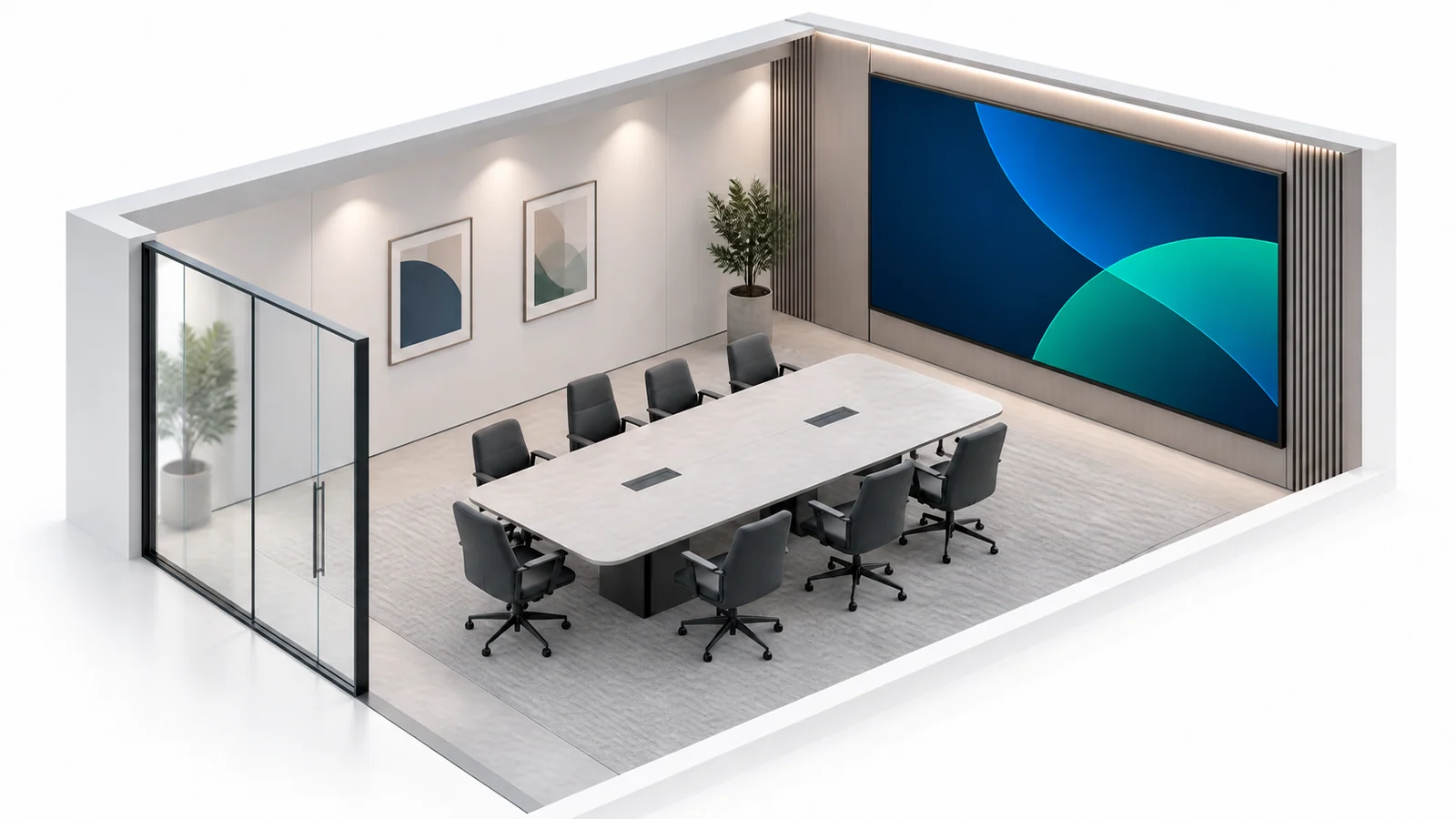
Concept illustration of a meeting room LED wall layout. Sit at both the nearest and farthest seats and check how real content reads from each position.
For example, the rule suggests starting a P2.5 viewing test near 2.5 meters and a P1.5 test near 1.5 meters. Check your smallest text, detailed graphics and video at the nearest intended seat. Finer pitch can still help; the rule does not establish the limit of what a viewer can resolve.
| Pixel Pitch | Minimum Viewing Distance | Typical Commercial Application |
| P0.9–P1.2 | 1.0–1.5 m | Executive boardrooms, broadcast studios, surgical suites |
| P1.5–P1.8 | 1.5–2.0 m | Premium conference rooms, high-end retail, control rooms |
| P2.0–P2.5 | 2.0–2.5 m | Standard conference rooms, retail stores, corporate lobbies |
| P2.6–P4.0 | 2.5–4.0 m | Shopping malls, airport concourses, exhibition halls |
Compare what the extra resolution changes: For a lobby whose nearest viewer is five meters away, test P1.2 and P2.5 with the same content before choosing. Confirm the actual installed-price difference and measured power at the intended brightness. Neither a fixed twofold price difference nor higher power consumption follows from pixel pitch alone.
Hidden Costs B2B Buyers Miss (and How to Avoid Them)
The purchase price per square meter tells less than half the story. Here are the four hidden costs that make a “cheap” indoor LED video wall expensive:
1. Power Consumption Over 5 Years
Power draw is the single largest hidden cost in LED video wall ownership. Different technologies consume power at different rates at the same brightness level:
- Request measured average power for the proposed SMD configuration at the intended brightness and content settings.
- Compare the proposed common-cathode COB configuration under the same brightness, content, and measurement conditions. Calculate any saving from the measured difference.
Over a five-year operating cycle at 12 hours a day, the cumulative difference in electricity cost between these two technologies can approach the price of an additional module set. In climate-controlled indoor environments, the power savings from lower-consumption panels also translate to reduced HVAC load—the display generates less heat, so the air conditioning works less.
When comparing quotes, ask suppliers for the watt-per-square-meter specification at your target brightness, not the headline “maximum” power draw. Maximum values are measured at peak brightness you will never use; operational draw is what determines your utility bill.
2. Structural Reinforcement
An LED video wall is heavier than it looks. A 10 m² wall with steel mounting frame can weigh 300–500 kg. If your wall is drywall over studs, you may need structural reinforcement before the first module arrives—a cost that no display manufacturer’s quote includes, because it is site-dependent. Ask your integrator about load-bearing requirements before you sign a purchase order.
3. Spare Parts Inventory
Agree a spare-parts plan with the supplier based on module count, service access, replacement lead time and downtime requirements. As an arithmetic example, 3–5% of 64 modules is 1.92–3.2 modules; a policy that rounds up gives 2–4 spares. This is not a universal stocking requirement. Obtain a separate spare-parts quote and confirm calibration data and compatible replacements.
4. Calibration Drift
LEDs age. After 12–18 months of operation, color and brightness uniformity can drift noticeably. Factory-calibrated COB panels drift less than SMD, but set inspection and recalibration intervals from the supplier’s maintenance guidance and observed uniformity. Budget for one calibration service call in your TCO calculation.
Indoor LED Video Wall Installation Checklist: 5 Questions to Ask Your Integrator
Before installation day, get written answers to these five questions from your AV integrator or installation team. Verbal assurances do not count.
1. Can the wall support the weight?
Ask for a structural load calculation that includes the display modules, mounting frame, and any cable management hardware. Use the exact cabinet, complete frame, cables, and mounting-system weights. Drywall over wood studs may require reinforcement.
2. Is there adequate ventilation?
LED modules generate heat. Ask the supplier and integrator to specify clearance, ventilation and operating-temperature limits for the exact cabinet and enclosure. A recessed or enclosed wall may need active ventilation. Do not treat a single rear-clearance dimension as sufficient for every product or installation.
3. Is the service access front or rear?
This is a binary question that eliminates entire product lines. If your wall backs against concrete or glass with zero rear clearance, you need 100% front-serviceable modules. Many LED video wall products offer front-service capability, but not all do—confirm this in the specification sheet, not the sales conversation. Front-service designs allow individual module removal from the front face without accessing the rear of the wall, which is critical in any installation where the display is mounted flush against a solid surface.
4. What signal path feeds the wall?
The video processor (typically NovaStar or Colorlight) sits between your content source and the display. Confirm: HDMI vs. SDI input, maximum input resolution, and whether the processor supports the wall’s native resolution at full frame rate. A mismatch here causes scaling artifacts that no amount of calibration can fix.
5. Who does the on-site calibration, and when?
Factory calibration ensures modules match out of the box. Agree the commissioning and on-site calibration sequence, operating conditions, and acceptance report with the integrator. Confirm that your integrator includes this step in the installation scope, not as a separate line item. Ask for a post-calibration uniformity report with ΔE values for every module.
Making the Decision
Selecting the best indoor LED video wall for a commercial space comes down to matching the right technology to your viewing distance, your environment, and your budget—not chasing the smallest pixel pitch on the market. Measure where your audience will stand, choose COB or SMD based on how close they get, and get the hidden costs—structural load, ventilation, spare modules, and calibration—in writing before you sign. Chipshow’s indoor LED display product line covers the full range discussed above—with project support and configuration-specific technical documentation. Confirm the applicable declarations and test or listing documents for the exact model and destination market. Contact us to discuss your project requirements.
Frequently Asked Questions
Q1: What is the best indoor LED video wall for a conference room?
For conference rooms with viewing distances of 1.5–3 meters, a COB LED video wall at P1.5–P1.8 provides the optimal balance of resolution, eye comfort, and cost. The Chipshow C-Max Fine-Pitch COB series (P1.53 / P1.86) is designed for this environment, with a smooth anti-glare surface that reduces eye strain during long presentations and a cable-free internal architecture that keeps the installation clean.
Q2: What is the difference between COB and SMD LED for indoor use?
COB is generally more suitable for close-viewing or high-contact environments, while SMD can be more cost-effective for longer viewing distances and budget-driven projects. The best choice depends on viewing distance, durability requirements, serviceability, and project budget. See our full COB vs. SMD comparison above.
Q3: Do indoor LED video walls need special cooling or ventilation?
Yes. Follow the cabinet manufacturer’s documented clearance and temperature limits, and have the integrator check heat removal for the complete enclosure. Recessed installations may need active ventilation. A universal 100 mm rear gap or 40°C cavity limit cannot be inferred for every indoor LED wall.
Q4: How long does an indoor LED video wall last?
Distinguish the specified LED brightness-maintenance life from the service life of the complete display. If a datasheet quotes 50,000–100,000 operating hours, that converts to approximately 11.4–22.8 years at 12 hours per day, not 6–11 years. The arithmetic is not a guarantee: verify the rating’s brightness threshold, test conditions, warranty and parts availability, and plan inspections or calibration according to actual use.
Q5: What pixel pitch should I choose for an indoor LED video wall?
Start with the nearest viewing distance and the smallest content that must remain legible. Use the pitch-to-distance rule above only to shortlist samples, then compare them at the intended brightness with your actual presentations, signage or video. Do not select a coarse pitch simply because an installation is temporary, or assume a finer pitch has no benefit beyond a fixed distance.
Q6: How much does an indoor LED video wall cost?
Total cost goes beyond the price per square meter. The four hidden costs that make a “cheap” wall expensive are power consumption over five years, structural reinforcement, spare module inventory, and calibration drift. Ask suppliers for the watt-per-square-meter figure at your target brightness and confirm spare module availability for at least three years. See the hidden costs section above.
Q7: What is the best LED video wall for a corporate lobby?
For most corporate lobbies, P2.0–P2.5 is a practical choice: audiences view from 3–8 meters, where this pitch resolves content cleanly. Prioritize cabinet depth (under 80 mm for flush mounting), anti-glare surface finish, and accurate brand-color rendering over finer pitch. See the corporate lobby scenario above.
Q8: What is the best LED display for multi-site retail?
For franchise rollouts or multi-location deployments, standardize on one pitch and cabinet platform across stores so modules, spares, and content management stay consistent at scale. The key considerations are cost per m², cabinet standardization, module compatibility, serviceability, spare parts consistency, and centralized content management. See the multi-site retail section above.





