





The right XR stage LED wall supplier is not the one that only wins a moiré test. It is the one that fits your camera workflow, handles support cleanly, and still makes sense after the first install. For most buyers, that means treating the wall as part of a larger system, not a panel-only purchase. The Broadcast Bridge’s virtual production overview is a useful reminder that supplier selection has to cover workflow, service, and ownership risk.
What Buyers Need Beyond Moiré Fixes
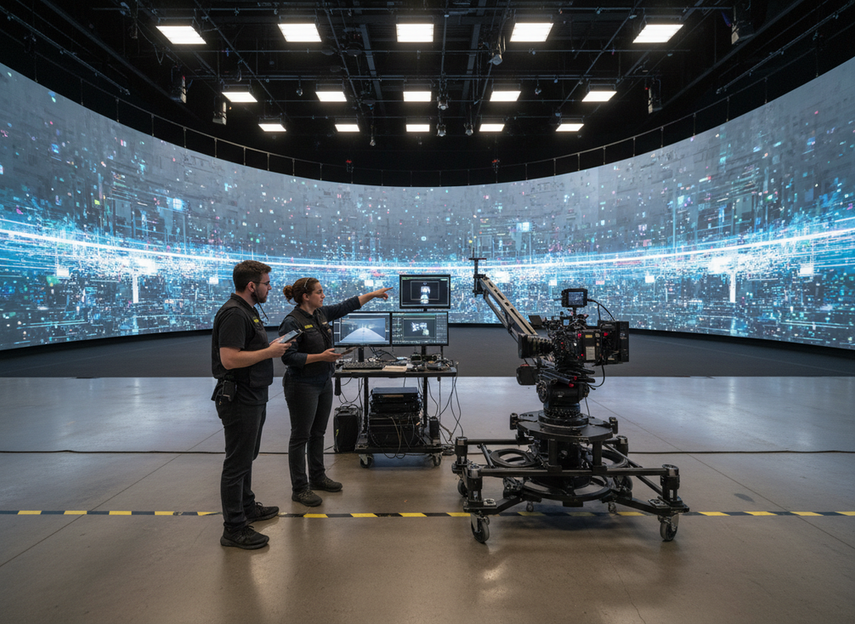
Moiré matters, but it is only the starting filter. In real virtual production and broadcast work, the supplier has to fit camera, tracking, lighting, processor, build, and handoff requirements at the same time. That is why XR stage LED wall supplier selection should start with procurement risk, not just image cleanup.
A strong shortlist is usually built around four questions: does the supplier understand your workflow, can they validate the signal chain, how fast can they respond when something breaks, and what happens if you need parts or a different processor later? If a vendor cannot answer those clearly, the offer may look fine on paper but still be a poor fit in production.
If you are early in the process, start with a broad rental stage LED display path only as a browsing shortcut, not as proof that any specific wall is ready for XR.
How to Compare Suppliers on Workflow Fit
The fastest way to compare suppliers is to ask for the exact workflow they will support, not the broadest feature list they can quote. For studio-grade XR, Netflix’s on-set infrastructure guidance calls for an end-to-end 10-bit imaging workflow and camera-to-wall calibration. That does not mean every project needs the same setup, but it does mean the supplier should be able to show how the wall, camera, processor, and control path work together.
A useful rule of thumb is simple: if the supplier only talks about pixel pitch, brightness, or refresh rate, keep digging. Those specs matter, but they do not tell you whether the wall will behave correctly under your camera package or content pipeline. Ask for the full signal chain, the control handoff, and the steps they use to validate the system before a demo becomes a recommendation.
The next risk to check is upgrade lock-in. Megapixel’s SMPTE ST 2110 workflow guide explains that processor changes can require replacing receiver cards across the wall. In plain terms, a future processor swap may be much bigger than a software update. That is why processor choice, receiving cards, and vendor support should be part of the initial shortlist, not a later surprise.
Camera and Processor Compatibility
Do not ask only whether the wall is “compatible.” Ask what the supplier has actually tested: camera model, processor model, genlock behavior, and the content types used in the test. If the answer is vague, the claim is too weak for procurement.
For buyers comparing premium touring LED options, the practical question is whether the supplier can support your workflow with the same discipline after deployment, not whether the panel looks good in a static demo.
Demo Readiness and Content Validation
A useful demo should include the kind of content you will actually run, not just a generic test pattern. If your production uses camera moves, mixed lighting, or changing background content, the supplier should show how they validate those conditions.
A clean showroom result is helpful, but it is not the same as repeatable production behavior. That is why a supplier’s demo process matters as much as the hardware spec sheet.
Rigging, Curves, and Stage Layout Fit
Stage layout is another place where supplier fit shows up quickly. Curves, corners, build speed, access space, and repeated strike-and-rig cycles all change the buying decision. A supplier that is good on image quality but weak on physical workflow can still cost you time every week.
If your team needs recurring build-outs, look for a rental LED display option that matches the stage footprint and the amount of crew time you can afford. The best choice is not the most impressive brochure feature, but the one that reduces setup friction without creating new compromises.
Service and Support That Protect the Project
Service quality is often where similar-looking quotes separate. For XR projects, response time, spare parts access, documentation, training, and escalation clarity can matter as much as the panel purchase itself. A supplier that looks affordable up front can become expensive if every fix depends on slow replies or unclear ownership.
| Service Area | What To Verify | Why It Matters | Red Flags |
|---|---|---|---|
| Pre-Sale Responsiveness | How quickly technical questions get answered, and whether answers are specific | Fast, concrete answers usually signal a supplier that understands the workflow, not just the SKU | Generic replies, delayed technical handoff, or answers that avoid the actual question |
| Installation Support | Whether the supplier offers real setup help, not just shipping | Install quality affects first-use risk and reduces avoidable downtime | “Self-install only” language for a complex XR build |
| Spare Parts Access | What parts are available, how they are ordered, and how quickly they ship | Parts delays can stop a shoot or force a downgrade in the build plan | No clear spares path, vague inventory language, or “ask later” answers |
| Documentation And Training | Manuals, wiring notes, calibration steps, and operator training | Good documentation makes your team less dependent on one person | Missing docs, outdated files, or training that is never scheduled |
| Post-Sale Escalation | Who handles urgent issues and how the issue is closed | Clear escalation reduces downtime when production is live | No named escalation path, unclear hours, or support that disappears after payment |
A practical service floor is not about chasing a magic number. It is about checking whether the supplier can support real production pressure with spare parts, clear contacts, and a usable response path.
Which Supplier Profile Fits Your XR Program
Different buyer profiles need different supplier behavior.
- Studio-first teams should favor suppliers that can document workflow steps, train operators, and stay consistent across repeat shoots. The main risk is buying a wall that demos well but is hard to run twice the same way.
- Broadcast engineering teams should favor suppliers that can talk clearly about camera, tracking, processor, and escalation details. The main risk is hidden integration work that shows up late.
- Rental and integration buyers should favor suppliers that can handle fast turnaround, repeat builds, and spare-parts logistics. The main risk is downtime when the schedule moves faster than the support model.
- Hybrid teams should only choose a supplier that can explain where the setup is stable and where it needs extra operational control. The main risk is assuming one configuration will fit every use case.
If your workflow needs a flexible rental-stage path, the hybrid rental LED path is a more relevant starting point than a pure spec comparison, because the buying question is usually about staffing, turnaround, and support model, not only panel quality.
A good decision sentence here is simple: if your team has repeat shoots and a stable technical staff, a more technical supplier may be fine; if your operation depends on speed, external crew, or mixed use cases, choose the supplier that makes handoff and support easier, even if the hardware quote looks less exciting.
Final Checks Before You Request Quotes
Before you send an RFQ, ask for a repeatable test protocol, the exact signal chain, the support path, and the spare-parts plan. Chipshow’s virtual production LED wall test protocol is a useful reminder that suppliers should be ready to validate wall, processor, and camera together under real production conditions.
- Define the use case in one sentence, including camera package, content type, and stage layout.
- Ask for the full workflow, from processor to control to camera handoff.
- Request the demo procedure they would use for your actual content.
- Confirm what parts are stocked, what ships quickly, and what needs special order.
- Ask who owns installation, training, and post-sale escalation.
- Check whether processor changes or receiver-card changes could affect your upgrade path.
- Verify the handoff deliverables you will receive before the project starts.
If you are ready to compare supplier options, request a demo, review your workflow requirements, or contact us for a shortlist review and RFQ checklist.
FAQs
How Do I Shortlist an XR Stage LED Wall Supplier?
Start with workflow fit, then screen for support, spares, and demo quality. Price comes after you know whether the supplier can handle your camera chain, operator handoff, and post-sale response path. That order helps you avoid choosing a quote that looks good but creates production friction later.
What Matters More Than Moiré Fixes in Supplier Evaluation?
Service responsiveness, integration support, and upgrade-path clarity often matter more once the wall is in production. A moiré fix is useful, but it does not tell you whether the supplier can solve install issues, ship parts, or support changes in your processor stack.
Can One Supplier Cover Studio and Rental Workflows?
Sometimes, but only if the supplier can support both the repeatability needed by studio teams and the turnaround pressure of rental teams. Verify build speed, documentation, spares, and escalation before assuming one setup can cover both without extra operational effort.
What Should I Ask Before Requesting a Quote?
Ask what camera and processor chain they support, how they validate content, what spares are stocked, who handles installation, and what the escalation path looks like. Those questions tell you more about ownership risk than a generic quote sheet does.
Why Does Service Responsiveness Matter So Much in XR Projects?
Because downtime in XR affects more than a screen. It can disrupt the camera schedule, the crew call, and the content pipeline at the same time. Fast, specific support reduces that risk, especially when your team does not have spare time to troubleshoot on its own.





