





An outdoor digital billboard needs coordinated protection across its power, grounding, data, and control systems. One surge protective device cannot cover every electrical path. Layered protection can reduce outages, hidden component damage, and repeat service calls. Commissioning should also confirm grounding continuity, restart behavior, alarms, and final electrical records.
Why Does Power Protection Matter for an Outdoor Digital Billboard
Electrical faults can affect ad delivery, maintenance costs, and long-term site reliability.
Lost Advertising Delivery During Power Failures
An outdoor digital billboard creates revenue only while scheduled content remains visible. Any outage removes impressions from active campaigns.
Long outages can affect campaign reports, service commitments, and advertiser confidence. Operators should track electrical uptime separately from content platform uptime.
Delayed Damage After a Surge Event
A surge may not cause an immediate black screen. It can weaken power supplies, receiving cards, processors, or network ports.
The damaged part may keep working for days or weeks. Heat, moisture, or higher loads may trigger a later failure.
These delayed faults often take longer to diagnose. Technicians may replace several parts without finding the original electrical path.
Repeat Service Calls and Component Replacement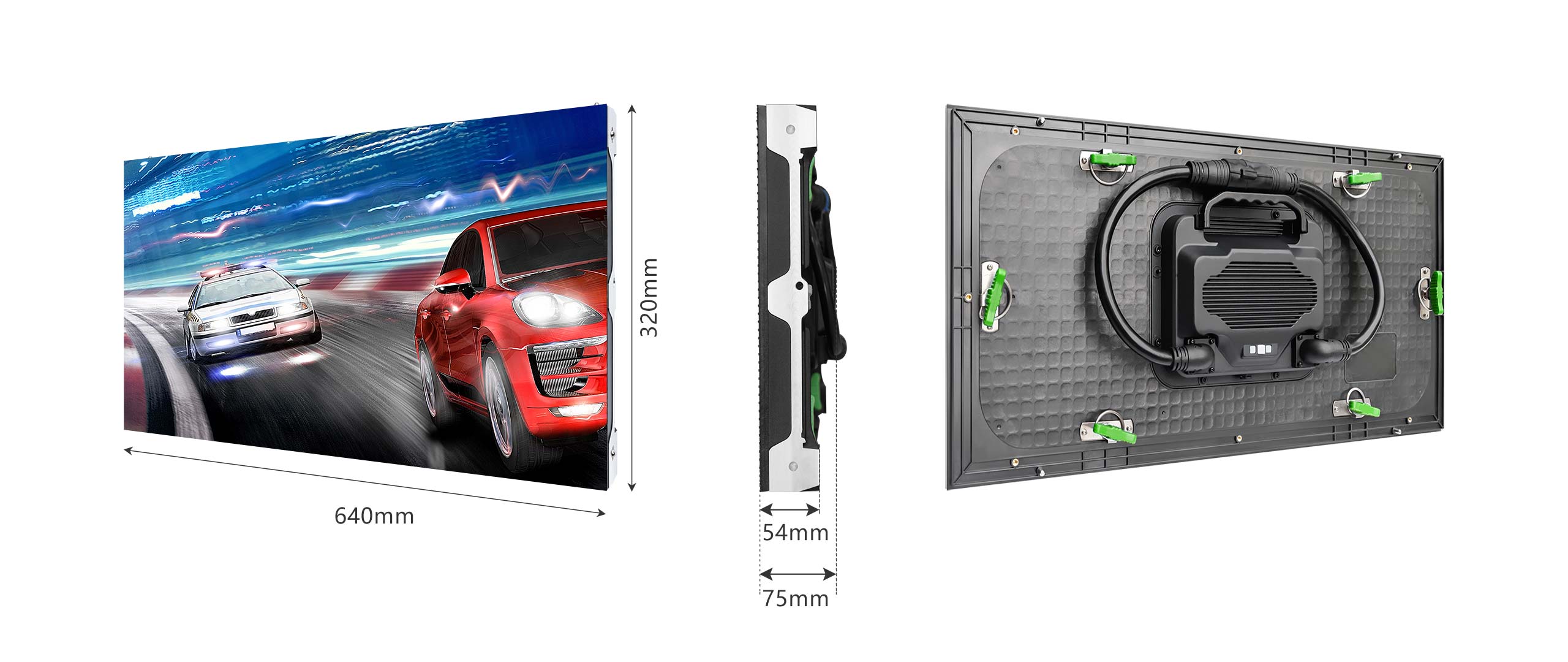 Poorly coordinated protection can let one surge affect several cabinets. Each site visit adds labor, lift access, traffic control, and spare-part costs.
Layered protection limits the affected area. Clear circuit records also reduce fault-tracing time for an outdoor digital billboard.
How Should Outdoor Digital Billboard Power Architecture Be Planned
The electrical plan should cover the full path from utility service to cabinet-level distribution.
Utility Service and Main Disconnect
The utility supply must support the display, controls, cooling, lighting, and network equipment.
An accessible main disconnect should isolate the full system. Only authorized technicians should operate it.
Equipment ratings must match the supply voltage, fault current, enclosure conditions, and local electrical rules. A licensed electrical professional should approve the final plan.
Dedicated Circuits and Load Distribution
Dedicated branch circuits improve fault isolation and maintenance control. A fault in one screen zone should not disable the entire display.
Large digital billboard signs should divide loads into clearly labeled zones. Each zone needs suitable overcurrent protection and documented cabinet assignments.
Three-phase systems also need balanced loading. Poor balance can increase conductor heating and voltage variation.
Panel schedules should match the labels inside each distribution cabinet.
Voltage Drop Across Long Feeder Runs
Voltage drop increases with conductor length, load current, and electrical resistance. Long roadside feeder runs need careful conductor sizing.
Low voltage at the farthest cabinet can cause unstable power supplies or repeated restarts. Engineers should calculate voltage drop under realistic operating loads.
Loose terminals can also create local heat. Commissioning should include terminal checks required by the equipment instructions.
Average Power Versus Maximum Rated Power
Average power and maximum rated power support different planning tasks.
| Power Value | Main Use | Common Error |
|---|---|---|
| Average operating power | Energy budgets and operating cost forecasts | Using rated maximum power for normal energy estimates |
| Maximum rated power | Feeders, breakers, disconnects, and backup capacity | Sizing circuits from average power alone |
| Measured site demand | Commissioning and operating checks | Testing only with low-brightness content |
Media owners should use project-specific average power data for operating cost forecasts. Electrical plans still need maximum rated values for safe circuit sizing.
The C-Fit Easy Standard SMD outdoor LED display supports P4, P5, P6.67, P8, and P10 fixed installations. Cabinet options measure 960 mm (37.8 in) by 960 mm (37.8 in). A larger format measures 1,280 mm (50.4 in) by 960 mm (37.8 in).
Front and rear service access can simplify circuit checks across a multi-site outdoor digital billboard network. Standardized cabinet formats also support repeat installations with shared maintenance procedures.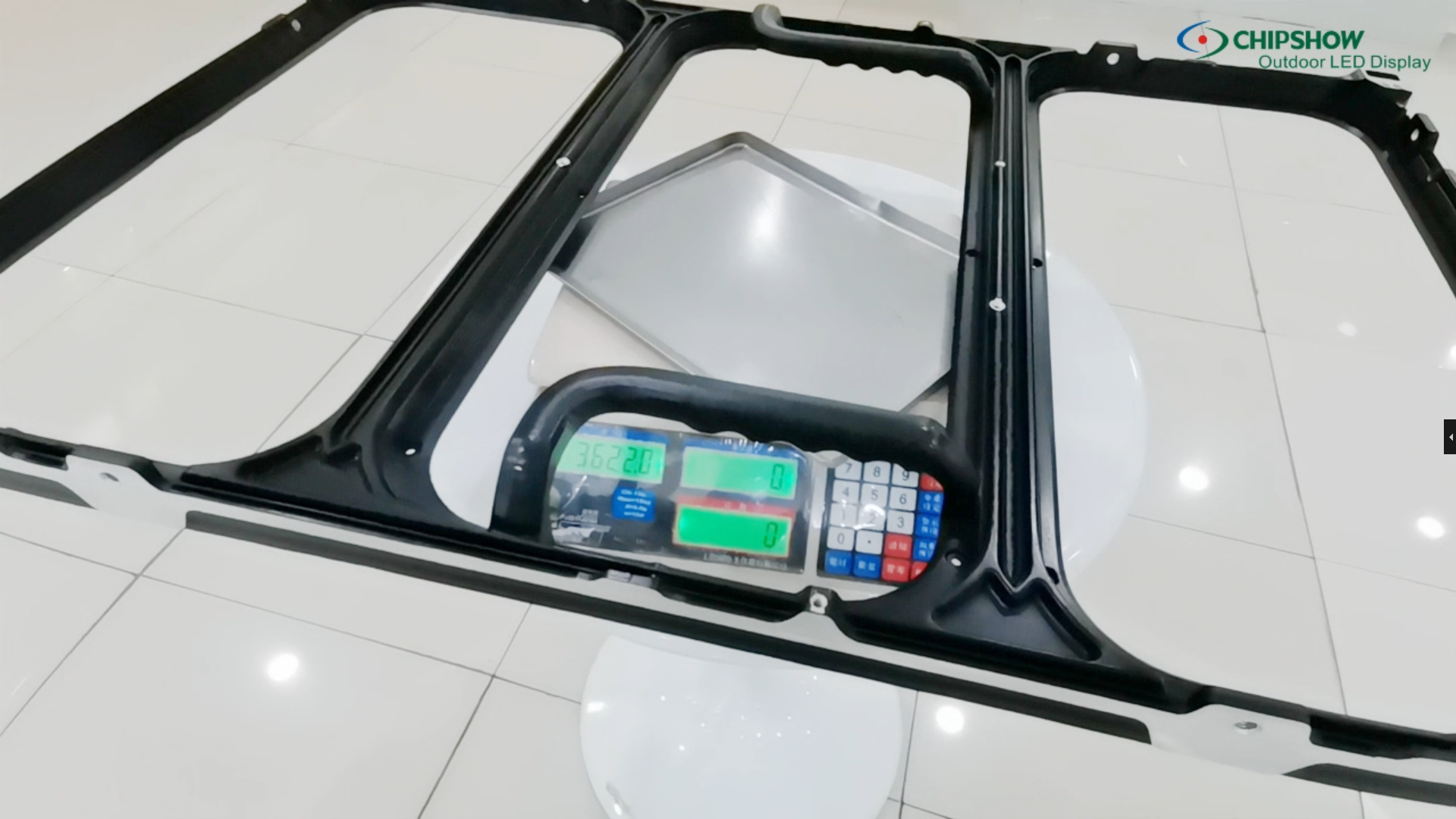
Which Surge and Lightning Controls Should Be Included
Reliable protection uses several coordinated layers across power, structure, and communication lines.
| Protection Level | Main Function | Protected Equipment |
|---|---|---|
| Service entrance | Limits high-energy transients entering from the utility | Main distribution and downstream circuits |
| Distribution panel | Reduces surge energy left after the first SPD | Screen zones and control circuits |
| LED cabinet | Places protection near sensitive electronics | Power supplies, receiving cards, and local controllers |
| Data and control line | Protects metallic communication paths | Switches, processors, cameras, and network ports |
| Lightning protection system | Intercepts strikes and directs current toward earth | Structure, installed systems, and personnel |
Applicable lightning and surge protection standards should guide the site risk assessment, grounding design, and SPD selection.
Projects should follow the standards adopted in their country or region.
Service-Entrance Surge Protection
The service entrance receives transients from utility switching, electrical faults, and lightning activity. Protection at this point must handle high surge energy.
The SPD must match the system voltage and grounding arrangement. Its short-circuit current rating must suit the available fault current.
Connection conductors should remain short and direct. Long conductors can increase the voltage reaching downstream equipment.
North American projects may require devices evaluated to UL 1449. European projects should follow the applicable IEC and EN requirements.
Distribution-Level Surge Protection
A service-entrance SPD cannot remove all surge energy. Distribution-level protection reduces the remaining voltage near outdoor digital billboard branch circuits.
This layer also separates screen circuits from support loads. Support equipment may include routers, cooling systems, lighting, and environmental sensors.
Each SPD should have a visible status indicator. Remote contacts are useful at unattended sites.
Cabinet-Level Protection
Cabinet-level protection sits close to power supplies, receiving cards, and local controllers.
These devices should coordinate with upstream SPDs. Poor coordination can leave sensitive electronics exposed to higher residual voltage.
Cabinet protection must also suit heat, moisture, and enclosure conditions. Service teams should reach the device without disturbing unrelated circuits.
Lightning Protection Versus Surge Protection
A lightning protection system and an SPD perform separate jobs. Neither replaces the other.
The lightning protection system intercepts strikes and directs current toward earth. An SPD limits transient voltage inside power or signal circuits.
A site risk assessment for an outdoor digital billboard should cover structure height, lightning exposure, soil conditions, and incoming services.
What Should Be Checked in the Grounding and Bonding System
Grounding and bonding should provide a continuous, low-impedance path across the billboard structure.
| Inspection Area | What to Check | Common Risk |
|---|---|---|
| Structural steel | Continuity across frames, joints, and supports | Paint, corrosion, or loose joints can interrupt bonding |
| LED cabinets | A dedicated bonding path between cabinets | Painted surfaces may prevent reliable metal contact |
| Control equipment | A common grounding reference for processors and switches | Different ground potentials can cause resets or communication faults |
| Bonding conductors | Secure routing and accessible terminals | Vibration, water, and sharp edges can damage conductors |
| Signal shields | A defined termination method | Unplanned connections may create circulating current |
Steel Structure Bonding
Structural steel should maintain electrical continuity. Paint, corrosion, and mechanical joints can interrupt the path.
Some joints need dedicated bonding conductors. Bolted steel alone may not provide reliable electrical continuity.
Critical connections need visual inspection and electrical testing.
Cabinet-to-Cabinet Continuity
Each LED cabinet should connect directly to the protective bonding network. Incidental contact between painted cabinet surfaces is not sufficient.
Continuity testing should cover:
- The first and farthest cabinets in each screen zone.
- Removable panels and service doors that contain electrical equipment.
- Bonding conductors and terminals exposed to vibration or moisture.
- Connections changed during installation or later maintenance.
Test results should identify the location, method, acceptance criteria, and measured value.
Control Cabinet and Processor Grounding
Control cabinets, processors, network switches, and distribution equipment need a common grounding reference.
Unplanned grounding paths can cause communication faults, resets, or damaged network ports. Shielded cables also need a defined termination method.
The electrical and network drawings for an outdoor digital billboard should follow the same grounding plan.
Ground Loops Between Power and Data Systems
Ground loops can form through several paths with different electrical potentials. Unwanted current may then travel through signal shields.
Possible symptoms include packet loss, controller resets, unstable images, and damaged network ports.
A dielectric fiber link reduces electrical coupling between distant equipment areas. Local equipment still needs correct grounding and power protection.
Earth resistance limits vary by site. Local rules, soil conditions, and the approved electrical design set the acceptance criteria.
Protecting Data and Control Connections From Outdoor Electrical Risks
Metallic data and control lines can carry surges into protected equipment.
Copper Network Exposure
Outdoor copper Ethernet can create a conductive path between poles, cabinets, structures, and control rooms. Nearby lightning may produce different ground potentials across those locations.
Data-line surge protective devices should match:
- Network speed, including the required Ethernet category.
- Connector type used by the installed equipment.
- Power over Ethernet load, when the cable supplies power.
- Grounding arrangement at both ends of the connection.
- Environmental conditions at the installation point.
An unsuitable protector may restrict bandwidth, interrupt PoE delivery, or provide inadequate surge protection.
Fiber Isolation Benefits
A dielectric fiber link removes the metallic signal path. It can reduce surge transfer across long outdoor network runs.
Media converters and switches still need protected local power.
Some armored fiber cables contain metal. Those designs need a separate bonding plan.
Cable Routing and Separation
Power and signal cables should follow separate routes where the site layout permits.
| Routing Detail | Recommended Practice |
|---|---|
| Parallel cable runs | Follow the spacing stated in the approved design |
| Power and signal crossings | Cross near 90 degrees where practical |
| Cable trays and conduits | Label power, data, and control routes clearly |
| Cabinet entry points | Keep power and signal entries organized and accessible |
| Excess cable | Secure it without tight bends or unsupported loops |
Clear routing reduces induced electrical noise and shortens fault-tracing time for an outdoor digital billboard.
Outdoor Cable Entry and Connector Sealing
Water can follow cables through poor entry seals. Drip loops and correct gland orientation reduce that risk.
Cable glands must match the cable diameter and required ingress rating. Unused openings should remain sealed.
Connectors also need strain relief and weather protection. The sealing method should not trap moisture around the connection.
What Should Be Tested During Digital Signage Installation
Commissioning should confirm electrical safety, recovery behavior, and remote fault reporting.
Ground Continuity Testing
Test continuity across cabinets, steelwork, enclosures, and removable panels. Record the method, acceptance criteria, and results.
Inspect bonding points for mechanical security and corrosion protection. Correct failed readings and document the retest.
Surge Protection Device Status Checks
Confirm that every SPD sits at the correct protection level. Check ratings, protection modes, indicators, and remote contacts.
Inspect conductor length, enclosure suitability, and terminal tightness.
Record each device identifier and installation location. These records support future replacement work.
Power-Restart and Content-Recovery Tests
Run a controlled outage after the system reaches normal operation. Restore power and watch the full startup sequence.
The outdoor digital billboard controller should restore the approved configuration. The media player should resume the correct content schedule.
Check brightness settings, time synchronization, network links, and local content storage. Repeat the test from a cold start.
Alarm and Remote-Monitoring Verification
Create controlled faults permitted by the commissioning plan. Confirm that each alarm reaches the monitoring platform.
Every alert should identify the correct site and screen zone. Test all required notification routes.
Clear the fault and confirm that the alarm resets correctly.
As-Built Electrical Documentation
The installer should provide:
- Single-line electrical diagrams with the final circuit layout.
- Panel schedules with cabinet and support-equipment assignments.
- Cable routes for power, data, grounding, and control lines.
- Grounding and bonding test records.
- SPD locations, ratings, and device identifiers.
- Network topology and remote-monitoring settings.
- Restart procedures and commissioning results.
- Records of all approved field changes.
Accurate documents reduce troubleshooting time during later service visits.
Specify Power Protection for Your Outdoor Digital Billboard
An outdoor digital billboard needs coordinated protection across power, grounding, data, and control paths. Verify voltage drop, bonding, SPD status, recovery behavior, alarms, and electrical records. Compare fixed outdoor LED display options against the site’s cabinet, access, brightness, and maintenance needs.
FAQs about Billboard Power Protection Risks
Q1: Does an Outdoor Digital Billboard Need a UPS?
Not always. A UPS often supports controllers, routers, processors, monitoring equipment, and content players. Powering the full LED display needs far greater battery capacity. Define the required runtime, supported loads, transfer sequence, and restart plan. A UPS does not replace surge protection.
Q2: Can an SPD Protect Against Brownouts or Sustained Overvoltage?
No. An SPD limits short voltage spikes. It does not regulate long voltage sags, brownouts, or sustained overvoltage. Those conditions may require voltage monitoring, protective relays, power conditioning, or UPS equipment. Equipment selection should follow the site power study.
Q3: Should an SPD Be Replaced After a Lightning Event?
Not automatically. Check the status indicator, remote alarm, enclosure, terminals, and upstream protection after a known event. Replace the device after visible damage, a failed indicator, failed testing, or manufacturer instructions. A normal indicator does not confirm that every connected component remains healthy.
Q4: How Often Should Surge Protection Devices Be Inspected?
A 6-to-12-month inspection schedule is common for maintenance planning. Inspect them again after nearby lightning, surge alarms, or unexplained electrical faults. Shorter intervals may suit exposed sites. Local rules, manufacturer instructions, and the approved maintenance plan take priority.
Q5: Does Generator Backup Remove the Need for Surge Protection?
No. Generator startup, shutdown, transfer, and load changes can create voltage disturbances. The backup system still needs correct grounding, bonding, switching, and SPD coordination. Confirm compatibility with control UPS equipment and LED power supplies. Test transfer behavior under realistic operating loads.





