





Digital billboard compliance in the United States requires a site-specific plan. Local codes, zoning rules, highway controls, and nearby properties may set different limits. A complete design covers automatic dimming, protected brightness presets, photometric testing, failure responses, and operating records. Defining these controls during planning reduces permit revisions, complaints, and system changes after installation.
Why Is Digital Billboard Brightness Compliance Site-Specific
There is no single federal brightness limit for every digital billboard. Enforceable requirements usually come from local codes, state programs, and permit conditions.
| Review Area | Main Decision | Useful Project Evidence |
|---|---|---|
| Local sign code | Brightness, operating hours, transitions, and curfews | Code matrix and written zoning confirmation |
| Zoning and land use | Permitted location, setbacks, and nearby uses | Zoning map and receptor plan |
| Highway control | Sightlines, spacing, size, and state approval | Roadway drawings and permit records |
| Sensitive receptors | Exposure at homes, hospitals, parks, or habitat areas | Receptor map and nighttime photometric model |
Local Sign Codes
Cities and counties may regulate illuminance, luminance, operating hours, message duration, and transition effects. Permit conditions may be stricter than the general sign code.
Confirm the adopted rules for the project address. Also confirm the test method and measurement location required by the reviewing authority.
The 3.2 lux (0.3 foot-candles) above ambient limit is a common industry recommendation. It only becomes enforceable after adoption through a code or permit condition.
Zoning and Land Use
Commercial or industrial zoning does not remove light trespass concerns. Nearby homes, apartments, hospitals, parks, and planned developments still require review.
Mark exposed windows, balconies, yards, and property lines on the site plan. These locations may become photometric receptor points.
A receptor point is a location used for light calculations or field measurements.
Highway and Roadside Rules
Federal roadside sign rules include glare and shielding provisions for covered signs. They do not set one nationwide numeric brightness cap.
State programs may add spacing, size, zoning, and permit requirements. Project teams should review ramps, intersections, merge areas, and official traffic signs.
The screen must not obstruct official signs or direct harmful glare toward drivers.
Residential and Sensitive Areas
Residential review should include windows, patios, balconies, yards, and property lines. Ecological areas and low-light districts may face tighter controls.
Record all sensitive locations during concept design. Late additions can require new modeling, revised drawings, and controller changes.

How Can a Digital Billboard Maintain Compliant Nighttime Output
Nighttime operation requires automatic sensing, protected brightness limits, fault handling, and controlled user access. Each function should match the approved permit conditions.
| Control Element | Required Function | Project Check |
|---|---|---|
| Ambient light sensor | Adjusts output as surrounding light changes | Confirm location, field of view, and calibration status |
| Time-based profiles | Applies daytime, dusk, night, and dawn settings | Verify transition times and seasonal updates |
| Protected maximum presets | Prevents output above approved limits | Test access permissions and locked values |
| Failure response | Reduces output or stops operation after a fault | Confirm alarms, logs, and recovery procedures |
| Manual override control | Limits temporary changes to approved users | Record the user, reason, duration, and expiration |
Position Ambient Light Sensors Carefully
Place the sensor where it receives representative ambient light. Screen output, headlights, shadows, and nearby fixtures should remain outside its field.
Show the sensor position on the control drawings. Record any relocation or replacement in the configuration history.
Combine Sensors With Scheduled Profiles
Create profiles for daytime, dusk, nighttime, and dawn. The sensor should control output within the approved limits, while the schedule defines the expected operating period.
Seasonal changes may affect sunrise and sunset timing. Apply schedule updates through the approved configuration process.
Lock Minimum and Maximum Output Values
Set a protected maximum for each operating period. Lower presets should retain grayscale, contrast, and color separation.
Test each profile after installation. Road angles, nearby buildings, and background lighting can change the required output level.
Define the Failure Response
A sensor or controller fault should trigger the response stated in the permit. Common responses include:
- A conservative brightness preset
- A blank image
- Controlled screen shutdown
- An alarm sent to authorized staff
The system should record the fault time, active profile, response, and restoration action.
Restrict Manual Overrides
Only approved users should change brightness settings. Each override should include a reason, user name, start time, and automatic expiration.
Manual access should not remove the protected maximum values. Emergency procedures should name the staff authorized to restore standard operation.
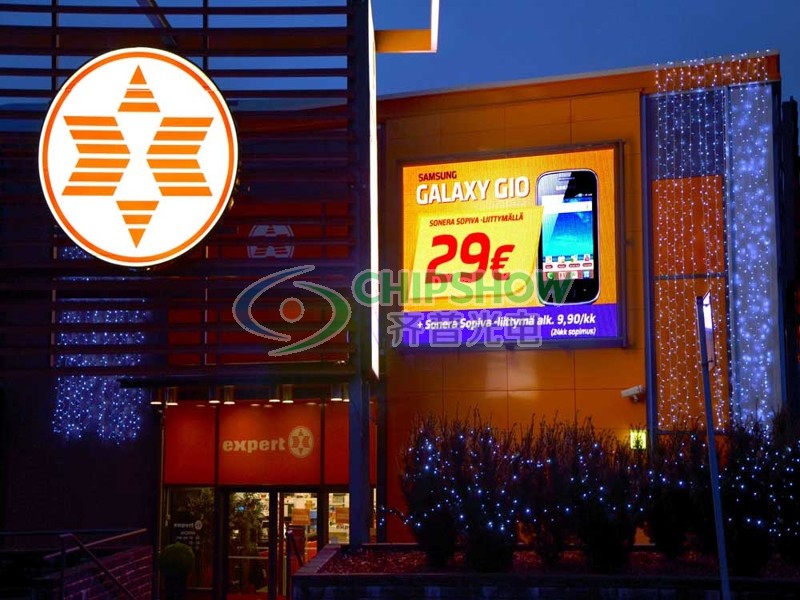
What Is Light Trespass Around a Digital Billboard
Light trespass occurs when display light reaches areas outside the intended viewing zone. The review should cover direct light, reflections, and driver sightlines.
Receptor Points and Field Measurement
Place receptor points at exposed windows, balconies, patios, yards, and property lines. Select the locations with the clearest view of the screen face.
For field testing, place an opaque shield between the display and the light meter. The blocked reading records ambient illuminance.
Remove the shield and monitor the display for three to five minutes. Record readings across representative content.
Incremental illuminance = unblocked reading − blocked ambient reading
Report illuminance in lux and foot-candles. Include the following details:
- Measurement distance and meter height
- Weather and time
- Displayed content
- Active brightness profile
- Meter model and calibration status
Luminance measures light leaving the screen in cd/m², also called nits. Illuminance measures light reaching a surface.
Driver Glare and Viewing Direction
Assess every vehicle approach, ramp, intersection, and merge area. Compare the display angle with driver sightlines and nearby traffic signs.
Road geometry should determine the final screen direction. The mounting design should keep direct output away from the traveled roadway.
Reflections From Nearby Surfaces
Glass, polished metal, pale walls, and wet pavement can redirect display light. Include likely reflection paths in the site review.
Check these surfaces during nighttime commissioning. A direct reading may pass while a reflected path still creates a problem.
Screen Orientation and Mounting Height
Horizontal direction, tilt, and mounting height control the primary light path. Small angle changes may increase exposure at nearby receptors.
Show approved angles and tolerances on permit drawings. Include the same values in the outdoor LED display installation plan, then verify the final screen angle on site.
Which Display Features Help Control Unwanted Light
Display optics and controller functions should support the approved photometric plan.
| Display Feature | Compliance Function | Procurement Evidence |
|---|---|---|
| Controlled viewing angle | Directs output toward the intended audience zone | Horizontal and vertical off-axis output data |
| LED masks and louvers | Limits upward, downward, and side spill | Module drawings and optical test data |
| Cabinet tilt adjustment | Aligns the screen with approved sightlines | Mounting details and locking range |
| Protected brightness presets | Applies approved limits across operating periods | Controller settings and access records |
| High contrast at lower output | Maintains readable content at reduced luminance | Low-output grayscale and calibration results |
Controlled Viewing Angle
Request horizontal and vertical off-axis output data. Use these values for road and receptor calculations.
A general viewing-angle specification cannot show the full light distribution. Confirm the approved screen angle during commissioning.
LED Masks and Louvers
Masks and louvers reduce light outside the target viewing zone. Request module drawings for sites near homes or elevated receptors.
Check brightness uniformity after calibration. Poor alignment may create visible bright areas.
Cabinet Tilt and Screen Orientation
Mounting hardware must hold the approved angle under expected loads. Structural drawings should state adjustment limits and locking methods.
Recheck alignment after structural service. Record each angle change in the configuration log.
High Contrast at Lower Output
Nighttime readability relies on contrast, grayscale, and calibration. Maximum daytime brightness does not show how the screen performs at lower output.
The C-Fit Easy Ultra High-Brightness HD supports P6.67, P8, and P10 configurations. These pitches equal 6.67 mm (0.263 in), 8 mm (0.315 in), and 10 mm (0.394 in).
Its cabinet measures 960 × 960 mm (37.8 × 37.8 in). The cabinet depth is 87 mm (3.43 in).
The display provides up to 14,000 cd/m² (nits) and carries an IP65 rating. Adjustable power profiles support planned operating modes.
Site sensors, protected presets, and field commissioning still control nighttime compliance.
What Should a Digital Billboard Permit Package Include
A complete permit package connects site geometry, optical performance, control logic, and operating responsibility.
Site and Viewing-Direction Drawings
Show the screen location, horizontal direction, tilt, height, property lines, roads, and receptor points.
Use metric dimensions with U.S. customary equivalents. Mark every proposed field measurement location.
Add the ambient sensor position and service access route.
Photometric Assessment
Model nighttime illuminance at roads, windows, yards, and property lines. Use the test method required by the permitting authority.
The industry field procedure provides these reference distances:
| Nominal Display Size | Reference Measurement Distance |
|---|---|
| 3.4 × 6.7 m (11 × 22 ft) | 45.7 m (150 ft) |
| 3.2 × 11.0 m (10.5 × 36 ft) | 61.0 m (200 ft) |
| 4.3 × 14.6 m (14 × 48 ft) | 76.2 m (250 ft) |
| 6.1 × 18.3 m (20 × 60 ft) | 106.7 m (350 ft) |
These distances are industry references. Use another location when the authority specifies a different receptor or test point.
Dimming Control Description
Document sensor placement, response logic, protected limits, alarms, and failure behavior.
State who may change settings and how long an override may remain active. Include controller screenshots or configuration extracts.
Reviewers should be able to confirm that approved limits remain protected.
Operating Schedule
State daily operating hours and required shutdown periods. Assign a named profile to each operating period.
Include message duration and transition settings where local rules regulate electronic billboard advertising.
Product and Compliance Documents
Provide display specifications, optical data, cabinet drawings, controller details, and relevant environmental test records.
Add electrical or electromagnetic documents requested by the authority. Keep maximum product capability separate from approved site settings.

Which Records Support Ongoing Digital Billboard Compliance?
Operating records should show that approved settings, sensors, and control permissions remain unchanged during service. Clear records also support complaint reviews and maintenance checks.
Keep a Defined Compliance Record Set
| Record Type | Information to Capture | Update Trigger |
|---|---|---|
| Sensor calibration record | Model, serial number, location, date, result, and technician | Calibration, replacement, relocation, or abnormal readings |
| Brightness log | Ambient reading, output level, active profile, and screen status | Continuous or scheduled system logging |
| Override log | User, reason, changed value, start time, and expiration | Every manual adjustment |
| Fault and alarm log | Fault type, system response, downtime, and restoration action | Every sensor, controller, or communication fault |
| Complaint record | Time, location, viewing direction, weather, content, and response | Every formal complaint |
| Configuration record | Version, approver, reason, date, and previous settings | Every controller or profile change |
Record Sensor Calibration
Capture the sensor model, serial number, installation position, calibration method, result, date, and technician.
Recheck the sensor after relocation, replacement, physical impact, or unexplained output changes. Follow the permit and sensor manufacturer’s service interval.
Store Brightness and Operating Logs
Logs should include:
- Ambient light readings
- Actual output levels
- Active brightness profiles
- Screen operating status
- Alarms and communication faults
Use synchronized timestamps across the display controller and monitoring system. Retain records for the period required by the permit.
Document Complaint Investigations
Record the complaint location, time, viewing direction, weather, displayed content, and active brightness profile.
Review system logs first. Conduct field measurements when the records do not explain the reported condition. Store readings, adjustments, and the final response in one case file.
Repeat Checks After Site or Equipment Changes
New buildings, seasonal vegetation, snow cover, and reflective surfaces may alter nighttime exposure. Controller service and structural work can also change approved settings or screen orientation.
Repeat the relevant checks after:
- Sensor or controller replacement
- Optical module service
- Cabinet or support work
- Major nearby construction
- Changes to reflective surfaces
- Unusual complaint patterns
Control Configuration Changes
Assign each controller change a version number, approver, reason, date, and previous configuration backup.
Test the revised settings during a controlled service period. Confirm the protected maximum values and failure response after deployment.
Confirm Digital Billboard Controls During Project Planning
Confirm local limits, receptor points, sensor logic, protected presets, failure behavior, and logging requirements during design. Select a digital billboard display with enough daytime output and stable low-output image quality. Submit photometric results and control documents with the permit package. Commission the installed screen against approved settings. Maintain calibration, operating, complaint, and configuration records throughout service.
FAQ about Digital Billboard Light & Trespass Compliance
Q1. Can a Smartphone App Verify Digital Billboard Brightness?
No. Formal verification requires a suitable lux or foot-candle meter and the approved field procedure. Phone apps may support an initial check, but they should not replace calibrated equipment unless the permitting authority accepts that method.
Q2. Can Bright Artwork Increase Nighttime Light Readings?
Yes. Large white areas and bright color combinations can produce higher illuminance readings. Monitor representative content for three to five minutes. Apply the approved output limit across every creative file and operating profile.
Q3. How Often Should Brightness Controls Be Checked?
No national interval applies to every project. Verify the controls during commissioning and after changes to the sensor, controller, optics, or screen orientation. Follow the permit, maintenance plan, and sensor manufacturer’s instructions.
Q4. Can a Permit Use Nits Instead of Foot-Candles?
Yes. Some authorities regulate screen luminance, while others limit incremental illuminance. Some use both. Nits measure emitted light. Lux and foot-candles measure light reaching a surface. Follow the unit named in the code or permit.
Q5. Does Pixel Pitch Affect Light Trespass?
Not directly. Pixel pitch mainly affects image resolution and viewing distance. Light trespass is influenced by luminance, display area, optical distribution, orientation, content, and receptor distance. Fine pitch does not replace photometric review or nighttime controls.





