





A virtual production LED wall is judged by camera capture first, not just by how it looks to the room. For XR stages, the real question is whether the wall stays in sync, avoids visible artifacts, and fits the Unreal Engine workflow you plan to run. That is why refresh rate, genlock, latency, and moiré control matter more here than they do for a standard display.
What Virtual Production Needs From an LED Wall
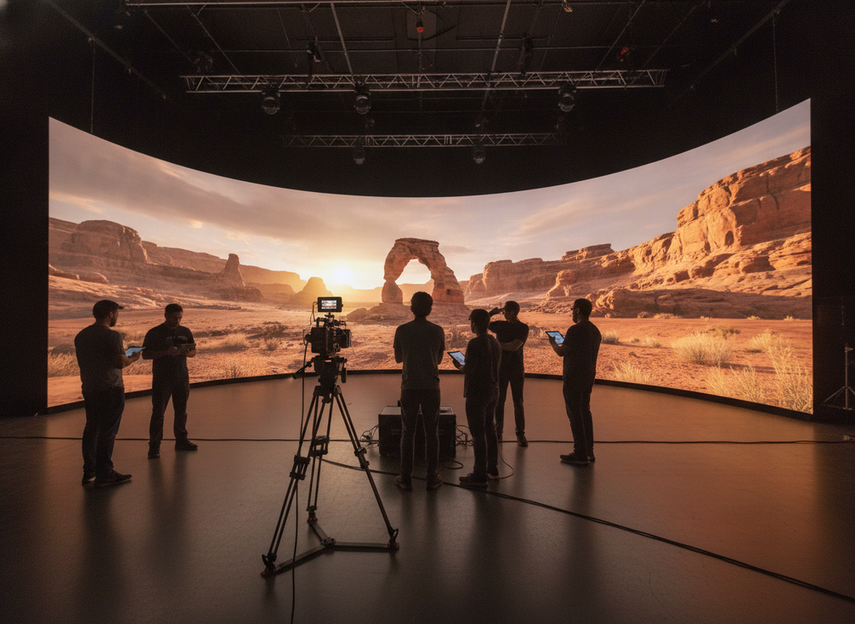
Virtual production uses in-camera visual effects, where real-time backgrounds are rendered on LED volumes and captured through the camera. Epic Games’ Virtual Production Field Guide makes it clear that the wall is part of the image pipeline, not just a backdrop. That changes the buying standard: a panel can be fine for audience viewing and still be a poor fit for a camera-facing stage.
For studios and rental houses, the first filter is simple. If the wall will appear in frame, you need to evaluate sync behavior, scan behavior, color handling, and repeatability under the exact camera package you plan to use. The SMPTE On-Set Virtual Production initiative also shows how much the industry is pushing toward interoperable camera, processor, and display workflows, which is useful context when you are reviewing procurement language.
The practical takeaway is this: do not start with generic display specs and hope they translate to production. Start with capture requirements, then work backward to the panel, processor, and test plan.
Refresh Rate, Genlock, and Latency
Refresh rate, genlock, and latency are related, but they solve different problems. If you treat them as one spec, you can miss the real failure mode. For most camera-facing stages, refresh controls how smoothly the wall updates, genlock keeps the wall and camera timing aligned, and latency determines how quickly the rendered image reaches the panel.
Refresh Rate Targets for Camera Capture
Higher refresh rates can reduce visible flicker and banding risk under some camera settings. A commonly cited reference point for filmed LED walls is 3840Hz or higher, but that should be treated as workflow-dependent guidance, not a universal pass/fail line. Brompton’s genlock guidance is useful here because it ties refresh behavior to filmed capture rather than showroom playback.
What matters is the camera package you intend to use. Frame rate, shutter angle, motion style, and content contrast all affect whether a wall looks stable on camera. A stage that behaves well with one camera and lens setup can still show issues with a different lens, a different shutter, or faster camera movement.
So the decision is not "highest refresh wins." It is "does the refresh behavior stay clean under the actual shoot conditions?" That is the question your tech check should answer.
Genlock and Frame Synchronization
Genlock is the sync tool that helps align the LED wall refresh cycle with the camera shutter. In practice, that alignment can reduce rolling black bars or image tearing when the wall is filmed. Brompton explains the capture benefit directly, which is why genlock should be treated as a core production requirement on sync-sensitive stages.
This is where many teams overgeneralize. A wall may support genlock in theory, but the real question is whether the wall, processor, camera chain, and control system all lock cleanly in your actual configuration. If you are running multiple cameras or changing setups frequently, the need for predictable sync becomes even more important.
If sync is central to the shoot, genlock is not optional paperwork. If the setup is less demanding and the wall is not being pushed hard on motion or shutter timing, it may still work without the same level of complexity. The decision flips with the workflow.
Latency and Control-Chain Delay
Latency is the delay from render or media-server output through processing to what lands on the wall. For virtual production, the useful standard is not a vague "fast" claim. It is low and predictable behavior across the whole control chain.
That matters because camera moves expose instability. If the image arrives late or unevenly, operators can feel it in the stage response even when a spec sheet looks impressive. Latency is especially important when Unreal Engine content has to react to camera motion or when the team is making live adjustments during a rehearsal.
A conservative way to handle latency is to verify it during a rehearsal or tech check, not just on a brochure. If the delay is stable and the content remains usable in motion, the setup is more likely to hold up in production. If the delay is erratic, that is a warning sign even if the wall looks good in static tests.
What to Confirm in a Tech Check
A good tech check should answer four questions: does the wall sync to the right reference, does it stay stable at the planned camera settings, does the content update cleanly during movement, and does the processor chain behave the same way every time?
Use the same camera bodies, lenses, frame rates, and content pipeline you plan to bring on set. Do not validate a stage with one camera and then assume it will behave the same with a different package. That is where a lot of procurement regret starts.
For teams comparing vendors, the strongest check is simple: can the wall deliver repeatable playback under the actual shoot conditions, not just a clean still image? If the answer is no, the spec sheet is not enough.
Moiré, Pixel Pitch, and Scan Artifacts
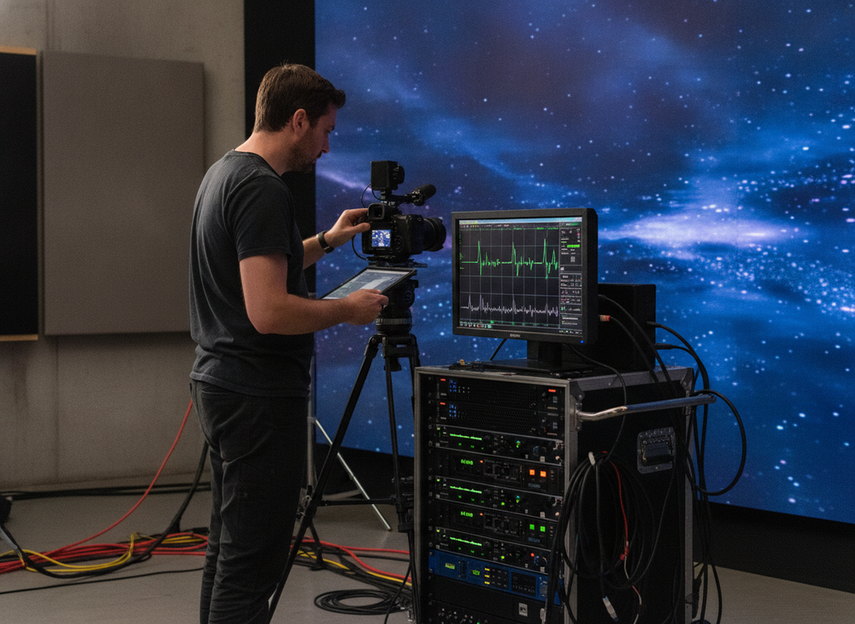
Moiré is not a single-spec problem. The risk depends on the whole imaging stack: pixel pitch, camera distance, lens choice, camera angle, scan behavior, and the kind of movement you plan to shoot. Epic’s field guide supports that system-level view, and it matches how LED volumes behave in real capture.
Pixel Pitch and Viewing Distance
Finer pixel pitch can help reduce visible structure, especially in close camera work. But pitch should never be judged alone. A very fine pitch can improve capture quality, yet it can also change budget, brightness, and service expectations.
For close-ups and tighter camera work, pitch matters more because the camera gets closer to the wall’s structure. For wider shots or more distant camera positions, the pitch requirement may loosen somewhat. The right choice depends on focal length, blocking, and how much of the wall is likely to sit in critical focus.
That is why "smallest pitch available" is not always the right answer. It may be the best fit for some stages, but it is not automatically the best business decision for every rental fleet or studio build.
Scan Behavior and Camera Interaction
Scan behavior can contribute to rolling artifacts or banding when the wall is filmed. That risk becomes more visible when the camera shutter, movement, or exposure settings interact poorly with the panel’s update pattern.
The practical check is not just a static test frame. You want moving shots, pans, and the kind of foreground-to-background motion your production actually uses. If a wall looks clean when locked off but shows artifacts once the camera moves, the stage is not ready yet.
This is one reason a camera moiré free LED volume setup is really a testing process, not a promise from one spec line. You are trying to see whether the whole system stays clean under motion.
Color, Brightness, and Exposure Matching
Color stability and controllable brightness help the LED wall blend with live-action foregrounds. If the wall is too bright, too contrasty, or inconsistent from one section to another, it can become harder to expose the scene naturally and the image may look less convincing on camera.
The useful decision here is calibration, not guessing. Match the wall to your camera workflow, then test how it holds skin tones, gradients, and saturated colors under the lighting plan you will use on set. Those are the situations that often reveal issues early.
Camera Testing for Artifact Reduction
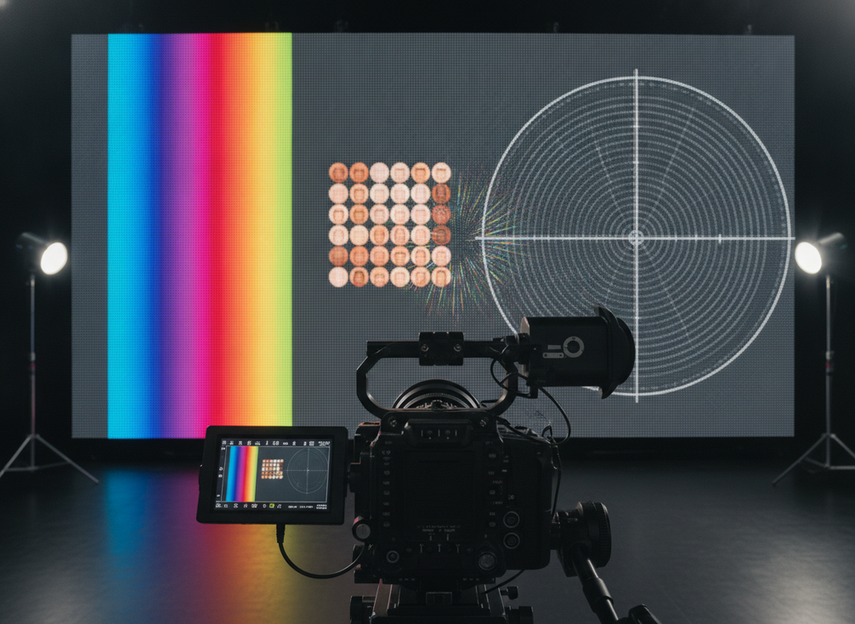
The best test uses the real camera package, the intended lens range, and representative content. Include skin tones, gradients, fine patterns, and any background textures you expect to film often. Those scenes are where moiré, color shifts, and scan issues usually show up fastest.
If the wall passes only a generic showroom demo, that is not enough. The approval should be based on your actual capture conditions. That is the cleanest way to reduce regret after installation or rental delivery.
Translating Specs Into Stage Requirements
The same virtual production LED wall spec can mean different things depending on the stage. A compact close-up stage, a large volume, a rental fleet, and a mixed-use studio do not weight pitch, refresh, latency, and artifact testing the same way. The matrix below is a planning framework, not a universal standard.
| Production condition | Spec priority | What to verify | Typical tradeoff |
|---|---|---|---|
| Tight camera movement and close-up shots | Higher weight on pitch, sync, and artifact control | Lens set, shutter behavior, moving-shot tests | Better image cleanliness can raise cost |
| Larger volumes with wider camera positions | Balanced pitch and refresh behavior | Uniformity across the wall, processor behavior | Bigger builds can make service and calibration harder |
| Multi-camera or sync-sensitive setups | Highest weight on refresh, genlock, and latency | Reference lock, repeatable timing, changeover speed | More timing discipline can add setup complexity |
| Rental-house fleet use | Flexible but documented spec ranges | Fast tech check, repeatable presets, support docs | Broad compatibility can limit how specialized the system is |
| Mixed-use studio | Even balance across capture and non-capture needs | Switching workflow, brightness control, maintenance plan | A compromise spec may not be best for any single use |
For procurement teams, the question is not which row looks best. It is which row matches your most common shoot. If the wall has to serve both live display and camera capture, prioritize the capture side first and accept that some convenience features may matter less.
A Practical Spec Checklist for Buying or Renting
Use this checklist before you sign off on a wall for an XR stage or rental booking:
- Define the shoot workflow, including frame rate, camera bodies, lenses, and whether the wall will be in frame.
- Verify sync behavior with the actual reference system, not a simplified demo setup.
- Test for moiré, scan artifacts, and banding using the real content and movement you plan to shoot.
- Confirm how the processor and control chain handle latency during camera moves and live playback.
- Review support docs, calibration steps, and service expectations for the exact configuration you will use.
- Approve the wall only after the same content pipeline passes on the same stage setup that will run on set.
If you want a broader procurement lens, compare those checks with your internal display documentation and rental test records. The goal is simple: verify the stage you will actually shoot, not an idealized reference build.
Final Takeaway
The best virtual production LED wall is the one that behaves correctly on camera, under your actual stage conditions. Refresh rate, genlock, latency, and moiré control are separate checks, and none of them should be judged in isolation. If a wall passes only as a display, it is not yet proven for XR.
Use the checklist, run the camera test, and approve the configuration you will really shoot. That is the fastest way to avoid a spec-sheet mistake.
FAQs
How Do You Choose the Right LED Panel Refresh Rate for Virtual Production?
Start with the camera package, shutter angle, frame rate, and shot style. A higher refresh rate can help reduce flicker and banding risk, but it is not a universal cutoff. The right target is the one that stays clean under your planned camera settings and content, which is why a real tech test matters.
What Is Genlock Used for on a Virtual Production LED Wall?
Genlock helps align the wall’s timing with the camera so capture stays stable and avoids visible tearing or rolling black bars. It is most important when sync is sensitive or when multiple devices must stay aligned. Always verify the full chain, not just the panel spec.
Can a Fine Pixel Pitch Eliminate Moiré in Camera?
No single pitch guarantees a moiré-free result. Finer pitch can reduce visible structure, but camera distance, lens choice, angle, and scan behavior all still matter. Use pitch as one part of the decision, then confirm the setup with the actual camera and movement you plan to use.
Why Does Latency Matter in an XR Stage Workflow?
Latency affects how quickly rendered content reaches the wall and how stable the image feels during camera motion. Predictable delay is often more useful than a vague speed claim. If the delay is uneven, it can hurt live operation even when the wall looks fine in still tests.
What Should Be Included in a Virtual Production LED Wall Spec Sheet?
Include the workflow goal, camera package, refresh behavior, genlock requirement, latency notes, pixel pitch, brightness control, processor chain, support plan, and the exact test conditions used for approval. That gives procurement and technical teams a shared reference for signoff.





