





A virtual production LED wall only works if it looks clean on camera, fits the stage workflow, and does not create moiré or flicker surprises. The best choice is the one that matches your camera package, shot distance, and maintenance plan, not the one with the biggest headline spec.
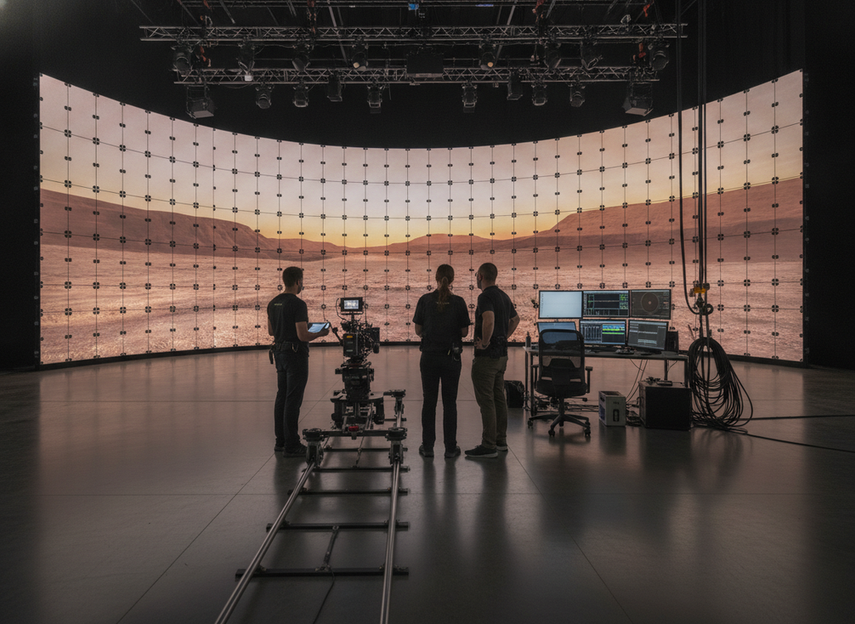
What Makes a Virtual Production LED Wall Work
The first thing to check is whether the wall is being judged as part of a full system. In virtual production, panel choice matters, but so do the processor, camera shutter, lens, lighting, and the distance between the camera and the wall. That is why integrated processing and monitoring matter in the LED ecosystem, not just the panel itself, as Megapixel’s virtual production platform overview shows.
For most buyers, the practical shortlist starts with pixel pitch, viewing distance, refresh behavior, scan behavior, and service access. A wall built for signage can look fine in a lobby and still be a poor fit for camera-facing work. If you are buying for an XR stage, the question is not whether the wall is bright enough in the abstract, but whether it will hold up under the shots you actually plan to film.
A useful rule is this: if the stage is close-cropped, camera-facing, or expected to carry fine patterns in skin tones, fabric, or backgrounds, the wall spec needs to be validated with the actual camera package before purchase. That is the point where a virtual production LED wall supplier conversation becomes about system fit, not just cabinet size.
How to Prevent Moiré on Camera
Moiré happens when the LED pixel grid, the camera sensor, and the lens sampling do not line up cleanly. You do not fix that with one magic setting. The safest approach is to treat moiré as a setup problem first and a product problem second.
Amazon Studios production guidance notes that camera-side adjustments can help reduce moiré artifacts during filming. In practical terms, that means you should start with the shot, not just the spec sheet. Test the framing, then adjust camera distance, lens choice, and focus before you decide the wall is wrong.
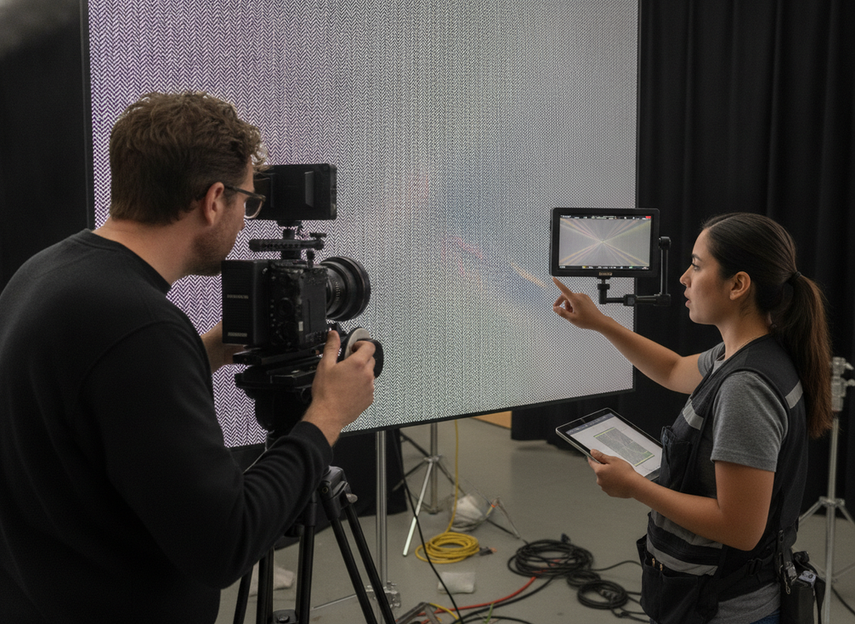
A good order of operations is:
- Set up the common shot framing first.
- Test the focal lengths you expect to use.
- Review skin tones, fine textures, and highlight edges.
- Change distance or framing before chasing panel changes.
- Recheck the panel settings after the camera package is locked.
If artifacts get worse when the camera moves closer or when fine patterns enter the frame, that usually means the wall-camera relationship needs adjustment. If the problem stays visible across multiple camera settings, then the wall pitch or processing may not fit the job. In other words, how to prevent moiré on an LED wall is really a question of matching the wall to the scene, not just picking a "better" panel.
Refresh Rate and Camera Compatibility
Refresh rate matters, but it is not a camera-safety guarantee by itself. Buyers often overfocus on one number when they should be checking how refresh, scan behavior, grayscale handling, and the processing chain interact with shutter speed and frame rate.
Brompton Technology’s ShutterSync feature is a useful example of why the processor layer matters. It shows the basic principle: if the LED refresh behavior can be matched more closely to the camera shutter, artifacts are less likely to show up in camera. That is useful, but it is not the same as saying one universal camera safe LED wall refresh rate exists.
| Buying Check | Why It Matters On Camera | What To Ask The Supplier | What To Verify In A Test |
|---|---|---|---|
| Refresh rate | Can affect visible flicker and exposure stability | What refresh behavior is supported at the intended content mode? | Test with the actual camera settings you will use |
| Scan behavior | Can influence rolling artifacts and camera movement response | How does the scan mode behave under filming conditions? | Watch for bands, shimmer, or edge breakup |
| Grayscale behavior | Can affect dark scenes and skin tone smoothness | How does the wall handle low-end detail on camera? | Check shadows, fades, and face tones |
| Processing chain | The processor can improve or limit camera matching | What processing platform is included? | Confirm the full chain, not just the cabinet |
| Sync options | Sync tools can help align display and shutter behavior | Is the workflow built for camera synchronization? | Run a full camera test, not a demo clip |
| Content type | Different scenes stress the wall differently | What content modes were tested? | Compare graphics, video, and live-action backgrounds |
That table is the right level of detail for most buyers because it turns spec-sheet language into a test plan. If a vendor cannot show you camera footage from a setup close to your own, treat the claim as incomplete. For a final buy decision, validate refresh and scan behavior with the intended camera package and content type, not with a generic showroom clip.
COB vs SMD for XR Stages
COB and SMD are not universal winners and losers. They are format choices with different trade-offs in camera appearance, surface behavior, serviceability, and deployment fit. The right answer depends on shot distance, maintenance access, budget, and how often the stage changes between clients.
The Bournemouth University comparison of LED panels for virtual production is useful here because it reinforces a cautious reading of panel types. In practice, COB can be attractive when you want a fine-pitch, camera-facing wall with a more protected surface. SMD can still make sense when you need rental flexibility, familiar servicing, or a system that moves between jobs.
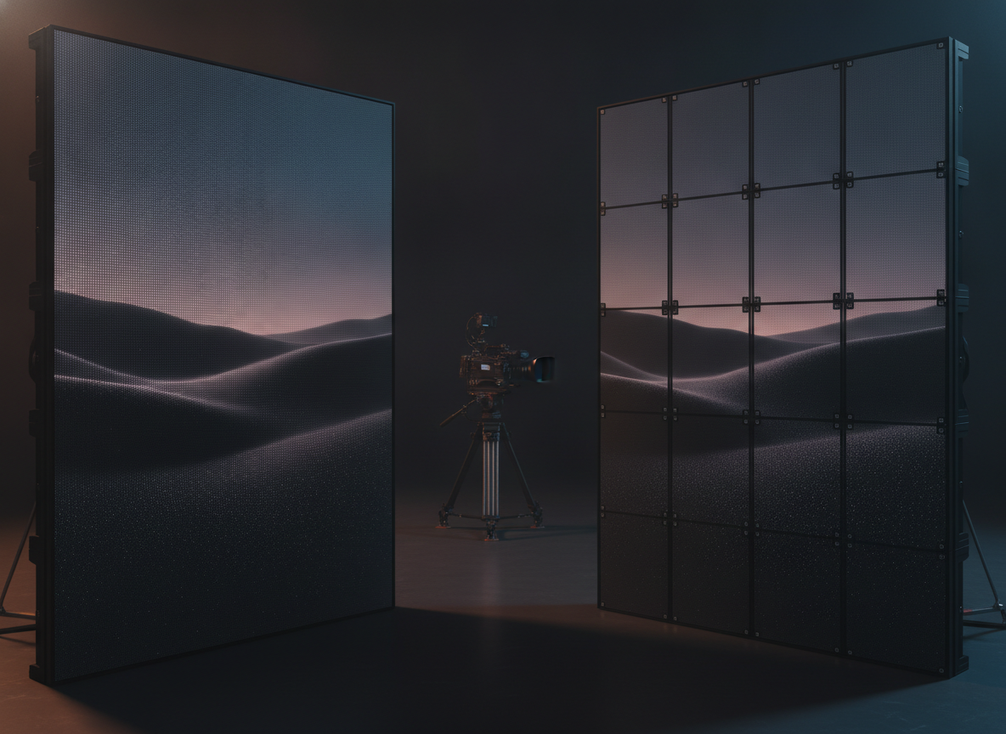
Where COB often fits better:
- Close camera work where surface consistency matters.
- Installations where the stage stays in one place long enough to justify tighter planning.
- Cases where surface protection and visual uniformity are high priorities.
Where SMD can still be the better fit:
- Rental workflows that need familiar maintenance patterns.
- Mixed-use deployments where the wall is not camera-only.
- Budgets that need to balance panel cost with processing, rigging, and spares.
The key caution is simple: do not buy COB because you heard it is "best for XR," and do not dismiss SMD because it is older or more common. The package as a whole matters more than the packaging type alone. If you are comparing camera-facing LED wall options, the real question is which format matches your maintenance model and camera test results.
Plan the Wall, Rigging, and Power
Before install day, the wall should already be planned as part of the stage geometry. That means measuring the room, confirming camera positions, and deciding how much of the wall must stay visible from the main shooting angles. It also means checking where crew access, cable routes, and service access will live once the wall is in place.
A practical sequence looks like this:
- Measure the stage and camera positions.
- Confirm the main shot distances and sightlines.
- Decide wall height, width, and aspect ratio.
- Map rigging, cable paths, and rear access.
- Plan power and data around the actual cabinet layout.
- Run a rehearsal or dry run before the first production day.
For rental and stage teams, repeatability matters as much as the first install. If the wall will move between clients, the plan should preserve quick setup, service access, and spare-part readiness. That is where a browsing path such as rental and stage LED display options can be useful, even if the final choice still needs camera validation.
Final Buyer Checklist and Vendor Questions
Use this before you approve a quote. Ask for camera test footage with your likely shot types, not just a polished demo reel. Confirm panel pitch, refresh behavior, processing platform, service access, and the spare parts plan. Then check support terms, delivery timing, and who owns the camera test signoff.
A strong vendor answer should cover these points clearly:
- What camera package was used for the test footage?
- What pitch and processing platform were tested?
- How is refresh behavior handled in filming mode?
- How will service access work after installation?
- Which spares are included, and how quickly can replacements ship?
- What support is available after the first install?
If you are comparing a fine-pitch COB option with a rental-oriented wall, keep the decision tied to your actual production plan. Request the test footage, review the spec sheet line by line, and only then decide whether to move to a demo or a stage visit.
FAQs
How Do You Prevent Moiré on an LED Wall During Filming?
Start with the camera setup, then move to the wall. Adjust distance, lensing, focus, and framing before assuming the panel is the problem. If the artifact remains across multiple camera settings, then pitch or processing may be the limiting factor. The most reliable answer comes from testing the exact shot you plan to shoot.
What Refresh Rate Do You Need for a Camera-Safe LED Wall?
There is no universal number that is safe for every camera. Refresh has to be judged with shutter speed, frame rate, scan behavior, grayscale behavior, and the processor chain. The right question is whether the full setup has been tested with your actual camera package and content type.
Is COB Better Than SMD for Virtual Production?
Sometimes, but not always. COB can be a strong fit for fine-pitch, camera-facing volumes where surface consistency and protection matter. SMD can still be the better choice for rental flexibility, familiar servicing, or mixed-use deployments. The deciding factor is how the wall will be used, maintained, and filmed.
How Do You Choose Pixel Pitch for an XR Stage LED Wall?
Choose pitch around the intended viewing distance, shot size, and camera angle, not around a headline number alone. Closer camera work usually needs finer pitch, but the final answer depends on the whole stage setup. If the room is tight, pitch, lensing, and framing should all be tested together.
Can One LED Wall Work for Both Virtual Production and Rental?
Yes, if the panel format, servicing model, and processing workflow can support both uses. The trade-off is that a dual-use wall may not be the absolute best camera wall or the most convenient rental wall. It works best when the team is honest about which jobs matter most and what compromise is acceptable.





