





Choosing the right stage LED screen comes down to three choices: which panel meets your needs the best, what screen size you need based on the space you have, and whether you should rent one or buy it outright. When you make a bad choice in these three areas, it’s clear right away: startup time is wasted, power is wasted, and footage doesn’t show up right on the camera.
What Types of Stage LED Screens Are Available
The type of cabinet you choose will have implications in terms of weight, rigging time, and operational half-life of the screen for dozens of events.
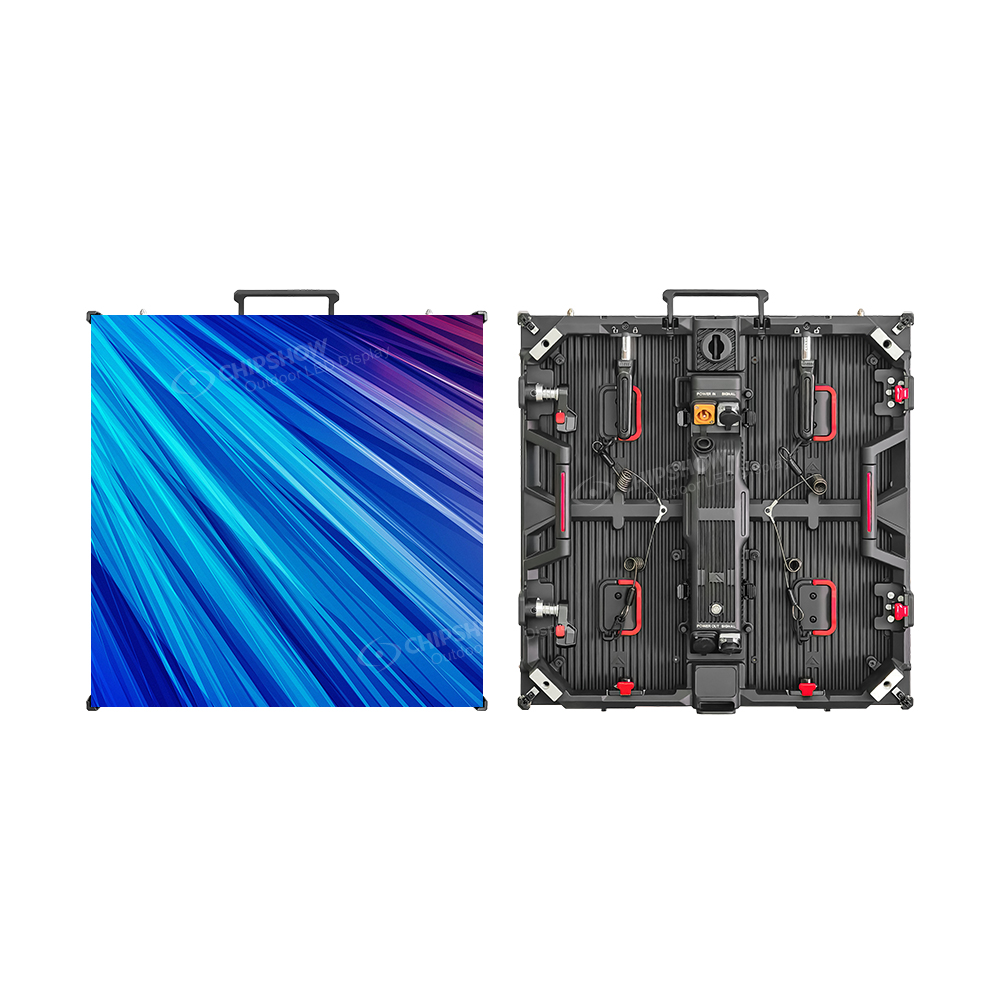
Standard Rental Video Wall Panels
Modular panels are the backbone of most touring and event setups. A 500×500 mm (19.7×19.7 in) cabinet is one layout option for a modular stage wall. Cabinet weight, handling, locks, and permitted supports follow the specific panel design.
Larger 1000×1000 mm (39.4×39.4 in) cabinets offer another modular layout format. Fewer cabinets can reduce connection and handling tasks, while the number and positions of rigging points follow the engineered support plan.
SMD (surface-mount device) and COB technology are LED package options. Compare the proposed panel’s pixel structure, contact protection, permitted handling, service method, and camera result for the intended stage use.
Transparent and Curtain LED Panels
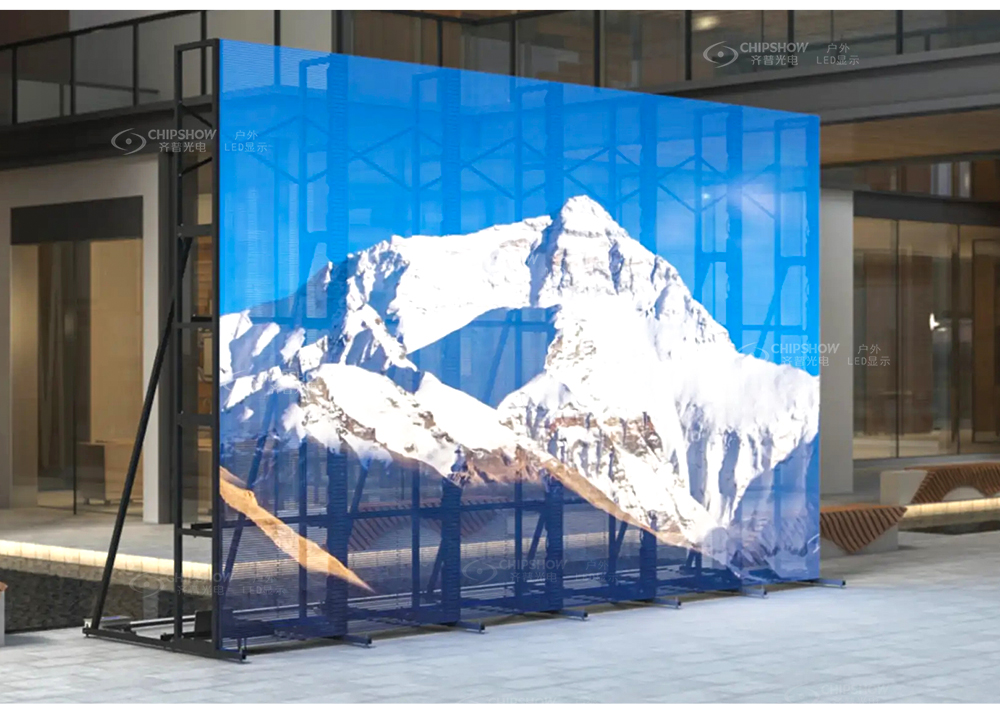
Transparent and curtain panels leave openings that allow stage lighting and background scenery to remain part of the design. Compare the quoted panel’s open-area ratio, active pixel layout, brightness, and viewing-angle result with the lighting plan. Include its measured cabinet weight and the full rigging system in the venue load review.
These panels suit high-end concerts, brand launch events, and XR (extended reality) virtual production setups where the screen is part of the visual design rather than just a backdrop.
Rental Cabinets vs. Fixed Installation Cabinets
|
Feature |
Rental Cabinet |
Fixed Installation Cabinet |
|
Frame material |
Carbon fiber or magnesium alloy |
Standard aluminum |
|
Weight (500×500 mm / 19.7×19.7 in) |
Exact cabinet weight from the supplied model |
Exact cabinet weight from the supplied model |
|
Lock system |
Quick-lock, tool-free |
Bolt-mounted |
|
Maintenance access |
Front and rear |
Front or rear |
|
Best for |
Touring, multi-event deployment |
Theaters, churches, conference centers |
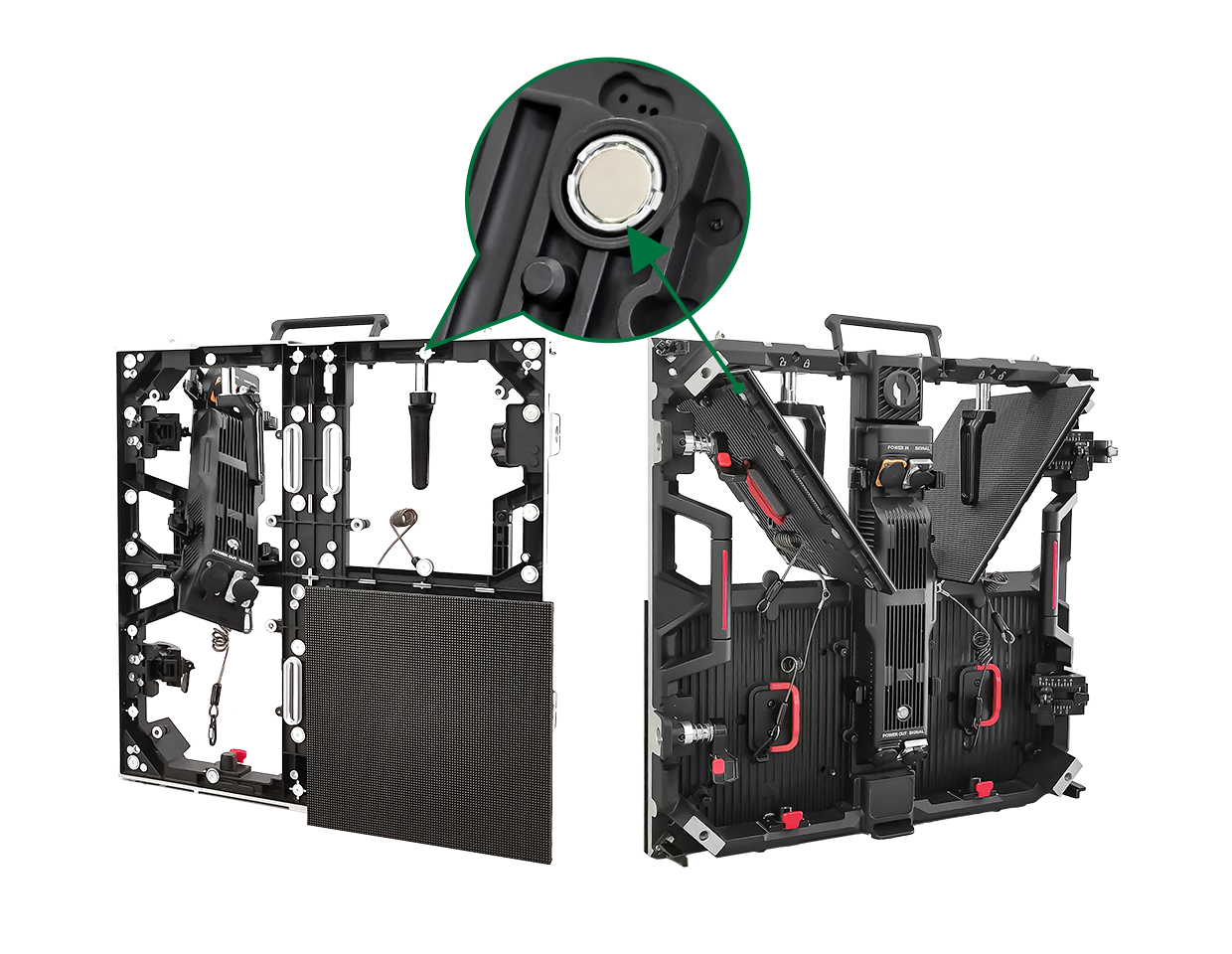
Rental cabinet features are selected for repeated handling, locking, and transport; fixed installations are selected around their mounting and service route. Compare the supplied formats and full system quotes against how often the screen moves.
How Do You Choose the Right Pixel Pitch for a Stage Background LED Screen
Pixel pitch is the space, in millimeters, between the centers of two LED pixels that are next to each other. A low pixel pitch makes the sharpness high and lets people see things from closer.
Pixel Pitch and Initial Viewing Comparison
Use this approximate rule to shortlist samples, then check the actual content and camera result at the intended audience distance:
- Approximate shortlist distance (meters) ≈ Pixel Pitch (mm)
- Approximate shortlist distance (ft) ≈ 3.281 × Pixel Pitch (mm)
Example distances from the meter-based shortlist rule (rounded):
- P1.9: shortlist distance ≈ 1.9 m (6.2 ft)
- P2.6: shortlist distance ≈ 2.6 m (8.5 ft)
- P2.97: shortlist distance ≈ 3.0 m (9.7 ft)
- P3.91: shortlist distance ≈ 3.9 m (12.8 ft)
Pixel Pitch by Event Type
|
Event Type |
Recommended Pixel Pitch |
Typical Viewing Distance |
|
Corporate conference, church |
P1.9 to P2.6 |
3 to 6 m (10 to 20 ft) |
|
Theater, touring indoor show |
P2.6 to P3.91 |
4.5 to 12 m (15 to 40 ft) |
|
Outdoor festival, concert |
P3.91 to P4.81 |
7.5 m (25 ft) and beyond |
What Refresh Rate Do You Need for Camera Coverage
For events with live broadcast, multi-camera recording, or audience smartphones, refresh rate matters as much as resolution.
Refresh rate is one input to camera stability. Test scan behavior, shutter settings, frame rate, brightness, and the actual camera; refresh rate alone does not eliminate spatial moiré.
For recorded shows, resolve visible flicker or scan artifacts during the actual camera test before committing to the configuration. Match the display, processor, shutter, and recording settings together.
How Do You Size a Stage LED Screen for Your Venue
Screen sizing involves three inputs: physical constraints of the space, cabinet count calculation, and aspect ratio alignment with your content format.
Step 1: Map the Physical Constraints
Before calculating screen size, confirm these four numbers:
- Ceiling height or available hanging clearance: This sets the maximum screen height for overhead-suspended installations.
- Stage width: sets the practical upper limit for screen width
- Distance from screen to front row: This is your minimum viewing distance and feeds directly into pixel pitch selection.
- Venue power capacity: Request the exact system’s maximum load and distribution requirements for the venue electrician. Use measured average power separately for the operating-energy budget.
Step 2: Calculate Cabinet Count
You can calculate the panel count in three simple steps.
Divide target active width and height by the cabinet’s active dimensions to calculate the grid. Use whole-cabinet counts: round up when a minimum dimension must be reached, then confirm the resulting size fits the venue limits. Columns multiplied by rows give the total panel count.
Example: a 6 m (20 ft) wide by 3 m (10 ft) tall screen using 500 mm (19.7 in) cabinets requires 12 columns and 6 rows, for a total of 72 panels. The same screen built with 1000 mm (39.4 in) cabinets requires only 18 panels, which reduces cable runs and rigging time on large builds.
Step 3: Match Aspect Ratio to Content Format
|
Aspect Ratio |
Best Use Case |
|
16:9 |
Standard video playback, presentations, live feeds |
|
4:3 |
Legacy content formats |
|
Ultra-wide (4:1 or wider) |
Concert backdrops, panoramic stage design |
|
Portrait (vertical) |
Side screens, sponsor towers |
Once the aspect ratio is confirmed, provide the exact pixel dimensions (total width in pixels by total height in pixels) to your content team. If content is not built to match the screen resolution, you will see stretching or black bars on the day of the show.
Screen Size Reference by Event Scale
|
Audience Size |
Recommended Screen Width |
Pixel Pitch Range |
|
Under 200, indoor |
3 to 5 m (10 to 16 ft) |
P1.9 to P2.6 |
|
200 to 500, indoor or semi-outdoor |
5 to 8 m (16 to 26 ft) |
P2.97 to P3.91 |
|
500 to 2,000, outdoor concert |
8 to 16 m (26 to 52 ft) |
P3.91 to P4.81 |
|
Over 2,000, large festival |
16 m+ (52 ft+), multi-screen |
P3.91 or larger |
Should You Rent or Buy a Complete LED Wall System
The answer depends on how often you use the screen and what your total cost of ownership looks like over three to five years.
When Renting Makes More Sense
Compare renting and buying using expected event days, full rental quotations, purchase cost, storage, crew, maintenance, and transport over the same planning period. It also makes sense when you lack storage space, lack a crew trained to maintain panels, or need a one-time solution for a non-recurring event.
Factor in more than the rental day rate. Transportation, damage deposits, operator fees, and insurance add up. Get a full itemized quote before comparing rental cost against purchase cost.
When Buying a Stage LED Screen for Sale Is the Better Decision
For recurring rental and production work, compare ownership with full rental quotations over the expected event schedule. For permanent venues, model payback using actual rental alternatives, installed purchase cost, operating hours, service costs, and the planned ownership period.
Cabinet weight is a factor that is often underestimated in total cost calculations. Lighter panels (carbon fiber or magnesium alloy frames) reduce truss load, cut labor time during setup, and lower freight costs per tour leg. Over 50 events per year, the weight difference between panel formats translates into a measurable cost gap.
What a Complete LED Wall System Quote Should Include
A quote that covers only the panels is incomplete. A full system requires:
- LED panels (with pixel pitch and cabinet format specified)
- Video processor and signal distribution hardware
- Power distribution cabinet
- Rigging hardware: truss, ground support, or wall-mount structure
- Flight cases for transportation
- Spare modules (agree quantities from the exact module configuration and service plan)
- Installation and commissioning service
- Warranty terms, including response time and parts coverage
Check any quote for working-brightness conditions, applicable model and market documentation, and a named technical support contact.
What Specs Matter Most When Comparing LED Screens for Sale
Brightness by Installation Environment
|
Environment |
Working Brightness Check |
|
Indoor, controlled lighting |
Preview slides, skin tones, and dark content in the intended room lighting |
|
Semi-outdoor, covered venue |
Compare daylight contrast at the covered stage’s actual orientation |
|
Outdoor, direct sunlight |
Test daytime readability and the approved nighttime dimming range |
Always ask for the calibrated working brightness, not the peak specification. The difference matters in direct sunlight.
IP Rating for Stage Use
- Outdoor rain exposure: specify front, rear, connectors, and installed-enclosure protection for the site.
- Covered stages: assess wind-driven rain, humidity, condensation, and exposed connections.
- Indoor installations: follow the enclosure’s documented environment and cleaning limits.
For rental panels that move between environments, the outdoor event’s actual exposure sets the required protection and operating limits. Check front and rear ingress protection for the actual weather exposure, connectors, and enclosure. An IP rating does not replace structural, electrical, wind, or operating-temperature checks.
Cabinet Weight and Structural Build Quality
For rental operations, weight per panel determines truss load limits, crew requirements, and freight cost. The difference between a 10 kg (22 lb) panel and a 15 kg (33 lb) panel is marginal for a single cabinet but adds up to hundreds of kilograms (pounds) on a large touring build.
Quick-lock systems and magnetic module alignment reduce setup time and minimize damage from repeated handling. Edge corner protection and anti-collision design on the cabinet face extend the service life of panels that take constant physical contact each time the screen is set up and packed down.
Front Serviceability
Front-access maintenance allows technicians to replace a failed module without dismantling the screen structure from the rear. For a live event, compare the documented access and replacement procedure with the available crew and service window. For permanent installations where rear access is blocked by a wall, front serviceability is not optional.
Quick Reference: Best Stage LED Screen Specs by Use Case
|
Use Case |
Pixel Pitch |
Working Brightness Check |
Cabinet Format |
|
|
Indoor corporate / church |
P1.9 to P2.6 |
Preview under intended indoor lighting |
Documented indoor enclosure limits |
500 mm (19.7 in) fixed or rental |
|
Touring indoor show |
P2.6 to P3.91 |
Test stage lighting and recording settings |
Documented limits for the touring environment |
500 mm (19.7 in) rental |
|
Outdoor festival / concert |
P3.91 to P4.81 |
Verify daylight contrast and nighttime dimming |
Protection for the actual outdoor exposure |
500 mm (19.7 in) or 1000 mm (39.4 in) rental |
|
Permanent theater / venue |
P1.9 to P2.97 |
Match the room and programmed stage lighting |
Documented indoor enclosure limits |
Fixed installation |
Use these formats to organize a sample and layout comparison. Final pitch, working brightness, ingress protection, and mounting hardware follow the actual content, environment, camera test, and venue load plan.
Buy the Right Stage LED Screen for Your Next Build
There are three questions that come first in the choice of panel type: How far away is the front row? How many event days will this screen be shown each year? Also, does your content team know the exact number of pixels that your screen has? By taking care of these basic problems, you will be able to balance the cost of the investment with the cost of running the business, and you can evaluate the visual result with the planned content and camera setup. Once you’ve made sure that these methods work with your specific limitations, you’ll find that the rest of the tech spec is easy and gives you confidence.
FAQs About Stage LED Screens
Q1: How to Determine if a Venue Has Sufficient Power for an LED Wall?
Ask the venue electrician to check the exact system’s maximum load, distribution, protection, and local electrical requirements. Estimate operating energy separately using measured average power, active screen area, and operating hours.
Q2: Is Cabinet Weight Significant for Permanent Stage Installations?
Yes. Even though it’s not as important as it is in rental markets, weight does have a direct effect on the cost of structural engineering. Lighter cabinets reduce one part of the load, but the complete screen, mounting frame, cables, and venue structure still need a load review. When you choose lightweight panels, you can save a lot of money on work and building materials, especially for bigger projects.
Q3: Should Resolution or Brightness Take Priority for Outdoor Festivals?
Outdoor visibility needs both suitable working brightness and readable content at the audience’s distance. Compare the proposed screen with the actual stage orientation, sunlight, text and imagery, and camera settings. A finer pitch provides little value if contrast is inadequate; brightness alone does not recover missing pixel detail.
Q4: What Is the Most Common Error When Purchasing a Complete LED Wall System?
Many people make the mistake of not thinking about the “hidden” parts and pieces of infrastructure. When someone buys a control panel, they might only think about how much it costs, not how much high-end video processors, flight cases, and rigging systems cost. Price these components as separate line items, with their quantities and installation scope stated alongside the LED panels.
Q5: Can I Use Indoor LED Panels for a Covered Outdoor Stage?
A roof alone does not qualify an indoor panel for outdoor service. A covered stage can still expose the screen, rear connectors, and power distribution to wind-driven rain, humidity, condensation, heat, and daylight. Use a configuration documented for the actual environment, and verify readability and the installed enclosure and connection protection.
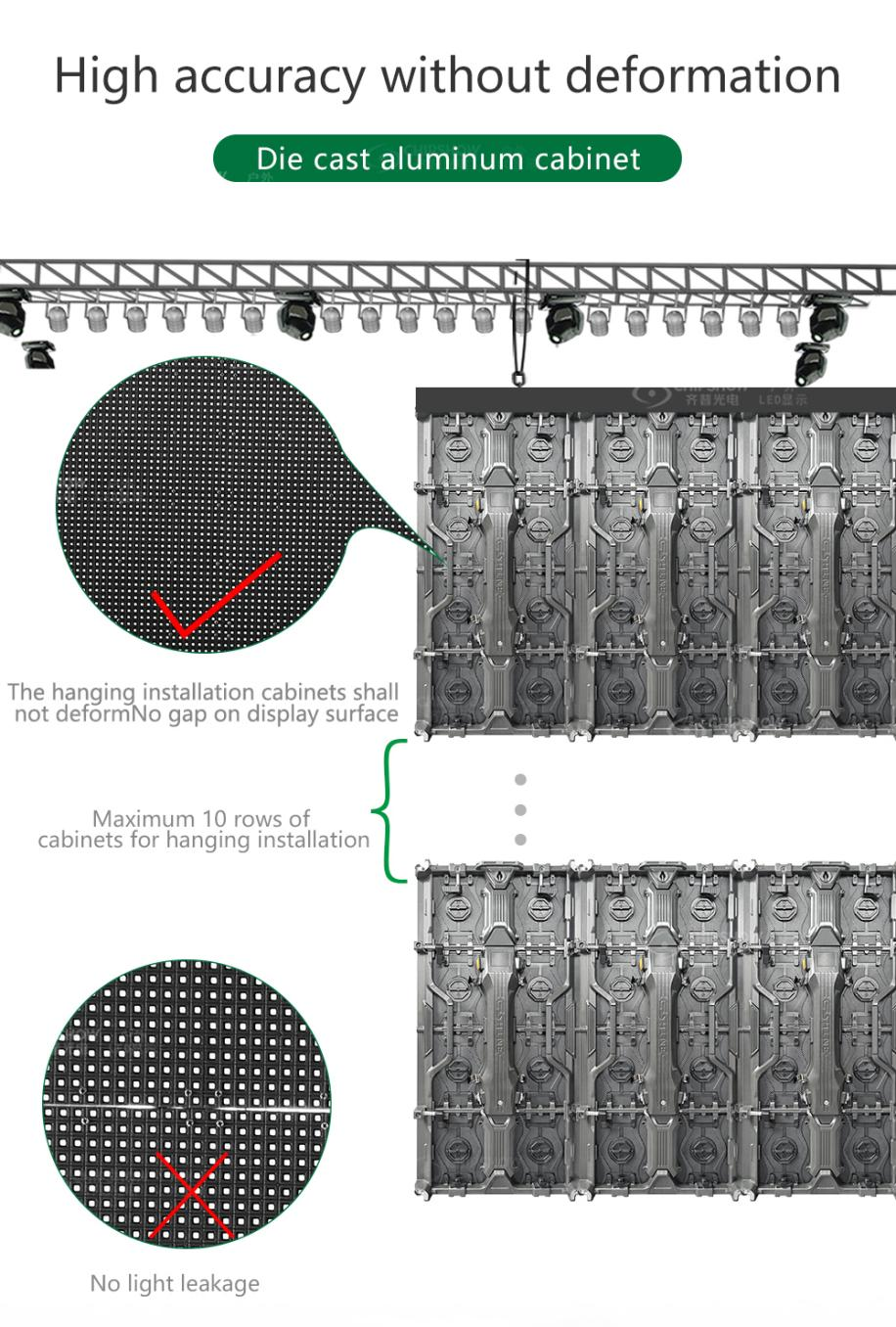
Q6: How Do You Calculate the Weight Load for a Hanging LED Wall?
Include cabinets, fly bars, frames, cables, and all suspended accessories in the total load. Before any overhead work is done, this total must be reviewed with a qualified rigger. This is because motor points, truss ratings, and safety factors are all controlled locally and will be different from one venue to the next. You should never try to figure them out on your own.
Have the qualified rigger confirm the load path, point ratings, safety factors, and approved installation plan for the venue.





