





Smart pole SCADA integration works best when you treat lighting, 5G gear, sensors, and control as separate layers that coordinate, not as one generic payload. That framing keeps the project realistic: SCADA usually sits behind a controller or gateway layer, power headroom has to be checked before adding radios, and permitting can change the hardware plan before a city ever issues a bid.
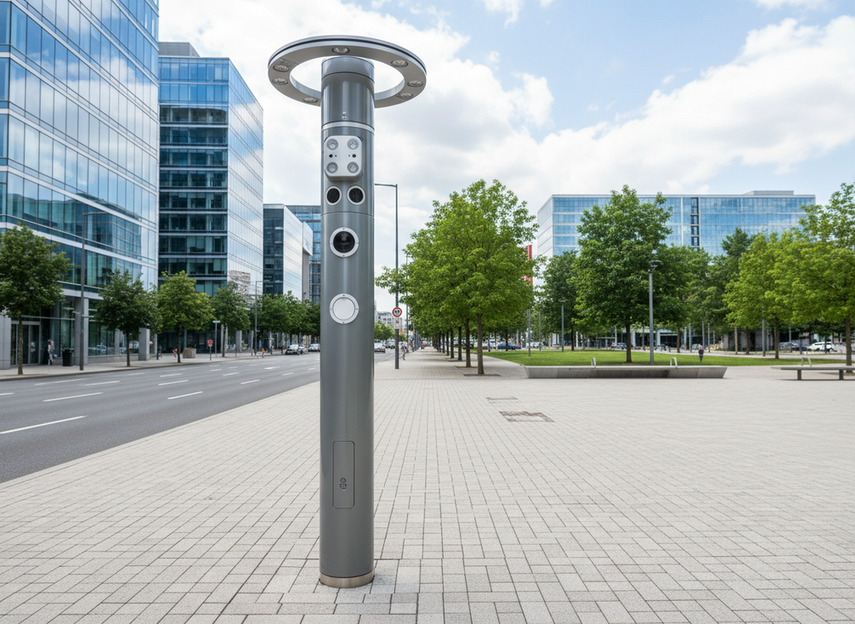
How Smart Pole SCADA Integration Usually Works
Core System Layers
A smart pole is easier to plan when you separate four things: the lighting circuit, the device power feeds, the communications layer, and the control layer. The pole may look like one asset, but procurement gets cleaner when each function has its own check. That is especially true in a smart city protocol interoperability discussion, where standards language can support integration without promising that every device will work with every platform.
In practice, the pole may host lighting, environmental sensors, 5G hardware, and a municipal control interface. Each piece adds a different dependency. Lighting needs stable electrical planning. Sensors need data handling and maintenance access. 5G equipment adds a more meaningful load and network requirement. Control hardware is where the project starts to look like an operations system instead of a simple streetlight upgrade.
Where SCADA Fits
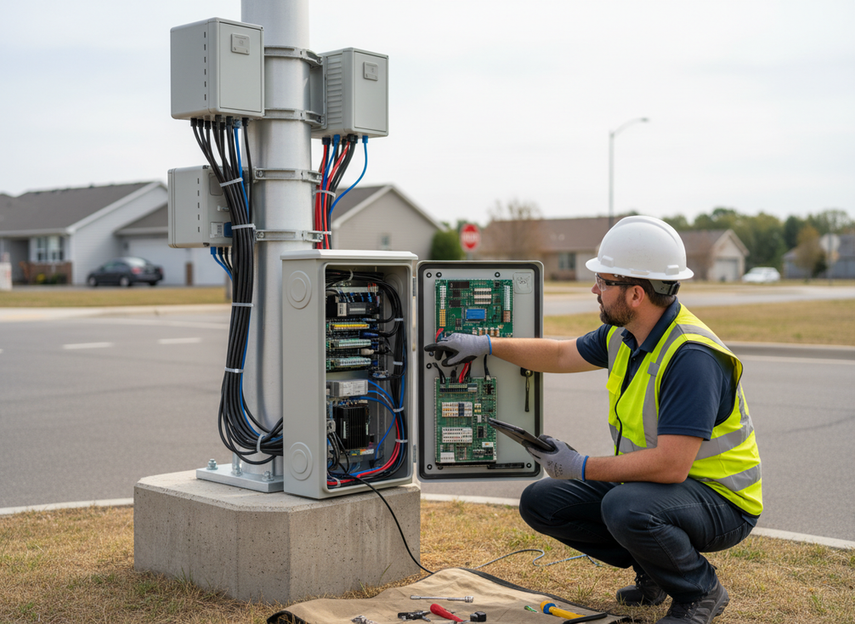
For most municipal deployments, SCADA belongs behind a controller, gateway, or networked management layer rather than directly to every endpoint device. That is the safer planning model because the field devices do not all need the same communication path or the same security treatment. NIST’s OT security guidance supports this separation by treating OT systems as environments where monitoring, control, and security boundaries need to be planned deliberately.
The useful question is not, "Can a pole connect to SCADA in the abstract?" It is, "What layer bridges the field devices to the municipal control system, and what still has to be verified before procurement?" If the answer is unclear, the project is not ready for a citywide promise. It may still be ready for a pilot, but only if the controller path, power budget, and network handoff are already defined.
What Must Be Verified Before Procurement
Before a bid goes out, check six things: power availability, enclosure space, network handoff, protocol compatibility, mounting load, and maintenance access. Those checks sound basic, but they prevent the most common regret trigger, which is discovering after award that the pole can hold the devices only if the city changes the cabinet, service, or management layer.
A good rule is to treat model-specific documentation as mandatory whenever a proposal claims SCADA readiness. If the documentation does not show how the controller layer works, the claim is still just a concept. In a retrofit, that gap usually matters more than in a new-build pilot because the existing pole geometry and utility service are already fixed.
Plan Power Budgeting Before You Add Devices
The safest way to budget power is to start with the lighting base load, then add each new class of device one at a time. That keeps the project from hiding a major electrical change inside a simple "add a sensor" assumption. The 5G load question matters here because 5G small cells can be material in the budget, and they should not be treated as an afterthought. EnerSys notes that 5G small-cell radios can typically require about 200W to 1,000W+ depending on configuration.
That range is not a promise about any one pole. It is a planning signal. If a design already feels tight on service size, cabinet space, or backup planning, the 5G layer is the first place the pole can become a poor fit. In many deployments, the question is not whether the pole can physically hold the equipment, but whether the site can support the total electrical stack without creating an expensive redesign.
Use a quick checklist before bid release:
- Start with the existing lighting load.
- Add always-on devices first, then intermittent devices.
- Include control electronics, metering, and backup components.
- Confirm cabinet room for the added hardware.
- Verify service capacity and maintenance access together, not separately.
If those items do not line up, the architecture may still work, but only with a smaller payload mix or a different pole class. That is why smart pole SCADA integration should be sold as a planning exercise first and a procurement package second.
Quick Power Planning Check
| Item | What It Changes | Decision Signal |
|---|---|---|
| Lighting base load | Establishes the starting electrical budget | If this is already near the available service, new payloads need a redesign |
| 5G small cell | Adds a meaningful power class | If the cabinet or service is tight, treat the radio as a major load, not a minor add-on |
| Sensors | Usually modest individually, but cumulative | If many sensors are planned, check cabling and service access as well as watts |
| Control electronics | Enables management and SCADA bridging | If the controller path is unclear, stop before procurement |
| Backup and metering | Affects space and total draw | If these are omitted from the first draft, the budget is incomplete |
Organize Network Segmentation for Control and Sensors
A shared pole network should separate SCADA/control traffic from sensor data, maintenance access, and any optional public or telecom connectivity. The reason is practical, not just theoretical. Segmentation makes troubleshooting easier, keeps operational priority visible, and gives city IT a cleaner way to expand the system later. NIST’s OT segmentation guidance supports that planning approach by treating zones and network separation as a normal part of OT security.
| Traffic Class | Primary Purpose | Planning Priority | Separation Concept |
|---|---|---|---|
| SCADA and control | Commands, status, and operational monitoring | Highest | Keep in a controlled zone or dedicated path |
| Sensor data | Environmental or corridor telemetry | High | Separate from control traffic so it does not compete with it |
| Maintenance access | Service, updates, and diagnostics | Medium | Restrict by role and schedule |
| Telecom or public-facing services | Optional shared connectivity or carrier handoff | Variable | Keep logically distinct from control and sensor traffic |
That table does not prescribe one network stack. Some cities will prefer separate VLANs, while others will use gateways or separate backhaul paths. The right answer depends on the city standard, the operator model, and how much operational control the municipality wants to keep in-house. What should not happen is mixing everything into one path and hoping the controller layer sorts it out later.
When the recommendation flips, the simpler design is not always the safer one. If a project only needs basic environmental telemetry, a narrower network may be enough. If the pole also carries control, maintenance, and public-facing services, the design should separate them early so the project does not turn into a troubleshooting problem after launch.
Choose Sensor Payloads That Fit the Pole
The best sensor mix depends on the corridor goal, not on adding as many devices as possible. Environmental sensors, traffic sensors, cameras, and visual devices do not create the same operational burden. They differ in power draw, mounting, maintenance, data ownership, and public policy review. That is why the phrase IoT sensor payload smart city pole should be read as a design decision, not a shopping list.
Environmental Sensing
Air-quality, temperature, humidity, noise, and weather sensors are often the easiest payloads to justify in an early pilot. They support planning, reporting, and corridor analysis without forcing the pole into a heavy visual or privacy review. Even here, the fit is not automatic. The city still has to check calibration expectations, data ownership, and maintenance access so the payload can be serviced without traffic disruption.
Traffic and Safety Monitoring
Traffic flow, pedestrian, and incident-related sensors can be useful where the corridor already has a management purpose. The key check is placement. A sensor that looks attractive on a drawing may fail in the field if line of sight, vibration, or service access is poor. In a retrofit, this often matters more than the spec sheet because the pole geometry is already constrained.
Cameras and Visual Devices
Camera payloads raise separate review needs for privacy, storage, bandwidth, and maintenance. That does not mean they never belong on a smart pole. It means they should not be treated like a simple environmental sensor. If the city has not decided how visual data will be governed, the camera layer should wait. The technical design is only one part of the decision.
Payload Sizing and Maintenance
Every added device changes load, cabinet access, and service planning. This is the point where a promising concept can become a maintenance headache if the design assumes no future replacement or cleaning cycle. Leave room for upgrades, field service, and documentation updates. If the pole cannot be serviced without special equipment every time, the payload mix is probably too dense.
Clear Permitting and Coordination Early
Permitting is not just paperwork. It can change enclosure size, attachment method, maintenance access, and even which pole class is viable. The federal backdrop for small-cell deployment is set by the FCC’s wireless infrastructure deployment rules, but local review, utility coordination, and telecom coordination still shape the actual schedule and design.
- Confirm pole ownership and right-of-way status first.
- Check utility coordination requirements next, especially where power service or attachments change.
- Bring telecom and municipal stakeholders into the same review path early.
- Verify site-specific approvals before finalizing the enclosure and mounting plan.
- Lock the maintenance access plan before the bid is issued.
That sequence is a planning model, not a universal legal timetable. A project can move quickly in one jurisdiction and stall in another because the attachment location, documentation package, or ownership assumptions were different. For that reason, smart city pole permitting considerations should be reviewed alongside the hardware spec, not after it.
A useful rule is this: if the permit path changes the attachment, the pole design is not finished yet. Treat approval risk as part of the engineering scope, not an external delay that appears after procurement.
Use a Deployment Checklist to Decide Readiness
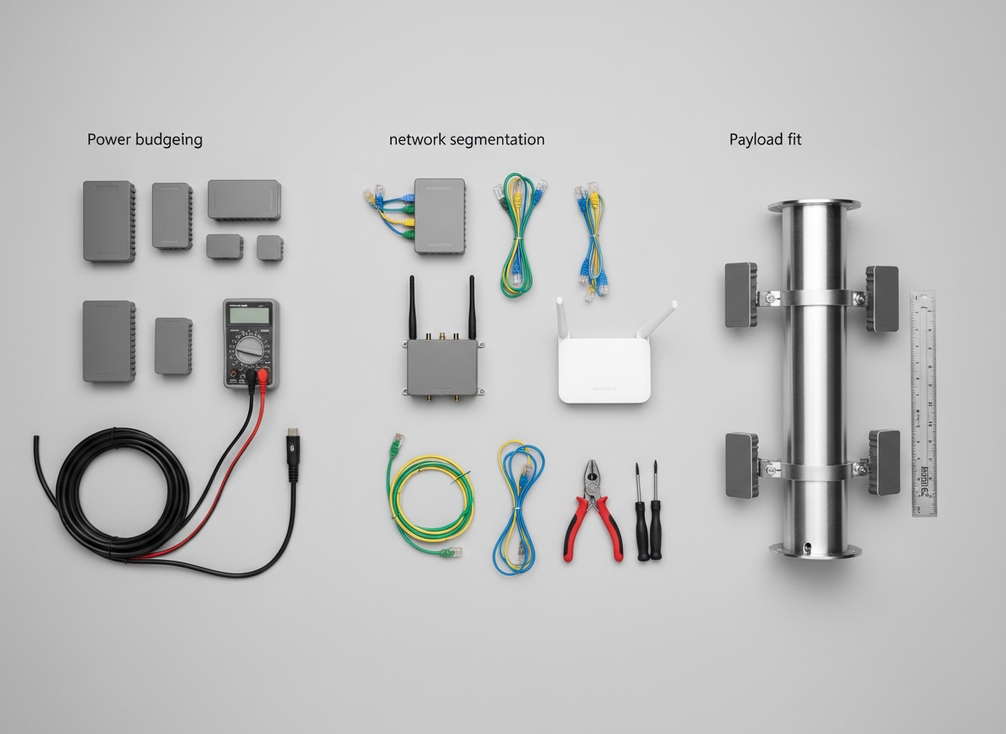
Before a pilot becomes a rollout, confirm four things: power headroom, network segmentation, payload fit, and permitting readiness. If any one of those is still vague, the project is not ready to scale. That is especially true for smart pole SCADA integration, because the controller path and operational ownership need to be repeatable before a second or third corridor is added.
Use this as a final go/no-go check:
- Can the pole support the full electrical stack without redesign?
- Is SCADA separated from sensor and public-facing traffic?
- Do the mounted devices fit the maintenance plan?
- Are ownership, utility, and permitting assumptions documented?
If the answer is yes across all four, the pilot can become a procurement template. If not, the safer next step is to narrow the payload or move to a different pole class before expanding the rollout. For municipal teams, that is usually the most cost-effective way to avoid rework.
Final Takeaway
Smart pole SCADA integration is safest when you plan the pole as a layered system, not a single device. Start with power, then network segmentation, then sensor payload fit, and finally permitting coordination. If any of those layers is unclear, slow down before procurement. If you want to move from pilot to rollout, we recommend verifying the controller path, electrical headroom, and approval package together so the design can scale without rework.
FAQs
Can a Smart Pole Connect to SCADA?
Yes, but usually through a controller or gateway layer, not directly to every endpoint device. The practical check is whether the pole’s network, power, and management layers are documented well enough to support the control path you want. If the controller architecture is still undefined, treat the project as a pilot candidate rather than a rollout-ready design.
What Sensors Can Be Added to a Smart City Pole?
Common choices include environmental sensors, traffic sensors, and, where policy allows, cameras or other visual devices. The right mix depends on the corridor goal and the service model. If a payload increases maintenance, privacy review, or bandwidth enough to slow operations, it may belong on a different asset class instead of the pole.
How Do You Separate SCADA and Sensor Traffic on One Pole?
By separating the traffic by function and priority before implementation, then mapping that plan to the city’s network standard. That may mean zones, VLANs, gateways, or separate paths depending on the deployment model. The main rule is simple: control traffic should not be blended into the same lane as general sensor or public-facing services.
Why Does Permitting Take So Long for Multi-Function Poles?
Because ownership, utility review, telecom coordination, attachment rules, and maintenance access can all affect the final design. The delay is often a sign that the project still has unresolved scope questions. If the permit package keeps changing the enclosure or mounting plan, the design needs another review before procurement.
Can a Pilot Be Scaled to a Corridor Rollout Later?
Usually, yes, if the pilot documents repeatable assumptions for power, network separation, mounting, and maintenance. Scaling becomes difficult when the pilot only works because of one-off conditions. Before expanding, compare the pilot’s actual hardware and approval path against the next corridor’s pole class and jurisdiction.
What Should Block Procurement Until It Is Fixed?
Missing controller documentation, unclear power headroom, undefined traffic separation, or unconfirmed permitting assumptions should all stop a bid release. Those gaps are not minor paperwork issues. They are the points most likely to create redesign, delay, or a false SCADA fit after award.





