





Smart pole power backup is a planning issue, not an afterthought. If outages can cut off alerts, sensors, or connected services, the backup plan needs to protect the loads that matter most during the outage window, not just keep the pole technically energized.
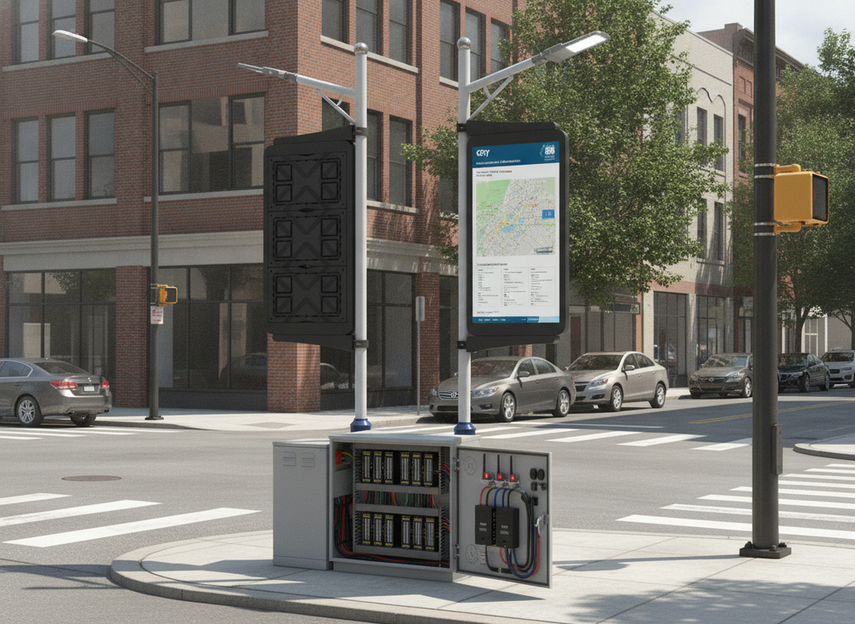
Why Smart Pole Backup Matters
Municipal smart city guidebooks treat backup power as part of operational continuity because outages can interrupt always-on connectivity and public safety alerts, not just lighting. That matters for streets, parks, campuses, and corridors where a smart pole may support multiple services at once.[^1]
The practical question is not whether a pole has power in normal conditions. It is whether the right functions stay up when the grid drops. If alerts, sensors, or communications must keep working, the backup spec should start there. If a load is only nice to have, it should not drive battery cost or cabinet size.
For most buyers, the first decision is simple: protect the critical services first, then size the rest around what is left. That avoids the common mistake of treating every device on the pole as equally important.
If you are mapping backup planning to traffic-facing deployments, traffic and VMS solutions can be a useful browsing path, but the backup requirement still comes from the site’s outage needs, not the product category.
Backup Architectures for Smart Poles
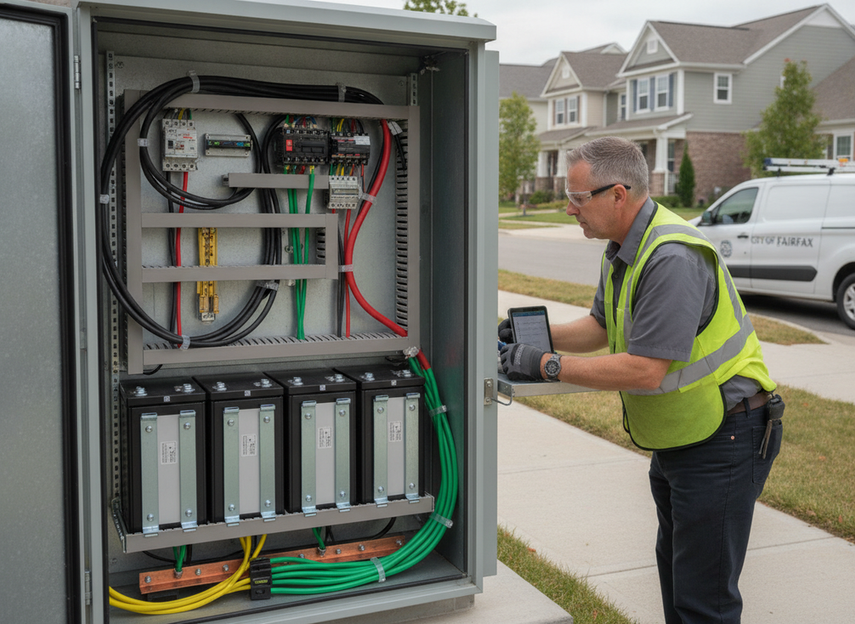
There is no single best backup architecture for every smart pole. Local battery backup, UPS-based continuity, and hybrid designs each trade runtime, space, maintenance, and complexity in different ways. The right choice depends on how long the pole must stay alive, how much cabinet room exists, and which loads are truly critical.

| Backup architecture | Best-fit scenario | Runtime flexibility | Maintenance burden | Space impact | When it fits best |
|---|---|---|---|---|---|
| Local battery backup | New rollout with a defined critical-load list | Moderate to high | Moderate | Moderate | When you want outage coverage for a focused set of loads |
| UPS-based continuity | Short outages or smooth ride-through for controls and communications | Lower to moderate | Moderate | Usually lower than a large battery stack | When the main goal is continuity, not long runtime |
| Hybrid design | Longer-duration or higher-priority corridors | High | Higher | Higher | When no single approach cleanly meets runtime and space needs |
In practice, a UPS-style approach is often attractive for brief interruptions, while a larger local battery plan makes more sense when the pole must stay online for a longer window. Hybrid backup is usually the fallback when the site has stronger continuity needs than a compact enclosure can handle on its own.
That said, a longer runtime target usually raises maintenance and space pressure. If the enclosure is already crowded, a bigger battery can look good on paper and still be a poor fit in the field.
A traffic and VMS LED display is another natural category path if you are comparing pole-mounted alerting or display use cases, but it should be treated as a navigation step, not as proof of backup performance.
The Inputs That Drive Runtime
Before you size anything, build a load list. Official smart-pole specifications describe the system as a combination of the pole, sensing equipment, and power-distribution elements, which means the load is usually a collection of subsystems rather than one device.[^2] That is why smart city pole UPS sizing should start with critical loads, not with a single nameplate number.
The first split is critical versus optional. Critical loads are the devices that must stay on during the outage, such as alerting, key communications, and essential sensing. Optional loads are anything that can be shed without breaking the site’s main job. If the pole also has lighting control or a display, those may need different continuity rules than telemetry.
The second input is duty cycle. A sensor or radio that wakes up intermittently may not need the same runtime assumption as a continuously active display or controller. Average draw matters more than peak draw for runtime planning, although startup surges still matter if the equipment has noticeable inrush.
The third input is the outage target. A pole designed for a short bridge-through period needs a different battery plan than one intended to survive a longer municipal outage. Add reserve margin early, because aging, temperature, and conversion losses can all shorten real-world runtime.
A good working rule is to write down the load list, the operating pattern, and the required outage window before you look at battery size. If those three items are fuzzy, the final number will usually be fuzzy too.
How to Size Battery Runtime
Battery sizing for smart pole power backup should stay conservative and traceable. A sizing procedure from Oregon State recommends accounting for temperature correction and usable depth of discharge when calculating battery bank capacity, which is exactly why a simple nameplate-only estimate is risky.[^3]
- List only the loads that must stay alive during an outage. If a device can be shed, exclude it from the backup calculation.
- Estimate the average power of those loads over the outage window, not just the peak wattage. That keeps the result tied to actual runtime.
- Convert the outage window into energy demand, usually in watt-hours, so the battery target matches the length of the event you are planning for.
- Adjust for system losses, usable depth of discharge, and temperature. Those factors reduce the amount of stored energy you can actually use.
- Add reserve margin for aging and uncertainty, then check whether the adjusted capacity still meets the outage target.
This is the part where many specs go wrong. If you size to peak load, ignore temperature, or assume the battery can be drained to the same level forever, the paper math can look better than the field result.
For municipal smart pole battery runtime, the safer approach is to treat the calculated result as a planning baseline, then verify it against the site’s critical-load list and expected outage profile. If the result only works when every assumption is perfect, it is probably too tight.
A related product family such as C-Pole Smart City Display may be relevant if your deployment includes pole-mounted display hardware, but any backup claim still has to be checked against the actual load and runtime requirement.
Deployment Checks Before You Buy
Before you finalize the specification, check the physical and maintenance constraints that often change the design. Smart-pole wiring guidance for 5G and Wi-Fi integration emphasizes grounding and power separation, which means the power plan should be reviewed alongside the communications layout, not after it.[^4]
- Confirm there is enough enclosure space for the battery, wiring, and any required power electronics.
- Verify service access so technicians can inspect or replace components without a major teardown.
- Check environmental assumptions, including heat exposure and any site conditions that may shorten battery life.
- Document who owns maintenance and who responds when a pole enters backup mode.
- Define how outage mode will be tested after installation, so the first failure is not the acceptance test.
- Make sure the loads on backup power are the same loads named in the spec, not a later field add-on.
The biggest procurement mistake is to approve the battery without checking the cabinet, the access path, and the maintenance plan. If those do not fit the site, the best runtime estimate on paper will not matter.
A DOOH street pole LED display solution can be a useful browsing path for street-pole deployments, while traffic and VMS solutions are useful when the backup conversation is tied to alerting and traffic-facing use cases.
Final Takeaway
Smart pole power backup works best when the spec starts with critical loads, outage duration, and cabinet reality. That sequence keeps smart city pole UPS sizing tied to actual municipal needs instead of peak-nameplate guesswork. If you are writing a bid or retrofit plan, use the load list first, then size for temperature, reserve margin, and service access. If the backup target is still unclear, that is the next thing to settle before you buy.
FAQs
How Do You Size Battery Runtime for a Smart Pole?
Start with the loads that must stay online, estimate their average draw over the outage window, then adjust for usable depth of discharge, temperature, and conversion losses. The final capacity should be checked against the actual outage target, not just a peak wattage total.
What Loads Should Stay on During an Outage?
The loads that matter most are usually alerts, essential sensing, and required communications. Optional lighting controls, displays, or noncritical peripherals can often be shed to extend runtime. The exact split depends on what the pole is expected to do during a service interruption.
What Is the Biggest Mistake in Smart City Pole UPS Sizing?
The most common mistake is sizing to nameplate peak instead of the real duty cycle. Buyers also forget temperature effects, reserve margin, and battery aging. That can leave a design that looks adequate in a spreadsheet but falls short in the field.
Can a Smart Pole Run on Battery Backup All Night?
Sometimes, but only if the load mix, usable battery capacity, and reserve margin support that runtime. The answer changes a lot from one site to another, so overnight continuity should be treated as a site-specific calculation rather than a default assumption.
Why Does Communications Equipment Change Battery Sizing?
Because radios, gateways, and other communications hardware create a separate critical load. Even small devices can materially affect runtime if they must stay on during the outage. They should be included in the backup calculation whenever connectivity is part of the pole’s outage job.
What Should You Check Before Locking the Spec?
Check enclosure space, service access, environmental exposure, and who will maintain the system. Also confirm how outage mode will be tested after installation. If any of those pieces are unclear, the battery size alone is not enough to finalize the design.





