





A command center LED processor should be chosen for uptime, redundancy, latency, and workflow fit first, not for a brand name. If your room needs 24/7 operation, mixed live feeds, and clear failover expectations, the architecture matters as much as the display itself. For many buyers, the safest starting point is to compare how each processor handles recovery, scaling, and operator control before any product shortlisting.
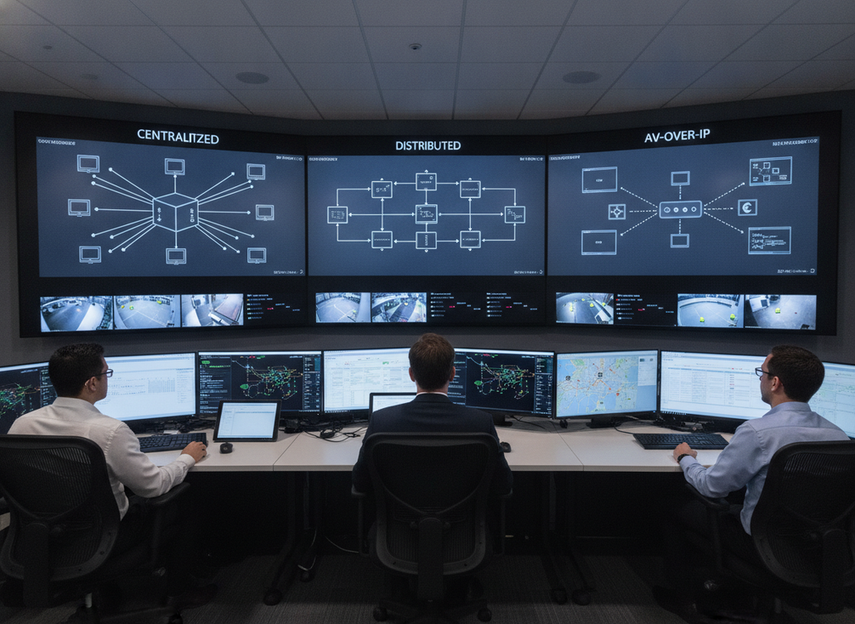
Processor Architecture Options
The right architecture depends on how much control the room needs to keep locally, how much it needs to scale, and how often operators will change layouts. AVIXA’s guidance on control and command centre AV design puts redundancy and scalability near the top of the list, which is the right lens for procurement. That means the question is not "which processor is best," but "which topology fits our uptime and integration risk."
| Architecture option | Fit for command-center use | Strengths | Tradeoffs | Integration complexity | Best when |
|---|---|---|---|---|---|
| Centralized | Good for tighter control and simpler governance | Easier to standardize, simpler to manage, fewer moving parts | A more concentrated failure point if redundancy is weak | Moderate | You want one main control point and a clean operator workflow |
| Distributed | Good for modular or phased deployments | Easier to localize service work, can grow in steps | More endpoints to manage, which can raise configuration effort | Moderate to high | The room will expand over time or needs regional resilience |
| AV-over-IP-oriented | Good when networked routing and flexible source handling matter | Can support broader routing and more flexible cabling | Depends heavily on network design, interoperability, and IT rules | High | The command center already runs a managed AV/IP environment |
In practical terms, centralized architectures suit teams that want fewer variables, while distributed and AV-over-IP-oriented designs become more attractive when the room must scale or share sources across more spaces. A command center LED video wall processor is doing more than switching video in those cases, because it may also be mapping sources, scaling content, and coordinating control behavior. If your procurement team wants a simpler approval path, start with the architecture that best matches your current operating model, then verify whether it can grow without a rework.
Latency, Redundancy, and Failover
For control rooms, latency is not just a spec line. It is the delay between an operator action and the wall reflecting it in a way that feels responsive. A useful planning reference is end-to-end latency under 100 milliseconds for real-time workflows, as described in video wall processor guidance for control rooms. That should be treated as a reference point, not a universal pass-fail rule, because the full chain includes the source, network, processor, and display.
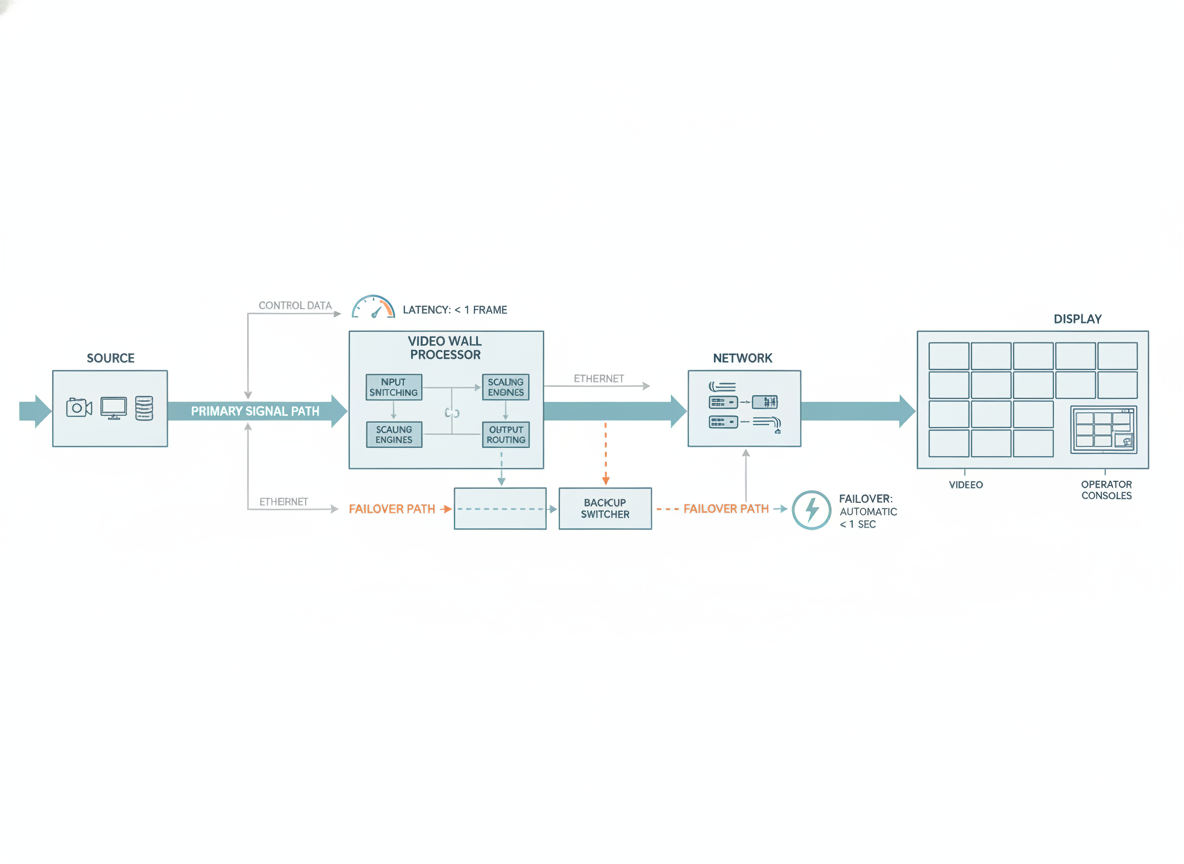
Redundancy should also be checked by layer. In command center buying reviews, the important question is not whether a brochure says "redundant," but which parts are duplicated in practice. Common layers include power, signal, and controller backup, and some systems also rely on network path redundancy or backup management paths. A buyer should verify what is actually duplicated, what is only monitored, and what still requires manual intervention. The control room software model is useful background here because it shows how different layers can support resilience without being identical.
Failover is where many approval mistakes happen. If the processor can recover, but only after a long manual sequence, that is not the same thing as graceful automatic switchover. The right questions are simple: what fails first, what takes over, how long recovery usually takes, and whether the operator has to intervene. For public-safety, utility, and transportation rooms, that documentation matters because recovery procedures affect incident response, not just IT convenience.
A useful decision sentence for procurement is this: if your room cannot tolerate an operator waiting on manual recovery, the processor should be shortlisted only when the failover path is documented and tested; otherwise, the architecture is not a fit. Another useful boundary is this: if the room is not truly 24/7 or can absorb a short recovery window, redundancy still matters, but the approval bar can be lower than in a mission-critical dispatch room.
Integration With Control-Room Workflows
A processor can look capable on paper and still be a poor fit if it makes source mapping or operator control awkward. Public-sector and command-room walls often need multiple live feeds, dashboards, and metrics on screen at the same time, which is why source flexibility matters. Command center LED wall planning should account for mixed resolutions, simultaneous content, and dynamic layouts, not only raw output count.
For AV-over-IP LED wall command center projects, the biggest hidden tradeoff is network dependency. That model can be a strong fit when IT already governs the environment and the team wants flexible routing, but it also adds bandwidth, interoperability, and change-management questions. In rooms that still depend on direct connections or isolated AV islands, a network-heavy design can create more approval risk than it removes.
Operator workflow is the other friction point. Community feedback from control-room practitioners often centers on cursor lag and color consistency, which are practical issues because they affect how confidently operators trust the wall during a shift. Those concerns do not prove a numeric threshold, but they are a real signal that the processor should be tested against your actual source map, not just a demo loop. In other words, a command center LED processor can still be a bad fit if it slows common actions or makes maintenance cumbersome.
If your current workflow depends on remote monitoring, alarms, or handoff between teams, confirm whether the processor supports those tasks without adding a separate layer of complexity. If the room needs frequent source changes and mixed layouts, the control software should be easy enough for operators to use without an engineer standing by. That is where vendor lock-in shows up first: in the amount of custom knowledge required to keep the wall running.
How to Narrow the Shortlist
Use a simple five-step review instead of trying to compare every feature at once:
- Define the room’s real operating requirement. Note whether the wall is for dispatch, operations, monitoring, or incident response, because that changes the uptime bar.
- Map current and near-term sources. Count live feeds, mixed resolutions, and how often layouts change.
- Check redundancy and failover. Verify what is duplicated, what recovery looks like, and whether the operator must intervene.
- Confirm integration and serviceability. Make sure the processor fits the AV, IP, and control stack already in place.
- Review ownership risk. Ask who supports upgrades, how maintenance works, and whether the setup can scale without replacing the whole architecture.
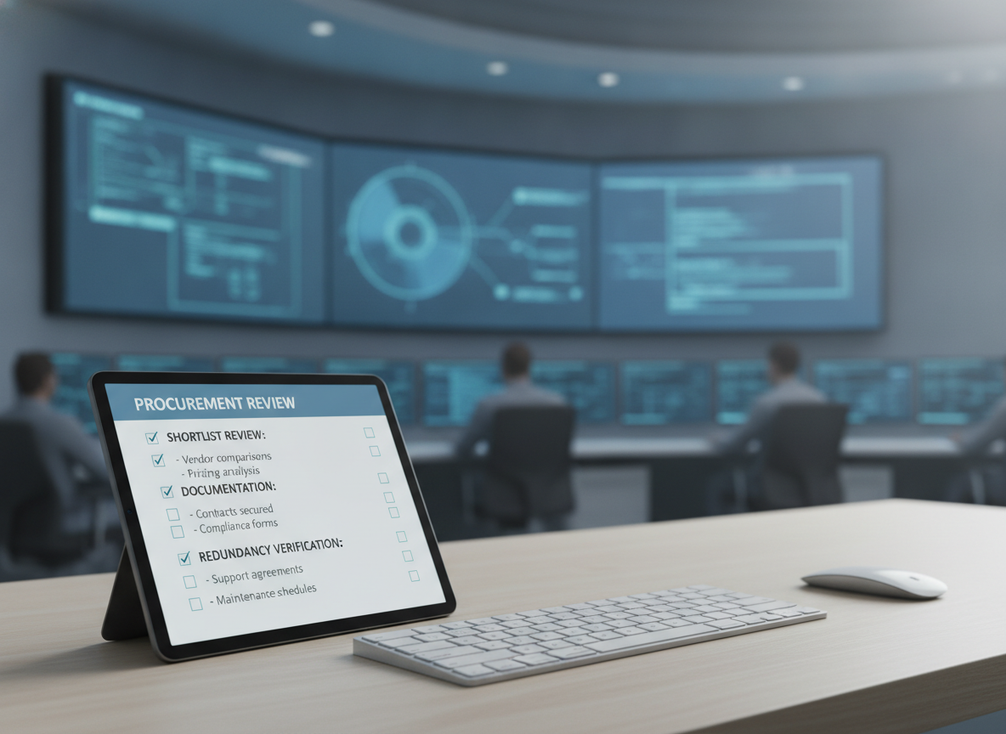
This is also the best place to decide what would disqualify a seemingly attractive option. If a processor cannot handle your source map without a workaround, it should drop down the list. If it needs a network design your IT team will not approve, it is also a weak fit. And if service access is difficult enough to interrupt the wall during maintenance, the long-term cost of ownership is probably higher than the initial quote suggests.
For teams comparing a mission-critical LED video wall path with a more general indoor platform, the right question is whether the architecture matches the operational risk. The category link is useful as a browsing path, but the final approval still depends on your actual source routing, redundancy needs, and service model. If those needs are still being defined, keep the shortlist broad until the operating assumptions are written down.
Final Procurement Checks
Before purchase approval, confirm the documentation, demo path, and support responsibility in writing. Ask for the failover description, the service access method, the installation handoff process, and the assumptions behind future expansion. If the vendor or integrator cannot show how the command center LED video wall processor behaves under recovery, integration change, and maintenance conditions, the approval memo is probably too early.
Use the command center solutions path only as a navigation step if you want to compare mission-critical options against your room’s requirements. The final decision should still come from your own source map, uptime target, and support model. When those three line up, the purchase approval becomes much easier to defend.
FAQs
What Processor Architecture Works Best for a Command Center LED Video Wall?
There is no universal best fit. Centralized processors are often easier to govern, distributed designs can be better for modular growth, and AV-over-IP-oriented systems make more sense when the network and integration rules are already mature. The best command center LED video wall processor is the one that fits uptime, serviceability, and operator workflow together.
How Do You Evaluate Redundancy in a Control Room Video Wall Processor?
Check which layers are actually duplicated, such as power, signal, controller, or network paths. Then verify what failover looks like in documentation and demo testing. The key is to separate monitoring from true recovery, because a system that only alerts you is not the same as one that can recover cleanly.
Why Does Latency Matter in a 24/7 Command Center?
Latency affects how responsive the wall feels when operators change sources or react to incidents. Even if the delay is small, it can become noticeable when combined with network or source delays. That is why buyers should judge latency as part of the whole chain, not as a standalone processor number.
Can AV-Over-IP Fit a Mission-Critical LED Wall Workflow?
Yes, but only when the network design, bandwidth assumptions, and interoperability rules are well understood. It can be a good fit for scalable routing and flexible integration, but it also adds dependency on IT governance. If the room needs isolated simplicity more than routing flexibility, a non-IP architecture may be easier to approve.
What Should Be Confirmed Before Approving a Processor Purchase?
Request documentation for failover, integration handoff, maintenance access, and support responsibility. Also confirm the source map, current and near-term expansion plan, and who owns changes after installation. If those items are vague, approval risk is still too high.





