





A practical NTCIP VMS compliance checklist for US buyers starts with one principle: compliance should be demonstrated, not assumed, from the project specification, vendor PICS, and acceptance evidence. For NTCIP 1203 v03, the safest approach is to treat the standard as a framework for defining required device behavior and then verify conformance against the contract package and test results.

What NTCIP 1203 Means for Buyers
When buyers say "NTCIP VMS compliance," they usually mean a mix of protocol support, supported object behavior, interoperability, documentation quality, and field readiness. The NTCIP 1203 v03 standard defines the data elements used to control and monitor dynamic message signs, but it does not, by itself, prove that a specific unit is acceptable for a project.
For buyers, the checklist is a procurement tool. It helps translate the standard into project-specific acceptance criteria, so the agency can compare the vendor’s PICS, submittals, and test records against the solicitation. That is why the project documents still govern the final decision.
Use the standard as a reference point, but keep the procurement record centered on project-specific requirements. That is also why conservative wording matters: "supports," "claims," and "demonstrates" are safer than "is compliant."
A simple framing sequence helps:
- Confirm the VMS type, communications, and control assumptions in the project documents.
- Review the vendor’s PICS against each required function and data object.
- Tie each requirement to a test method and an acceptance artifact.
- Record exceptions, substitutions, or unresolved gaps before award.
For buyers who are still organizing a broader procurement package, a general traffic and VMS solution path can help with navigation, but it should not be treated as proof of NTCIP support.

Checklist Items to Verify Before Bid Release
The checklist below is designed to reduce ambiguity. For each item, the buyer should ask whether the project documents require it, whether the PICS supports it, and whether test evidence will be available later. The PICS proforma matters because it is the easiest way to distinguish baseline support from optional or partial implementation.
Procurement Checklist
- Application profile mapping: Confirm the vendor identifies the supported NTCIP 1203 v03 objects and services.
- PICS completeness: Require a project-specific PICS, not a generic brochure statement.
- Display capability: Verify character, line, font, and message formatting limits align with the contract.
- Communications path: Check the specified physical or media layer, addressing, and network assumptions.
- Alarm and status reporting: Confirm the device exposes the status and fault indications the agency expects.
- Security and access control: Ensure the proposed access model matches the project cybersecurity requirements.
- Controller integration: Verify the sign can be supervised or commanded by the intended center system.
- Environmental and power ratings: Match the enclosure, temperature, surge, and power requirements to site conditions.
- Documentation package: Require manuals, configuration guidance, and test procedures that are field-usable.
- Spare parts and support: Confirm warranty, lead time, and service commitments are stated in the bid package.
A DOT-specific specification can also tighten this language. For example, state guidance may spell out required submittals, version references, or verification steps more explicitly than a generic NTCIP clause. In that case, the solicitation should follow the agency’s own profile language rather than rely on a broad reference to the standard.
What "Pass" Should Mean
A good procurement file does not say "the sign is compliant" based only on a datasheet. It says the vendor’s PICS, submittals, and test evidence show the sign can meet the listed requirements if installed and configured as approved. This is the safest way to use the NTCIP VMS compliance checklist for US buyers without overstating certainty.
Bid Language That Reduces Ambiguity
For procurement language, the goal is to specify what evidence the bidder must provide and what the agency will use to decide acceptance. FHWA’s model systems engineering guidance for dynamic message signs is useful here because it encourages traceability from needs to requirements to verification, rather than loose marketing claims or implied capabilities.
A clearer way to write the solicitation is to tie each requirement to a specific submittal and a test method. For example, instead of saying the system must be "fully compliant," ask the bidder to identify supported NTCIP 1203 v03 objects, list any exceptions, and show how each required function will be verified. That gives the agency a better procurement record and makes later disputes easier to resolve.
| Procurement Need | Risky Wording To Avoid | Clearer Bid Language |
|---|---|---|
| Protocol support | "Must be fully NTCIP compliant" | "Shall identify supported NTCIP 1203 v03 objects, services, and any exceptions in the submitted PICS." |
| Interoperability | "Will integrate with any center" | "Shall demonstrate interoperability with the project’s specified control system and communications architecture." |
| Message display | "Unlimited message flexibility" | "Shall meet the project’s approved message formatting, character, and line-rendering requirements." |
| Status reporting | "Real-time diagnostics included" | "Shall provide the fault, alarm, and health indicators listed in the contract and test plan." |
| Acceptance basis | "Accepted if installed correctly" | "Acceptance shall be based on approved submittals, factory evidence, and site test results against the project requirements." |
This bid language also helps the agency avoid disputes. If a feature is optional or not standardized the same way across vendors, state the needed outcome and the required evidence rather than using broad compliance claims.
Acceptance Testing and Handoff
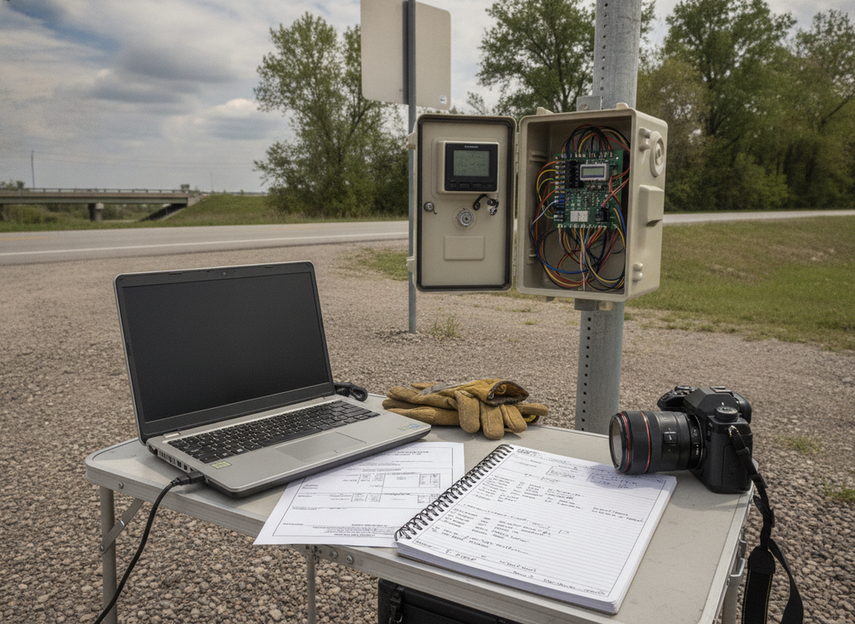
Acceptance testing is where the checklist becomes real. TTI testing guidance is useful because it reinforces a disciplined approach: define the test objective, identify the stimulus, record the expected response, and retain evidence that the device behaved as required under the project conditions.
A conservative acceptance sequence usually begins with document review and ends with field sign-off. The agency can then compare what was promised in the submittal package with what was delivered on site. That approach is more reliable than treating the factory visit as the final word.
- Review the approved submittals. Confirm the as-built device, firmware, and configuration match the awarded package.
- Validate the PICS against the contract. Every required item should have a visible claim and no unexplained gaps.
- Run communications tests. Verify addressing, message delivery, acknowledgments, and recovery behavior under the project network.
- Check display functions. Confirm message content, blanking, scrolling, line limits, and any priority rules work as specified.
- Exercise alarms and status points. Induce or simulate faults only as allowed by the test plan and confirm the correct status is reported.
- Test failover or recovery paths. If the contract requires them, verify power loss recovery, comms restoration, or safe-state behavior.
- Document evidence. Capture screenshots, logs, photos, and signed forms so the acceptance record supports the final decision.
A compact way to think about this section is: no PICS claim, no verification target; no verification target, no meaningful acceptance. That is the practical heart of a high-risk NTCIP VMS compliance checklist for US buyers.
Common Compliance Pitfalls
Even experienced teams can miss issues when the project seems straightforward. The most common mistake is assuming a vendor brochure can substitute for a project-specific PICS. Another is writing bid language that says "compliant" without identifying what evidence proves it. A third is accepting a device before the final configuration is tested in the real network environment.
Other pitfalls include incomplete version references, unclear acceptance criteria, and weak handoff documentation. It also helps to separate factory evidence from field evidence. A successful bench test can show that a unit powers up and responds, but the field environment still has to prove the system works on the agency’s network and in the intended operating conditions.
The safest way to avoid these issues is to keep the project file traceable from requirement to PICS to test evidence. If any link in that chain is missing, the agency should treat the requirement as unresolved rather than presumed satisfied.
Final Takeaway
The best NTCIP VMS compliance checklist for US buyers is simple: specify the required behavior, ask for a project-specific PICS, and accept the system only after documented testing confirms the contract terms. If you keep the file traceable from bid language to field evidence, you reduce disputes and make closeout easier. For the next step, use the checklist above to tighten your solicitation language before award and your acceptance record before payment.
Sources
- NTCIP 1203 v03: Object Definitions for Dynamic Message Signs (DMS)
- Model Systems Engineering Documents for Dynamic Message Signs (DMS)
- Testing for Compliance to NTCIP Standards
FAQs
What Is NTCIP 1203 in a VMS Specification?
It is the technical baseline that defines how a variable message sign is described, managed, and verified in procurement language. It does not, by itself, prove that a specific unit is compliant. Buyers still need project documents, a PICS, and acceptance evidence.
How Do I Write NTCIP VMS Compliance Criteria in a Bid?
Write criteria around observable behavior and required submittals. State what the bidder must identify, what the agency will test, and what documents must be delivered. Avoid broad promises like "fully compliant" unless you also define the version, profile, and evidence needed.
What Documents Should a Vendor Submit for Review?
At minimum, ask for the PICS, manuals, configuration guidance, version identifiers, and any test records or declarations that support the claimed functions. If the submission leaves gaps in protocol support or acceptance evidence, treat those gaps as procurement risks rather than minor details.
How Is Factory Acceptance Different From Field Acceptance?
Factory acceptance checks the unit under controlled conditions. Field acceptance checks the device in the actual network, power, and site environment. A pass in the shop does not guarantee the project will close cleanly in the field, so both stages need separate evidence.
Can a VMS Be Called NTCIP Compliant Without Project Testing?
That is too strong for a high-risk procurement file. A vendor may claim support, but the buyer should verify the claim against the contract, submittals, and test results. If testing is missing, the safest wording is that compliance has not yet been demonstrated."





