





Smart pole LED displays can work as IoT data nodes, but only when a city treats them as governed infrastructure rather than standalone signage. For a smart city pole display, the real question is not whether the pole can show content. It is whether the city can control the data path, decide who owns the asset and the data, and keep the device aligned with municipal policy. In that setup, the display is useful only when the architecture around it is clear.

Why Smart Pole Displays Are Becoming Data Nodes
Cities are looking at smart pole LED displays because a single street pole can combine visibility, power, and local connectivity in one public asset. That makes it a practical place to publish alerts, relay transit information, show environmental status, or host other bounded edge functions. The appeal is less about the hardware itself and more about reducing the number of separate systems a city has to coordinate.
That said, a pole display is not automatically an IoT gateway or controller. NIST’s smart city interoperability planning work frames it as part of a broader municipal stack, but whether it behaves like a useful node depends on the surrounding network, platform, and policy choices. NIST’s interoperability exchange points framing is a good reminder that scaling usually depends on exchange points, not on a vendor label.
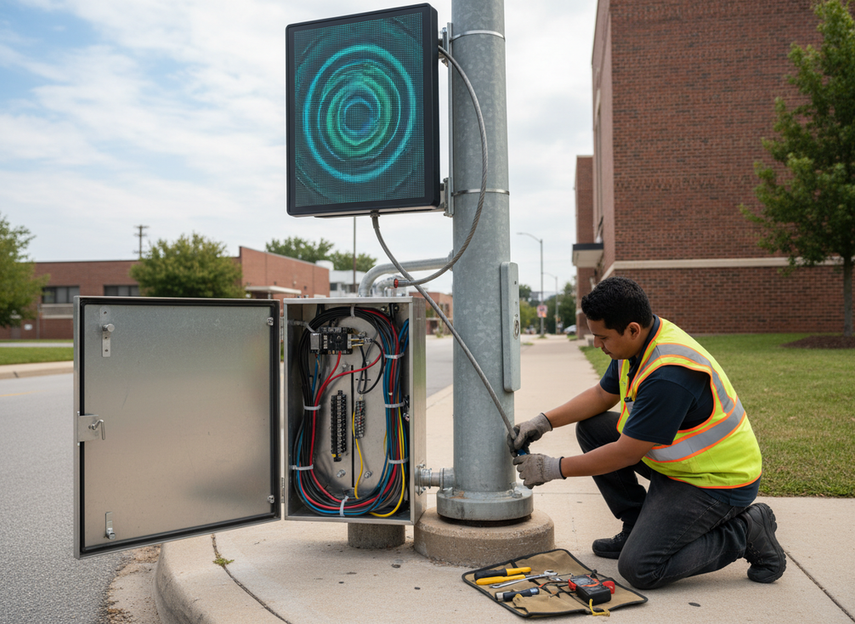
The clearest use cases are narrow ones. Smart pole LED displays are best suited to local public information, sensor-to-dashboard bridging, device health reporting, and event-triggered messaging that a city has already approved. They are a poor fit when a project quietly drifts toward open-ended control logic or high-sensitivity data handling.
What a Municipal IoT Architecture Needs
For smart pole LED displays as IoT data nodes to fit cleanly, the city needs a municipal IoT architecture that separates devices, transport, platform services, operations, and policy oversight. NIST’s municipal architecture layers perspective is useful here because it keeps the discussion on system boundaries instead of feature lists.
A city should define at least five layers:

- Device layer, which includes the pole, display, controllers, sensors, and power.
- Connectivity layer, which may use fiber, cellular, private wireless, or another approved transport path.
- Edge layer, which handles buffering, local logic, and protocol translation.
- Platform layer, which manages logs, APIs, patching, and alerts.
- Governance layer, which covers policy, privacy review, access control, and vendor oversight.
What matters is the dependency chain. If the city cannot patch the device, revoke access, or log activity, then the pole is not really a managed node, even if it is networked. If the city cannot tell which data is transient and which must be retained, then the node may create more operational burden than value.
A practical planning checklist looks like this:
- Unique asset IDs and inventory records
- Approved data types for each pole class
- Role-based access for admins and vendors
- Encryption for data in transit, and where appropriate, at rest
- Event logging and time synchronization
- Secure update and rollback procedures
- Network zoning so the display cannot roam into sensitive systems
- Retention rules for logs, telemetry, and any stored content
How Governance and Ownership Should Be Divided
A municipal smart pole IoT governance model works best when asset ownership, data ownership, and operational responsibility are treated as separate questions. The governance framework for smart cities from Mcity is useful because it makes that split explicit instead of assuming one contract clause can cover everything.
In practice, the split often looks like this:
- Public works or transportation owns the physical pole and field maintenance.
- IT owns network standards, cybersecurity coordination, and access control.
- Communications or emergency management owns content rules for public-facing messages.
- Legal or privacy staff reviews retention, notices, and contract language.
- Procurement manages vendor terms, audit rights, and exit clauses.
UN-Habitat’s smart city governance playbook adds a useful reminder that smart city governance is not only technical. It also involves strategy, organizational roles, and partnerships. That matters for a pole deployment because content approval, incident response, and log retention can cross department lines.
The privacy side should stay cautious. Street-level data can raise privacy and data ownership concerns about who can access logs, how long information is kept, and what happens if a vendor controls the admin path. That does not mean a project is disallowed; it means the city should treat retention, access, and handoff as policy decisions, not afterthoughts.
A contract should also address vendor access. If the supplier can update content, maintain firmware, or view diagnostics remotely, the city should know when that access is allowed, how it is logged, and how it ends. That is one of the best ways to reduce lock-in risk.
Can It Fit Existing City Systems?
Smart pole LED displays can fit existing city systems, but compatibility should be verified at the interface layer rather than assumed from the product category. NIST’s IES-City framework is helpful here because it focuses on where systems exchange data, not on whether they share a broad label like "smart city."
The likely fit varies by system type. The question is not only whether the display can connect, but also what role it should play.
| Municipal system | Likely connection role | Fit level | What to verify |
|---|---|---|---|
| IoT platform | Managed endpoint or message surface | Medium-High | APIs, device identity, logs, and update control |
| BMS or facilities system | Status relay or limited monitor | Medium | Event mapping, ownership of commands, and access boundaries |
| SCADA or operations environment | Read-only information point, if any | Medium | Security review, allowed data direction, and segregation |
| Public alert workflow | Approved message surface | Medium-High | Content authority, approval steps, and rollback process |
| Records or archive system | Usually not a fit | Low | Keep records in dedicated systems with proper retention rules |
| Unmanaged vendor stack | Not a fit without custom integration | Low | Handoffs, exit terms, and exportable data |
A city should verify the interfaces, the event model, and the security review before promising fit. The integration may be simple when the display only consumes official feeds. It becomes much more conditional when the pole is expected to write back into other systems or trigger downstream action.
NCHRP’s smart city data discussion is useful background because it highlights common friction in data sharing and real-time stream management. That is exactly where municipal pilots often get stuck: the hardware is installed, but the feed format, ownership rules, or access model do not line up.
The safest rule is simple: start with read-only or publish-only flows when you can. If the city already has an approved IoT platform, the smart city pole display can often act as a bounded endpoint. If the city lacks device management, patching, or a clear data model, the project should stay in pilot mode until those gaps are closed.
What a Safe Pilot and Rollout Looks Like
A safe pilot for smart pole LED displays as IoT data nodes should be narrow, measurable, and reversible. The point is to test governance and integration boundaries before the city commits to a larger rollout.
- Define one use case, such as transit-adjacent public messaging.
- Set scope limits for data types, message authority, and operating hours.
- Review security, privacy, logging, and retention before anything goes live.
- Test failure modes, including network loss, power loss, and delayed content.
- Measure outcomes such as uptime, message accuracy, maintenance burden, and staff workload.
A good pilot also has an exit plan. If the city pauses the program, it should know what happens to the configuration, the access rights, the data, and the hardware. That is often where pilot projects become more expensive than expected.
Before a rollout, the city should review security findings, privacy and records issues, support scope, and staff training. If those pieces still feel unclear, keep the smart city pole display in pilot mode instead of scaling by habit.
If your team is evaluating a pilot, start with the checklist: confirm who owns the asset, who owns the data, who can publish content, and which interfaces must be verified before procurement.
FAQs
How Do Smart Pole LED Displays Fit Into a City IoT Stack?
They usually fit as managed endpoints or bounded message surfaces rather than universal gateways. The exact role depends on the network, platform, and policy layer around them. If the city cannot control access, patching, or data routing, the display is better treated as signage with limited connected functions.
What Should a City Own Versus a Vendor in This Model?
The city should own the policy decisions, access rules, and approval logic, while the vendor supplies the hardware and support scope defined in the contract. Physical assets, data rights, maintenance, and remote access should be written separately so one party does not silently control everything.
Can Smart Pole Displays Work With Existing BMS or SCADA Systems?
Sometimes, but only when the interface, security review, and data-direction rules are clear. In many cases, a read-only or publish-only integration is safer than letting the pole write directly into an operational system. If the stack requires custom connectors, that should be treated as a project risk, not a default feature.
Why Does Data Ownership Matter for Public Pole Displays?
Because data ownership affects who can access logs, how long information is retained, who can export records, and how much vendor dependence the city accepts. For street-level infrastructure, those questions are part of the operating model, not just the legal fine print.
Can a Pilot Start With Alerts Only Before Full Sensor Integration?
Yes, and that is often the lower-risk path. An alert-only pilot lets the city test content approval, logs, rollback, and maintenance without also handling sensor ingestion or complex system writes. It is a good option when the governance model is still being finalized.





