





When you’re running an AV rental company or producing live events, choosing the wrong LED screen can derail your entire show. The wrong pixel pitch turns a crystal-clear concert backdrop into a pixelated mess. A cabinet that weighs 18 kg/m² forces you to over-engineer the trussing, blowing the budget before a single LED lights up. A screen with 1,000 nits looks perfect in a dim conference room — and completely invisible under stage wash.
This rental LED screen comparison guide cuts through the catalog noise. We’ve broken down the four most-used rental LED screen configurations by pixel pitch, weight, brightness, cabinet size, and best application fit — so you can match the spec to the gig, not the other way around. Chipshow rental LED products are exhibited annually at InfoComm and ISLE, and carry CE and RoHS certification.
What Specs Actually Matter When Comparing Rental LED Screens?
Not all specs are equally important for rental. Here’s what to prioritize:
Pixel Pitch (P-value) determines your minimum viewing distance. The formula most rental crews use:
Minimum viewing distance (meters) = pixel pitch (mm) × 1,000 / 1,000 = pixel pitch in meters
So a P3.91 screen should be viewed from at least 3.9 m away. Go closer and individual LEDs become visible.
Weight per m² is the make-or-break spec for rigging. Most standard trussing systems are rated for 30–35 kg/m². Add your cabinet weight plus controller hardware and cabling, and you’ll see how fast that budget tightens. Lighter cabinets also mean faster load-in and lower crew costs.
Peak Brightness (nits) tells you how the screen performs under ambient light. A rough guide:
| Environment | Minimum Brightness |
| Dim conference room / indoor stage | 800–1,200 nits |
| Bright indoor venue / TV studio | 1,500–2,500 nits |
| Outdoor daytime / festival stage | 3,500–5,000 nits |
| Direct sunlight / outdoor billboard | 5,000+ nits |
Refresh Rate matters for broadcast and live-stream content. Cameras shutter at 1/50 or 1/100 sec; a screen with a refresh rate below 1,920 Hz can create banding in recorded footage. For broadcast and live event streaming, specify ≥3,840 Hz.
Cabinet Size & Lock System affects how fast your crew can build. The industry has largely standardized on 500×500 mm and 500×1,000 mm cabinets for indoor rental, because they pack into standard flight cases with minimal waste.
Where Are Rental LED Screens Used?
Before diving into specs, it helps to understand the full landscape. Rental LED screens serve a far wider range of applications than most people realize — and the demands differ dramatically from one to the next.
Concert & Music Festival
The most iconic rental LED application. Large upstage video walls, side wing IMAG screens, and stage floor LED panels create the visual backbone of modern live music. Brightness and fast deployment are the top priorities here — a festival crew doesn’t have 12 hours to build.
Corporate Event
Product launches, annual general meetings, and awards galas demand fine pixel pitch and flawless on-camera reproduction. Screens are often close to the audience and covered by broadcast cameras. Refresh rate and pixel density take priority over raw brightness.
Trade Show & Exhibition
Exhibition booths use rental LED screens as attention magnets on crowded floors. Size, brightness, and curved configurations (±15° arc) matter more than ultra-fine pitch — visitors view from 5–15 m away across aisles.
Sports Event & Stadium
Scoreboard replacements, perimeter LED for field-side advertising, and stadium atmosphere screens. Outdoor sports demand weatherproofing and brightness at 4,500+ nits to punch through direct sunlight.
Worship & Church
Houses of worship increasingly use LED walls for lyrics, sermon IMAG, and immersive stage design. Budget sensitivity and ease of operation are key — many churches are volunteer-run and need simple, reliable systems.
Wedding & Private Event
Smaller-scale rental applications where lightweight cabinets and fast build/teardown make the difference between a profitable gig and a logistical headache. Moderate brightness is acceptable; portability is non-negotiable.
Each of these applications pulls the spec sheet in a different direction. Understanding where your screen will be used is the first step to narrowing down which numbers actually matter.
Rental LED Screen Specs Comparison Table
Below is a side-by-side comparison of the four primary rental LED configurations used by event producers and AV rental companies globally.
| Spec | P2.6 | P2.97 | P3.91 | P4.81 |
| Pixel Pitch | 2.6 mm | 2.97 mm | 3.91 mm | 4.81 mm |
| Peak Brightness | 1,200–1,800 nits | 1,500–2,500 nits | 2,000–3,500 nits | 2,500–4,500 nits |
| Refresh Rate | ≥3,840 Hz | ≥3,840 Hz | ≥3,840 Hz | ≥3,840 Hz |
| Cabinet Size (standard) | 500×500 mm | 500×500 mm | 500×500 mm / 500×1,000 mm | 500×500 mm / 500×1,000 mm |
| Arc Adjustment | ±15° | ±15° | ±15° | ±15° |
| Best For | TV studio / close-up broadcast | Corporate event / conference | Concert stage / indoor festival | Large outdoor festival / sports stage |
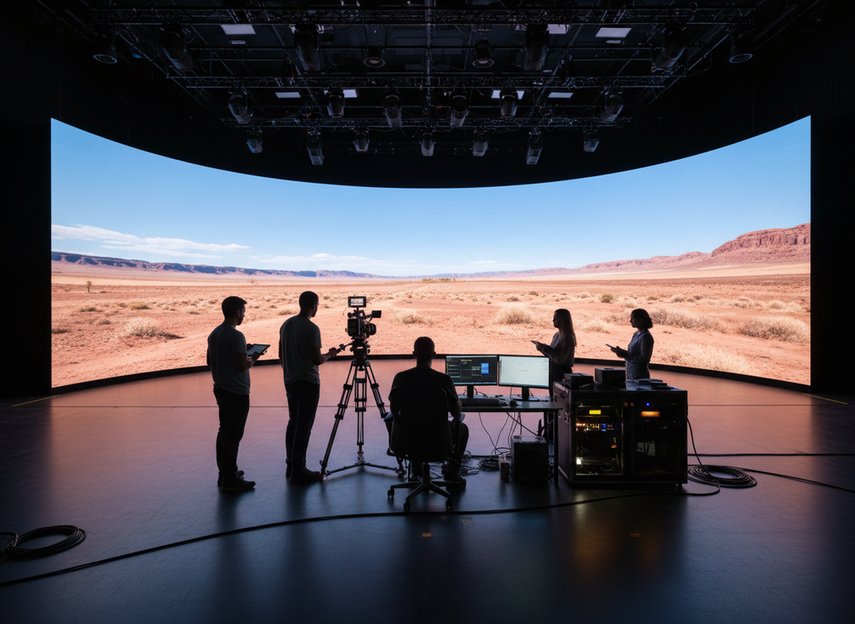
P2.6 vs P2.97 — When Fine Pitch Makes Sense
The jump from P2.97 to P2.6 is smaller than many rental companies expect, but it carries a meaningful cost premium. When does it pay off?
Choose P2.6 when:
- You’re supplying a broadcast TV studio or a live streaming setup where cameras will be within 2–3 m of the screen
- The event brief specifies “broadcast-grade” quality or 4K content display
- The seating extends from 2 m to 6 m (P2.97 starts to struggle below 3 m)
- Moiré-free on-camera appearance is a hard requirement
Choose P2.97 when:
- Viewing distances are reliably 3 m and beyond
- The event is corporate: product launch, conference keynote, awards ceremony
- Budget pressure is real and the image quality difference won’t be visible to a live audience beyond 3 m
- You want a fine-pitch option that’s easier to stock and service
For most general rental inventory, P2.97 is the workhorse. P2.6 earns its place for high-value broadcast and studio clients.
P3.91 vs P4.81 — The Stage Rental Workhorses
P3.91 and P4.81 are the backbone of the global stage rental market. They’re cost-effective, durable, and designed for fast deployment at scale.
P3.91 — the all-rounder: P3.91 hits the sweet spot for most indoor festivals, concert stages, and corporate gala events. At a minimum viewing distance of around 3.9 m, it covers the majority of live-event seating arrangements. It’s bright enough (up to 3,500 nits) to hold its own under moderate stage lighting and punchy enough for LED video walls that double as content displays.
Typical P3.91 deployment: a 12 m × 4 m upstage LED wall at a 1,500-capacity venue. Audience is seated from 5 m to 40 m — P3.91 delivers clean, sharp imagery across that entire range.
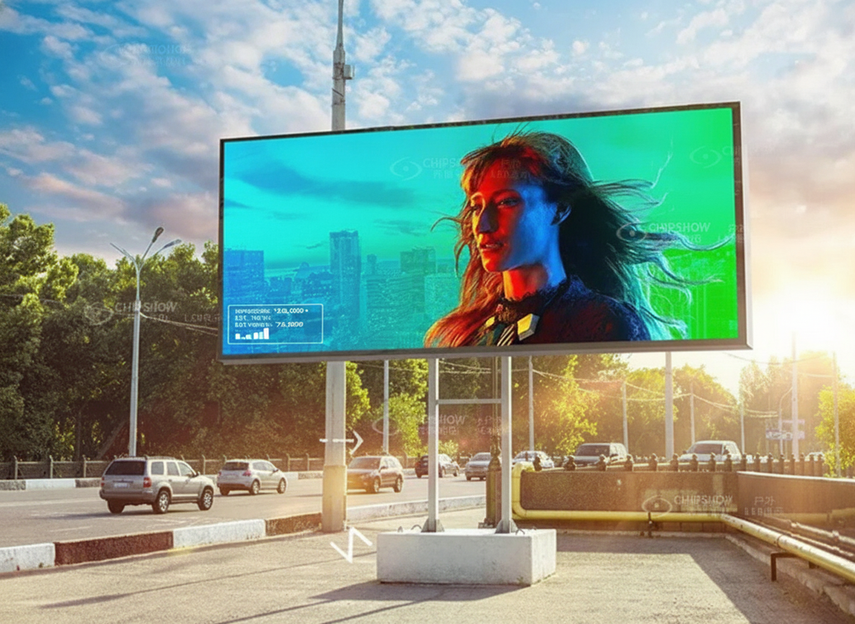
P4.81 — the outdoor and large-format choice: When you’re building an 80 m² LED wall for an outdoor festival stage with audiences from 8 m to 100+ m, P4.81 cuts costs without sacrificing visible quality. The 4,500-nit peak brightness handles daylight and stage wash without dimming. Fewer pixels per m² also means less heat load — relevant for all-day outdoor festival builds.
One caveat: if there’s any chance of the screen being used close-up (IMAG confidence monitors, backstage relays for artists), keep a few P2.97 or P3.91 panels in the inventory as supplements.
Weight Is the Hidden Cost — Why Carbon Fiber Changes the Math
A standard aluminum rental cabinet weighs 15–18 kg/m². That doesn’t sound dramatic until you’re rigging a 60 m² upstage LED wall:
| Cabinet Type | Weight/m² | Total (60 m²) | Rigging Crew Hours (est.) |
| Standard aluminum | 17 kg | 1,020 kg | 6–8 hours |
| C-Carbon carbon fiber | 12.5 kg | 750 kg | 3–5 hours |
| Difference | –4.5 kg | –270 kg | –2–3 hours |
270 kg less payload means:
- Faster rig and de-rig
- Lower load per truss section, reducing structural engineering requirements for rigged venues
For rental companies doing 80–120 shows per year, that compounds. The premium for carbon-fiber cabinets typically pays back within 12–18 months of active rental use.
Chipshow’s C-Carbon cabinets use aerospace-grade carbon-fiber composite construction to achieve 12.5 kg/m² across the P2.6, P2.97, P3.91, and P4.81 lineup — all at the same 500×500 mm standard cabinet size.
How to Choose the Right Rental LED Screen for Your Application
Use this decision tree before your next quote:
Step 1: Establish minimum viewing distance What’s the closest seat or camera position to the screen? That distance (in meters) divided by 1,000 gives your maximum acceptable pixel pitch (in mm). Round down to the next available spec.
Step 2: Check ambient light
- Controlled indoor (dim): P2.6 or P2.97 at 1,200–1,800 nits is sufficient
- Mixed indoor (stage wash): P3.91 at 2,000–3,500 nits
- Outdoor daytime / festival: P4.81 at 3,500–4,500 nits minimum
Step 3: Confirm refresh rate requirement Is this broadcast or live-streamed? If yes, specify ≥3,840 Hz across all panels. If it’s a live audience only (no cameras), 1,920 Hz is acceptable.
Step 4: Calculate weight allowance Total rigging capacity ÷ screen area = kg/m² budget. Verify against your cabinet spec before committing.
Step 5: Cabinet size and arc compatibility
- Standard venue with flat wall: 500×500 mm or 500×1,000 mm both work
- Curved stage design: confirm ±15° arc adjustment on the cabinet you’re quoting
Step 6: Get the technical data sheet before committing A spec sheet with verified brightness, refresh rate, weight, and cabinet dimensions should be a non-negotiable part of any rental LED screen quote. Ask for it. If a supplier hesitates, that’s a red flag.
Frequently Asked Questions
Q1: What pixel pitch do I need for a corporate conference with a 600-person audience?
For a 600-seat conference where the front row is typically 4–6 m away, P2.97 or P3.91 covers all seating positions cleanly. P2.6 is overkill unless there’s a live broadcast component.
Q2: What’s a safe maximum viewing distance for P3.91?
Industry rule of thumb is approximately 10× the pixel pitch in meters for comfortable general viewing, which gives roughly 39 m for P3.91. In practice, it reads well at distances up to 50 m in a well-lit stage environment.
Q3: How does refresh rate affect camera recording?
Cameras operating at 1/50 or 1/100 sec shutter speed can create visible scan-line banding when recording a screen running at less than 1,920 Hz. At ≥3,840 Hz, banding disappears completely on both photo and video. Always specify high refresh rate for any broadcast or content-capture application.
Q4: Can I mix P3.91 and P4.81 panels in the same LED wall?
Not recommended. Different pixel pitches produce different dot density and perceived brightness, creating a visible seam at the join. Stick to a single pitch per continuous LED surface.
Q5: What’s the typical lead time for a rental LED screen order?
For standard P3.91 and P4.81 cabinets from Chipshow’s factory, lead time is typically 15–25 business days from deposit. Stocked items at the Houston (USA) or Netherlands warehouse ship within 48 hours.
Q6: Is a carbon-fiber cabinet worth the price premium for occasional-use rental inventory?
For inventory used fewer than 20 shows per year, the ROI timeline extends beyond 3 years — the premium may not justify itself. For active rental fleets doing 50+ shows annually, the crew time savings and reduced rigging hardware costs typically offset the premium within 12–18 months.
Conclusion
Rental LED screen comparison comes down to five numbers: pixel pitch, viewing distance, brightness, refresh rate, and weight. Get those five right and most of the other variables fall into place.
The P2.97 and P3.91 configurations handle the majority of global event and rental use cases. P2.6 earns its place in broadcast and studio environments. P4.81 scales to large outdoor footprints without blowing the rigging budget.
If you’re building or expanding a rental inventory and want to compare exact configurations against your upcoming event brief, contact Chipshow’s specialists for a side-by-side quote with verified specs and current lead times.





