





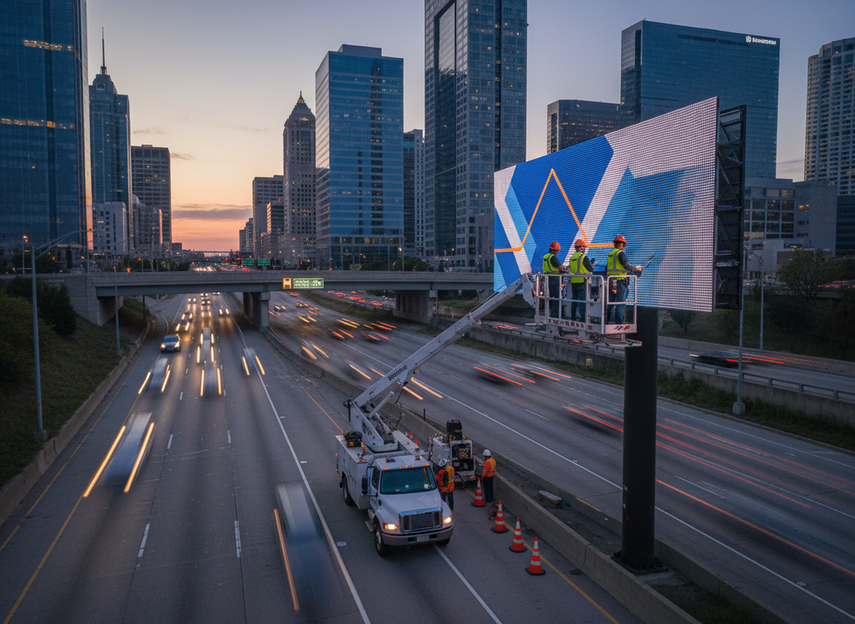
Protecting DOOH revenue with front-service LED uptime and spare planning starts with a simple fact: when a paid screen goes dark, delivery stops and advertiser confidence can slip with it. In DOOH maintenance, availability is part of the product, not just a repair issue, so even short outages can create make-good pressure and operational drag IAB guidance on DOOH delivery continuity OAAA’s digital OOH primer.
Why Uptime Protects Ad Revenue
DOOH revenue depends on screens being available when campaigns are scheduled to run. That makes downtime more than a technical inconvenience. It can interrupt ad delivery, complicate campaign reporting, and trigger remediation work that pulls in sales, operations, and field teams. In a market where digital OOH keeps growing, the risk is commercial, not abstract OAAA revenue context invidis market context.
A practical way to think about DOOH maintenance is to separate three costs:
- Lost delivery, when paid inventory does not play.
- Longer outage time, when a repair waits on access, labor, or parts.
- Commercial follow-on costs, such as make-goods or strained advertiser trust.
| Risk area | What can happen | Why it affects revenue |
|---|---|---|
| Screen downtime | Ads do not display as sold | Immediate delivery loss |
| Slow repair | Outage lasts longer than planned | More missed inventory |
| Part shortages | Repair waits for components | Extended commercial exposure |
| Repeated failures | Same issue returns | Lower client confidence |
The key decision is to treat uptime as a revenue-control lever. If a display is part of a premium route, a flagship roadside site, or a network sold on dependable delivery, dark time matters quickly. If the screen is less critical, the same outage may still matter, but the recovery pressure is lower.
How Front-Service Access Shortens Downtime
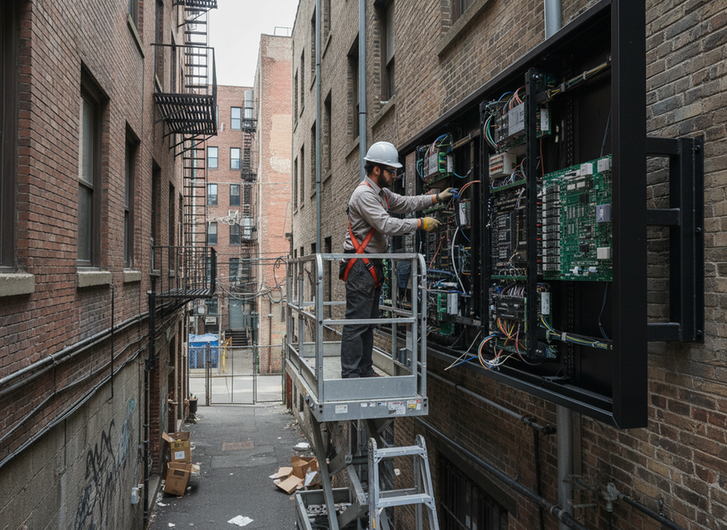
For constrained installs, front-service access can reduce service friction because technicians can reach key components from the viewing side rather than from behind the structure. That matters when rear clearance is limited or when the cabinet sits on a wall, gantry, or roadside structure with little working room front-service access removes rear maintenance corridors high-rise and roadside service friction.
Front-service is best understood as a fit question, not a universal upgrade. It is often the better choice when the site has no rear access path, back-of-wall clearance is tight, or the display sits where service windows are short. Rear-access can still be the right answer when there is already enough space behind the cabinet and the maintenance plan is built around it.
| Maintenance approach | Typical access pattern | Potential benefit | Tradeoff |
|---|---|---|---|
| Front-service | Service from the viewing side | Better fit for tight installs | Requires the right cabinet design |
| Rear-access | Service from behind the display | Familiar for open sites | Needs clear rear working space |
What changes the buying decision is not the label, but the install geometry. If technicians would otherwise need scaffolding, lifts, or extra site access just to reach the back of the display, front-service can be a better operational fit. If the site is open and service space is already planned, rear-access may be perfectly workable.
For roadside and high-rise work, that distinction matters. A screen can be easy to view and still awkward to service. When access is constrained, the safer question is: where does the technician actually stand, open, and replace parts?
Spare Parts Planning That Prevents Long Outages
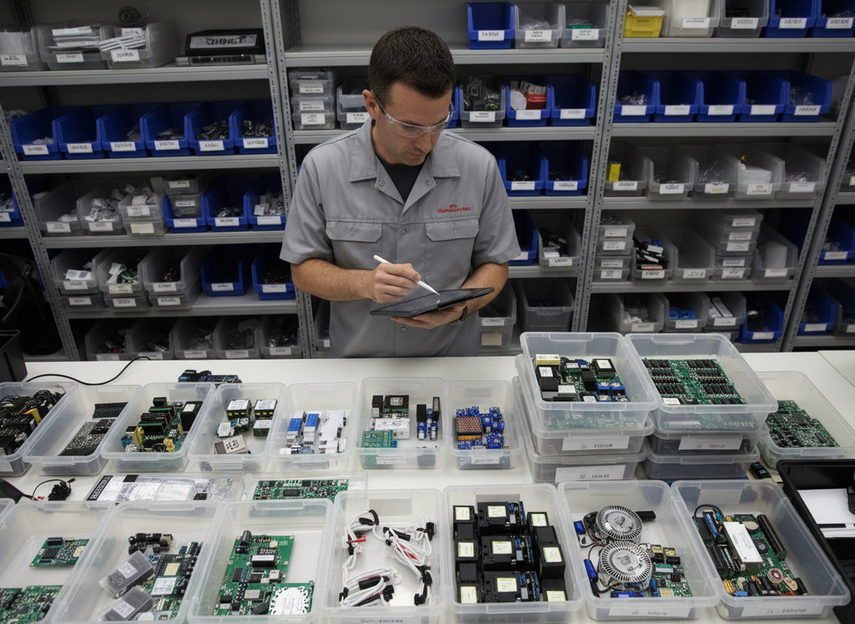
Spare planning is what keeps a small failure from turning into a long outage. Even good access does not help if the replacement part is not on hand. In most DOOH networks, the first parts to review are the ones that most directly affect return-to-service time, such as modules, power-related components, and control electronics. The exact list depends on the display architecture, but the logic is the same: the higher the recovery risk, the stronger the spare plan should be.
A workable spare strategy usually has three layers:
- Critical spares on site for fast restoration.
- Shared regional spares for less urgent replacements.
- Vendor replenishment for slower-moving inventory.
That is especially useful when sites differ in value and access. A high-traffic roadside display may justify deeper on-site coverage than a lower-priority location. A remote site with longer dispatch time may also need more ready inventory than a dense urban site with quick service response.
| Spare planning level | Best fit | Conservative goal |
|---|---|---|
| On-site critical spares | Premium or hard-to-reach sites | Restore fast without waiting for shipping |
| Regional spares pool | Multi-site networks | Share inventory across nearby locations |
| Vendor replenishment | Stable sites with strong SLAs | Keep stocking efficient while maintaining coverage |
The part list is only half the job. Teams also need reorder rules, labeling, storage discipline, and an owner for inventory checks. If nobody is responsible for tracking what was used and what should be reordered, the spare kit becomes a shelf of insurance that does not actually protect uptime.
SLA Expectations for Revenue Protection
An SLA is useful only if it reflects the revenue risk of the display. For DOOH operators, that usually means comparing response time, restore time, escalation path, and parts availability, not just a broad uptime promise. Public guidance on service agreements commonly centers on measurable commitments, which is the right direction for revenue-facing screens as well AWS service level agreement basics Treasury cloud report.
A good SLA conversation can be organized like this:
| SLA element | Why it matters to revenue | What to ask | Red flag |
|---|---|---|---|
| Response time | Determines how quickly the issue is acknowledged | How soon is the outage logged and assigned? | No clear initial response window |
| Restore time | Limits how long inventory stays dark | What is the target to bring the screen back? | Vague recovery language |
| Parts availability | Shortens repair delays | Are critical parts stocked locally or regionally? | Parts must be sourced from scratch |
| Escalation path | Prevents stalled incidents | Who is next if the first contact cannot resolve it? | No named escalation owner |
| Coverage scope | Clarifies what the provider actually covers | Does the SLA apply to the full network or only select sites? | Narrow language that excludes key locations |
A larger uptime number is not automatically better if the service process cannot support it. The practical question is whether the agreement can be executed during a real outage. Weather, shipping, access windows, and site constraints all affect how quickly a repair can happen, so the strongest SLAs are clear without pretending every incident is identical.
A Practical Uptime Planning Checklist
Use this checklist to turn DOOH maintenance into a revenue-protection plan before launch, renewal, or a major site upgrade.
| Planning step | What to confirm | Why it matters |
|---|---|---|
| Site access | Can technicians reach the display without major disassembly? | Shorter service time |
| Service method | Does front-service or rear-access fit the location? | Avoids access delays |
| Critical spares | Are the highest-risk parts stocked? | Prevents waiting on shipping |
| Reorder rules | Is there a minimum stock threshold? | Reduces stockouts |
| Escalation path | Who is called first, second, and third? | Speeds response |
| SLA metrics | Are uptime, response, and restore targets defined? | Clarifies accountability |
| Reporting | Are outages tracked by site and root cause? | Supports preventive action |
| Review cycle | Are failures reviewed quarterly? | Improves planning over time |
A simple operating rhythm helps too: review outage logs monthly, reconcile spare usage after each incident, re-check access after site changes, and update SLA assumptions when the failure pattern changes. For roadside installs, it is also smart to keep site safety and access rules in view, because maintenance planning is not separate from operating conditions U.S. DOT roadside research.
If you are comparing network options, outdoor DOOH solutions can help you narrow the right category, while highway VMS and gantry signs are worth checking when access is tight and downtime matters.
FAQs
How Does Front-Service Access Affect DOOH Uptime?
Front-service access can reduce service friction by letting technicians work from the viewing side, which may shorten repair time in constrained installs. The payoff is strongest when rear clearance is limited, access windows are short, or the site would otherwise need extra equipment just to reach the back of the cabinet.
What Spare Parts Strategy Protects Digital Billboard Revenue?
The most practical strategy is to stock the parts that would most likely keep the screen dark if they failed, then tier the rest by site value and response time. In other words, critical sites usually need deeper on-site spares, while less urgent locations can rely more on regional inventory and replenishment.
Why Should a DOOH SLA Cover Response and Escalation?
Because a screen outage is a timing problem as much as a hardware problem. Response and escalation terms show who owns the incident, how quickly it is acknowledged, and how far it can be pushed if the first contact cannot solve it. That gives operators a clearer path to recovery.
Can a Smaller Spare Kit Still Support Network Uptime?
Yes, if it covers the failure points that matter most and is paired with clear dispatch rules. A smaller kit works best when the network is close to service support, the lead time is short, and the same parts can be moved between sites without creating new gaps elsewhere.
What Should Buyers Check Before a High-Rise or Roadside Install?
Check the service method, the available access path, the parts that would be hardest to replace, and the SLA terms tied to recovery. For these sites, the difference between a workable plan and a weak one is often whether the team can reach, repair, and document the outage without delaying traffic or building operations.





