





Operator viewing angle LED display specs matter because 24/7 command center buyers are not just buying a screen, they are buying readability across long shifts, multiple seats, and changing room light. The right spec language helps reduce guesswork in vendor proposals and gives facility teams a fair way to compare options. In LED wall ergonomics, small wording changes can affect how vendors answer the RFP.
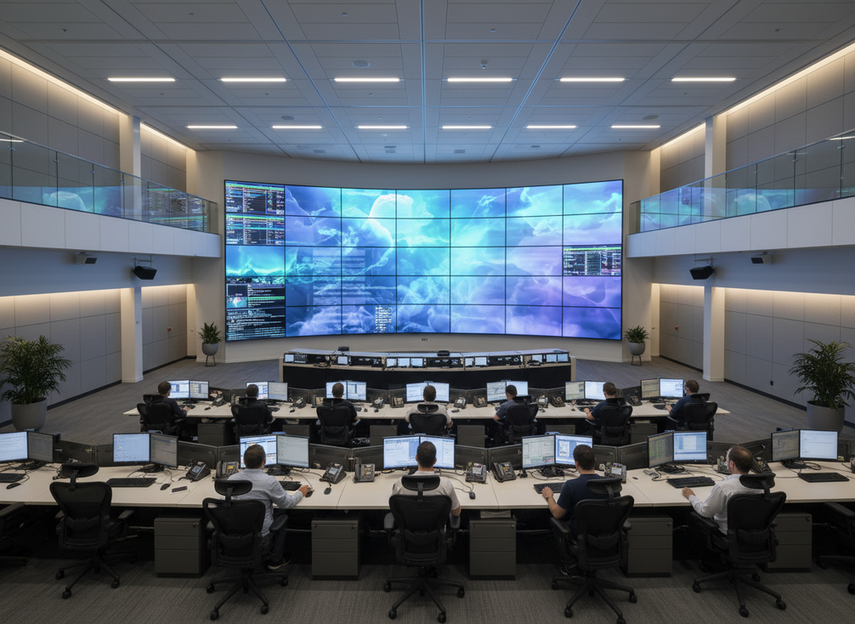
Why Viewing Angle and Glare Matter
In a command center, the display has to stay readable when operators shift posture, glance across a shared wall, or work under changing ambient light. That is why ergonomics belongs in procurement, not just in interior design. The UK Health and Safety Executive’s control room guidance frames control centers as human-factors environments where layout and viewing conditions affect performance.
For facility managers, the practical goal is not a perfect image from every seat. It is to define enough visibility and glare control that vendors can answer the same question the same way. That makes operator viewing angle LED display specs useful in an RFP instead of leaving the decision to marketing language.
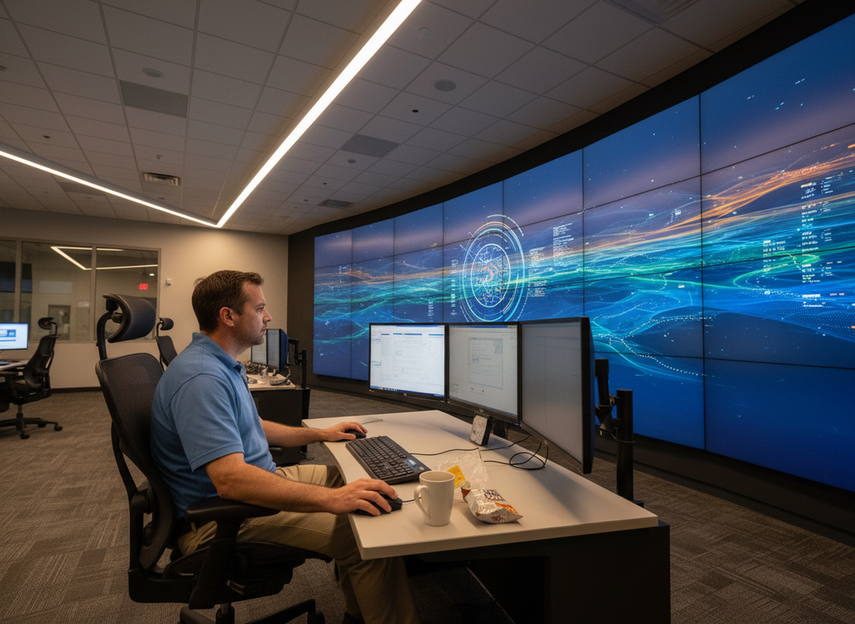
If the room already has fixed desks or mixed seating, the specification should focus on the closest operator positions and the worst off-axis seat. If the room is still in design, you have more freedom to align the wall, consoles, and light sources before the proposal gets locked in.
What to Specify for Viewing Angles
For control-room viewing geometry, the cleanest anchor is ISO 11064-4, which covers workstation layout and dimensions in control centers, including viewing geometry and line-of-sight planning. Control-center viewing geometry and workstation layout is the right basis for asking vendors to explain how the wall performs from real operator positions, not just from a centered demo spot.
A useful RFP asks for three things: the primary operator position, the farthest normal viewer, and the acceptable off-axis condition for shared seats. That gives you a way to compare proposals without pretending there is one universal best angle. In practice, a shared-display readability across a 60-degree horizontal cone is a reasonable planning guideline for multi-seat command rooms, but it should stay a guideline, not a hard universal rule.
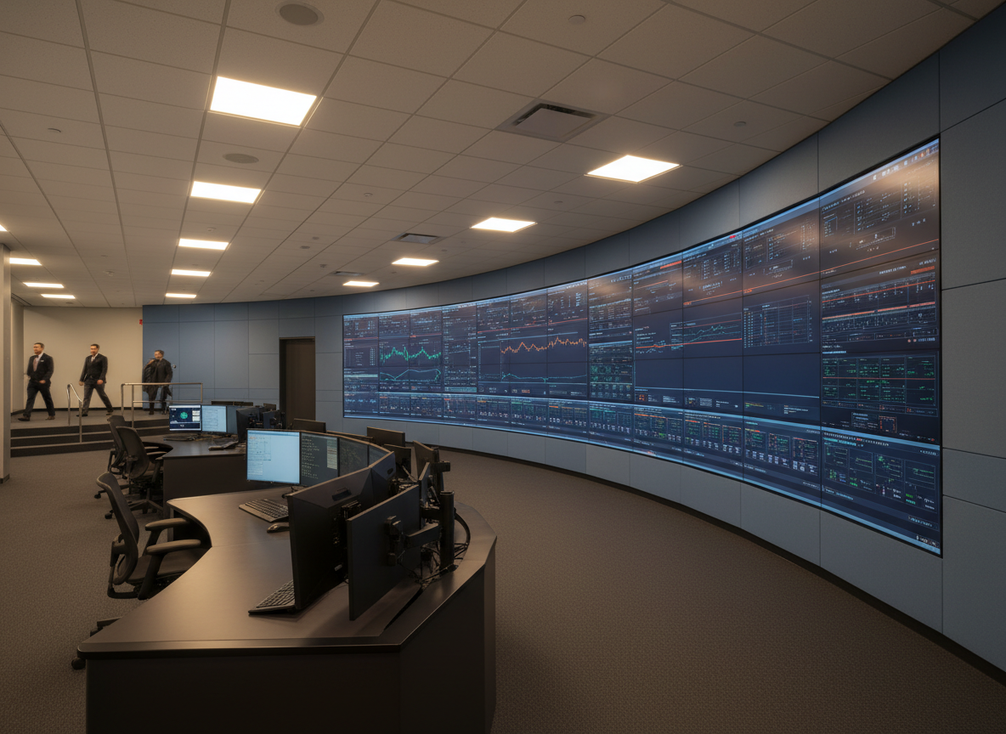
Vertical viewing matters just as much. AVIXA’s display sizing guidance says the top of the image should stay within a 30-degree vertical viewing limit for the closest operator positions. For buyers, that means the wall height and the top edge of the image should not force repeated upward head tilt. The vertical viewing limit for closest operator positions is one of the few numbers that can be written into an RFP with confidence.
Pixel pitch also belongs in the same section because readability changes with distance. AVIXA’s display-size guidance ties image size to the viewer’s position, and the pixel pitch matched to the closest viewing distance logic helps buyers avoid comparing two walls on resolution alone. In plain terms, if your closest normal viewer is too near, a fine-pitch wall may be necessary even when the farthest seat looks fine on paper.
A practical RFP sentence could say: specify readability from the closest operator seat, confirm the farthest normal viewer distance, and state any off-axis limitations that change legibility, color, or character clarity. That language is better than asking for a "good viewing angle," because vendors can answer it with the same test conditions.
How to Reduce Glare and Reflections
Glare is a room-and-display problem, not just a panel feature. ISO 11064-6 covers the lighting environment for control centers and points buyers toward managing brightness balance, reflection planes, and adjustable lighting. The relevant glare control through room lighting and reflection planes is to reduce reflected light where operators actually sit and look, not to promise zero glare.
Start with the room. Check overhead fixtures, windows, polished table surfaces, glossy wall finishes, and any angled glass or bright trim near the wall. If one of those elements sits in the reflection plane, the display may look worse even if the panel itself is high quality. Site walks and mockups help because glare usually shows up at real operating angles, not in a showroom.
Then specify what the display can do. Ask for brightness adjustment, content behavior in low and high ambient light, and any known limitations with reflective surfaces or angled sightlines. If a vendor claims improved comfort, ask them to show the room condition that claim depends on. That keeps glare reduction measurable without slipping into a zero-glare promise.
A good rule of thumb is to treat glare as a coordination task. If the lighting plan, wall finish, and display placement are not aligned, a better panel alone will not solve the problem. That is why command center LED wall ergonomics guidelines should separate environmental controls from display claims.
Mounting Height and Layout Targets
Mounting height should be written as a sightline problem, not a furniture preference. The layout inputs that matter most are seated eye level, screen centerline, and the distance between the operator and the wall. The AVIXA display-size guidance gives buyers a usable vertical viewing limit for closest operator positions, which is more defensible than a fixed wall height by itself.
| Layout factor | What to specify | Why it matters |
|---|---|---|
| Screen centerline | State where the image center should sit relative to seated eye level | Keeps the wall readable without forcing constant neck tilt |
| Primary viewing distance | Identify the closest normal operator distance and the farthest normal viewer | Links the wall layout to real use, not a guess |
| Top edge of image | Keep the top of the active image within the vertical viewing limit for the closest seat | Prevents excessive upward head movement |
| Bottom edge of image | Check that the lower image area does not collide with desks or consoles | Preserves usable sightlines and equipment clearance |
| Desk and console geometry | Show how the wall aligns with work surface height and chair position | Prevents the wall from sitting too high or too low for the room |
Many project teams start with a bottom-of-wall heuristic near seated eye level, but that is only a starting point, not a rule. In retrofit rooms, the wall may need to sit higher or lower because of existing consoles, sightline obstructions, or mounting constraints. In new builds, you have more flexibility to align the wall with operator posture before construction starts.
What matters for procurement is that the vendor can explain the layout in drawing form. Ask for centerline dimensions, operator eye-height assumptions, and the exact position used for the closest-seat check. If those details are missing, the proposal is not really comparable.
Write an RFP That Vendors Can Compare
- Define the use case first. State whether the room is a new build, retrofit, or phased upgrade, and note how many operator positions must see the wall at once.
- Request the evidence. Ask vendors to show viewing-angle limits, demo conditions, and any off-axis readability constraints tied to content type or viewing distance.
- Require the layout drawing. The proposal should show screen centerline, seat position, and the assumptions behind the closest operator and farthest viewer checks.
- Separate glare control from display claims. Ask what the room must provide, what the wall must provide, and what conditions the vendor used during testing or demo.
- Compare support terms. Installation drawings, calibration, and post-install support should be listed clearly so you can compare bids on more than hardware.
- Match pixel pitch to distance. If the closest normal viewer is tight to the wall, ask vendors to explain why their pixel pitch still supports legibility at that distance.
If you want a next-step comparison path, browse our mission-critical command center systems or check the C-Pad mission-critical video walls lineup when you are mapping RFP language to a room layout. For buyers comparing indoor commercial options, our commercial indoor LED options are a separate browsing path, but the same sightline discipline still applies. For LED wall ergonomics, these links are only a navigation path, not proof.
Final Takeaway
For 24/7 command center operators, operator viewing angle LED display specs should be written around real seats, real distances, and real room light. Use ISO 11064-4 for viewing geometry, ISO 11064-6 for glare control, and AVIXA guidance for vertical sightline checks. Then turn those ideas into vendor questions that expose limits, assumptions, and layout drawings. If you are comparing proposals now, start with the closest operator position, the farthest normal viewer, and the room’s reflection risks. LED wall ergonomics is easiest to manage when the RFP stays tied to the room you actually have.
FAQs
How Do I Write Viewing-Angle Requirements for a Command Center RFP?
Describe the primary operator position, the farthest normal viewer, and the acceptable off-axis condition for shared seats. That gives vendors a common test frame and keeps the RFP focused on readable conditions instead of vague comfort language.
What Causes the Most Glare in 24/7 Control Rooms?
The most common sources are overhead lighting, window light, reflective table surfaces, glossy nearby finishes, and wall placement that puts the display in a reflection plane. The display matters, but the room layout often drives the worst glare complaints.
Can Mounting Height Affect Operator Fatigue?
Yes, if the wall height forces repeated upward head movement or makes operators read at an awkward angle. The safer way to write this is to tie mounting height to seated eye level and the vertical viewing limit, rather than claiming a universal fatigue threshold.
What Should Vendors Include in a Viewability Demo?
Ask for the same room-light condition, the same seat positions, and the same content type you expect in daily use. The best demo is one that shows both centered viewing and the worst off-axis seat, because that is where comfort and readability usually diverge.
Why Should Glare Control Be Written Into the RFP?
Because glare is easier to compare when the room factors and display factors are stated up front. If the RFP names lighting, surface finishes, and expected sightlines, vendors can respond with specific mitigation steps instead of broad assurances.





