





LED wall spare parts planning is really about reducing repair delay and keeping operator visibility intact when a 24/7 command center wall fails. The right stock plan usually starts with modules, then power supplies, then controller-related parts, but the final depth should track your response window, access to replacements, and compatibility checks rather than a fixed rule.
Why 24/7 Walls Need Spare Planning
In a command center, a failed display part is not just a visual glitch. It can interrupt operator awareness, slow response decisions, and create pressure on the rest of the room. That is why LED wall spare parts planning should be tied to mean time to repair, or MTTR, which is the average time needed to restore a failed item to service. MaintainX’s MTTR definition frames it as a downtime metric, not just a maintenance metric.
LED walls also lend themselves to module-level service instead of full-wall replacement. AVIXA notes that modular serviceability lets teams replace individual panels or modules, which lowers the disruption from a failure and makes spare planning more focused. AVIXA’s modular serviceability guidance is a good reminder that the goal is faster recovery, not blanket overstocking.
For most operators, the practical takeaway is simple: stock the parts that can stop the wall from doing its job, and make sure the spare is actually ready to deploy. This guide stays narrow on modules, power supplies, and controllers because those are the categories that usually matter first in an always-on room.
Which Parts Should Be Stocked First
Start with modules. A visible module failure affects the operator view immediately, so this is usually the first place to build spare coverage. If your wall uses front-service access, module swaps are often the quickest repair path, which makes a spare module the most direct way to shorten downtime. The exact module type matters, though, so the spare only helps if it matches the installed wall.

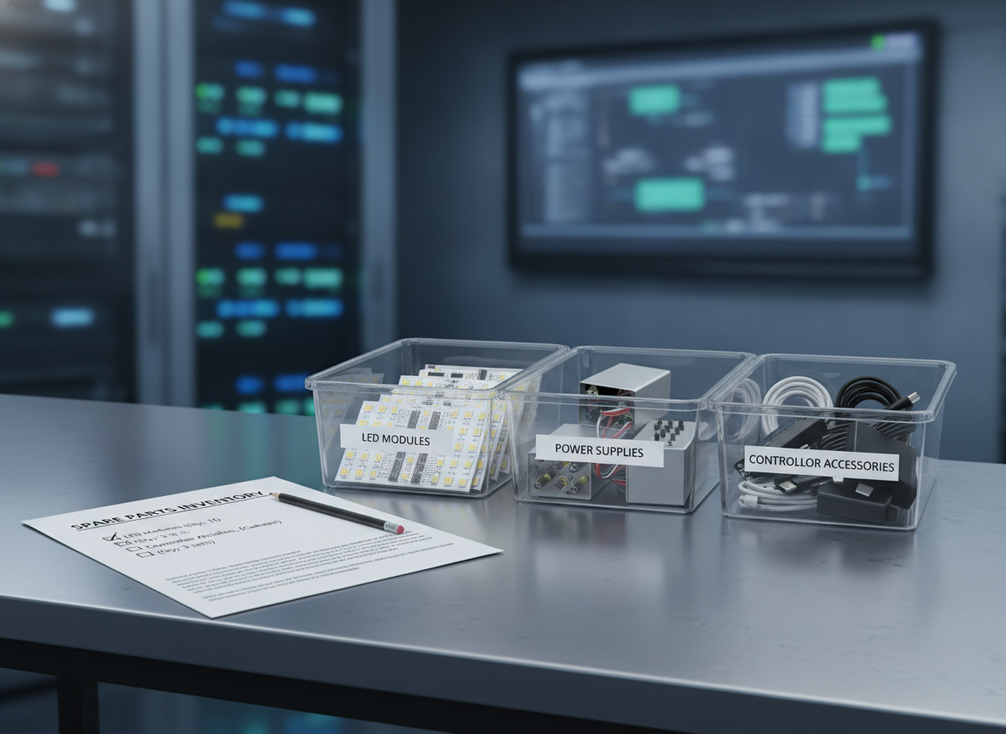
Power supplies come next. A failed supply can darken part of the wall or remove redundancy from a cabinet, so it can turn a localized issue into a broader service problem. If your wall architecture uses multiple supplies per cabinet, the spare stock should reflect that layout rather than a generic parts list. Labeling and storage matter here because a power supply that takes too long to identify or fetch is not really helping MTTR.
Controller spares are different. They do not fail as visibly as a bad module, but a controller problem can disrupt the content flow or stall the display chain for a larger section of the wall. Keep this category in the plan, but describe it broadly and verify the exact control hardware, firmware, interface, and configuration before treating a spare as ready. For procurement teams comparing mission-critical options, our command center solutions page is a useful starting point, and the C-Pad mission-critical platform is the narrower browse path.
A practical priority rule is this: if a failure would immediately block operator visibility, stock that part first. If it would slow recovery but not stop the room, move it to the second tier. If it depends heavily on configuration or vendor support, keep the replacement path documented before you expand stock depth.

How to Size Redundancy Without Overbuying
The right spare depth depends on the recovery model, not on a universal number. A wall that has fast vendor response, local access to parts, and a strong maintenance contract usually needs less on-site stock than a wall that depends on long lead times or delayed dispatch. That is the core trade-off: every extra spare lowers exposure to downtime, but it also ties up budget and shelf space.
| Planning factor | What to check | Effect on spare depth | Practical action |
|---|---|---|---|
| Wall criticality | How disruptive would a visible failure be to operators? | Higher criticality usually justifies deeper stock | Keep deeper coverage for the parts that can interrupt the main display path |
| Cabinet and module count | How many replaceable units are installed, and how easy are they to swap? | More replaceable units can raise the chance of needing a fast on-site fix | Align spares to the most failure-sensitive sections first |
| Maintenance response window | How quickly can your team or vendor restore the wall? | Faster response can reduce on-site stock needs | Keep less inventory when recovery is already short and predictable |
| Local access to parts | Are replacement parts already nearby and verified? | Easier access lowers the need for deep stock | Use replenishment speed to decide what stays on the shelf |
This is where many teams overbuy. A deeper shelf does not automatically mean faster recovery if the spare is unlabeled, unverified, or stored badly. If your service window is short and parts can be delivered quickly, a leaner inventory may be enough. If response time is uncertain, the on-site stock should cover the parts most likely to affect uptime first.
For readers who want a broader mission-critical reference point, Chipshow’s command center solutions page can help frame the product category, while this C-Max commercial indoor display path is a browse option when you are comparing broader indoor display families.
When Deeper On-Site Spares Make More Sense
Use this decision chart to compare deeper on-site inventory with a lighter replenishment model in a 24/7 command center.
Show decision table
| Factor | Deeper on-site spares | Lean on service replenishment |
|---|---|---|
| Repair-time risk | strong fit | less suitable |
| Operational impact | strong fit | less suitable |
| Service speed | mixed | mixed |
| Compatibility certainty | strong fit | less suitable |
What to Verify Before You Buy
- Confirm the exact part number, cabinet revision, and wall configuration before you order a spare. A part that looks close on paper can still be the wrong fit in the field.
- Check whether your maintenance contract already covers some replacements or on-site support. If it does, that coverage should change how much inventory you keep locally.
- Verify storage, labeling, and handling requirements so the spare stays usable. AVIXA’s guidance on video wall storage and maintenance conditions is useful here because dust and heat can undermine readiness.
- Confirm any firmware, interface, or calibration dependencies before you count a controller or control module as ready stock.
- Keep a module-location diagram and system documentation with the spares. AVIXA’s advice on module location mapping is a practical reminder that a spare is only useful if the team can match it to the right place fast.
The rule of thumb is blunt but useful: do not count a spare as readiness until the team can identify it, match it, and install it without guesswork. If that sounds obvious, it is still where many well-funded inventory plans break down.
Build the Maintenance Checklist
- Review the wall’s highest-risk failure path first, then confirm which spare category protects it best.
- Check stock counts for modules, power supplies, and controller-related parts, but only count items that are correctly labeled and verified.
- Inspect storage condition, packaging, and location mapping before the next service window.
- Confirm who owns the spare list across maintenance, facilities, and procurement.
- Set a refresh cadence tied to contract changes, budget cycles, or a major wall revision.
In practice, the best command center LED wall inventory checklist is the one your team can use during a shift handoff without hunting for part names or cabinet notes. Chipshow’s C-Pad category is a relevant navigation path if you are aligning the parts plan with a mission-critical wall family, and the C-Max product family can help when you are checking broader indoor display compatibility.
FAQs
How Many Spare Modules Should a 24/7 Command Center Keep on Hand?
The right number depends on wall size, repair access, and how quickly replacements can arrive. A deeper pool makes more sense when outage tolerance is low and service windows are tight. If the wall is covered by fast local support, a leaner stock plan may be enough.
What Is the Best Spare Part to Stock First for an LED Wall?
Modules usually come first because they affect visible output immediately and are often the quickest way to restore the wall. That said, the best first stock item still depends on your failure pattern, cabinet design, and whether your team can swap the part in-house.
Should Power Supply Spares Be Kept at the Same Level as Module Spares?
Not usually. Power-supply depth should reflect the wall’s power architecture and how many cabinets rely on the same supply path. In some rooms, one or two verified spares can be enough; in others, broader coverage makes sense if the replacement path is slow.
How Do Maintenance Contracts Affect Spare Parts Planning?
Contract response time, included parts coverage, and on-site support can all reduce the need for deep local stock. If a contract already shortens recovery time, your on-hand inventory can stay tighter. If response is uncertain, local spares become more important.
Can Generic LED Wall Parts Be Used as Emergency Backups?
Only if compatibility has been verified by part number, revision, firmware, interface, and cabinet design. A generic-looking spare can still fail the fit test in a live environment. Treat unlabeled or unverified stock as a risk, not as real readiness.
Final Takeaway
LED wall spare parts planning works best when it is tied to recovery speed, not just shelf count. For most 24/7 command centers, that means prioritizing modules first, then power supplies, then controller-related parts, while keeping compatibility, labeling, and storage condition in view. If you are updating a maintenance contract or shift-handoff checklist, use those same checks to decide what stays on site and what can wait for replenishment.





