





LED wall redundancy is a risk-reduction design, not a promise of zero downtime. For mission-critical buyers, it means adding alternate power or signal paths so one fault is less likely to take the whole wall offline. The key question is not whether redundancy sounds good, but which failure path it protects and what problems still sit outside the protected path.
What LED Wall Redundancy Actually Protects
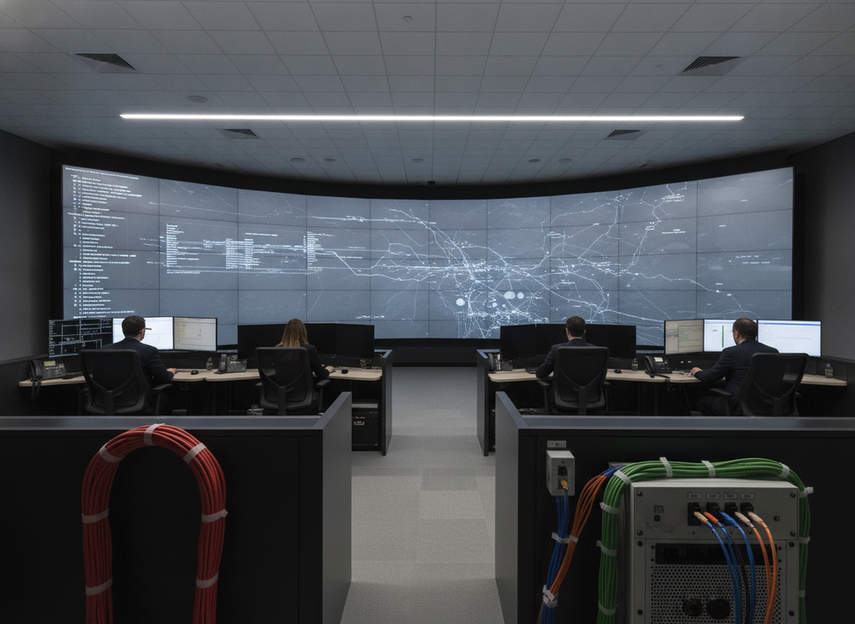
In command-center AV planning, resilient display paths matter because operators are not buying a nice-to-have screen; they are buying a system that has to keep working when something breaks. In practice, LED wall redundancy usually means dual power, dual signal, or both. Those layers reduce exposure to some single-point failures, but they do not make the wall immune to every outage.
That distinction matters. If a power-supply side fault occurs, dual power may keep the wall alive. If a data-path fault occurs, dual signal may keep content flowing. If the issue is outside the wall, like building power or a bad operational handoff, redundancy inside the display may not help. For readers comparing options, the right filter is simple: if interruption is costly, redundancy deserves attention; if the wall can tolerate a short restart or a service window, a simpler build may be enough.
How Dual Power and Dual Signal Work
Dual power and dual signal solve different problems, even though buyers often lump them together. Dual power is about keeping electrical delivery alive when one source fails. Dual signal is about keeping video content moving when one path fails. The processor sits between those layers and can determine how cleanly the system hands off during a fault.
Dual Power Path Basics
A redundant LED power path is often built as a 1+1-style setup, which means one extra path or supply is available if the primary side drops out. The plain-English version is that the wall does not depend on a single power source to stay energized. That is useful in 24/7 rooms where a brief black screen can create real operational friction.
What it does not do is remove the need for service access, load planning, or a maintenance strategy. If the underlying electrical design is poor, or if the fault happens upstream of the protected components, dual power is only part of the answer.
Dual Signal Path Basics
Signal redundancy is usually easier to picture. One common method is looping data cables back to the processor so the system can recover from the opposite direction if one cable fails. That loopback wiring approach gives the wall another route for content delivery, which helps when a cable or data path is the weak link.
The practical benefit is narrower than many buyers assume. Dual signal helps most when the loss is in the transport path. It does not automatically fix every source problem, and it does not replace clean cabling, a sane input plan, or someone who has actually tested the switchover behavior.
Where the Processor Fits
The processor is not just a box that pushes pixels. It decides how content is segmented, routed, and recovered when something fails. Video-wall architecture that splits a display across multiple controllers can reduce the chance that one controller failure takes down the full wall, but the exact behavior depends on how the system is configured.
That is why two systems can both be sold as "redundant" and still behave differently in the field. One may handle source loss cleanly but not a controller fault. Another may isolate a segment but still require manual intervention. If you are buying for a command room, ask specifically how the processor behaves during source, cable, and controller loss.
What N+1 Means in Plain English
N+1 means you have one extra unit or path beyond the minimum required to keep the wall operating. For buyers, that is a planning concept, not a guarantee. It tells you the system has backup capacity built in, but it does not tell you everything about switchover quality, testing discipline, or whether the failure you care about is actually covered.
What Redundancy Covers, and What It Does Not
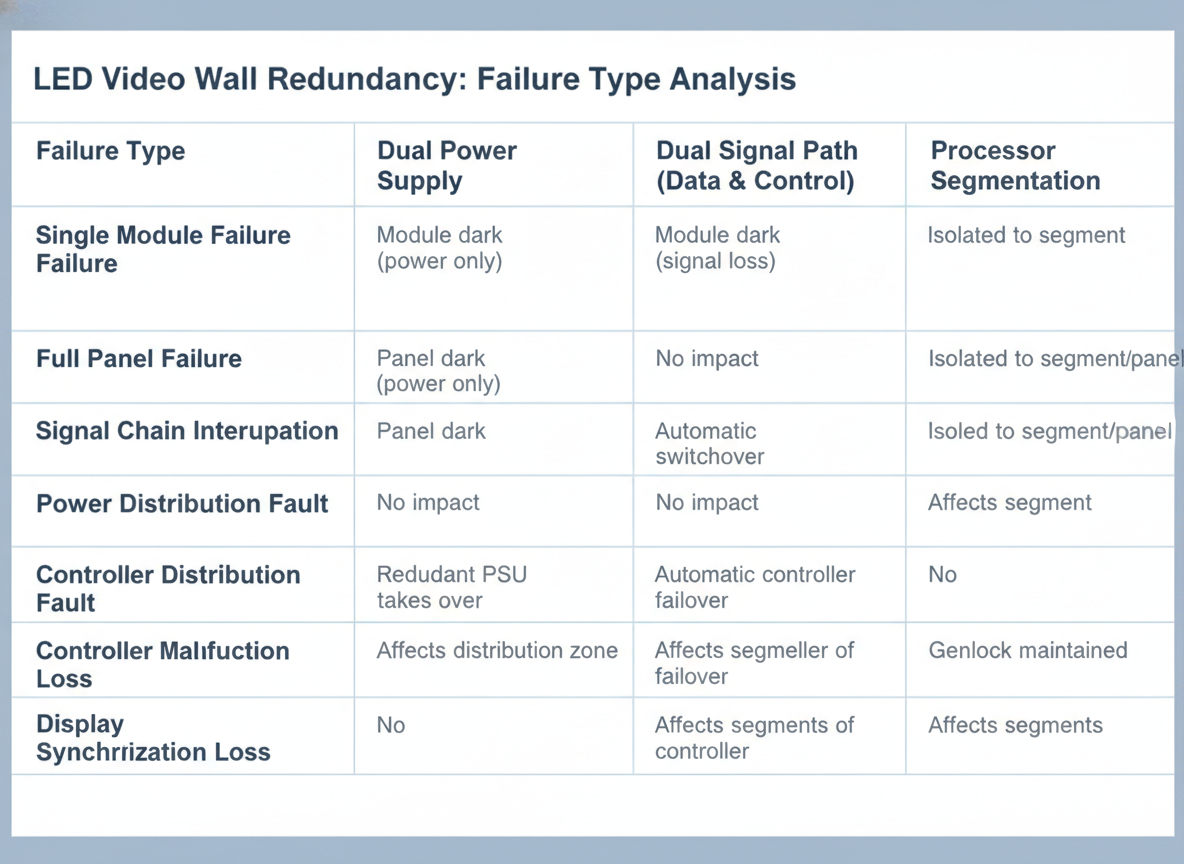
Here is the useful boundary: redundancy helps most with faults inside the protected path. It is much less helpful when the root cause sits outside the wall itself. That is why the planner’s reality check on LED wall power and rigging matters. The article’s core point aligns with what buyers see in the field: a protected display path is not the same thing as a fully protected installation.
| Failure type | Dual power | Dual signal | Processor segmentation |
|---|---|---|---|
| PSU or power-supply fault | Usually helps | No direct help | No direct help |
| Cable disconnect | Limited help | Usually helps | No direct help |
| Processor output fault | No direct help | Limited help | Usually helps |
| Processor segment fault | No direct help | No direct help | Usually helps |
| Local module issue | Limited help | Limited help | Limited help |
| Single sender fault | No direct help | Often helps | No direct help |
| Upstream content source loss | No direct help | No direct help | No direct help |
| Facility power, rigging, or human error | No direct help | No direct help | No direct help |
Read the table as a decision map, not a guarantee map. It shows why redundancy is useful and also why it can be over-sold. If the main outage risk is building power, a poorly managed content workflow, or physical installation problems, then you need those risks addressed directly. A redundant wall cannot compensate for every external failure source.
How Much Uptime Gain Is Realistic
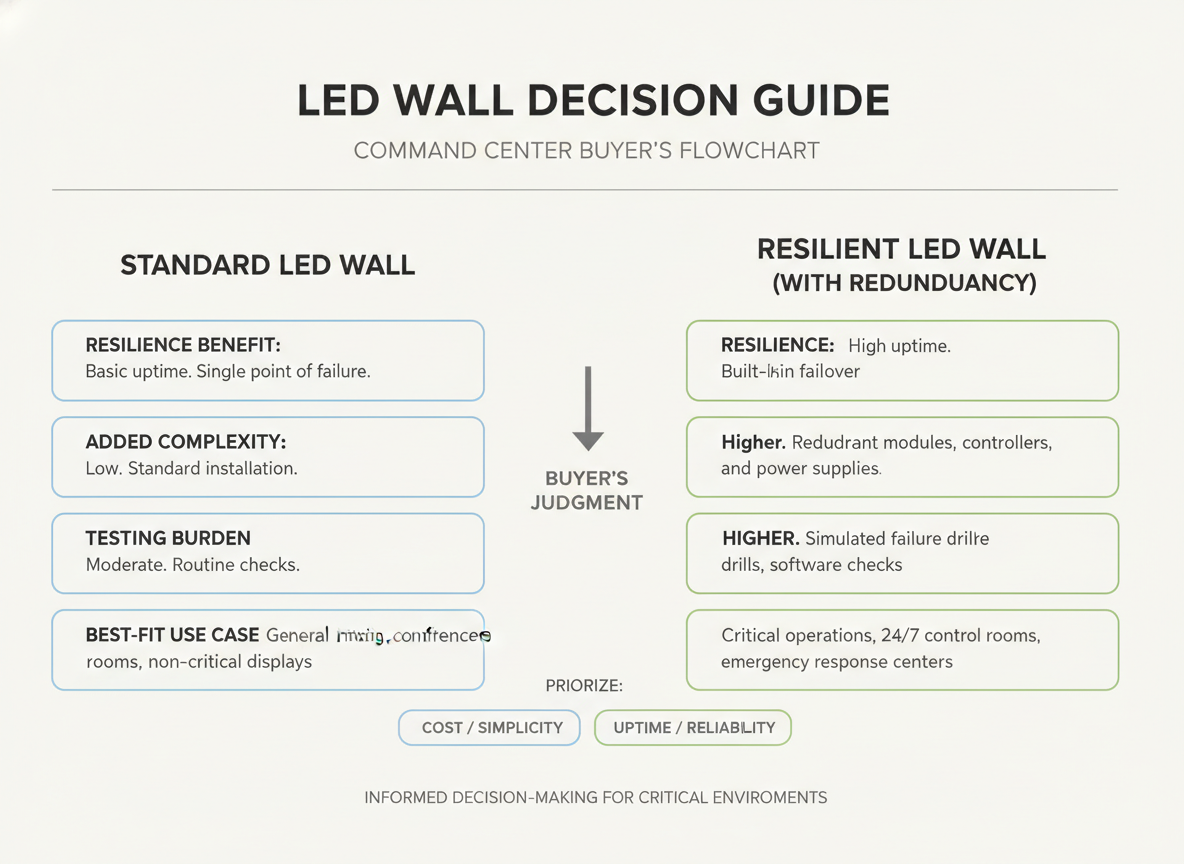
The realistic benefit is reduced exposure to certain visible interruptions, not guaranteed uptime. That is the right way to think about dual power LED wall and dual signal LED display redundancy in a 24/7 room. When it works as intended, redundancy lowers the chance that one broken path becomes a full outage. When it is poorly designed or never tested, it just adds cost and complexity.
The tradeoff is easy to miss during procurement. Redundancy adds more parts to commission, more things to document, and more behavior to validate. That is why mission-critical buyers should treat failover as an operational process, not a checkbox. If no one owns testing, the backup path may exist on paper but fail in the moment that matters.
For most command centers, redundancy is worth it when display interruption has a real operational cost. If the wall supports live monitoring, dispatch, or control-room awareness, the extra complexity can be justified. If the wall is informational and can tolerate a restart or a service window, a simpler design may be the better buy.
Buyer Checklist for Command Centers
Use this procurement sequence before you specify LED wall redundancy:
- Define the outage you are trying to avoid. A brief blank screen, a segment failure, and a full wall loss are different problems.
- Verify the power path. Ask whether dual power is true path redundancy or only a standby supply.
- Verify the signal path. Ask how the wall recovers if a cable, sender, or input path fails.
- Check the processor. Make sure you understand what happens to segmentation, routing, and recovery when a controller fault appears.
- Confirm service ownership. Someone on your team should know how failover is tested, who watches it, and what manual steps may still be required.
The final rule is straightforward: if the room cannot absorb visible interruption, specify the redundancy layer that matches the real failure risk. If interruption is acceptable and the team cannot support ongoing testing, keep the design simpler and spend the budget on serviceability instead.
Final Takeaway
LED wall redundancy is most useful when the cost of a visible interruption is high and the team can actually validate the backup paths. Dual power helps with power-side faults, dual signal helps with transport-side faults, and processor design affects how cleanly the system recovers. If your biggest risks are outside the wall, fix those first. If your room is truly mission-critical, buy the redundancy you can test and maintain, not just the redundancy you can describe in a proposal.
FAQs
What Does Dual Power Redundancy Mean in an LED Wall?
It means the wall has alternate power paths or supplies so one power-side fault is less likely to stop the full display. That is useful in 24/7 rooms, but it only covers the electrical side of the system. It does not remove the need for proper load planning, service access, or upstream power protection.
Is Signal Redundancy Necessary for a Video Wall?
It is most valuable when a content interruption would be costly, such as in command and control environments. If the wall is less critical, signal redundancy may be optional. The real question is whether your risk is mainly a cable or input-path failure, or whether the bigger problem sits elsewhere.
What Happens If One LED Module Fails?
A failed module is a different failure category from a power or signal fault. Redundancy may reduce the chance that the whole wall goes dark, but it may not hide the visible impact of the failed module itself. For that reason, service access and spare-part planning still matter.
Does Redundancy Guarantee Zero Downtime?
No. It lowers exposure to some single-point failures, but it does not eliminate every outage source. Facility power problems, rigging issues, content-management mistakes, and other external faults can still interrupt the wall. That is why redundancy should be treated as resilience support, not a guarantee.
How Should a Command Center Evaluate Redundancy Before Purchase?
Start with outage tolerance, then verify the power path, signal path, processor behavior, and service workflow. Ask how failover is tested and who owns it. If the team cannot maintain that process, a simpler architecture may be safer than a redundant one that nobody validates.





