





Public works buyers should treat a DOT VMS procurement checklist as a requirements control, not a brochure review. Start by locking down the project type, the review owners, and the site constraints that affect mounting, power, communications, access, and maintenance. If the procurement is federally funded or tied to an ITS deployment, FHWA’s systems-engineering procurement frame is the right way to keep the RFP rooted in requirements instead of vendor promises.

What Buyers Need in Scope Before Issuing the RFP
Before the RFP goes out, define what kind of VMS you are buying: an overhead gantry sign, a roadside sign, a retrofit replacement, or a portable work-zone unit. That choice changes the checklist. A gantry project usually needs stronger structural and installation review, while a retrofit may depend more on existing power, cabinet space, and maintenance access. If your agency separates construction from non-construction ITS procurement, the procurement path may also change how the solicitation is written, so that routing decision should happen before the spec is finalized.
Assign owners early. Purchasing should own solicitation language, traffic engineering should own operational needs, electrical staff should own power and grounding review, and maintenance should sign off on service access and spare-parts expectations. That division keeps the DOT VMS procurement checklist from becoming a single generic document that nobody can actually approve.
Use one practical rule: if a requirement affects install, control, or support, it belongs in scope before bid release. If it only describes the sign’s marketing language, it does not belong in the buyer checklist.
A useful way to tighten the scope is to separate what the agency must decide from what the vendor can later propose. For example, the buyer should settle the operating scenario, whether the sign is permanent or portable, and which departments will review the submittal. The vendor can then respond to those requirements with a specific design and implementation plan.
It also helps to verify site constraints in the field before the solicitation is issued. Mounting location, available power, cabinet space, nearby utilities, traffic control during installation, and access for future service all affect whether a bid is realistic. If those issues are vague in the RFP, bidders will price in uncertainty and the agency will have to sort out assumptions later.

Required Submittals for DOT Review
A buyer-ready highway sign submittal requirements checklist should force bidders to submit reviewable documents, not just a sales packet. NYSDOT’s VMS certification requirements show the kind of packet agencies often expect: technical data, structural drawings, factory testing or qualification material, and warranty or support documentation. For procurement staff, the main test is simple: can engineering, electrical, and maintenance reviewers verify the bid without chasing missing files?
Use these submittal groups in the packet review:
- Technical data package with model identification, configuration, electrical basics, and communication interfaces.
- Dimensioned drawings, mounting details, cabinet layout, and interface diagrams.
- Testing, warranty, and support documents that make post-award obligations visible.
- Installation and commissioning materials that show how the agency will receive the system.
For interoperability claims, do not accept a protocol name by itself. The NTCIP 1203 fact sheet points buyers to PRL and RTM documentation, which is a better way to verify what was actually implemented. That matters because a bid can sound compliant and still omit the proof needed to close the review.
A useful rejection standard is this: if the document set does not let reviewers check fit, interface, and support before award, the packet is incomplete.
When the review packet is thin, ask for the missing pages before technical scoring begins. That keeps the team from scoring a proposal that still has unresolved assumptions. It also gives the vendor a clean chance to clarify what was intended without turning the review into a back-and-forth over incomplete files.
If your agency uses an addendum or clarification window, document every correction in the project file. A short written record of what changed, who approved it, and which submittal page it affects can prevent later disputes about whether the bidder really met the stated requirement.
How to Check Technical Compliance
Turn the spec into a line-by-line review, not a general vendor preference discussion. For the display itself, check the format, face configuration, viewing assumptions, and any brightness or pixel-pitch claim only against the buyer’s written spec or the approved standard. A state DOT spec can be a helpful anchor here. NYSDOT’s dynamic message sign specification is a concrete example of how agencies can tie display and structural requirements to standards such as NEMA TS 4 and AASHTO-related support criteria.
For portable signs, keep the MUTCD work-zone context separate from fixed gantry or roadside procurement. Portable VMS rules can help explain visibility and legibility expectations in work zones, but they do not automatically govern every permanent installation. That boundary matters because buyers sometimes overapply portable-sign language to fixed projects and end up writing the wrong spec.
A good technical review groups the checks this way:
- Display and visibility requirements.
- Electrical and power requirements.
- Communications, control, and interoperability checks.
- Environmental, access, and maintenance review.
If a vendor claim depends on site conditions, treat it as a verification item, not an award assumption.
The safest way to review compliance is to compare each bidder’s response against the same checklist line by line. That lets the team distinguish a clear pass from a partial response, and it makes exceptions easier to document. It also avoids the common mistake of letting one strong feature overshadow a weak response elsewhere in the proposal.
For portable units, keep the review bounded to the project context. A portable work-zone sign may need different assumptions about relocation, power source, and setup time than a fixed installation. A buyer can still use the same review structure, but the expected evidence should match the deployment type.
Build a Vendor Scorecard
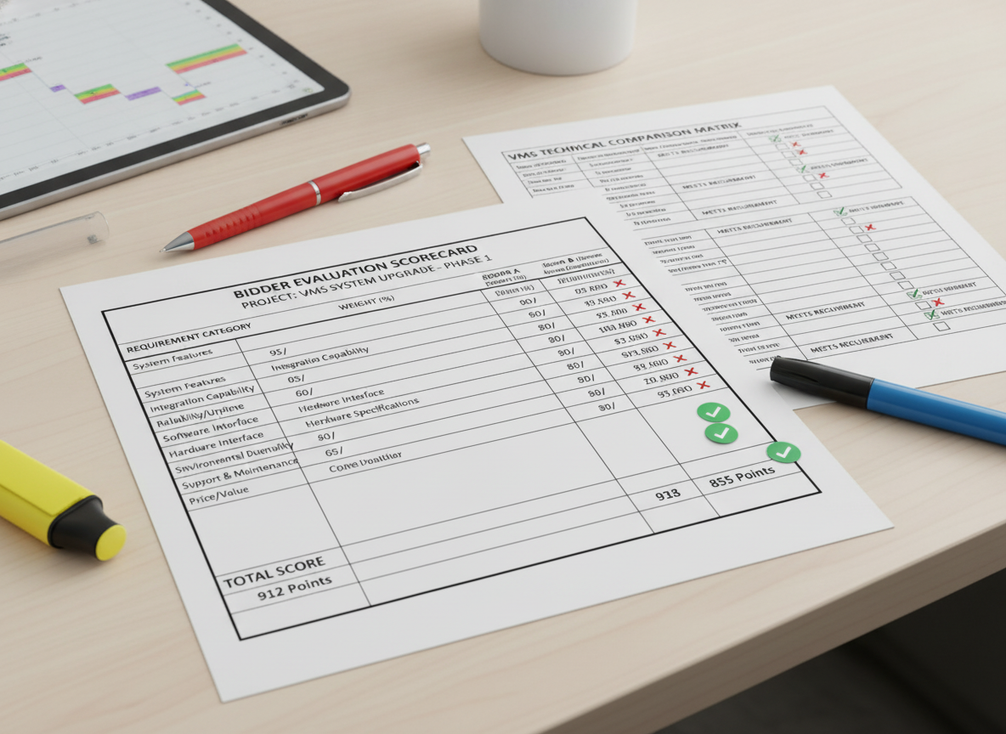
A defensible scorecard keeps pass-fail items separate from weighted evaluation factors. FHWA’s chapter on purchasing with systems-engineering documents makes the logic clear: each proposer should explain how the submission meets each requirement, and reviewers should be able to track that explanation back to the contract language. That is especially useful when the team has to compare bids across compliance, delivery, service, and site fit.
| Evaluation Factor | What To Verify | Evidence To Request | Who Reviews | How To Record Exceptions |
|---|---|---|---|---|
| Compliance | Mandatory spec items are met | Compliance matrix, submittal packet, referenced standards | Engineering, purchasing | Mark pass, fail, or clarify |
| Documentation Quality | The packet is complete and readable | Drawings, data sheets, test records, warranty terms | Purchasing, engineering | Note missing or unclear items |
| Installation Readiness | The proposal fits the site and schedule | Install plan, commissioning steps, utility assumptions | Engineering, maintenance | Flag field dependencies |
| Lifecycle Support | Service and support are workable | Warranty, support contacts, parts plan | Maintenance, procurement | Record response times and limits |
| Vendor Responsiveness | Clarifications are handled cleanly | Written Q&A, revised submittals | Procurement lead | Keep exceptions in the file |
The main decision point is this: if a bid fails a mandatory requirement, do not let a strong service promise hide that failure. Weighted scoring should rank acceptable proposals, not rescue noncompliant ones.
To keep the scorecard defensible, assign each factor an owner before proposals are opened. Engineering can review technical fit, purchasing can confirm the file and evaluation record, and maintenance can judge serviceability. That simple role split helps the agency explain why one proposal scored better than another.
It also helps to distinguish evidence from interpretation. A response can include a drawing, but the reviewer still has to decide whether the drawing actually proves the requirement. Write that distinction into the scorecard so clarifications, exceptions, and accepted alternates are captured in one place.
Award Readiness and Final Buyer’s Checklist
Before award or notice to proceed, run one last file review. Confirm that the chosen vendor matches the reviewed configuration, not just the sales proposal. Check that the submittal package is complete, the exceptions are documented, the contract language reflects the approved scope, and the acceptance plan is tied to the agency’s intended operating scenario.
Use this short closeout list:
- Scope confirmed against the final solicitation.
- Required submittals present and logged.
- Technical exceptions resolved or documented.
- Contract language matches the approved configuration.
- Acceptance and validation steps assigned.
When the file answers those five points, the procurement team can move forward with fewer surprises and a cleaner award record.
Before the team signs off, it is worth checking that any negotiated change still fits the original need. A late substitution can be fine if it is documented and reviewed, but it should not quietly change the operating assumptions or the maintenance plan. The closeout step is there to catch those shifts before they become a field problem.
If the award package is still missing one of the core items, pause and resolve it before notice to proceed. That extra check is usually faster than fixing a mismatch after delivery.
FAQs
What Should Be Included in a DOT VMS Procurement Checklist?
At minimum, include scope definition, required submittals, technical compliance checks, evaluation criteria, and award-readiness items. The checklist should also reflect the project type, such as gantry, roadside, retrofit, or portable use, because the right review points change with the installation.
What Documents Do DOT Buyers Usually Require for VMS Submittals?
Expect a technical data package, drawings, testing or qualification records, warranty and support documents, and installation or commissioning materials. The exact packet should match the solicitation, but those document groups give reviewers enough to check fit, compliance, and handoff readiness.
How Do You Evaluate a VMS Vendor Fairly?
Keep pass-fail compliance separate from weighted factors. Use the scorecard to compare acceptable proposals on documentation quality, installation readiness, lifecycle support, and vendor responsiveness, while recording any clarifications or exceptions in the file.
Why Does NTCIP Verification Matter in a VMS Bid?
Because protocol claims are not the same as proof. Buyers should ask for the documentation that shows what was actually implemented, especially when the project depends on remote control or integration with other systems.
Can One Checklist Work for Every VMS Project?
A core checklist can be reused, but it should be adjusted for mounting type, power source, communications, site access, and maintenance expectations. A portable work-zone sign and a fixed gantry sign do not have the same review profile.
What Should Buyers Check Before Award?
Confirm that the submittals are complete, exceptions are documented, the selected configuration matches the reviewed bid, and the acceptance plan is ready. That last pass is where many avoidable delays get caught.
Wrap-Up
A good DOT VMS procurement checklist does not try to make every project identical. It gives buyers a repeatable way to lock down scope, collect the right submittals, compare bids against the same technical tests, and finish with an award file that makes sense to engineering, purchasing, and maintenance alike.





