





For most buyers, the right LED wall processor is the one that matches the room’s workflow first, not the one with the longest spec list. A 24/7 command center usually needs stable layouts, recovery planning, and easy service access. A broadcast room usually cares more about live switching, sync behavior, and color control. That is why Brompton, NovaStar, and alternatives should be compared by fit, not by brand reputation alone.

Why Workflow Comes Before Specs
A feature checklist can hide the real decision. In practice, an LED wall processor is part of an operating model: who touches it, how often content changes, how fast issues must be recovered, and whether the wall is camera-facing or monitoring critical events. A workflow-first approach keeps the conversation on what the room actually needs, which is the core framing used in workflow-first processor selection.
That matters because a processor that looks more capable on paper can still be the wrong fit. A command center may value predictability more than creative flexibility, while a broadcast studio may accept more operational complexity if it gains tighter live control. If the room does not have a clear dominant workflow, the shortlist should stay open until that question is answered.
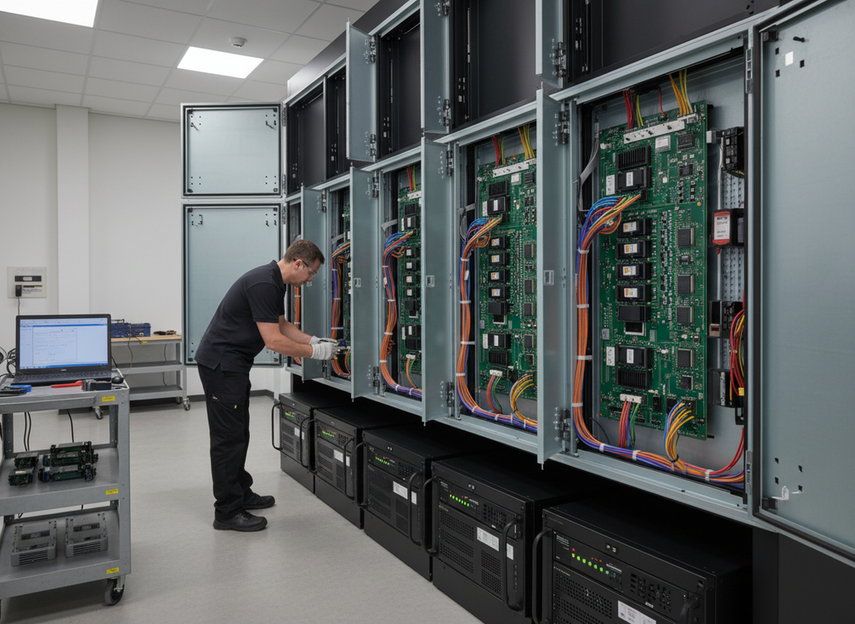
Command Center Priorities That Shape Processor Choice
Command rooms usually reward consistency. The operator needs a wall that behaves the same way during a normal shift, a stressed shift, and a recovery event. That often puts stable layouts, predictable control, and maintenance planning ahead of creative routing. In other words, the question is not just "what can the processor do," but "how quickly can the team recover if something goes wrong?"
Redundancy should be treated as a system decision, not a single checkbox. The wall, signal path, controller design, power path, and access plan all affect recovery. Guidance for operations centers emphasizes redundancy and predictable layouts because uptime depends on the whole setup, not just one box. A processor is a good command-center fit when it supports the room’s recovery plan instead of making the team improvise one.
Service access is the other quiet decision driver. If technicians cannot reach the wall quickly, or if fault isolation is slow, even a strong processor choice can still create avoidable downtime. That is why front service, spare-path planning, and clear operator handoff matter before the brand debate starts.
If your project is truly mission-critical, a mission-critical wall platform can be a more relevant starting point than a generic display shortlist. For teams planning a control-room build, the command center solutions path is worth reviewing when uptime and recovery are central to the spec.
Broadcast Priorities That Change the Decision
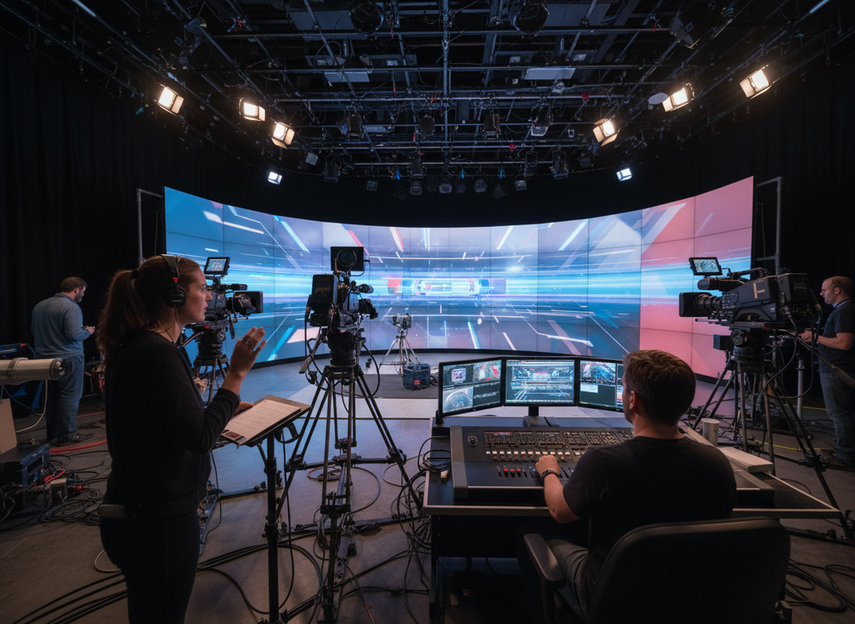
Broadcast environments usually flip the priority stack. Live production tends to care more about switching speed, source handling, cue timing, and camera-facing consistency than about the slow, conservative recovery model common in control rooms. A processor that helps the team move quickly through rehearsals and live changes can be the better fit even if it is not the most redundancy-heavy option.
That is especially true when the wall appears on camera. Broadcast buyers often pay closer attention to sync behavior, color control, and how the system behaves under show-day pressure. The broadcast comparison between Brompton and NovaStar is useful because it reflects that live-production priorities are different from control-room priorities. In plain terms, broadcast teams are often optimizing for what the audience and camera see in real time.
The decision also changes by venue. A fixed studio, a mobile truck, and a venue build do not all ask the same thing from the processor stack. If the room changes content often, has multiple operators, or needs flexible cue handling, the processor should fit that pace. If not, extra flexibility can become extra complexity.
For show-day workflows, live production LED options are usually a closer fit than control-room hardware. If the project is closer to an arena or esports-style production environment, the broadcast-grade stadium display path can help define what live control requirements look like in practice.
Brompton, NovaStar, and Alternatives Compared
The cleanest way to compare Brompton, NovaStar, and alternatives is to ask which workflow they are serving. No brand is a universal winner. Each one can make sense when the room’s priorities line up with the processor’s strengths and the team’s operating style.
| Workflow Priority | What To Evaluate First | When Brompton May Fit | When NovaStar May Fit | When An Alternative May Fit Better |
|---|---|---|---|---|
| Command-center stability | Recovery paths, service access, operator predictability | When the room values conservative control and a high-end reference point | When the project needs a practical fit and the rest of the system supports it | When the control model or maintenance plan is different enough that a third option fits better |
| Broadcast flexibility | Live switching, sync behavior, color handling, cue pace | When the production environment needs deeper live-control features | When the room wants a balanced feature set with a simpler or more accessible deployment model | When the studio or truck workflow needs a different software or integration approach |
| Implementation complexity | Training, patching, recovery, integration support | When the team can support a more specialized stack | When the team wants a more pragmatic deployment path | When the easiest-to-operate system matters more than the famous name |
| Serviceability | Access, fault isolation, maintenance time | When the support model matches the site’s expectations | When the deployment is straightforward and the team can maintain it efficiently | When on-site service constraints change the architecture |
The point of the table is not to rank brands by reputation. It is to show where the decision flips. If uptime and recovery dominate, command-center logic should lead. If live control and on-camera behavior dominate, broadcast logic should lead. If neither side is clear, alternatives remain valid and should not be treated as a fallback afterthought.
NovaStar can be a sensible option in mixed-use or budget-sensitive projects when workflow fit supports it, especially if the team values a more practical deployment path. That does not make it the default choice for every room, but it does keep the shortlist honest. Brompton remains the reference point many buyers use when the conversation shifts toward higher-end live-production expectations, but it should still be judged against the room’s actual operating pattern, not just its reputation.
For teams that want a documented baseline, the NovaStar CB test report helps when certification records matter, and the C-Max CE safeguard audits page is more relevant when the display platform and compliance trail are part of the review.
A Practical Selection Checklist
Use this sequence to narrow the shortlist without overbuying features:
- Name the dominant workflow. If the room runs 24/7, start with command-center logic. If it runs live shows, start with broadcast logic.
- Identify the least acceptable failure mode. If downtime is the biggest risk, prioritize recovery planning and service access. If show-day control is the bigger risk, prioritize live switching and sync behavior.
- Check who will operate and maintain the wall. A processor that is easy to train and service can save more trouble than a spec-heavy choice.
- Test whether redundancy is really needed at the system level. If it is, the whole architecture should support it, not just one device.
- Compare the shortlist by fit, not by brand name first.
The two most common mistakes are easy to spot. One is buying for feature breadth when the room really needs stability. The other is buying for redundancy when the team actually needs faster creative control. If your answers to the checklist keep pointing in different directions, the room is probably hybrid, and that is a sign to slow down before finalizing the processor choice.
If the room is mission-critical, we can help you compare redundancy needs, service access, and integration requirements before you request a shortlist or consultation.
Final Takeaway
Choose the LED wall processor that fits the room’s workflow, not the one that simply looks strongest on a spec sheet. Command centers usually need recovery planning, service access, and stable behavior. Broadcast rooms usually need live control, sync, and flexible switching. If you are still between Brompton, NovaStar, and alternatives, compare workflow fit, redundancy needs, service access, and integration complexity before you request a shortlist or consultation.
FAQs
Which Processor Is Better for Command Centers Versus Broadcast?
The better choice depends on the room’s operating pattern. Command centers usually favor stable layouts, service access, and recovery planning. Broadcast rooms usually favor live switching, sync behavior, and camera-facing control. If the deployment is hybrid, the dominant workflow should decide the shortlist first.
What Matters More Than Brand Name in a Processor Shortlist?
Workflow fit matters more than brand name. After that, look at redundancy expectations, how the team will maintain the wall, and how much integration complexity the site can support. A familiar logo is not enough if the operating model does not match.
Can One LED Wall Processor Serve Both Command and Broadcast Use Cases?
Sometimes, but only if one workflow clearly leads. A shared facility can use one stack, yet the design has to accept the tradeoff that the other use case may become the compromise. If the room changes roles often, compare the maintenance and control burden carefully before standardizing.
Why Does Redundancy Matter More in Some Rooms Than Others?
Redundancy matters more when downtime is costly and recovery time is short. That usually means long operating windows, limited maintenance access, or a low tolerance for interruption. In other rooms, live control and pace may matter more than redundancy depth, so the balance changes.
How Should We Compare Brompton, NovaStar, and Alternatives in a Design Review?
Use the same questions for every option: Which workflow dominates, what failure is least acceptable, who maintains the wall, and how much integration complexity is acceptable? That keeps the review grounded and makes it easier to see when a third option fits better than either named brand.





