





LED wall burn-in calibration drift is usually the real ownership concern in 24/7 rooms: not a single failure, but the slow, visible change that comes from uneven aging. In control-room buying language, that can show up as patches, seams, or color mismatch long before the wall stops working. The practical goal is to manage drift early, not to promise a wall will stay factory-new forever.
What Burn-In Means on an LED Wall
Buyers often use burn-in as a catch-all term for any long-term image-quality change, but that is a little too loose for procurement decisions. On an LED wall, the cleaner technical description is differential aging: some pixels or modules age at a different rate, and the result is visible non-uniformity over time. Radiant Vision Systems’ LED screen correction guidance is useful here because it treats the problem as measurable output variation, not just a vague appearance issue.
That distinction matters. Overall brightness loss, color shift, and localized non-uniformity are related, but they are not the same problem. A wall can still run reliably and look increasingly uneven across zones. For control-room teams, that means the real question is often not "Will it fail?" but "Will it still look consistent enough for long-term use?"
In practical terms, burn-in is the casual umbrella label, while uniformity drift is the ownership problem that usually matters most. If you are comparing rooms, specs, or service plans, keep those two ideas separate. It helps you judge whether a display is actually aging badly or simply changing in the normal way all long-lived displays do.
Why Uniformity Drift Shows Up in 24/7 Rooms
Uniformity drift in control-room LED walls usually starts with workload differences. A 24/7 room rarely gives every area the same visual stress every day. One zone may carry static maps, another may hold status bars, and another may change content more often. Over time, the areas that stay brightest, busiest, or most static can age differently.
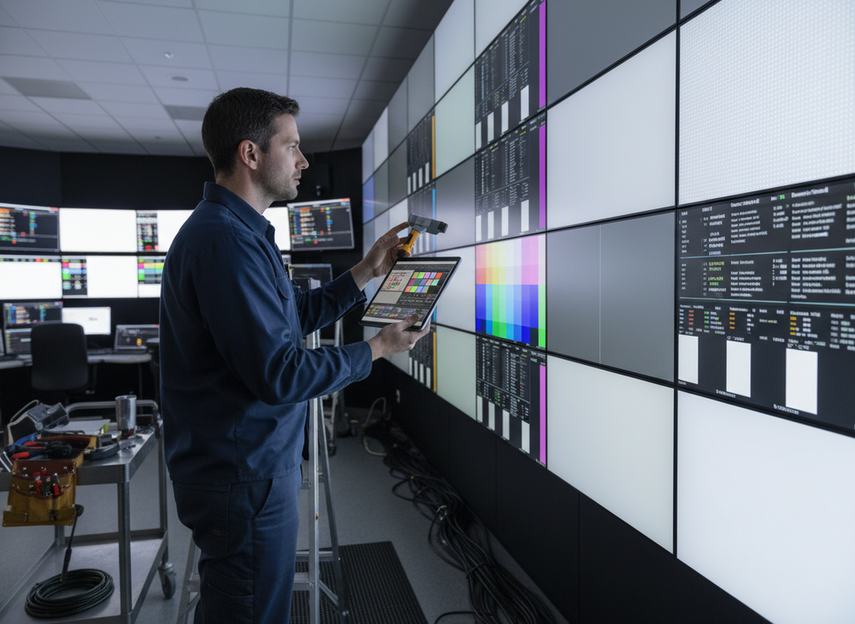
Heat and brightness also matter. Higher operating brightness raises the stress on the display, and poor airflow or a warm room can make visible drift more likely. That does not mean every hot room will show problems quickly, but it does mean thermal load should be part of the buying conversation, not an afterthought.
A few operating habits make drift easier to control. Content rotation helps. Avoiding unnecessary full-brightness static layouts helps. So does keeping maintenance consistent instead of waiting until a mismatch becomes obvious. AVIXA’s community guidance on content rotation and brightness discipline points in the same direction: reduce the visual stress that makes aging show up faster.
The important judgment is simple. If your room has high uptime, high brightness, and repeated static regions, you should expect more drift management work than a lower-duty-cycle installation. That does not make the wall a bad fit, but it does mean long-term image quality depends on operating discipline as much as on hardware choice.
How Calibration Controls Drift Over Time
Calibration is the maintenance tool that keeps drift from becoming a visible ownership problem. AVIXA’s industry performance verification for uniformity gives teams a framework for checking whether a display still meets the image-quality target they care about. In practice, calibration means measuring output, comparing it across the wall, and applying correction coefficients so brightness and color line up more closely.
Radiant Vision Systems’ pixel-level brightness and color correction is a good example of how that works. The key idea is not mystical restoration, but measured correction. The system detects differences, calculates how to compensate, and helps bring the wall back into better alignment.
A practical maintenance loop is straightforward:
- Inspect the wall for visible mismatch.
- Measure the output if the room uses a verification workflow.
- Correct the imbalance through calibration.
- Verify the result after changes are applied.
- Record what changed so the next check has a baseline.
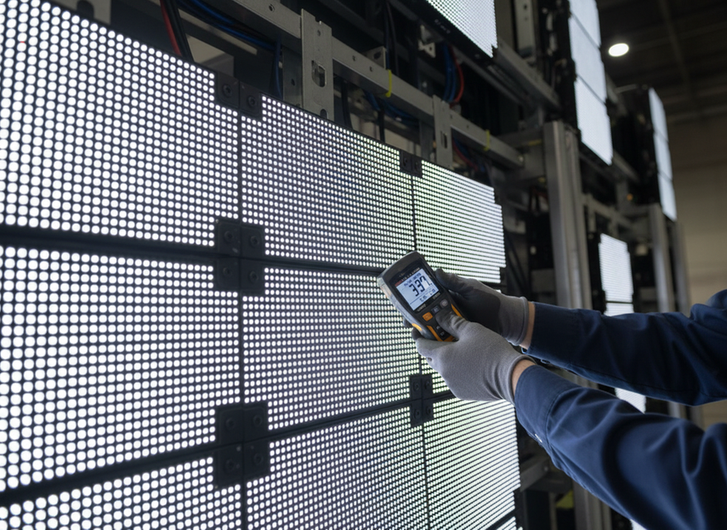
The safest trigger is event-based, not calendar-based. Recalibrate after visible drift, after service or module replacement, or after a major change in brightness or content patterns. A fixed interval may be useful as a local reminder, but it is not a universal rule. Calibration can reduce visible mismatch, yet it cannot stop physical aging or return an old wall to a brand-new state.
COB Versus Conventional Builds for Aging Stability
Different LED wall builds change the maintenance conversation, but they do not erase it. COB can be a smart fit when buyers care about surface protection, thermal behavior, and service confidence. Conventional builds can still be the better choice when service access, budget, or system familiarity matters more. The right answer depends on the room, not the acronym.
| Build Approach | What It Can Help With | Where It Still Depends On The Room | Buyer Caution |
|---|---|---|---|
| COB | Better surface protection and potentially stronger protection against routine handling | Uniformity still depends on brightness, heat, and maintenance discipline | Do not assume COB guarantees slower drift in every installation |
| Conventional build | Familiar service workflows and broader deployment patterns | More exposed surfaces may demand tighter handling and cleaning habits | Do not assume it is the wrong choice if the room has a good maintenance plan |
For buyers comparing aging stability, the useful question is not "Which one never drifts?" It is "Which one fits our room conditions and service model better?" If the room is mission-critical and maintenance access is tight, a protected build may reduce some operational stress. If the team needs simpler service routines or a broader commercial fit, a conventional platform may still be the better match.
If you want to review mission-critical LED wall options, command center solutions can help you narrow the category first, then compare the maintenance fit more carefully.
A Practical Buyer Checklist for 24/7 Rooms
Before you commit to a wall for long-term use, ask questions that expose how drift will be managed in real life:
- What brightness profile will the wall actually run at most days?
- Who owns recalibration after installation and after service work?
- How will uniformity drift be measured and documented over time?
- How easy is it to reach modules or service points without disrupting the room?
- What spare parts or replacement workflow is expected during the wall’s life?
- How often do the team’s content patterns stay static in the same regions?
- What room conditions, such as heat or airflow, could make drift more visible?
- What level of visible variation is acceptable for the users in that space?
Those questions matter because the wrong fit is usually a maintenance mismatch, not just a spec mismatch. A wall that looks fine on day one can still become a problem if nobody owns the recalibration routine or records drift before it becomes obvious. If you want a simpler browsing path for 24/7 room planning, 24/7 room solutions can serve as a starting point for the category.
Final Takeaway
LED wall burn-in calibration drift is best handled as a long-term maintenance issue, not a one-time spec question. The safest model is simple: define the real risk as uniformity drift, watch for visible changes, and recalibrate when the wall shows signs of mismatch or after a meaningful service event. If your room runs hot, bright, and static for long periods, treat maintenance planning as part of the purchase decision, not a later fix. If you are comparing options, start with serviceability, calibration support, and room duty cycle before you look at the hardware headline.
FAQs
Do LED Walls Burn in Over Time?
Usually, buyers use "burn-in" to mean any visible long-term image-quality change, but the more precise issue is uneven aging that creates non-uniformity. Some setups show it more clearly than others, especially in 24/7 rooms with static content, high brightness, or inconsistent maintenance.
How Often Should You Recalibrate an LED Wall?
There is no universal schedule that fits every room. A better rule is to recalibrate when you see visible drift, after service work, or after major changes in brightness or content patterns. The right timing depends on duty cycle, room conditions, and how much variation users can tolerate.
What Is the Difference Between Burn-In and Uniformity Drift?
Burn-in is a loose label people often use for visible aging effects. Uniformity drift is the practical issue buyers usually care about: brightness or color differences across the wall that become noticeable over time. Keeping those apart helps you judge whether you need monitoring, calibration, or a service review.
Can Calibration Fully Restore an Aging LED Wall?
Calibration can improve consistency and reduce visible mismatch, but it cannot reverse all physical aging. Think of it as correction, not time travel. If the wall has aged unevenly for a long period, calibration may help a lot, but it will not make the display behave like a brand-new one.
What Should Buyers Ask About 24/7 LED Display Aging Management?
Ask who owns recalibration, how drift will be documented, how easy it is to service modules, and what the maintenance workflow looks like after a repair. Those answers tell you far more about long-term ownership confidence than a broad promise about reliability.





