





Hot-swap LED modules for command centers are worth paying attention to when uptime matters more than headline display specs. In a 24/7 room, the real question is not just what looks best on paper, but what can be serviced fast enough to avoid disrupting operations. Hot-swap design can reduce maintenance disruption, but it is not a guarantee of zero downtime.
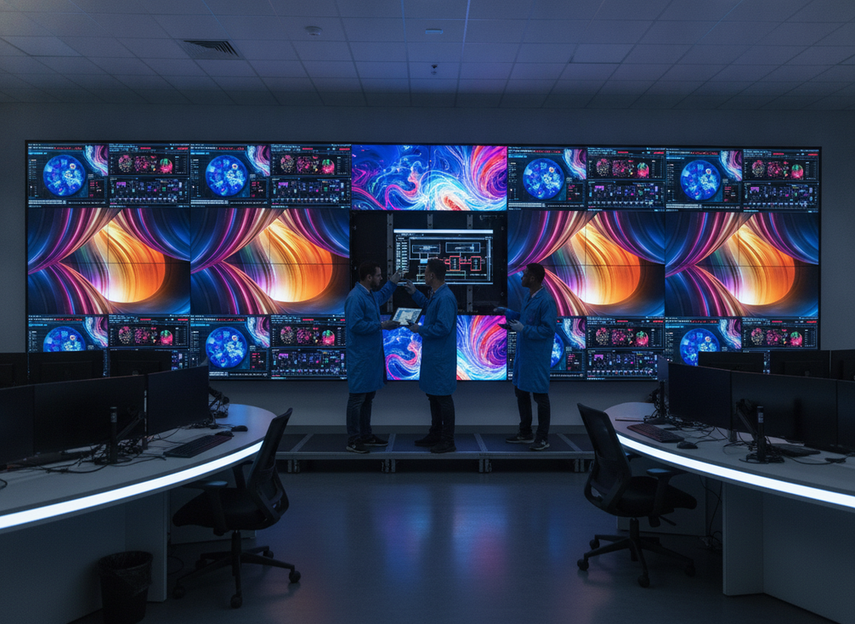
Why Uptime Drives Command Center Display Choices
Control-room buyers usually judge a display wall by how it supports continuous operations, not by brightness or pixel pitch alone. That is the basic lesson behind ISO 11064 control room ergonomics: the room has to support the operator, the workflow, and the mission, not just the screen.
For a command center video wall, the painful moments are often routine ones. A failed module, a scheduled replacement, or a service visit that takes longer than expected can interrupt monitoring, distract operators, or force the room into an awkward workaround.
That is why hot-swap LED modules for command centers belong in the uptime conversation early. They are not a luxury feature. They are a serviceability choice that can lower the risk of turning maintenance into an operational event.
A practical way to think about it is this: if your room can absorb a maintenance window without much disruption, hot-swap matters less. If the room runs around the clock, with scarce after-hours access or high monitoring dependency, service access becomes part of the buying decision, not an afterthought.
One good shortcut is to ask whether the wall can be maintained while the room keeps working. If the answer depends on a long shutdown, special staging, or a lot of operator coordination, the architecture deserves closer review.
If you are comparing mission-critical display options, do it after you have checked the service model. For this category, the better fit is often the wall that creates fewer interruptions, not the one with the most dramatic spec sheet.
How Hot-Swap Modules Reduce Service Disruption
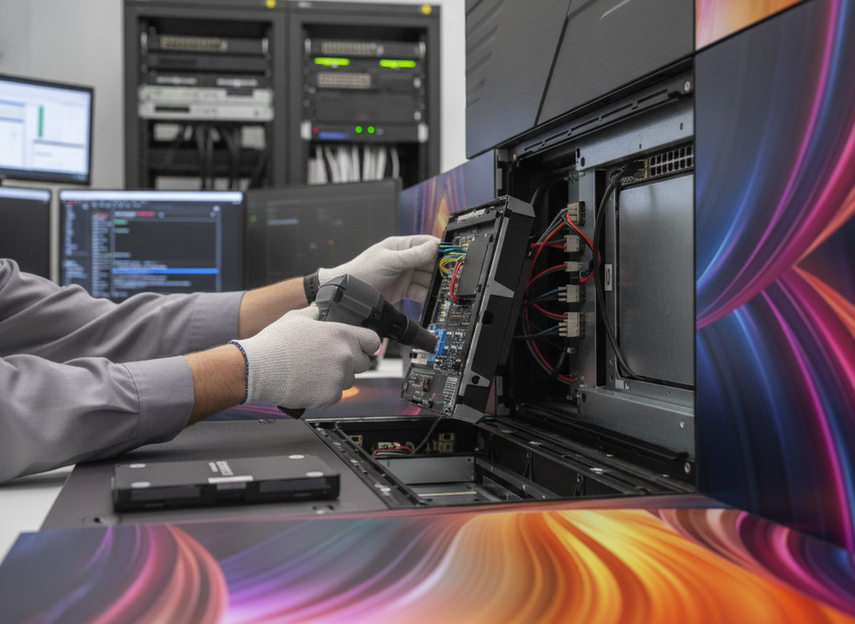
Hot-swap means a technician can replace a module while the rest of the wall stays operational. In network hardware, that idea is often described as Online Insertion and Removal, and the same service logic helps buyers understand the control-room use case.
The benefit is simple. Instead of taking the full display offline for a small repair, the team works at module level. That can shorten the disruption window, especially when the wall is built for front access and the replacement workflow is straightforward.
What matters in real use is the service path, not the marketing label. A hot-swap-friendly wall still needs accessible modules, clear labeling, a replacement process that technicians can repeat, and a spare-part plan that does not depend on guesswork.
In a live control room, emergency response is different from planned maintenance. If the wall can be serviced cleanly during a controlled window, operators keep their focus. If the swap requires awkward access, extra tools, or a long reset sequence, the practical value drops fast.
That is why hot-swap LED modules for command centers should be discussed alongside the room layout. Front-service access, cabinet depth, and the physical route a technician takes all influence how much disruption a "simple" swap really creates.
For teams comparing product families, C-Pad mission-critical walls are a useful navigation point when service access is part of the shortlist. If you are looking at a broader indoor platform, C-Max indoor LED options can help you compare the category before narrowing to a specific room fit.
Compare the Serviceability Trade-Offs
The biggest mistake in this category is treating serviceability like a side note. For a 24/7 operations center video wall, the comparison should start with disruption risk, then move to visual performance.
| Evaluation factor | Why it matters in 24/7 operations | What to ask the vendor | What a favorable answer looks like |
|---|---|---|---|
| Access method | If technicians cannot reach the module easily, a small repair can become a big event. | Is the wall front-serviceable, rear-serviceable, or mixed? | The access method matches the room layout and service plan. |
| Replacement workflow | A hot-swap feature only helps if the swap process is simple and repeatable. | What steps are needed to replace a module during a live shift? | The workflow is clear enough for your service team or integrator to follow. |
| Spare-part handling | A wall is only as serviceable as the spares behind it. | How are replacement modules stored, labeled, and tracked? | Spare handling is documented and realistic for the site. |
| Room disruption | Even a short repair can interrupt operators if the process is messy. | What disruption should we expect during a planned swap? | The vendor can explain the expected impact in plain language. |
| Redundancy support | Hot-swap helps at module level, but broader uptime still depends on the system design. | What redundancy exists for power and signal paths? | The architecture avoids obvious single points of failure. |
This is where procurement teams often need a reality check. A wall can look excellent on resolution, color, or brightness and still be a poor fit if the maintenance model is clumsy. The trade-off is not visual quality versus reliability. It is visual quality plus serviceability versus visual quality plus recurring disruption.
A useful rule of thumb is to separate the question of "Can it be serviced?" from "How good does it look?" Both matter, but they do not answer the same buying question.
If you want a broader comparison point, the Chipshow C-Max family is a category page worth using for navigation rather than proof. For reliability-focused reading, the article on engineering resilience in fine-pitch indoor displays is useful background on how safety and resilience get documented in a product series.

Match the Architecture to the Operating Model
The right architecture depends on how your room is actually run. If the command center never really stops, hot-swap LED modules for command centers become more valuable because maintenance has to fit around live operations, not the other way around.
Retrofit projects often feel this most sharply. Existing room layout, cabinet access, and phased installation can limit the service path, which means a feature that looks simple in a product brief may be harder to use in practice. In a new build, the team can design for service access earlier, but the operating model still needs to be planned.
Staffing is another filter. If the site expects in-house technicians to handle swaps, the process has to be simple and repeatable. If the integrator or vendor owns more of the service responsibility, then response expectations, spare inventory, and escalation paths matter even more.
A good control room video wall reliability plan usually pairs hot-swap with a broader uptime strategy. That may include redundant power and signal paths, but the point is not to turn every room into a fortress. The point is to avoid obvious single points of failure and to make repair work less disruptive when something does go wrong.
So the recommendation flips when the room has easy maintenance windows, low monitoring dependence, and limited service complexity. In that case, a standard modular wall may be enough. When the room runs continuously, service access is restricted, or downtime has a real operational cost, hot-swap becomes much easier to justify.
If you are shortlisting vendors, ask three direct questions: Who performs the swap? How is the spare module staged? What happens if the replacement does not resolve the fault on the first pass? Those answers tell you more about fit than a spec line ever will.
For teams comparing architectures, C-Pad Command display options are worth checking against your service model, while the broader C-Pad mission-critical line can help you navigate the family before you narrow the choice.
Procurement Checklist for a 24/7 LED Wall
Before you approve a hot-swap LED wall, confirm that the operating model matches the hardware. Use this as a final buyer check for hot-swap LED modules for command centers:
- Ask whether the wall can be serviced without taking the full room offline.
- Confirm the access method and make sure it fits the room layout.
- Verify what a module replacement actually involves, step by step.
- Check how spare modules are stored, labeled, and tracked.
- Confirm who owns maintenance, the in-house team, the integrator, or both.
- Ask what redundancy exists for power and signal paths.
- Review whether the room has enough space and access for a safe service workflow.
- Make sure the downtime tolerance is realistic for the room’s actual operating hours.
If the vendor cannot explain these points clearly, keep looking. A wall that is easy to buy is not always easy to maintain. For mission-critical rooms, that difference is often where the regret starts.
If you want a broader starting point, Command Center solutions can help with navigation, while C-Max indoor LED options are useful when you need a wider comparison set before finalizing the room fit.
FAQs
What Is a Hot-Swap LED Module in a Command Center Wall?
It is a module that can be replaced while the rest of the wall stays in service. For buyers, the important part is not the label itself, but whether the access path, spare process, and maintenance workflow make that replacement practical in a live room.
How Does Hot-Swap Design Help Reduce Downtime During Maintenance?
It helps by limiting service work to the module level instead of the whole wall. That usually reduces disruption, especially when the wall is front-serviceable and the room has a clear maintenance process. It does not guarantee zero downtime.
What Should Procurement Teams Ask About Spare Modules and Service Access?
Ask who stores the spares, how they are tracked, how quickly a replacement can be staged, and what access the technician needs. If those answers are vague, the hot-swap feature may be less useful than it sounds.
Can a Hot-Swap LED Wall Fit a Retrofit Control Room?
Often, yes, but only if the access path and mounting layout support the service workflow. Retrofit rooms can be more constrained than new builds, so cabinet depth, maintenance clearance, and phased installation matter more than they do in a fresh design.
Why Does Serviceability Matter More Than Peak Specs in a 24/7 Operations Center?
Because the display has to keep supporting operators during real work, not just look good in a demo. In a 24/7 room, maintenance access, replacement workflow, and downtime tolerance often matter more than a small spec advantage on paper.





