





Front-service LED planning starts with the site, not the spec sheet. If a high-rise façade or street-level corridor has limited rear access, the cabinet choice, service route, and maintenance downtime all change. The right setup is the one that fits the access path you actually have, not the one that looks easiest in a brochure. Front service LED is a response to access constraints, not a default for every outdoor LED project.
Why Front Access Changes DOOH Planning
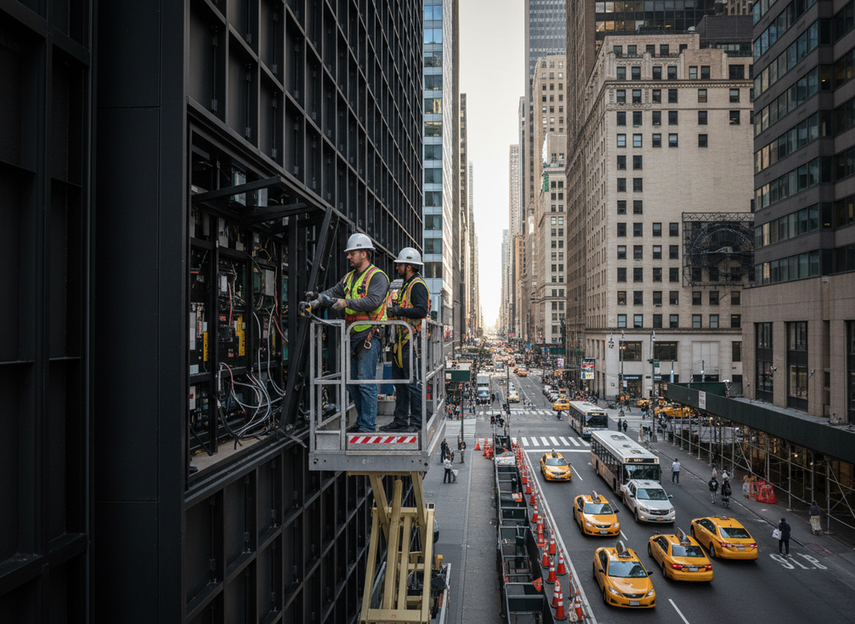
When rear access is tight or impossible, a front service LED design turns maintenance into a site-constraint decision. That matters on façades with narrow ledges, short service windows, active sidewalks, or building rules that make rear staging unrealistic. Chipshow’s rear-access clearance baseline is a useful reminder that access requirements are physical, not abstract.
The practical downside of getting this wrong is simple: more downtime, more labor, and more disruption for the owner and installer. Front service is best treated as a maintenance-access strategy for constrained urban installs, not as a universal answer for every outdoor display. If the site already has easy rear access, a front-service premium may not be worth it.
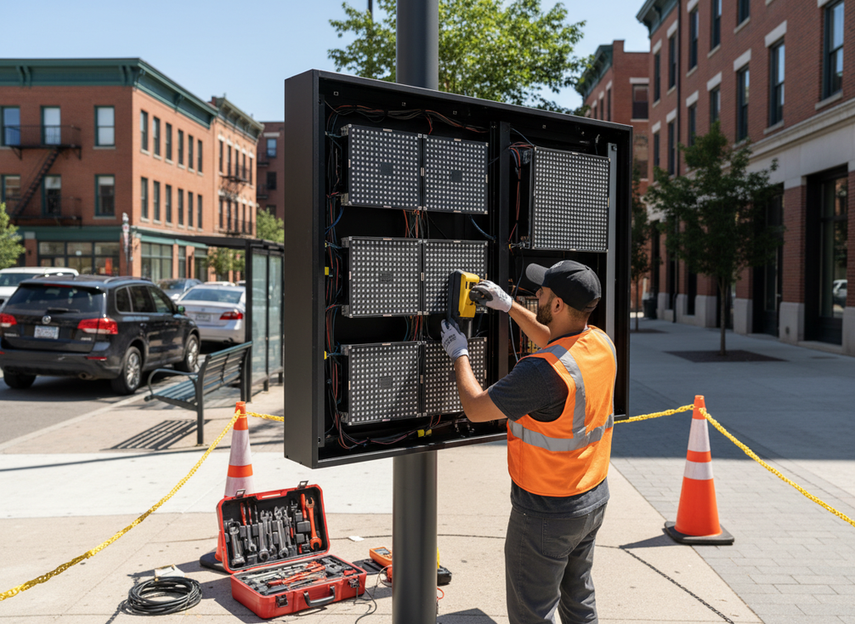
For most projects, the first check is whether the crew can safely reach the service face, stage tools, and remove parts without blocking public circulation. If that answer is no, front-access planning deserves attention early, before mounting and permitting lock the layout in place.
Front-Service Cabinet Design Basics
A true front-service cabinet is designed so routine maintenance can happen from the display face, with the critical modules and service points reachable without rear access. In real use, that usually means the module layout, latching method, and internal access path all work together. If one of those pieces still assumes side or rear reach, the design is only partly front-service.
Service Access Paths
The technician should be able to open, reach, and remove the needed components from the front side with the exact model’s documented procedure. That is why product drawings and service manuals matter before procurement. A cabinet that looks serviceable in the showroom may still be awkward on a façade once neighboring walls, sign bands, or railings get in the way.
Module Layout and Latching
Module size, fastener type, and latch style affect how fast a swap can happen and how repeatable the process feels during repeat visits. In outdoor or high-wind settings, module retention matters as much as convenience. The module retention in wind point is important because a quick-open design still has to keep modules stable under vibration and exposure.
Cabinet Depth and Neighboring Clearance
Cabinet depth changes how far a module can be tilted or extracted, and nearby obstructions can shrink that envelope fast. A narrow sidewalk, parapet, pole, or service platform may turn a simple swap into a staged access job. In that kind of site, clearance should be checked against the exact model drawing, not guessed from the product family name.
Where Mesh or Ventilated Designs Fit
On exposed façades, lighter or ventilated designs can be useful when wind and access both matter. That said, mesh-style products still need a maintenance plan, and ventilation does not automatically solve wind-load or service issues. The safer way to think about them is as one possible fit for a specific façade condition, not as a built-in fix for every high-rise project.
US projects also need basic compliance discipline. A useful reminder from the US installation compliance context is that electrical, listing, and approval checks should be verified for the exact site and jurisdiction rather than assumed from a catalog page.

How Much Clearance Front Service Needs
There is no universal front-service clearance number that works for every cabinet and every site. The safer way to estimate space is to work backward from the maintenance action: opening the face, removing the module, staging the part, and keeping people clear while the work happens. Chipshow’s access guidance is useful as a baseline, but the final envelope must follow the exact product method.
| Site condition | What it restricts | Clearance question to ask | Practical front-service response |
|---|---|---|---|
| Narrow sidewalk | Tool handling and public separation | Can the crew work without encroaching on pedestrian flow? | Keep the service path compact and plan short work windows |
| High-rise façade | Lift access, wind, and staging | Can the crew reach the face safely and hold position long enough to swap parts? | Favor the simplest possible front-removal sequence |
| Parapet or sign band | Tilt-out and extraction space | Can the module actually clear the surrounding structure? | Verify extraction envelope before mounting |
| Street furniture or poles | Body movement and tool swing | Is there enough room to move parts without impact risk? | Rework placement or choose a different access strategy |
| Limited service platform | Staging and part handling | Where will removed parts and tools go during the swap? | Pre-stage tools and keep the procedure short |
This table shows the same idea from a different angle: the tighter the access environment, the more the project depends on compact front-service handling and clear staging. It helps explain why a site that looks workable on paper can become difficult once pedestrian flow, wind, and service posture are included.
Module Swap Workflow for Limited Access Sites
A front-service module swap should stay simple, but it should never be casual. The safe general flow is to isolate the unit, open the service face, remove the target module, replace it, align it, test it, and then restore service. That sequence sounds basic, but most downtime is lost in the details: wrong labeling, awkward staging, slow fastener handling, or reconnecting the wrong part.
- Isolate the display and confirm the service plan for the exact model.
- Stage tools, replacement modules, labels, and any required access gear before opening the face.
- Open the service area only as far as the product manual allows.
- Remove the target module carefully and keep it identified.
- Install the replacement module and align it with surrounding panels.
- Verify connections, position, and display output before closing up.
- Restore operation only after the technician and site lead confirm the swap is complete.
For outdoor maintenance work, safety still applies. OSHA’s fall-protection requirements are a reminder that front access does not remove walking-working-surface or fall-protection concerns, especially on ladders, façades, and elevated work areas. The actual procedure should follow the product manual and the site’s safety rules, not a generic sequence copied from a brochure.
Choosing the Right Front-Service Setup
The best front-service choice is the one that reduces repeat disruption at the site. If access is tight but maintenance is infrequent, a simpler layout may be enough. If the display will need repeated service, the maintenance path, labeling, and replacement process become more valuable than a small hardware discount.
Front-service architecture can lower maintenance labor, but the benefit depends on site access, staffing, and service frequency. Chipshow’s front-service labor efficiency material supports the direction of that trade-off, but not a universal savings promise. For hard-to-reach sites, the labor and downtime penalty of awkward access can outweigh a small difference in cabinet cost.
Use this practical filter before sign-off:
- If the site has no practical rear access, treat front-service as a requirement, not a convenience.
- If pedestrians, lifts, or façades make staging difficult, prioritize the simplest service path.
- If the display sits in a wind-exposed location, confirm module retention and fastening details on the exact model.
- If the owner expects frequent service, optimize for repeatability and short swaps.
- If the documentation is vague, do not assume a family name means the same access method across every model.
For buyers comparing broad options, the most useful next step is often browsing the right category rather than jumping straight to a model. The outdoor DOOH category can help narrow the field when the site itself is still driving the decision. If you already know the display needs to be front-access, confirm that the exact cabinet, access path, and service instructions match the project before you lock the order.
What to Verify Before Approval
Before approval, check the site access route, maintenance stance, and service responsibilities together. Do not treat front-service as proof that the job is automatically easy. Verify the exact drawing set, confirm who is allowed to service the display, and make sure the install team understands how the work will be staged at the site.
- Confirm the access path from the ground or service platform to the display face.
- Confirm the exact model’s maintenance envelope and module removal method.
- Confirm who will perform service work, and under what safety controls.
- Confirm the lift, ladder, or façade plan before procurement is finalized.
- Confirm electrical and approval requirements for the jurisdiction.
- Confirm the owner’s downtime tolerance and service window.
If you want fewer surprises later, the decision should be made around access, not just cabinet language. That keeps the project focused on the real goal: faster service, less disruption, and a design that fits the building instead of fighting it.
FAQs
What Is Front Service LED and Why Does It Matter?
Front service LED describes a cabinet layout that lets routine maintenance happen from the display face instead of the rear. It matters most when rear access is limited, costly, or impossible. The practical value is not the label itself, but whether the site can actually be serviced without disrupting pedestrians, owners, or the surrounding structure.
How Much Clearance Do You Need for Front Maintenance?
There is no single universal number. Clearance depends on the cabinet design, the way the module comes out, the tools used, and the site around the display. The safest approach is to check the exact product drawings and compare them with the actual walkway, parapet, platform, and staging space before approval.
Can a Street-Level Install Use the Same Front-Service Approach as a High-Rise Façade?
Both can use front-service concepts, but the access problem changes. Street-level sites usually have tighter pedestrian separation and staging limits, while high-rise façades add lift access, wind, and height-related safety controls. That means the same cabinet idea may need a different service plan depending on where it is installed.
What Slows Down a Front-Service Module Swap the Most?
The biggest delays usually come from poor labeling, awkward staging, misalignment, and unclear handoff steps, not from the module alone. If the crew has to search for parts, reposition tools, or recheck the wrong panel, the advantage of front access disappears fast. A simple checklist often saves more time than extra hardware.
How Do Buyers Compare Front-Service Options Before Purchase?
Start with site access, then compare documentation quality, service path, downtime tolerance, and who will actually maintain the display over time. A front-service cabinet is only a good fit if the exact model’s access method matches the project, the service team can use it safely, and the maintenance plan fits the site’s real constraints.





