





Front service LED wall command center planning matters when rear access is hard to reserve, because maintenance still has to happen without disrupting 24/7 operations. For a LED wall front service command center setup, front access is a serviceability choice, not a promise of uninterrupted uptime. The right setup depends on the room layout, the service path, and whether your team can follow a repeatable maintenance workflow.
Why Front Service Matters in 24/7 Rooms
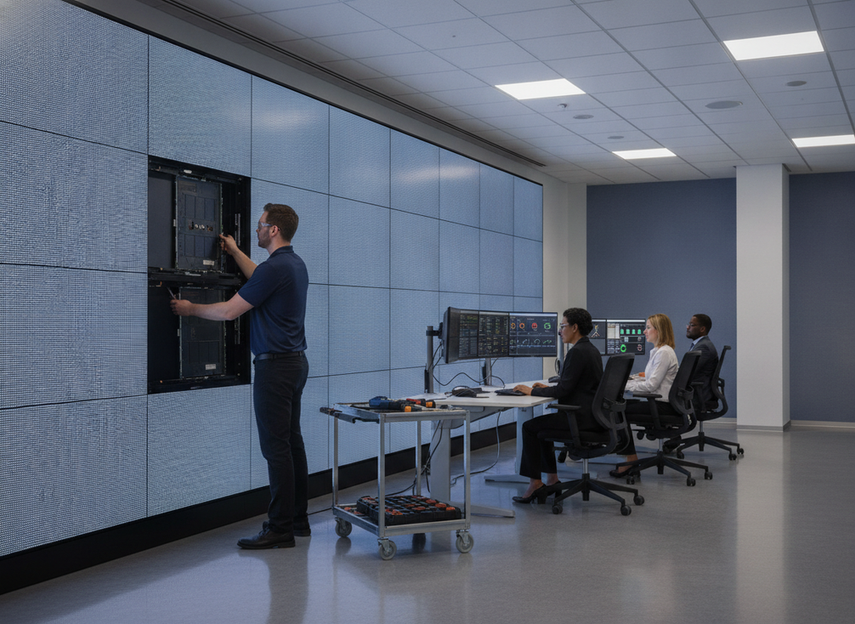
In a command center, the biggest issue is often not the display itself. It is whether a technician can reach it without forcing a room redesign or interrupting the people using it. The control-room layout guidance in ISO 11064-3 is clear that maintenance access should be planned to minimize interference with ongoing operation, which is exactly why front access gets so much attention in 24/7 spaces.
A front service LED wall command center layout can reduce dependence on a rear corridor when the room is already built out tightly. That makes it easier to swap modules, inspect connections, or handle routine service from the room side. It is especially useful when the wall sits in a finished space with no realistic rear clearance.
The boundary is important: front service helps access, but it does not eliminate the need for a maintenance window, coordination, or a careful handoff. If the room already has easy rear access, the advantage may shrink. If the room is locked down and the display is mission-critical, front access may move from a nice feature to a layout requirement.
The practical question is simple: if the wall needs service next month, can you reach it without disturbing the room’s core function? If the answer is no, front service deserves serious consideration.
Front-Service Design Choices
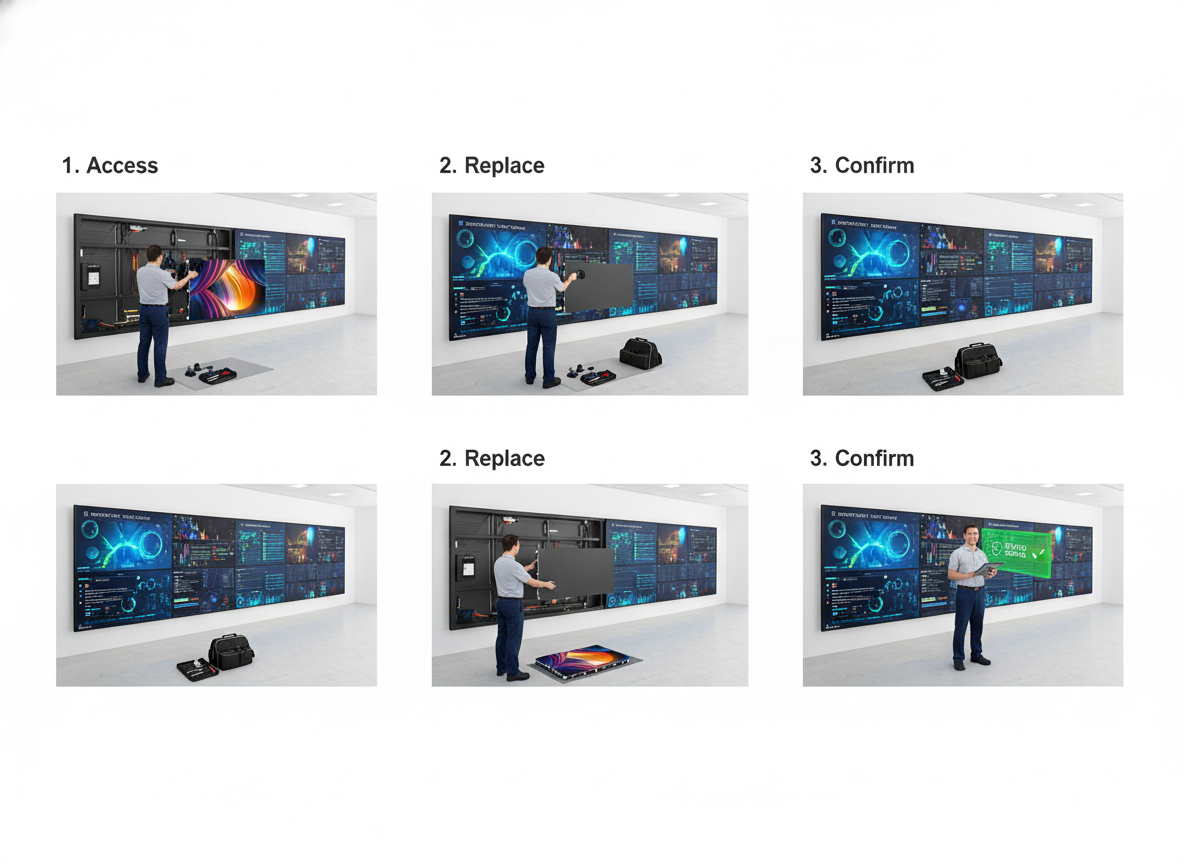
What makes a display front-serviceable is not just that the panel comes off from the room side. The access path has to match how the technician actually works, and the cabinet layout has to support clean removal and reassembly. If the panel opens awkwardly, the cable path is crowded, or the module fit is inconsistent, the wall may still be hard to maintain even though it is technically front-access.
A useful way to judge the design is to separate three layers. First is the access method itself, such as removable modules or front-release hardware. Second is the cabinet and module layout, which affects how accurately parts go back into place. Third is cable and power access, which can become the hidden bottleneck if signal paths are not easy to identify.
For the current brand’s C-Pad Command, our mission-critical COB wall uses magnetic front service and inverted COB packaging, and the product page describes flush wall-mounting as part of that design. That is a model-specific mechanism, not a universal rule for all front-service walls, but it shows how front access can be built into the physical structure rather than added later as an afterthought.
AV service documentation also matters. The cable labeling and documentation guidance from AVIXA reinforces a simple point: if technicians cannot identify paths quickly, front access alone will not keep service efficient. In dense command rooms, the combination of access, labeling, and reassembly discipline is what keeps maintenance practical.
For buyers, the best check is not "does it open from the front?" It is "can the wall be opened, serviced, and closed again without guesswork?" If the answer depends on tribal knowledge, the design is probably not mature enough for 24/7 use.
How Service Workflow Reduces Disruption
Front service LED wall command center projects still need process discipline. A repeatable maintenance sequence lowers the chance that a small service event turns into a long operational interruption. A standardized maintenance workflow for LED service usually does more than save time, because it also reduces reliance on one technician’s memory.
Use a simple four-step order:
- Inspect the issue and confirm the affected area.
- Isolate the wall or segment so the service task stays contained.
- Replace the module or part using the documented method.
- Verify the image, signal path, and physical fit before returning the wall to normal use.
That sequence sounds basic, but it is where many real delays happen. Service slows down when spares are not on hand, labels are unclear, or the handoff between AV, IT, and facilities is not defined. In a 24/7 room, those details matter more than marketing language.
The right workflow also creates a clearer ownership line. Someone should know who authorizes access, who performs the replacement, and who signs off that the wall is back in a usable state. That is how front access becomes a disruption-reduction strategy instead of just a hardware feature.
Tradeoffs and Limits to Check
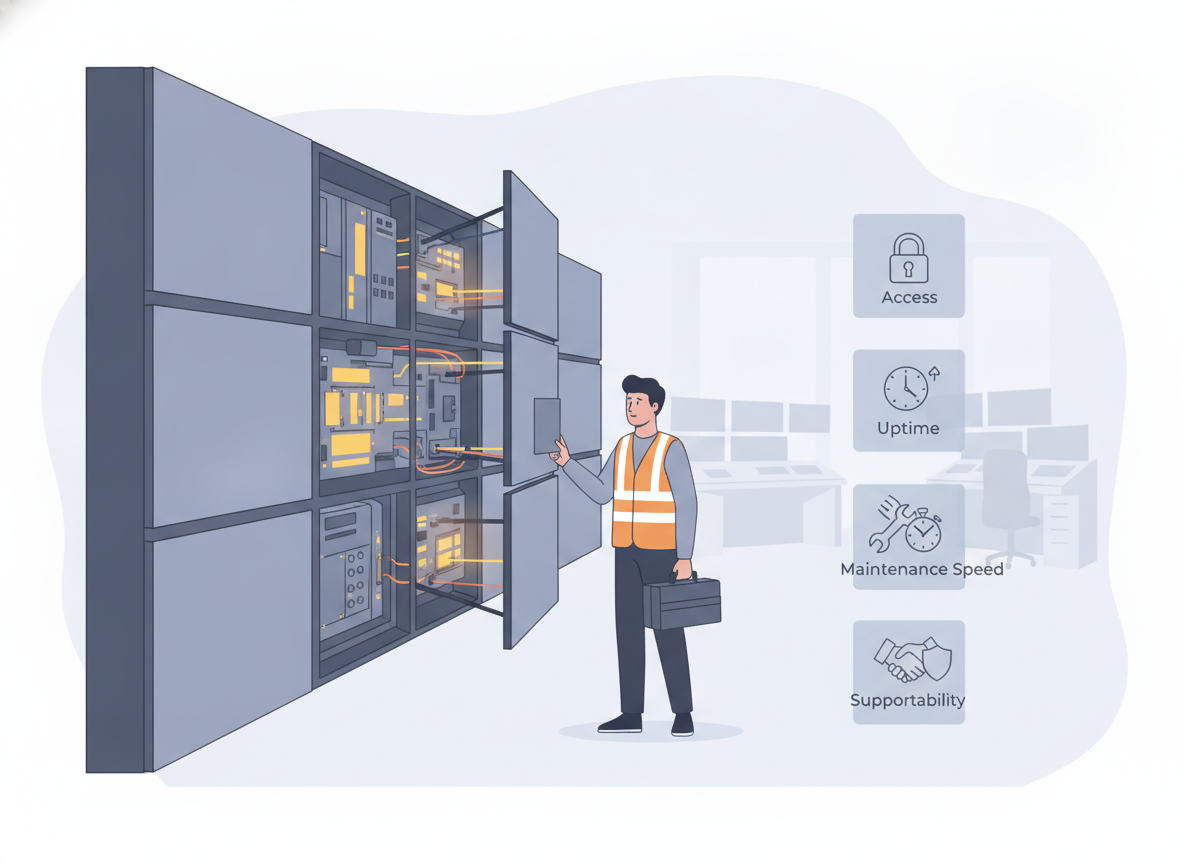
Front service is useful, but it is not automatically the best fit. A rear-access wall can still be the better choice when the room already has a safe maintenance corridor, when the build allows easy service from behind, or when the installation team prefers that access pattern. The tradeoff is usually space and convenience versus cabinet complexity and precision.
A retrofit is where the decision becomes more sensitive. The ISO 11064 retrofit lens is a useful reminder that existing control rooms should be checked for task flow and ergonomic fit before anyone assumes a front-service design will solve the problem by itself. In a finished room, the display may fit physically but still be awkward to service if the mounting depth, wall structure, or cable path is wrong.
Front access can also shift some complexity into planning. Spare parts matter more, reassembly accuracy matters more, and service documentation matters more. If those items are weak, the wall may be harder to support than the sales deck suggests.
Use this quick comparison to filter the choice:
| Decision factor | Front-service advantage | Possible tradeoff | What to verify |
|---|---|---|---|
| Rear clearance | Works when the back side is blocked or impractical | May require tighter cabinet precision | Is there any real rear access path? |
| Maintenance disruption | Service can stay on the room side | Still needs a planned window and coordination | Who approves the service event? |
| Retrofit fit | Can avoid major room rework | Existing wall structure may limit installation | Does the mounting depth fit the room? |
| Long-term support | Easier when labels and spares are organized | Weak documentation slows service | Are spares, labels, and handoff steps defined? |
Specification Checklist for Buyers
Before you specify a front service LED wall command center project, verify the room and the workflow, not just the screen. A good wall should match the access path, the maintenance owner, and the physical constraints of the space.
- Confirm whether front access is required because rear clearance is blocked, limited, or too expensive to preserve.
- Ask how the wall is opened from the room side, and whether that method matches your team’s maintenance process.
- Check the mounting depth, wall structure, and service clearance so the design fits the room instead of forcing a rebuild.
- Make sure labeling, spare modules, and documentation are part of the handoff, not an afterthought.
- Define who coordinates access, who performs the work, and who verifies the wall is back in service.
- If you are comparing vendors, ask them to walk through the replacement sequence step by step.
If you want a starting point for mission-critical browsing, our command center solutions can help you compare options by application first. If you already know you need a dedicated front-access platform, the mission-critical C-Pad category is a better place to check current fit details.
Final Takeaway
Front service is most valuable when the room layout makes rear access unrealistic and the operation cannot afford avoidable disruption. It is a serviceability strategy, not a blanket promise of zero downtime. If you are planning a 24/7 control room, judge the wall by access path, workflow discipline, spare-part readiness, and retrofit fit, not by the marketing headline alone. When those pieces line up, front access can make long-term maintenance much easier.
FAQs
How Do Front-Service LED Walls Help in a 24/7 Command Center?
They let technicians work from the room side when rear access is limited or unavailable. That can make routine service less disruptive, but the project still needs a maintenance window, a defined access process, and a clear handoff so operations are not left guessing.
What Is the Difference Between Front Service and Rear Access?
Front service is designed for room-side maintenance, while rear access depends on a corridor or service space behind the wall. Front access often suits tight command rooms better, but rear access can still be simpler when the building layout already supports it.
Can a Front-Service Wall Be Used in a Retrofit Project?
Often yes, but retrofit fit is where the details matter most. You need to check mounting depth, wall structure, cable paths, and task flow before assuming the design will work cleanly in an existing control room.
What Maintenance Items Should Be Planned Up Front?
Plan for labeled cabling, spare modules, documented replacement steps, and a named owner for service coordination. Those items reduce avoidable delay when a display issue appears and help keep the wall supportable over time.
What Should Buyers Verify Before Choosing a Front-Service LED Wall?
Verify rear clearance constraints, the access method, the service path, spare-part planning, and who owns maintenance handoff. If any of those are vague, the display may be harder to support than it looks on paper.





