





A command center LED wall for airport and rail operations should be specified around the room, not just the screen. In mission-critical control rooms, the key questions are whether the wall stays readable during long shifts, fits operator sightlines, can be serviced without disrupting the room, and has redundancy that is real enough to verify. For airport teams, the need for integrated display systems that handle surveillance, alarms, access control, and 24/7 readiness is well established in Airport EOC display integration.
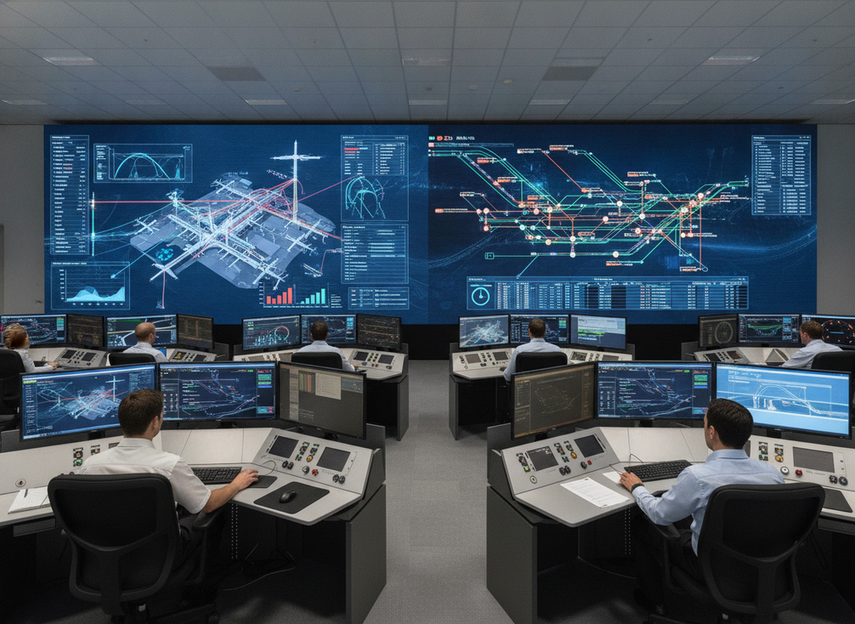
What Transportation Control Rooms Need Most
Airport and rail command center LED walls are not bought like office displays. They sit in rooms where operators watch mixed data feeds, react to alarms, and keep working through long shifts. That means the wall has to support clarity, uptime planning, and maintenance access at the same time.
For airport operations center video wall specs, the first decision is whether the room is truly mission-critical. If operators rely on the wall for live situational awareness, then the procurement brief should cover brightness, service access, and redundancy together instead of treating them as separate line items. The airport EOC guidance is useful here because it frames display integration as part of a larger operational system, not a decorative screen.
A good rule is to start from the room and workflow, then work backward to the hardware. If the room has limited access, high alert volume, or long operator shifts, a standard commercial wall may look fine in a demo but still be a poor fit in daily use. In transportation control rooms, the buying decision is usually about how well the wall supports the operation, not how impressive it looks on paper.
Brightness and Visibility Targets
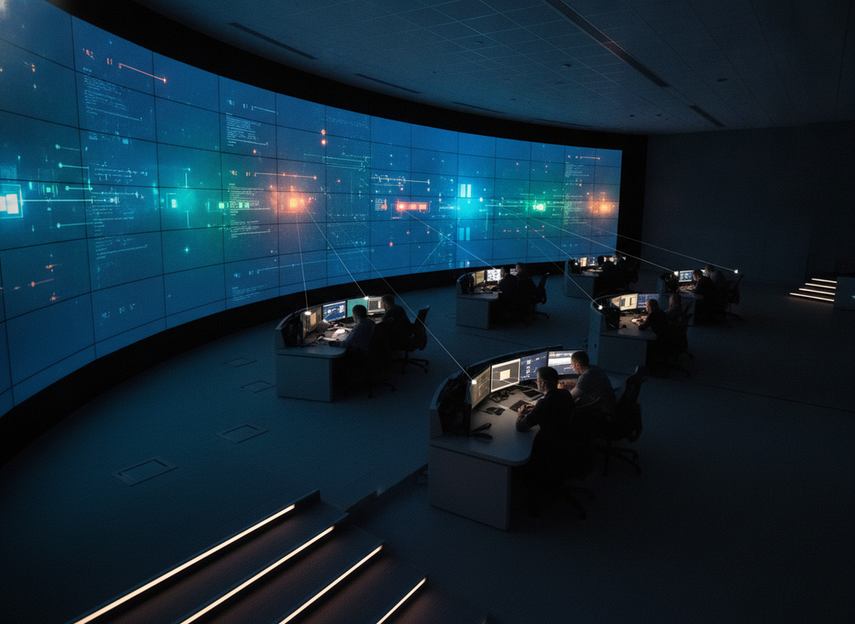
Brightness is best treated as a comfort and readability problem, not a single universal target. For directly lit control-center surfaces, ISO 11064-6 gives buyers a useful ceiling: average luminance should stay at or below 500 cd/m², and peak luminance should stay below 1,500 cd/m². That is a boundary for comfortable viewing, not a promise that every command center LED wall should be set to the same number. The control-room luminance ceiling matters because excessive luminance can make long-shift monitoring tiring instead of easier.
Room Lighting and Daylight Exposure
The right brightness changes with overhead lighting, reflections, and any daylight in the room. A rail control room with little exterior light can usually specify differently from an airport operations center with brighter surroundings or more reflective surfaces. That is why buyers should describe the actual lighting environment in the request for proposal instead of asking vendors for a brochure number and calling it done.
If you need a practical spec path, ask vendors how the display performs in the planned room lighting, not in a dark demo space. That is especially important for airport operations center video wall specs, where alert states, maps, camera feeds, and dashboards may all need to stay readable at once.
Pixel Pitch and Viewing Distance
Pixel pitch matters when operators sit close enough that fine detail, text, and map labels have to remain crisp. In plain language, tighter pitch is usually more useful when people work at console distance and need to read dense information without visible pixel structure. Use that as a planning clue, not a universal rule, because room size, content density, and budget all change the trade-off.
For rail control room LED display requirements, this is often where buyers overcorrect. A very fine pitch can be helpful, but only if the room actually needs close-in readability. If the operators sit farther back, or if the wall mainly carries large-status content, the pitch decision may shift toward value and maintainability instead of ultra-fine resolution.
Eye Comfort During Long Shifts
Long-shift monitoring makes eye comfort as important as raw brightness. ISO 11064 ergonomics guidance favors placing large displays at or just below eye level so operators do not spend the day craning upward or fighting awkward sightlines. The operator sightline placement point is simple: if the wall is hard to view comfortably, the room feels tiring even when the picture is technically bright enough.
This is where procurement teams should compare comfort features, not only output specs. Stable image quality, controlled contrast, and a layout that matches the main operator positions usually matter more than a headline brightness claim. For a public safety command center LED wall, that comfort layer can affect vigilance as much as the screen itself.
Why Front Service Access Matters
Front service becomes important when rear access is limited, wall depth is tight, or the room cannot tolerate long maintenance shutdowns. In retrofit airport and rail rooms, that is common. A flush-mounted wall can look clean, but it is only practical if the service path still lets technicians reach modules, power, and signal components without dismantling half the room.
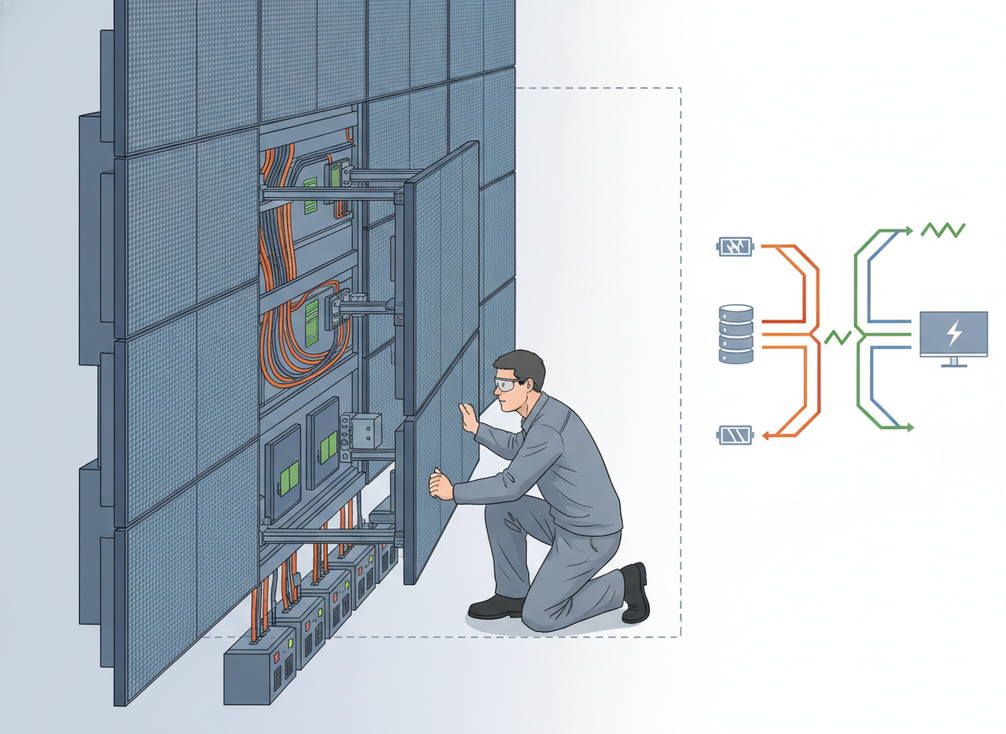
The useful test is not "Can it mount flush?" but "Can it be serviced without breaking the room workflow?" If the answer is no, then front service is more than a convenience feature; it becomes part of the uptime plan. Buyers should verify how modules are removed, where cabling lands, and whether the installation leaves enough room for routine service in front of the wall.
A second check is support planning. Front access helps, but it does not replace spare modules, field support, or a realistic maintenance process. If the team cannot keep the room operational during a fault, the wall is not really service-ready, even if the cabinet design looks compact.
Redundancy and Signal Resilience
Redundancy should be reviewed layer by layer. Dual power, dual signal, controller failover, and spare-module planning each protect a different failure mode, and none of them should be treated as a blanket uptime guarantee. In transportation control rooms, the real question is what stays visible, what reroutes, and what needs manual intervention if something fails.
| Redundancy Layer | What It Protects | What To Ask The Vendor | Procurement Priority |
|---|---|---|---|
| Power path | Single power loss or localized electrical fault | Which components have backup power, and what happens if one path drops? | High |
| Signal path | Input or transmission failure | Is there an alternate signal route, and how does it switch? | High |
| Controller logic | Processor or control-unit failure | What takes over, and is the transition automatic or manual? | High |
| Spare modules | Localized panel or module failure | What parts are stocked, and what is the replacement workflow? | Medium to high |
That table is the safest way to compare bids because it turns marketing language into failure-mode questions. If a sheet says "dual power" or "zero downtime," the next step is to ask what that actually means in the installed system. For airport and rail procurement, the phrase should be treated as design intent until the failover scope is clear.
How to Spec and Compare Vendors
Use one comparison sequence for every bid so the numbers stay like-for-like.
- Define the room. Confirm dimensions, operator positions, lighting, and any rear-access limits before you compare display sizes.
- Set the visibility target. Match brightness and pitch to sightlines, content type, and how close the operators sit.
- Verify service access. Check whether the wall can be maintained from the front and how modules, power, and signal paths are reached.
- Review redundancy and support. Ask what fails over, what does not, and which spare parts or service commitments are included.
- Validate on site. If the shortlist still feels close, compare the actual room conditions and installation plan rather than brochure claims.
For airport and rail buyers, this process prevents the most common mistake: comparing a polished demo against an unverified room requirement. If a vendor cannot explain how the wall fits the control room workflow, the bid is not ready for final selection. When the requirement is broader, browsing mission-critical LED walls can help you compare category fit before you narrow to a final spec.
Final Takeaway
The safest way to specify a command center LED wall is to treat it as part of the control room, not a standalone display. Start with brightness and sightlines, then check front service access, then verify redundancy layer by layer. For airport and rail teams, that sequence makes bids easier to compare and helps avoid expensive surprises after installation. If you are shortlisting vendors, ask for room-based proof, not brochure claims.
FAQs
How Bright Should a Transportation Control Room LED Wall Be?
There is no single universal number that fits every room. Use room lighting, operator distance, and glare control to define the target, then check it against the ISO comfort ceiling for directly lit surfaces. That keeps the spec tied to actual use instead of forcing a one-size-fits-all brightness claim.
What Makes Front Service Important in Control Rooms?
Front service matters most in retrofit rooms or anywhere rear access is limited. It lets maintenance happen without redesigning the room around the wall. The real check is whether module access, cabling, and support planning all line up with the installation layout.
Do Airport and Rail Buyers Need Redundant Power and Signal Paths?
Usually, yes, but the useful question is what kind of redundancy is actually built in. Ask what stays online, what reroutes, and what requires manual intervention. That turns redundancy from a slogan into a procurement check you can compare across vendors.
How Do You Compare LED Wall Specs Across Vendors?
Use the same room data for every bid: dimensions, operator distance, lighting, service access, redundancy, and support model. If one proposal is based on a demo setup and another is based on the actual room, the comparison is not fair yet.
Can a Mission-Critical Control Room Use a Standard LED Wall?
Sometimes, but only if the room’s access, visibility, and reliability needs are simple enough. In many transportation control rooms, the issue is not whether a standard wall turns on. It is whether it supports long shifts, maintenance planning, and failure handling well enough for daily operations.





