





Front access VMS maintenance is best treated as a DOT maintenance decision, not just a cabinet feature. When the access side matches the service posture, shoulder width, and crew workflow, it can reduce exposure and make lane-closure planning easier. When it does not, the same design may add complexity without much benefit. The question is which access path fits the corridor and the maintenance task, not whether front access is automatically better.
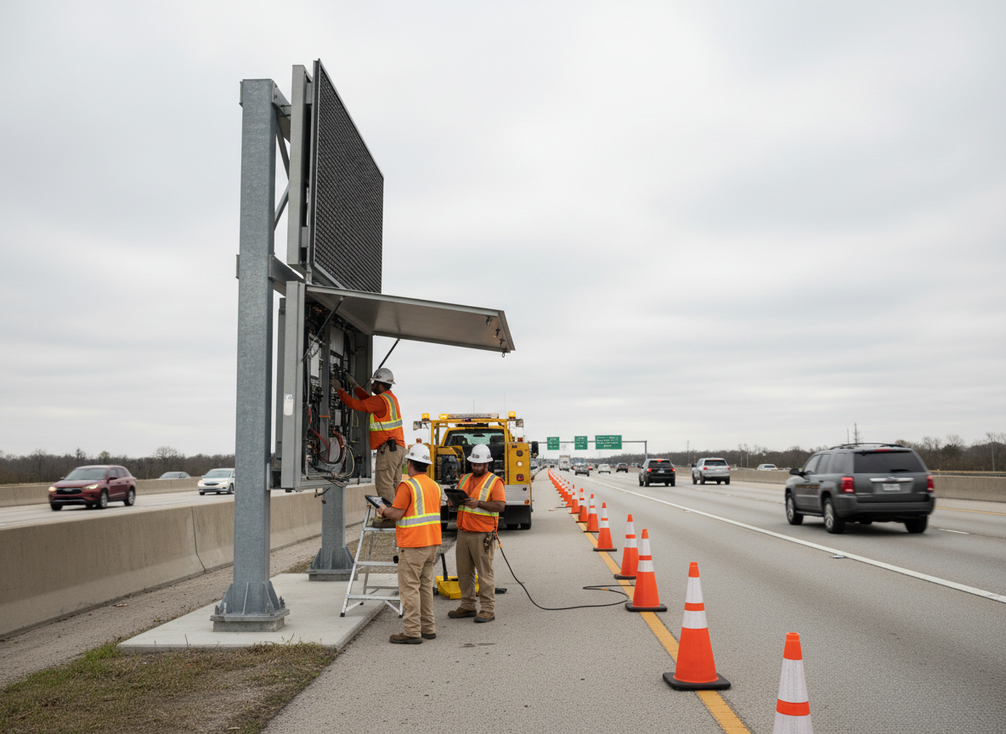
Why Access Method Changes the Maintenance Decision
Access method changes the decision because it affects where a technician stands, how much traffic control is needed, and how many steps the crew must take to service the unit. Caltrans’ maintenance-focused sign design guidance treats ease of maintenance as a real design factor, which is the right way to think about VMS front access maintenance too.
That matters for DOT crews because the access side can change the whole work pattern. A front-access layout may let crews stay on the shielded side of the unit, while a rear-service layout can force work from the traffic side or from a tighter shoulder. The design choice is not a guarantee of safety, but it can shift how often the crew needs to work near live lanes.
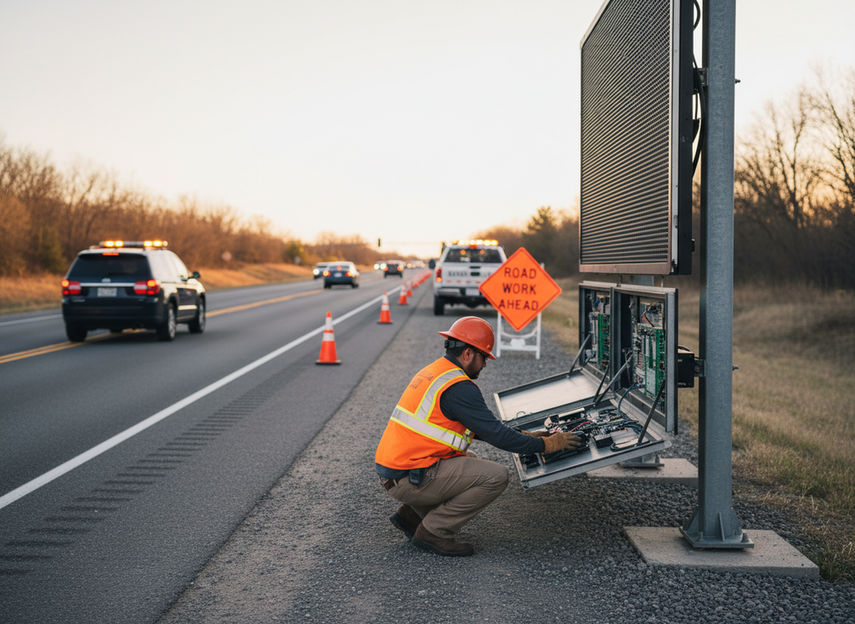
Front Access Versus Rear Service
A good comparison starts with where the crew actually works. Front-access units are usually chosen to make service possible from the safer or more convenient side of the display. Rear-service units can still be fine in protected sites, depots, or installations with enough clearance to open the rear cabinet without creating extra risk.
| Factor | Front-Access VMS | Rear-Service VMS |
|---|---|---|
| Service side | Crew works from the front or protected side | Crew works from the rear of the enclosure |
| Roadside exposure | Can be lower when the access side keeps technicians out of live-lane space | Can be higher if the rear faces traffic or a narrow shoulder |
| Space needs | Better when rear clearance is limited | Better when there is room to open rear doors fully |
| Routine checks | Can shorten inspection steps in some field setups | Often simple in depots or controlled lots |
| Best-fit site | Active corridors with limited shoulder room | Protected installations or yard-based maintenance |
Research from NJDOT found that front-access and walk-in designs reduce exposure to live traffic, which is why DOTs often favor them when roadside work is frequent. That said, the same research does not turn front access into a universal answer. If the installation geometry is awkward, the benefit can shrink quickly.
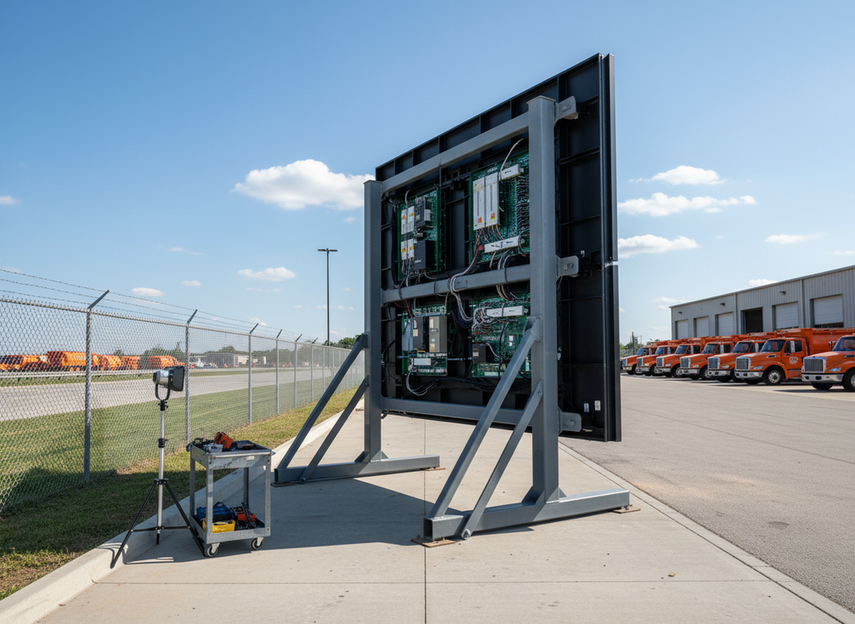
Crew Exposure and Lane Control
Crew exposure is the main safety issue in VMS maintenance. If front access helps technicians stay off the traffic side, it may reduce one source of risk. It does not remove the need for work-zone planning, high-visibility PPE, or lane discipline during sign service.
FHWA’s traffic control guidance for sign maintenance makes the baseline clear: crews still need a controlled work zone. In practice, that means the access point should be checked against the real maintenance position. If a crew still has to cross a live lane, reach awkwardly from the shoulder, or add a second person just to manage the setup, the safety gain may be smaller than it first appears.
In tight shoulder or short-window work, front access is most attractive when it reduces the number of times the crew has to reposition the unit or break traffic control to get at the cabinet. It is less compelling if the site geometry keeps forcing the same exposure, just from a different angle.
How Access Design Affects Maintenance Workflow
Front access can simplify some tasks, but not all of them. Routine inspection, cleaning, and some component swaps are the most likely to benefit because they usually happen often and require the least specialized troubleshooting. If the access point is easy to reach, a technician may spend less time moving around the enclosure and more time on the actual task.
The real workflow question is whether the common service steps line up with the opening. If the answer is yes, front access can reduce repeat setup effort and make short maintenance visits easier to schedule. If the answer is no, the design may only look convenient on paper.
Troubleshooting is where many expectations break down. A front-access cabinet may make physical access easier, but it does not automatically make electrical diagnosis faster. That is why DOT crews should separate visual checks, cleaning, and routine swaps from deeper repairs when they judge front access VMS maintenance.
Lifecycle Cost Tradeoffs to Weigh
Lifecycle cost is where access method starts to affect procurement. The purchase price is only one part of the decision. Labor time, traffic-control setup, repeat mobilization, and downtime all add up over the life of the asset.
Texas Transportation Institute notes that the cost of a lane closure for short-duration maintenance can be meaningful enough to affect the maintenance budget, which is why lane-closure duration can materially affect maintenance cost. That does not mean front access always saves money. It means the design choice should be judged by how often crews need to return, how long each service call takes, and how much traffic-control effort each visit consumes.
A practical way to think about it:
- If the unit is serviced often, easier access can matter more because the labor and setup burden repeats.
- If the fleet is mostly yard-maintained, the access premium may have less value.
- If the corridor is hard to close, even a small reduction in service time can matter.
- If the access layout creates more complexity elsewhere, the lifecycle benefit can disappear.
For broader planning context, FHWA’s operations and maintenance resources are background guidance, not proof of a site-specific maintenance win.
When Front Access Fits DOT Fleets
Front access fits best when the operating environment makes repeated roadside service likely. Tight shoulders, short service windows, frequent inspection cycles, and fleets that need predictable maintenance steps all push the decision toward front access. It can also make sense when the same unit is moved often and crews need a consistent service side.
The opposite is also true. Rear service can still be reasonable in protected sites, depots, or standard installations where the crew already has enough clearance and the maintenance model is stable. In those cases, the access change may not add enough value to justify a new design or a retrofit.
NEMA TS 4 is useful DMS hardware standards context, but it should not be read as a site-specific maintenance recommendation. For procurement teams, the better question is whether the access model matches the actual service pattern, not whether the cabinet sounds compliant in general.
Checklist for Safer VMS Selection
Before you buy or retrofit, verify the following:
- Where technicians will stand during the most common service task.
- Whether the access path keeps crews off the live side of the roadway.
- How much shoulder width and door clearance the site actually gives you.
- Whether one-person service is realistic or whether two-person control is still needed.
- If lockable closures, supports, and secure-stow features work in maintenance mode.
- How often the unit will be serviced and whether easier access reduces repeat setup.
- Whether the design fits your lane-control, PPE, and lockout procedures.
- Whether parts, documentation, and service instructions are clear before purchase.
If front access does not improve at least one of those items in your real corridor, it may not be the right tradeoff. For a final check, compare the service path against your hardest-to-close site before you buy.
FAQs
Is Front Access Automatically Safer Than Rear Access?
No. It is safer only when it keeps crews out of the live-lane side or away from a cramped shoulder. The next check is the actual field layout: if the unit still forces awkward reach, crossing movement, or heavy traffic-control setup, the safety gain can be limited.
Does Front Access Reduce Maintenance Time in Every Fleet?
No. It tends to help most when frequent roadside checks are part of the job and the access point is easy to reach. Yard-based fleets, or fleets with very different service routines, may see little change. Check whether the same task still needs repositioning, extra tools, or another person.
What Should a DOT Crew Verify Before Ordering a Front-Access VMS?
Verify the service side, door swing, working clearance, and how the unit will be parked during maintenance. Then confirm that the access path still supports safe shutdown, inspection, and secure reclosure. If any of those steps become harder, the design fit is weaker than it looks.
When Is Rear-Service VMS Still the Better Choice?
Rear service can be the better fit when the unit is mostly maintained in a depot or when the site has enough clearance to work safely from behind. That makes the location, not the cabinet style alone, the deciding factor. Compare your actual service sites before you rule it out.
How Do I Know Whether the Added Cost Is Worth It?
Look at your repeat tasks, not just the spec sheet. If front access lowers exposure, setup time, or callout burden in your corridors, the premium may be justified. If it does not change those burdens in real service conditions, the extra cost may not return much value.





