





DOOH uptime is a revenue issue first. Every dark screen cuts into sellable inventory, weakens campaign delivery confidence, and makes the network harder to justify as a reliable media buy. In that sense, uptime does not just protect hardware; it helps protect the business case for the panel itself. For background on why digital inventory can carry a premium, Billboard Insider’s discussion of digital billboard economics notes that digital units can generate materially higher revenue than static boards, which is one reason downtime hurts so much.[^1]

For operators comparing paths, the key question is not whether downtime matters. It is which sites need the fastest detection, which faults justify a truck roll, and which service plan reduces screen-off time without overspending.
Why Uptime Protects Ad Revenue
A dark screen is lost media time. If a display is not selling, it is not doing the core job the buyer paid for. That is why DOOH uptime is tied to revenue protection, not just maintenance quality.
The business logic is straightforward. More uptime means more available impressions, more predictable campaign delivery, and fewer awkward conversations with advertisers when a location goes dark mid-flight. That does not mean every outage has the same dollar impact, but it does mean the operator’s revenue risk grows every time a fault sits unresolved.
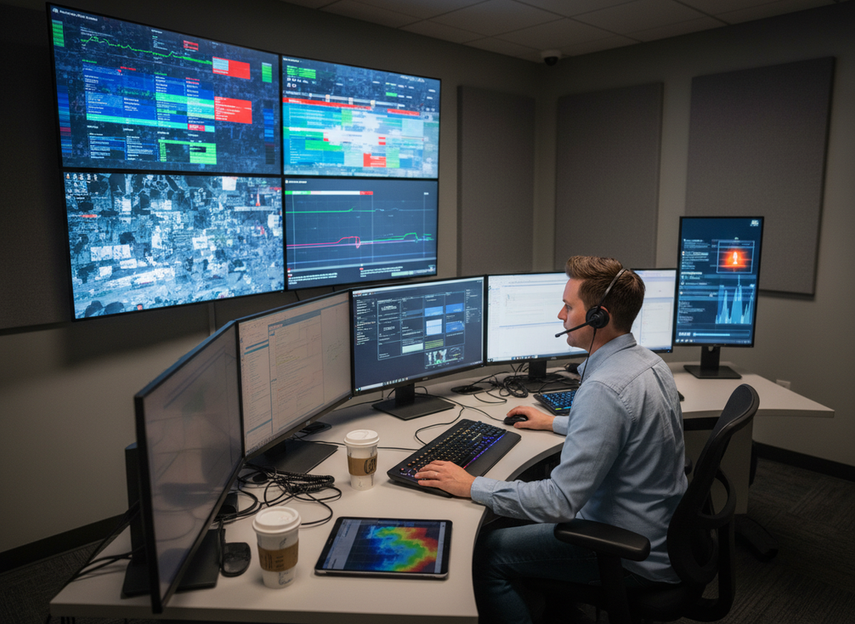
For planning purposes, think in three layers. First is inventory availability, because a working screen can sell. Second is delivery confidence, because agencies and local buyers care whether the network performs consistently. Third is utilization, because repeated downtime can make a site harder to book or renew. If the network is high-value outdoor inventory, even a short outage can feel expensive because it interrupts the selling window rather than only the repair schedule.
If you need a simple decision sentence, use this one: when a site generates meaningful ad demand, uptime investment is easier to justify because it protects both current inventory and future buyer confidence. When a location has low fill rates or limited campaign pressure, the same monitoring spend may need a tighter cost check before it is added.
Outdoor DOOH is the broader browsing path if you are reviewing outdoor display options, while the DOOH outdoor solution is the narrower product path to inspect when you want to confirm current fit and availability.
What Causes Screen-Off Time
A short fault becomes a long outage when the team learns about it late, the escalation path is unclear, or the site is difficult to reach. Those three friction points usually matter more than the fault itself.
Fault Detection Gaps
The first delay is awareness. If the operator is waiting for a person on-site or a customer call to notice the problem, a minor issue can sit for hours before anyone triages it. That is why remote visibility matters even when the failure is simple.
Access and Location Constraints
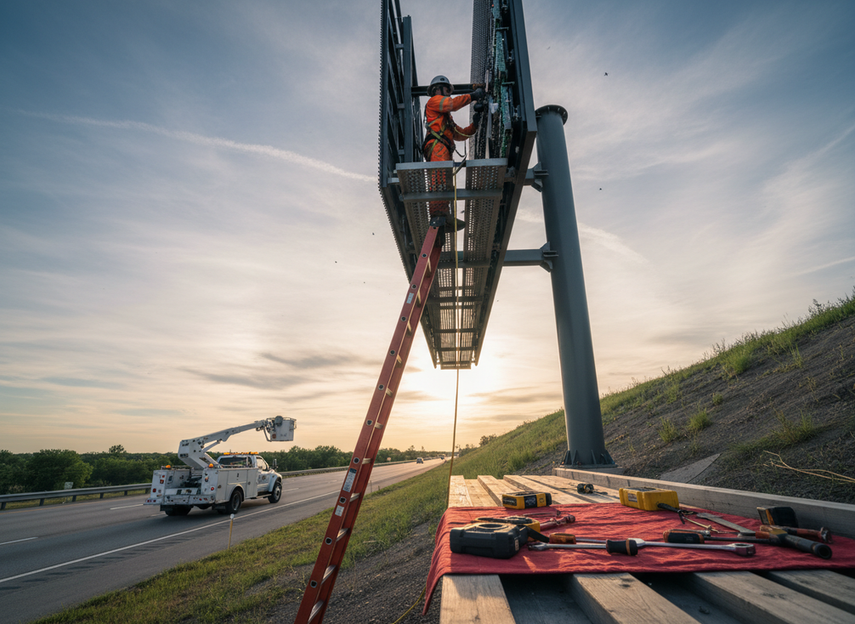
The second delay is access. A roadside site, a high-mounted display, or an installation with equipment access limits usually takes more planning than a ground-level location that a technician can reach quickly. The fault may be small, but the response is not.
Service Delays and Escalation
The third delay is ownership. If nobody knows who approves the dispatch, who carries the spare parts, or which issues can wait until the next route, the outage can stretch unnecessarily. In real operations, that delay often costs more than the repair itself.
That is the practical filter: if a site is hard to access or serves a high-value campaign, the response plan should assume more delay risk from the start. If a site is easy to reach and carries lower revenue exposure, the same urgency may not be needed.
Remote Monitoring That Shortens Recovery
Remote monitoring helps when it gives operators actionable status early enough to decide whether a fault needs a reset, a remote fix, or a field visit. That is where it can save both time and wasted dispatch cost.
The OAAA operations and safety standards give the US market a useful reference point for what responsible monitoring should support, and the recommended digital brightness guidelines make it clear that brightness control and real-time awareness are part of the operational picture, not afterthoughts. In practice, that means monitoring should do more than say "online" or "offline." It should help the team see status, spot brightness-related issues, and make a triage call before dispatching a truck.
A useful checklist for monitoring is simple:
- Actionable alerts, not just noisy notifications
- Clear status visibility by site and screen
- Enough brightness awareness to flag compliance or visibility issues
- Coverage that matches the network’s hours and site mix
Remote device management is often discussed as a cost saver in large deployments, and that is directionally useful here, but it should be read as a planning signal rather than a universal savings promise.[^2] The practical point is that earlier awareness can reduce avoidable travel and let technicians spend time on faults that actually need hands-on service.
If monitoring helps you separate remote-reset issues from true site visits, it is doing useful work. If it only adds dashboards without improving triage, the spend is much harder to defend.
Dispatch Planning for Hard-To-Service Sites
| Dispatch Factor | Low-Risk Site | Hard-To-Service Site | What Changes In Practice |
|---|---|---|---|
| Site access | Easy ground-level access | High-rise, roadside, or restricted access | Hard sites need more routing and approval planning |
| Fault severity | Non-urgent or cosmetic issue | Screen-off or revenue-critical issue | Higher urgency moves the job up the queue |
| Revenue exposure | Limited booked demand | Premium or heavily sold inventory | Lost selling time matters more |
| Technician availability | Same-day local coverage | Regional or scheduled coverage | Response timing may depend on route planning |
| Equipment needed | Basic hand tools | Lift, special access, or spares | Pre-staging cuts repeat trips |
The best dispatch plan does not send every alert down the same path. It ranks the job by site difficulty, business impact, and the equipment needed to finish the repair in one visit.
That matters most for high-cost locations. A rooftop or roadside install can burn time on access alone, even when the failure is minor. If the team needs a lift, special permits, or a second trip for parts, the apparent "simple fix" can become a costly service event.
OutdoorLink’s discussion of outage cost is a useful background reminder that unplanned visits can add meaningful labor and travel cost, but it should be treated as a directional benchmark rather than a universal industry rate.[^3] The dispatch lesson is still clear: preplanned access, parts staging, and route-aware scheduling usually matter more than reacting in a hurry.
If you are comparing response models, use this split: sites with low access friction can often wait for the next efficient route, while sites with high revenue exposure or difficult access should have a faster and more specific escalation path.
The Service Economics Behind Better Uptime
The right service plan is the one that costs less than the downtime it prevents. That sounds obvious, but the trade-off is easy to miss when monitoring, labor, and spare parts are budgeted separately.
Billboard Insider’s maintenance budgeting discussion suggests that recurring upkeep is often planned as a steady operating expense rather than a one-time repair fund, which fits the logic here.[^4] The point is not to force a universal budget number. It is to compare planned upkeep against the cost of dark time, emergency dispatches, and avoidable labor waste.
Lost Inventory Versus Monitoring Spend
If the network loses selling time every time a screen goes dark, monitoring only needs to save a few of those incidents to justify itself. The stronger the inventory demand, the easier that comparison becomes.
Preventive Maintenance Versus Reactive Repair
Preventive work usually beats repeated reactive repair when a network keeps seeing the same kinds of outages. Scheduled checks, known spares, and predictable service windows tend to create fewer disruptions than repeated emergency recoveries.
Service Coverage and Spare Parts
The plan should also include technician coverage, spare-part availability, and escalation ownership. Without those pieces, a monitoring alert can still turn into a long outage if the team has to wait for parts or approval.
For cost context, Chipshow’s TCO material notes that US technician labor for LED display maintenance can vary by market, but that should be read as directional context only, not a universal rate sheet.[^5] The planning question is simpler: does the uptime plan reduce enough screen-off time, truck-roll waste, and labor duplication to justify the ongoing spend?
A Practical Uptime Planning Checklist
Use this sequence when you review a vendor, a service contract, or your own maintenance plan:
- Identify which sites create the highest revenue risk if they go dark.
- Check whether alerts are actionable, not just visible.
- Confirm who makes the dispatch decision and how fast that decision happens.
- Verify that spare parts, access needs, and routing are planned before an outage happens.
- Make service accountability explicit, including who owns follow-up after the first response.
If a plan cannot answer those five checks, it probably needs more work before you treat it as a real uptime strategy. If it can answer them cleanly, you are closer to a service model that protects inventory instead of merely reacting to failures.
Before you commit budget or revisit a contract, compare your current monitoring, dispatch readiness, spare parts, and service ownership against that checklist.
FAQs
How Do Operators Measure DOOH Uptime Value?
Most teams measure it by comparing dark-time reduction, inventory availability, and service efficiency against monitoring and maintenance spend. The value case is usually strongest when the network has booked demand, hard-to-reach sites, or repeated faults. Exact payback periods are harder to defend without operator-specific data.
What Causes a Digital Billboard to Stay Dark Longer Than Expected?
The usual causes are slow detection, unclear escalation, access difficulty, and waiting on parts or technician availability. A simple fault can become a long outage when nobody owns the next step or the site is too hard to service on short notice.
Can Remote Monitoring Reduce Unnecessary Truck Rolls?
It can, if the monitoring setup gives the team enough information to separate a remote reset from a true field service call. It is less useful when alerts are vague or do not help the operator decide whether a trip is actually needed.
Why Do Hard-To-Reach Sites Need Different Service Planning?
Because access, routing, and equipment needs change the cost and timing of recovery. A rooftop, roadside, or otherwise difficult site usually needs more preplanning than a location a technician can reach quickly with basic tools.
What Should Be in a DOOH Maintenance Plan?
A practical plan should include alerting, escalation ownership, site access, spare parts, technician coverage, and review intervals. It should also spell out which incidents get priority so the team is not improvising the same decision every time a screen goes dark.
[^1]: Digital Billboard Economics is used here as background context for why premium digital inventory makes uptime financially important.
[^2]: Why Remote Device Management (RDM) Is the Hidden Cost-Saver in Large-Scale Digital Signage Deployments is used only as directional context for remote monitoring and service efficiency.
[^3]: The True Cost of an Outage for OOH Operators is used as a background benchmark for dispatch economics, not as a universal pricing standard.
[^4]: How to Budget Maintenance Expenses is used as a directional reference for planning recurring maintenance spend.
[^5]: Outdoor LED Billboard TCO: Power, Labor & Maintenance is used only as manufacturer-led cost context for labor planning.





