





Command center LED redundancy is the set of design choices that keep a 24/7 wall operating when a power path, signal path, or service access point fails. In practice, it is less about one magic feature and more about how the whole wall is built for recoverability. For mission-critical rooms, the mission-critical 24/7 reliability baseline is what should shape the spec, not marketing language.

What Redundancy Means in 24/7 LED Walls
Redundancy in a command center LED wall means there is a backup path or service method that can take over when a primary component fails. That can apply to power, signal, controller logic, or the way a technician reaches and replaces a part. It does not mean the wall is failure-proof, and it does not mean every fault behaves the same way.
The buying mistake is treating redundancy, modularity, and spare-parts planning as the same thing. They are related, but they solve different problems. Redundancy is about keeping the wall available during a fault. Modularity and service planning are about how fast you can restore it after that fault. For a 24/7 room, both matter.
The right level depends on your uptime target and the maintenance window you actually have. If the room can tolerate only short interruptions, the design should reduce single points of failure at the power and signal layers first. If the room has limited rear access, serviceability becomes part of the uptime plan, not just an installation convenience. That is the practical meaning of mission-critical 24/7 reliability: the architecture has to match the room, not the brochure.
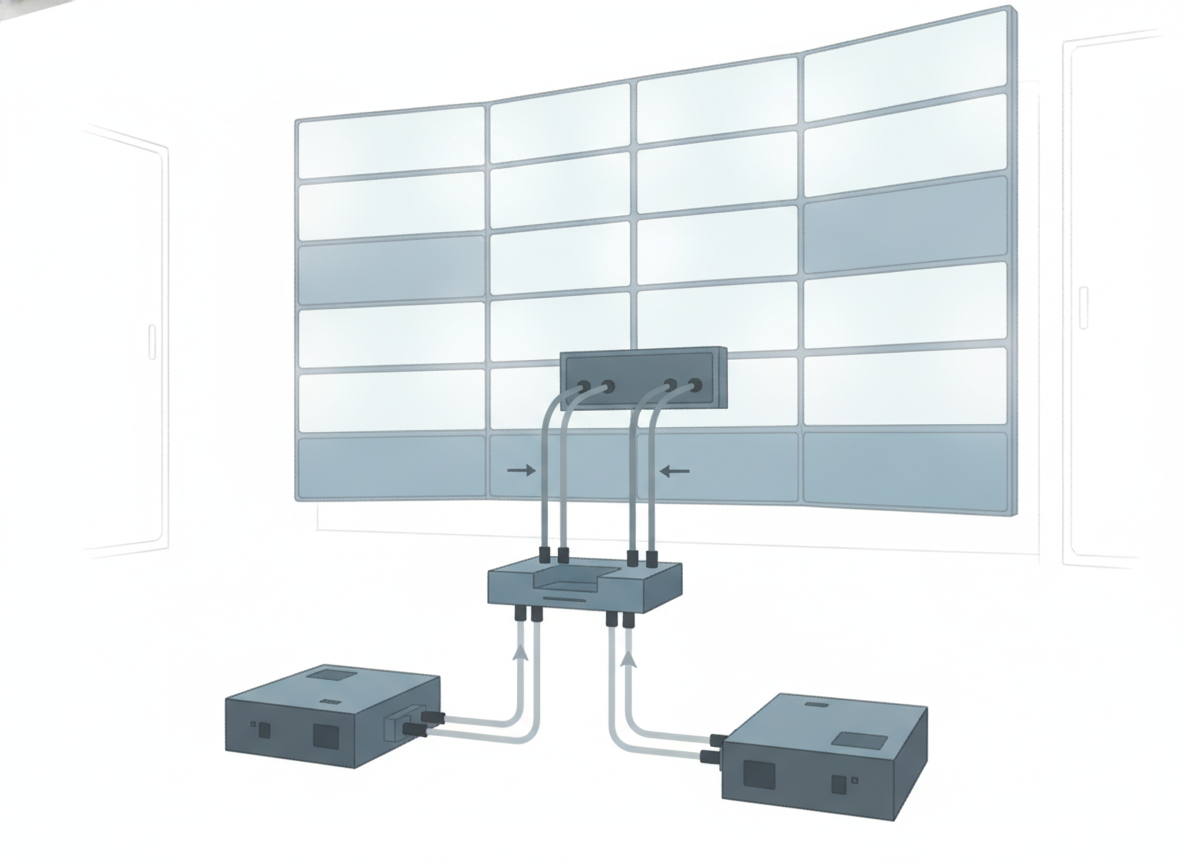
Compare Dual Power, Dual Signal, and Full Redundancy
The three labels are not interchangeable. Dual power protects a different failure mode than dual signal, and "full redundancy" is only useful if the vendor defines exactly what is duplicated and what still remains a single point of failure. The seamless vs basic failover distinction is especially important, because "automatic" does not always mean "invisible to operators."
| Architecture | What It Protects | Typical Operational Benefit | Common Gaps | Best Fit |
|---|---|---|---|---|
| Dual power | Loss of one PSU or one feed path | The wall may stay up if one power path fails | Shared control or signal issues can still interrupt the system | Rooms that need protection from supply-side faults |
| Dual signal | Cable, port, or path interruption | Traffic can route around a failed data path | Controller or processing logic can still be a bottleneck | Rooms where signal continuity is the main concern |
| Full redundancy, vendor-defined | More than one layer, depending on the design | Can reduce risk across several failure points | The term can hide remaining single points of failure | Buyers who need a written architecture map, not a label |
| Segmented architecture | A fault in one segment | One section may stay live while another is serviced | Segmentation does not replace redundant power or signal | Large walls where isolation matters |
A useful rule is this: if the vendor cannot explain what still goes down during a fault, the redundancy claim is not specific enough for procurement. That is where the system segmentation conversation helps, because isolating one section can reduce blast radius, but it is not the same thing as duplicating the whole power or signal chain.
For procurement review, ask whether the room needs protection against component failure, path failure, or both. A room with very low interruption tolerance usually needs a more explicit architecture map than a room with a wider service window. In that case, a "full redundancy" label is only a starting point.
Design the Uptime Path Around Failure Points
The fastest way to judge redundancy is to work backward from the failure points that actually cause downtime. In a 24/7 LED wall, those are usually power delivery, signal routing, controller behavior, and the ability to replace parts without taking the whole wall offline.
Dual Power Paths
A 1+1 redundant power design is the clearest example of power-path protection: if one unit fails, the backup path can keep the load running. That matters when a PSU fault would otherwise force a shutdown or a major service event.
For buyers, the key question is not just whether dual power exists. It is whether the cabinet layout, feed routing, and maintenance access let that redundancy work in the real room. If the power architecture is strong but replacement still requires a long planned outage, the operational value is lower than it looks on paper.
Redundant Signal Paths
Signal redundancy is about what happens when a cable, port, or processor path breaks. Brompton’s closed-loop signal redundancy shows the mechanism well: traffic can be rerouted so the display stays active within a single frame if a link fails. That is a useful distinction because a backup player or copied content file is not the same thing as a redundant transport path.
This is where buyers often overestimate protection. A room may have duplicate media sources and still lose the wall if the control chain or cabling is not redundant. If the signal path is the weak link, a second PSU does not solve the problem.
Hot-Swap Module Strategy
Hot-swappable components can shorten repair time because the team can replace a module without shutting down the full wall. AVIXA’s command center guidance links hot-swappable components to the maintenance reality of 24/7 rooms, where repair windows are often small.
The important boundary is that hot-swap is a serviceability feature, not proof of uninterrupted operation. A system can be easy to service and still lack a strong failover path. For procurement, that means hot-swap should be checked alongside the power and signal design, not used as a substitute for them.
Front-Service Access
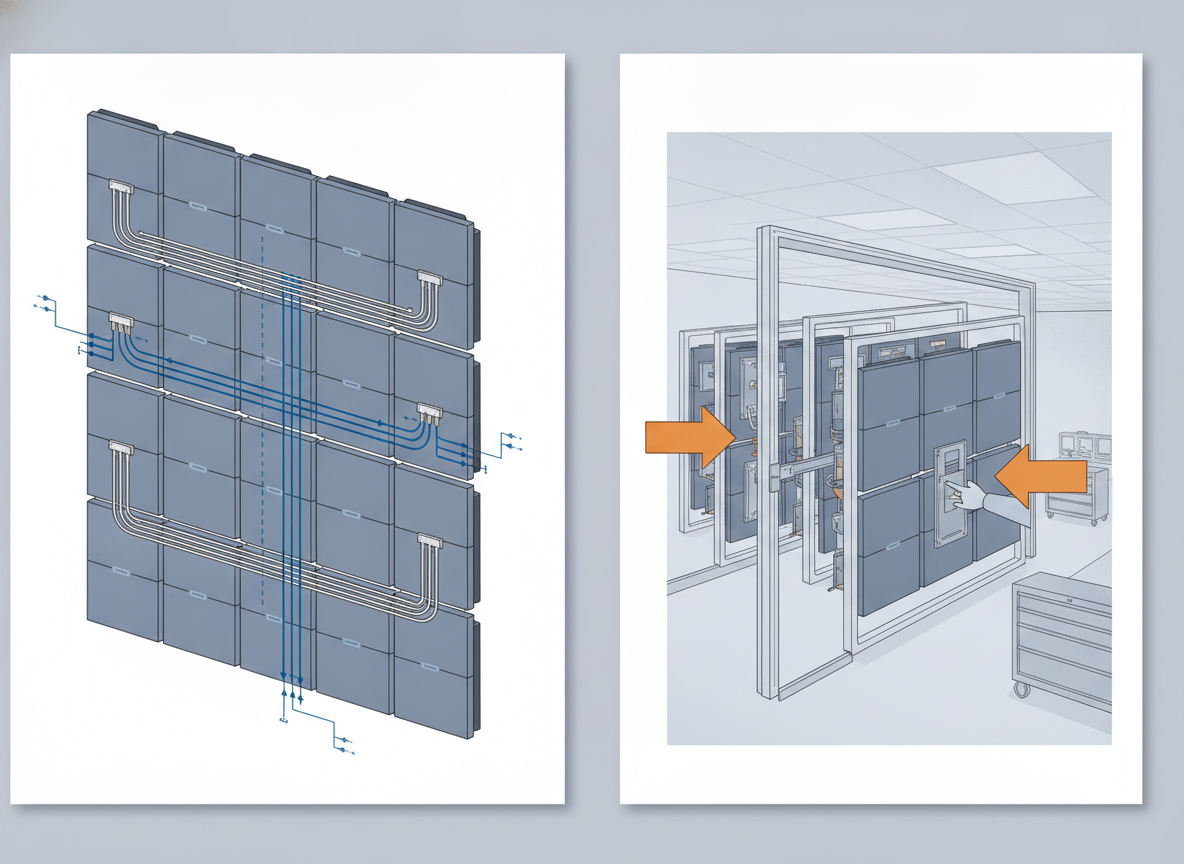
Front-service access matters when the room has tight rear clearance, sensitive cabling, or a limited work zone. It can make maintenance safer and faster, and it may help technicians replace a module without disturbing the whole installation. But it is still a serviceability choice, not a redundancy layer.
For command rooms with cramped layouts, front access often changes the buying decision as much as the electronics do. If the replacement workflow is awkward, the practical uptime risk rises even when the wall has good component-level redundancy.
What Procurement Teams Should Verify
Before you accept any redundancy claim, ask for the failure behavior in plain language. What fails over? What does not? What is the expected interruption, if any? If the vendor cannot answer those questions without drifting into marketing terms, the design is not yet procurement-ready.
- Ask for the exact fault scenario the redundancy covers, such as PSU loss, cable failure, port failure, or controller interruption.
- Ask what stays online during that fault, and what goes dark.
- Ask whether failover is basic automatic switching or a truly seamless design.
- Ask how the wall is serviced, including front access, tool needs, and whether a module can be swapped live.
- Ask what documentation supports the claim, including test records, verification steps, and the operating procedure used to validate recovery.
- Ask how spare parts, response time, and maintenance windows fit the room’s uptime target.
AVIXA’s performance verification framework is useful here because it pushes the conversation toward criteria, timing, and reporting, not slogans. That does not certify a vendor by itself, but it gives procurement teams a cleaner way to compare bids.
If the room is truly mission-critical, do not compare cabinet specs alone. Compare recovery behavior, maintenance access, and the amount of system still at risk after one fault. That is the real difference between a nice feature list and a design that supports 24/7 LED wall uptime design.
Redundancy Evaluation Checklist
- Define the room’s interruption tolerance first. If the wall cannot drop for long, power-path and signal-path redundancy deserve priority.
- Separate redundancy from serviceability. Hot-swap helps repair speed, but it does not replace failover design.
- Confirm what "full redundancy" means in writing. Ask which layers are duplicated and which are still shared.
- Check maintenance access before you compare cabinet features. Front-service access can change the real recovery time.
- Request verification artifacts. A documented recovery process is more useful than a broad promise.
- Judge the whole uptime path, not just one feature. The right answer for command center LED redundancy is usually a mix of power, signal, and service planning.
For teams comparing vendors, this is the shortest path to a sane decision: match the room’s uptime target to the fault modes you need to cover, then verify how the system behaves when one of those fault modes actually happens. If that behavior is not documented, keep looking.
Final Takeaway
For 24/7 command rooms, command center LED redundancy is only useful when it is tied to a real failure mode, a real recovery path, and a real maintenance process. Dual power, dual signal, hot-swap modules, and front-service access each help in different ways, but none of them should be treated as a blanket guarantee. If you are comparing vendors, start with what fails over, what stays online, and how fast the wall can be restored.
If you want a practical next step, ask for the recovery workflow in writing and compare it against your uptime target before you approve the design.
FAQs
What Redundancy Does a Command Center LED Wall Need?
The right level depends on how much interruption the room can tolerate and how fast it can be repaired. A low-tolerance room usually needs both power-path and signal-path protection, plus a service plan that fits the maintenance window. A room with more flexibility may accept a lighter design, but it should still define its weakest failure point clearly.
How Do Dual Power and Dual Signal Redundancy Work Together?
They protect different failure modes, so they are best evaluated as a pair. Dual power addresses supply-side faults, while dual signal covers transport and path issues. If only one layer is redundant, the other layer can still become the single point of failure.
Can Hot-Swap Modules Reduce Downtime in Live Operations?
They can reduce repair time when the product and procedure are designed for live replacement. That makes them valuable in 24/7 rooms with short service windows. But hot-swap is not the same as zero downtime, and it does not replace the need for failover architecture.
What Should Procurement Ask Vendors About Failover Behavior?
Ask what happens during a specific fault, what remains online, and how recovery is verified. Also ask whether the failover is basic switching or seamless, and whether the service procedure requires planned downtime. Those answers matter more than a broad redundancy label.
Why Does Front-Service Access Matter in Command Rooms?
It matters when rear access is limited or unsafe. Front-service access can make repairs faster and less disruptive, especially when adjacent tiles need to stay online. It should be treated as a serviceability requirement, not as proof that the wall is fully redundant.





