





COB vs SMD LED display choices affect more than image quality. They change how you service the wall, whether a curved layout is realistic, and how much downtime you should plan for. The COB vs SMD LED display comparison usually comes down to surface protection, service access, and the kind of installation the project needs.

How COB and SMD Differ in Practice
Package Structure and Surface Protection
COB and SMD differ first in how the LED chips are packaged and protected. In buyer terms, that changes how the surface handles dust, contact, and camera-facing consistency. The COB vs SMD package difference is not just a technical label; it changes how the wall is handled in the field.
For control rooms and XR work, COB has an edge when the priority is a smoother-looking surface and lower moiré risk under camera. Optoma’s technical overview on COB moiré resistance in high-precision indoor spaces is a useful reference point here. That makes COB a strong fit when operator readability or camera output matters more than broad installation flexibility.

Service Access and Replacement Workflow
Repairability is where the comparison gets real. On-site repair for COB is often limited; damaged modules may need factory-level service because of the resin-encapsulated structure. That is why the COB on-site repair limit matters so much for procurement. If you expect local technicians to swap and recover parts quickly, you need to check the actual cabinet design, not just the LED acronym.
SMD can be easier to service in familiar field workflows, but that advantage is conditional. It helps most when the wall uses standardized modules, clear front-service access, and a spare-part plan that matches the cabinet layout. If those pieces are missing, SMD does not automatically become easy to maintain.
Where Each Technology Usually Fits
As a rule of thumb, COB tends to fit mission-critical indoor environments where visual consistency, surface protection, and camera friendliness matter. SMD tends to fit broader-use projects where the buyer wants more layout flexibility and a service model that many technicians already understand. That does not make one universally better. It means the best COB vs SMD LED display choice depends on which constraint is harder to ignore: image behavior, repair speed, or deployment flexibility.
Repairability and Field Downtime
What Makes a Wall Easy or Hard to Service
Downtime is rarely caused by the LED package alone. It is usually shaped by access direction, how the modules are mounted, whether the wall is front-serviceable, and how quickly a technician can reach the failed section. In other words, the wall is only as serviceable as its cabinet architecture and workflow.
A procurement team should ask one direct question: if a module fails on a busy day, can the site swap it locally or does it become a longer service event? That question matters more than a general claim that one package is "more reliable."
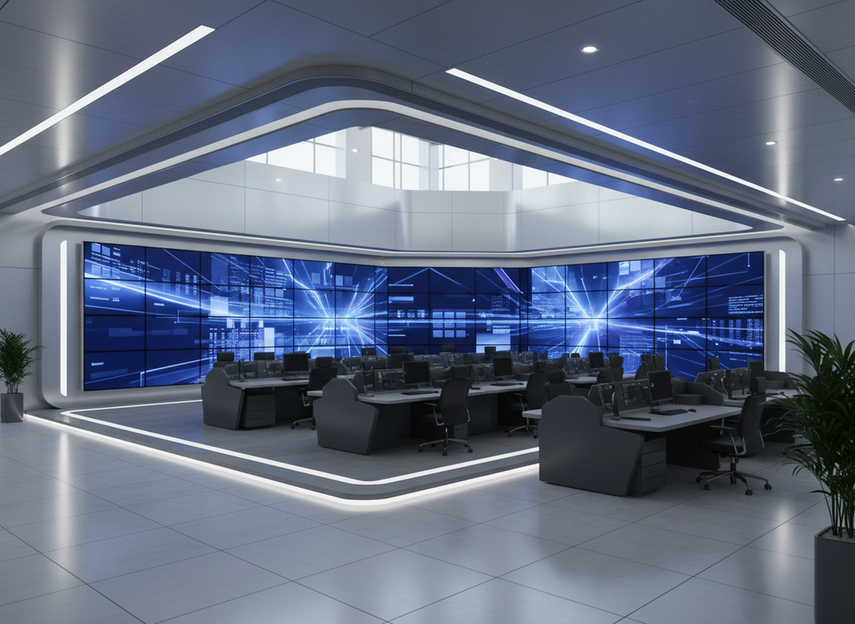
COB Repair Concerns in Real Projects
The practical concern with COB is not that it cannot be serviced at all. The concern is that localized damage is often harder to handle on site, so recovery may be slower and more centralized. That is why COB can be attractive for protection but still require a stronger spare strategy.
If your operation depends on rapid recovery, look at three things before shortlisting a COB wall: front access, spare-module stock, and the service path for damaged sections. If any of those are weak, the downtime risk can outweigh the visual upside.
SMD Repair Advantages and Limits
SMD’s advantage is familiar maintenance logic. In many standard installations, technicians already know the swap sequence, the part format is familiar, and replacement can be faster than component-level work. But that is only true when the cabinet is designed for it and the modules are actually stocked.
The supply-chain maturity of SMD maintenance can also help in standard applications, where replacement parts and labor patterns are easier to source. Still, do not turn that into a universal rule. A poorly designed SMD wall can be harder to keep online than a well-designed COB wall.
Spare-Part Strategy and Swap Speed
For 24/7 spaces, the real question is not "Which technology is better?" It is "How many minutes or hours will recovery take if a module fails?" The answer depends on swap speed, local spare inventory, and whether the site has a documented process for triage and replacement.
A strong field plan usually includes one or more spare modules per critical wall, clear labeling, and a maintenance window that does not collide with live operations. If you cannot support that workflow, choose the package and cabinet design that minimizes recovery complexity, even if the upfront visual spec looks slightly less impressive.
Curved and Non-Flat Layout Fit
The table below gives a safer starting point for curved and non-flat layouts. It is a decision guide, not a scorecard: COB often works best when the wall is effectively flat or only lightly faceted, while SMD remains the safer default when the layout needs more geometry flexibility.
| Package | Flat Wall | Slight Curve | Tight Curve / Corner | Best Use Case |
|---|---|---|---|---|
| COB | Good fit | Conditional fit | Usually needs careful product-family verification | Indoor walls that favor surface protection and camera friendliness |
| SMD | Good fit | Often a safer default | More likely to support flexible geometry, depending on the cabinet | Projects that need layout freedom and easier geometry planning |
For curved or non-flat projects, the core check is not whether the marketing says "curved." It is whether the exact product family supports the geometry you need. Slight curves, faceted corners, and truly flexible forms are different problems. A wall that looks fine in a rendering can still fail in installation if the cabinet geometry, module mounting, or bend radius is wrong.
That is why SMD remains the safer flexibility default in many real-world builds, especially when the curve is more than a light arc. COB may still work in faceted or carefully engineered layouts, but you should treat that as a product-family check, not a universal rule.
If the layout has to bend, corner, or wrap with less risk, start with SMD and verify the exact cabinet system. If the layout is mostly flat and the priority is a more protected surface, COB may still be the better fit.
Uptime Planning for 24/7 Environments
Uptime is a system outcome, not a package guarantee. In a 24/7 control room or other outage-sensitive space, the display stays online because the access route, spare strategy, maintenance timing, and support response are all planned in advance. The LED acronym matters, but it is only one piece of the plan.
Use this checklist before you buy:
- Confirm how a technician reaches the failed area. Front-service access usually reduces recovery friction.
- Ask how many spare modules or key parts should be kept on-site for critical zones.
- Check whether the wall can be swapped during a real maintenance window without disrupting live operations.
- Review whether documentation and support response are clear enough for your internal team to act quickly.
For control rooms, the downtime question should always come before the branding question. If a wall is hard to reach, hard to swap, or hard to support, the apparent reliability of COB or SMD will matter less than the operational friction around it. The best fit is the one that matches your service model, not the one that sounds most advanced.
Choose by Application, Then Verify the Build
Use the application first, then verify the build details. For control rooms, COB often makes sense when surface protection and camera-friendly viewing matter most, but only if service access and spare planning are solid. For XR and virtual production, COB can reduce moiré risk, while SMD may be the better choice when the stage needs more geometric freedom. For outdoor DOOH, neither package is an automatic winner, so the exact product family and maintenance plan should drive the final shortlist. Before you commit, check access, curvature compatibility, spare-module strategy, and documentation. If those four pieces do not line up, keep shopping.
FAQs
What Is the Main Difference Between COB and SMD LED Displays?
COB and SMD mainly differ in how the LED chips are packaged and protected. That changes surface behavior, repair workflow, and where each technology tends to fit best. If you are comparing options, start with protection and service access, then decide whether your use case rewards a tougher surface or a more flexible install path.
Is COB Better Than SMD for a Control Room?
COB is often a strong option for control rooms because it can support a cleaner-looking surface and better camera behavior. The decision flips if the site needs easier local service or a more flexible cabinet plan. Check front-service access, spare-module readiness, and whether operators can tolerate slower recovery if a module fails.
Is SMD Easier to Repair in the Field?
Often yes, but only when the wall uses familiar modules, accessible cabinets, and a real spare-part plan. SMD is easier to maintain in many standard setups because the workflow is familiar to technicians. If the cabinet is hard to reach or the parts are not stocked, that advantage shrinks quickly.
Can COB or SMD Be Used for Curved LED Walls?
Both can appear in curved projects, but the exact cabinet family matters more than the acronym. For light curves and faceted layouts, either may work if the product is designed for it. For tighter or more creative geometry, verify the mounting system and ask whether the wall is truly flexible or just visually faceted.
How Should Buyers Compare Uptime When Choosing Between COB and SMD?
Compare the service model, not just the technology label. The better wall is the one with reachable service points, a practical spare strategy, and support that matches your outage tolerance. If a short failure would disrupt operations, ask how fast the site can swap, restore, and verify the panel before you buy.





