





A COB LED video wall can make sense for mission-critical rooms, but the real buying question is not just image quality. It is whether your team can support service access, repair workflow, and downtime planning without disrupting operations. In practice, COB is worth a close look when the room has controlled access and defined support ownership, and it is a weaker fit when emergency repair responsibility is still vague.
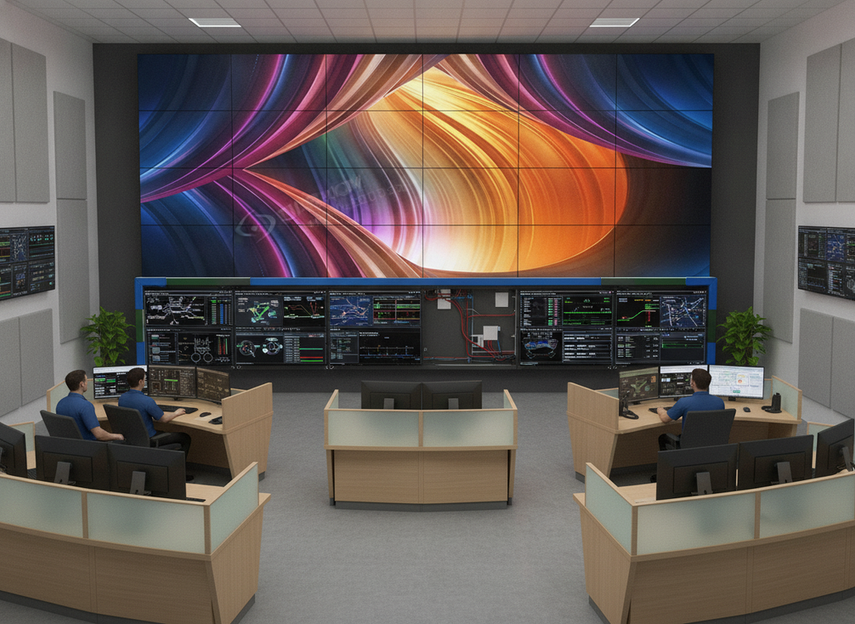
Why Buyers Consider COB for Mission-Critical Rooms
COB LED video wall adoption is growing in the U.S. even though market research puts the material cost premium at roughly 15% to 25%. That tells you something important: buyers are not choosing COB because it is the cheapest path. They are usually weighing whether smoother visuals, better surface protection, and a more consistent front-of-room appearance are worth the operational trade-off in a control room or operations center. IndexBox market analysis supports that broader market context.
For procurement teams, the practical question is whether the room can absorb day-two maintenance realities. If the display will live behind controlled access, with planned service windows and a known support path, COB deserves serious consideration. If the room has thin staffing or uncertain repair ownership, the visual upside can be outweighed by the maintenance burden.
If you are early in the buying process, a mission-critical COB video wall path can help you frame the category, but it should not replace service planning.
Where COB Adoption Gets Hard
The main barrier is not that COB is hard to look at on paper. It is that serviceability becomes a real operational issue once the wall is installed. In many control rooms, rear access is awkward or impossible, and prolonged disruption is not a small inconvenience. That is why front serviceability guidance matters so much in mission-critical display design.
What this means in practice is simple. A room with tight clearance, built-in consoles, or limited back access needs a maintenance plan before it needs a brighter spec sheet. Front access can reduce the pain of servicing the wall, but it does not eliminate service work. It changes how that work is done, who can do it, and how visible the interruption will be.
The next friction point is the repair workflow after a failure. COB repairs often shift from small pixel-level fixes toward module-level or panel-level replacement, which can change the interruption window and the parts you need on hand. How to repair a COB LED display explains that workflow shift clearly. For a control room, that is not a trivial detail. It affects spare-parts stocking, service labor, and how quickly the wall returns to a clean, uniform look.

A second operational hurdle is readiness. Buyers often assume that a premium display format will be easier to maintain because it feels more robust. In reality, a COB LED video wall still depends on matched spare modules, calibration capability, and a service team that knows how to restore uniformity after a repair. Procurement teams should treat those as purchase conditions, not afterthoughts. A discussion of why COB costs more than traditional fine-pitch LED screens is useful here as background, but it should not be read as proof of universal maintenance savings.
A useful decision sentence here is this: if your room has controlled access, a planned service window, and a named support owner, COB may be practical; if those pieces are missing, the display can become harder to live with after the first failure.
COB Versus SMD on Repair Burden
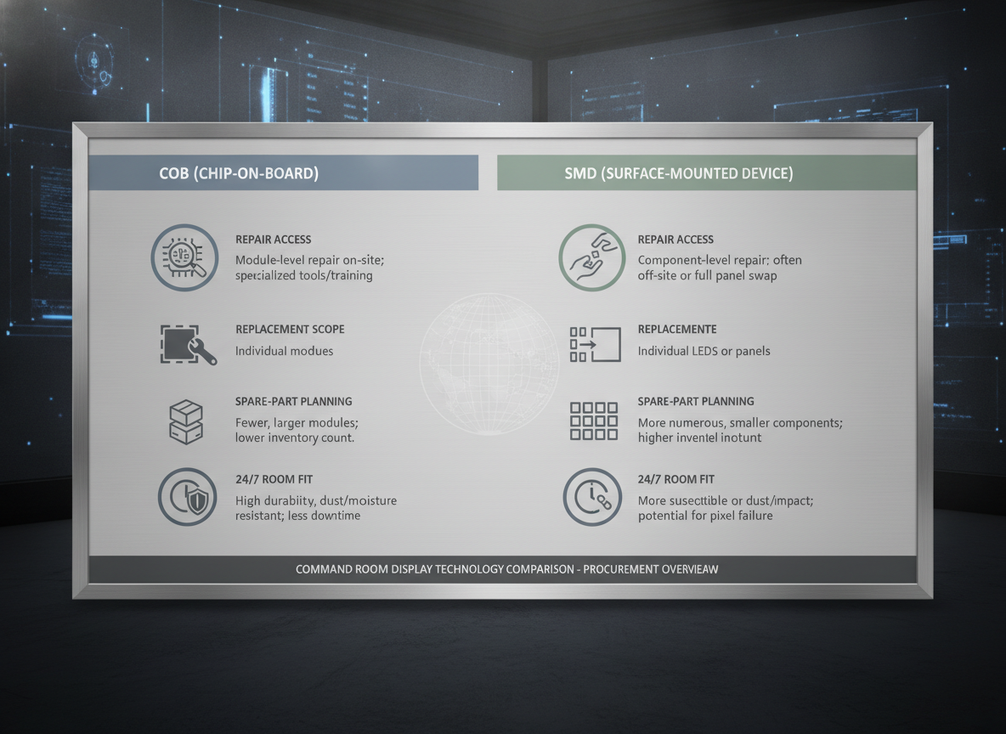
The best way to compare COB and SMD is not to ask which one is universally better. It is to ask which one fits the room’s support model. In many 24/7 environments, COB may reduce routine maintenance burden over time, but it still requires repair planning. SMD may be more familiar for component-level fixes, but that does not automatically make it easier to support in a constrained command room.
| Decision Factor | COB | SMD |
|---|---|---|
| Repair access | Often depends on front-service design and planned access | May still be serviceable, but room layout determines how easy that is |
| Replacement scope | More likely to involve module or panel replacement | Can be more granular in some service workflows |
| Visible disruption risk | Can be significant if the repair requires larger replacement work | Can be lower when the issue is isolated and access is easy |
| Spare-part planning burden | Higher if matched modules and calibration tools are required | Lower in some setups, but still dependent on the service model |
| Fit for 24/7 rooms | Stronger when controlled access and support ownership are clear | Stronger when the team wants familiar repair workflows and flexible access |
That comparison is intentionally qualitative. A report on market shifts suggests COB can carry lower maintenance burden over time than SMD in some settings, but the same comparison would be misleading if read as a universal rule. SMD vs. COB vs. MiP market report is best used as a heuristic, not a blanket promise. The operational difference becomes clearest when you imagine the first real fault. If the room can tolerate a larger service event with spare parts ready, COB may be a good fit. If the room needs quick, low-drama component repair with no service slack, SMD can be easier to justify.
When COB Is a Stronger Fit
COB tends to work better when the room is designed around controlled access and planned maintenance. That includes command centers, security operations rooms, and other 24/7 spaces where staff already expect service windows and can coordinate around them. In those environments, COB’s surface protection and consistent front appearance can matter more than the convenience of a highly granular field repair.
It also fits better when a maintenance partner or integrator clearly owns the response path. If the buying team knows who stocks spares, who performs the repair, and who handles color or brightness matching after service, the risk drops. If those responsibilities are split across internal teams and vendors, the wall can become harder to support than it looked during procurement.
COB is also more reasonable when surface protection is a priority. Rooms with more traffic, cleaning activity, or accidental contact risk may value that protection even if repair events are less convenient. The key is not to assume protection removes downtime risk. It only shifts the balance between routine durability and recovery effort. For some command centers, 24/7 operator-friendly COB options are attractive because they emphasize surface protection and viewing comfort, but that is still a fit signal rather than a guarantee.
A practical way to say it is this: COB is a stronger fit when access is controlled, ownership is clear, and the room values protected surfaces enough to accept more structured repair planning.
Decision Checks Before You Commit
Before approving a COB LED video wall, procurement should verify five things:
- Confirm service access. Can the wall be serviced from the front, and does the room layout actually support that plan?
- Define spare-part responsibility. Who keeps matched modules, and who pays for replacements after a failure?
- Validate support ownership. Which team or partner is responsible for on-site response and repair coordination?
- Map uptime tolerance. How much visible interruption can the room accept during a repair event?
- Compare a fallback format. If access is constrained or support is thin, would another LED format fit the room better?
Those questions matter because COB ownership is not just a display choice. It is an operating model. Buyers that can answer them cleanly are usually in a much better position to judge whether the format fits the room.
If you want a broader category view, command center solutions can be a useful next step, but only after you have defined the service path.
Final Takeaway
COB LED video walls are most practical when mission-critical rooms have controlled access, planned service windows, and a clearly owned repair path. They are harder to justify when repair responsibility is vague or when a larger service event would create unacceptable disruption. The decision is not about chasing the newest format. It is about matching the display to the room’s operating model. If you are still comparing options, start with service access and spare-part readiness before you judge the spec sheet.
FAQs
How Do You Judge COB LED Video Wall Serviceability?
Serviceability depends on access method, room layout, spare-part planning, and who owns the repair path. A COB LED video wall is easier to support when the wall can be serviced from the front and the team has a clear response process. If those pieces are missing, the display may be attractive on paper but awkward in daily operations.
What Maintenance Risks Matter Most in 24/7 Rooms?
The biggest risks are difficult access, unclear ownership, and delayed replacement planning. In a 24/7 room, the cost of a repair is not only the part you replace. It is also the interruption window, the coordination effort, and the time needed to restore a uniform image after service.
Why Can COB Be Harder to Adopt Than Expected?
COB can surprise buyers because the adoption barrier is often operational, not visual. The room may look ready for the wall, but the maintenance model may not be. If no one has defined the service window, spare-part path, or repair owner, the install can create friction later.
Can COB Be a Better Fit Than SMD for Command Centers?
Yes, when the room has controlled access, planned support, and a strong need for front-surface protection. In that setup, COB can be a practical fit. If the team needs flexible, low-friction emergency repair, SMD may be the easier operational choice.
What Should Procurement Ask Before Approving COB?
Ask who services the wall, who stocks spare modules, how repairs restore visual uniformity, and how much interruption the room can absorb. Those questions turn the purchase from a feature comparison into a support plan, which is the real test in a mission-critical room.





