





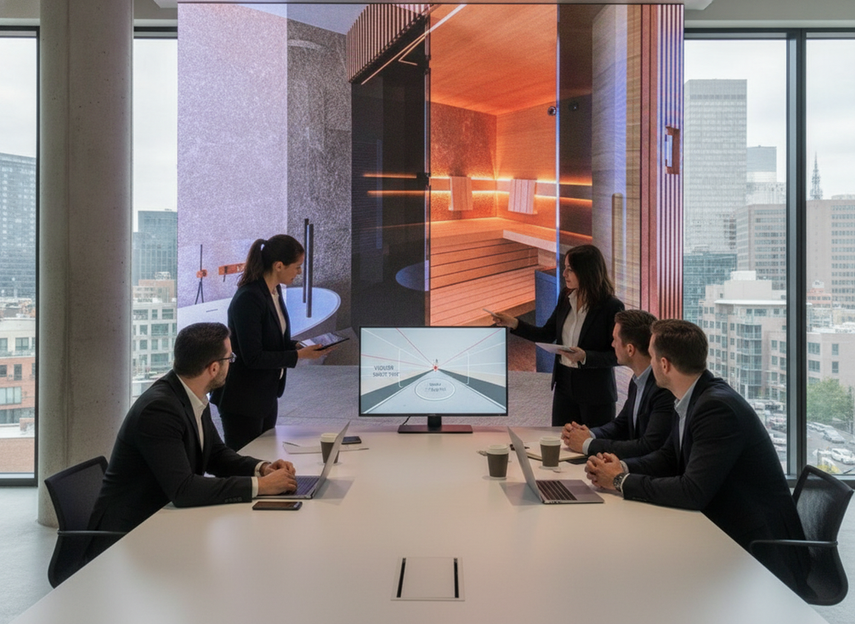
A practical 3D DOOH workflow moves from surveyed screen geometry and an agreed viewpoint to storyboard, perspective test, animatic, final render, operator preflight, and installed-screen playback approval. Name the owner and deliverable at each step so the creative team and media operator review the same version.
How 3D DOOH Creative Actually Gets Built
Brief the Campaign Around the Screen, Not Just the Idea
Start with the installed screen, not the headline concept. A workable 3D DOOH content production workflow begins by capturing the display format, placement context, audience approach path, and intended sweet spot before anyone animates a hero object. The OAAA DOOH creative guide favors simple, high-impact imagery, and agency-led guidance on anamorphic video production makes the same point in a more practical way: the illusion depends on the intended viewpoint.
For most campaigns, the brief should answer three questions first. What is the exact screen geometry? From where will the audience actually see it? What is the one visual idea that needs to land in a second or two? If those answers are vague, the team often overbuilds the scene and then has to simplify it after the perspective is already locked.
A useful rule is to brief for one core moment, not three competing ones. That keeps the 3D effect readable and prevents word-heavy messaging from fighting the illusion. In practice, that is one of the clearest anamorphic LED content best practices: the visual should do the heavy lifting, with copy and motion supporting it rather than competing with it.
Build the Perspective and Animation Plan
Once the screen is known, the perspective plan should follow a single viewer path. For naked-eye 3D billboard content, the question is not whether the animation is "cool" in isolation. It is whether the camera logic, object scale, and reveal timing work from the intended angle and still hold together when the viewer is moving past the screen.
That usually means designing around one focal point and a limited amount of motion. If the scene has too many deep layers, too many quick cuts, or too much camera drift, the effect can flatten fast. The goal is depth cues, not visual clutter.
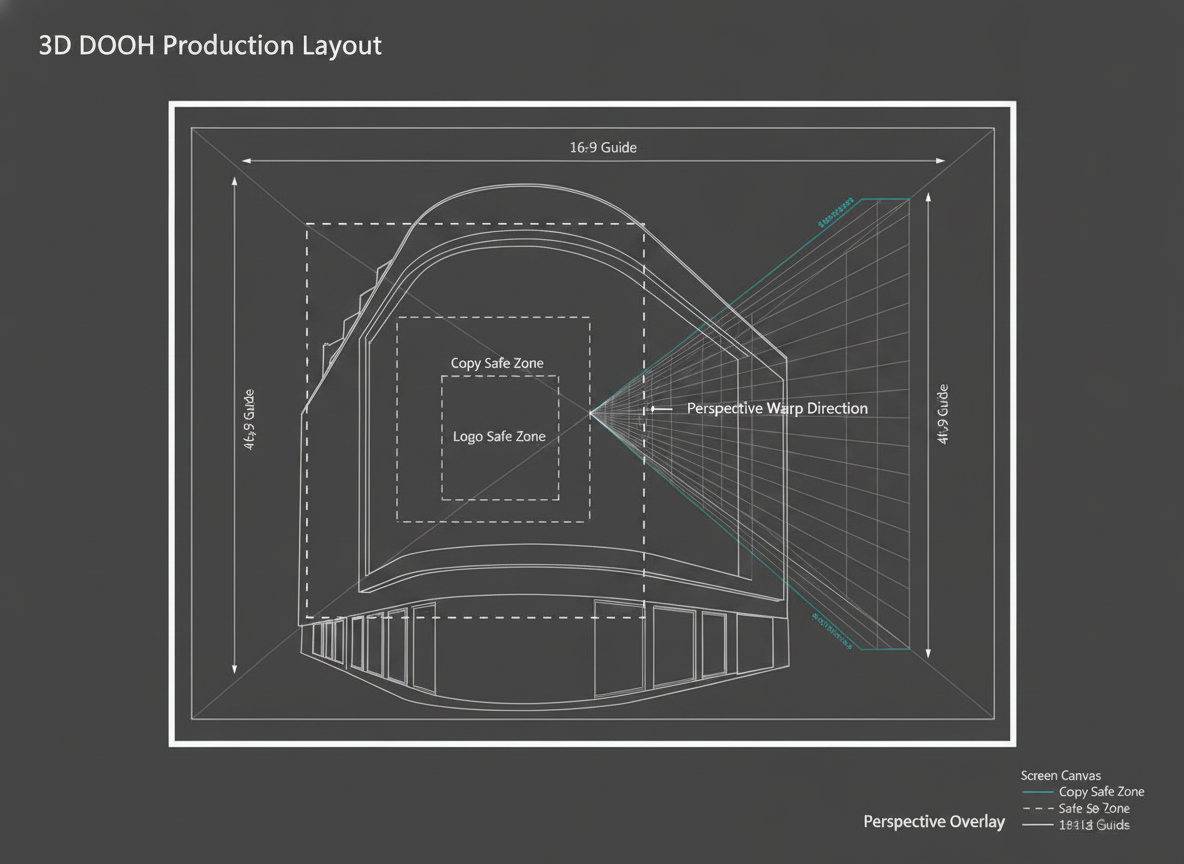
A practical production habit is to map the illusion before rendering the final scene. Storyboard the hero moment, test the composition as a still, then move to an animatic or low-res motion pass. That keeps the team focused on whether the perspective reads correctly instead of waiting until the final render to discover the composition is off. Workflow articles from Groove Jones are useful here because they treat storyboard, animatic, and preflight as risk-reduction gates rather than optional polish.
Set Review Gates and Ownership
Review discipline is where many campaigns save money. Assign who approves creative direction, who checks screen fit, who reviews motion timing, and who signs off on the final export. If those owners are unclear, revisions get repeated, and every change is more expensive because it touches both creative and render time.
Use checkpoint reviews around layout, animatic, and preflight stages. Do not wait for the final cut to start asking whether the scene reads correctly. A two-minute animatic can catch problems that would be painful to fix after the render queue has already been booked.
If the campaign will be judged by social sharing as much as by on-site impressions, say that early. Some practitioners note that the camera angle or social capture angle can matter more than the physical foot-traffic path for certain 3D campaigns, which changes how you frame the creative review. That is not a universal rule, but it is a useful warning when the campaign’s reach depends on filmed clips rather than only live viewers.
Production Requirements That Shape the Final File
The main 3D DOOH content production requirements are less about style than about fit. Before the team commits to animation, confirm the working canvas, aspect ratio, safe zones, looping assumptions, and any playback expectations from the operator. If those are wrong, the file may still render, but it will not be billboard-ready.
High-end 3D billboard workflows can also require much larger render canvases than a standard 4K delivery. Maxon’s example of creating 3D anamorphic billboards shows why: once perspective stretching and wraparound surfaces are involved, file management and processing load rise quickly. The point for buyers is not a universal number. The point is that bigger screen surfaces often need a bigger technical plan.
Treat any resolution, frame-rate, or color-depth detail as project-specific unless the operator or technical vendor has confirmed it for the exact screen. The safest briefing move is to separate creative preference from delivery requirement. For example, "we want a dramatic reveal" is creative. "We need this exact canvas and export assumption" is a handoff rule.
A clean review package helps non-technical stakeholders decide faster. Storyboards, frame sequences, and annotated previews usually make more sense than a raw timeline when multiple people need to approve the same concept. That is also where version control matters. If the same file keeps changing name, scope, or export settings, the production team loses time just tracking what is current.
For teams building a 3D DOOH content production workflow from scratch, the best check is simple: can the motion team tell exactly what to animate, can the operator tell exactly what to play, and can the reviewer tell exactly what they are approving? If any one of those answers is no, the file is not ready yet.
Where 3D Campaign Budgets Tend to Expand
The naked eye 3D billboard content cost and workflow discussion gets messy when scope changes late. The biggest cost drivers are usually scene complexity, custom modeling, simulation work, and repeated revision cycles. In other words, the more the idea depends on custom detail and technical depth, the more the budget tends to grow.
| Cost Driver | Why It Increases Effort | What To Clarify In The Brief | How To Control Scope |
|---|---|---|---|
| Concept complexity | More moving parts make the illusion harder to stage and review | Name the single hero moment and the one thing the viewer should remember | Cut secondary beats before production starts |
| Custom modeling | Unique objects and environments take more build time and more approval time | Confirm whether assets already exist or need to be built from scratch | Reuse existing shapes, props, or brand elements where possible |
| Simulation intensity | Effects like debris, liquid, cloth, or particle motion can expand render and revision effort | Decide early whether the effect is essential or just decorative | Use simpler motion if the payoff is not central to the campaign |
| Revision volume | Late changes force rework across layout, timing, and render queues | Lock owners and approval windows before the first render pass | Limit review rounds and write down revision rules |
| Versioning and localization | Each market or placement can add adaptation work | List every required market, language, and screen format up front | Plan one master plus controlled variants |
| Playback-specific rework | Files may need adjustments after operator feedback or test playback | Ask what the media owner needs before final export | Build a test loop and reserve time for a final pass |
Published cost examples for anamorphic projects can range from simple scenes to more complex ones, but they are examples, not market rules. Coper’s explainer on how anamorphic 3D billboard videos are made ties the cost spread to complexity, custom models, and simulation-heavy execution. That is the key planning signal: if your concept depends on more depth, more bespoke assets, or more revision, budget for that before you brief the team.
Common Creative Pitfalls That Flatten the Effect
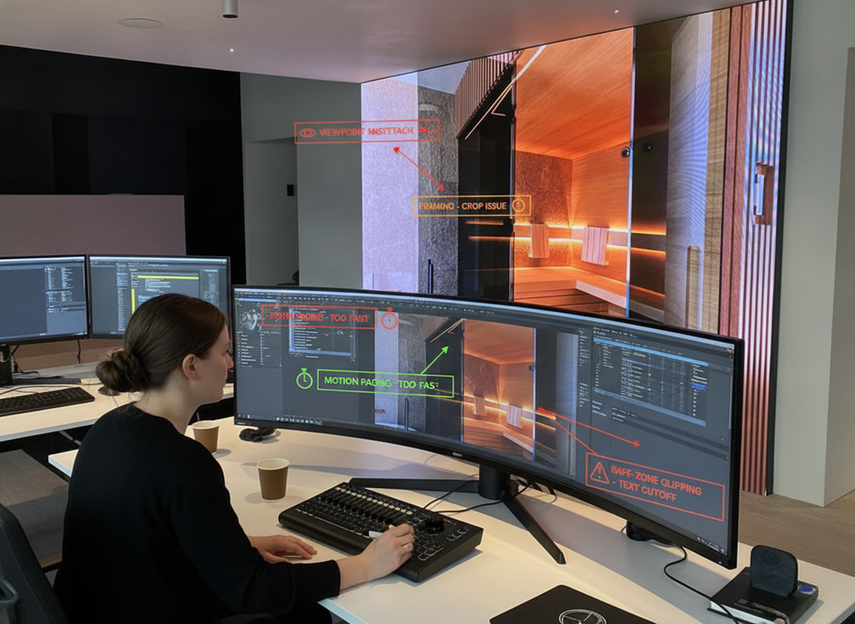
The most common 3D DOOH creative pitfalls and fixes usually come down to viewpoint, framing, motion pacing, and screen-fit mismatches. If the illusion reads flat in review, the first question should be which of those four is failing, not whether the render engine was "bad."
- Wrong viewpoint: The creative was built for a generic billboard audience instead of the real camera or sweet spot. Fix it by re-centering the composition around the intended viewing angle.
- Overcrowded framing: Too many objects, words, or motion beats compete for attention. Fix it by simplifying the hero moment and reducing secondary detail.
- Motion that is too busy or too subtle: If the movement is frantic, the illusion gets noisy; if it is too soft, it disappears. Fix it by rebalancing timing around the reveal.
- Safe-zone mistakes: Key branding or focal elements drift into areas that do not read well on the installed screen. Fix it by rechecking the canvas against the actual display format.
- Screen-fit mismatch: The scene looks fine in isolation but breaks once the geometry is applied. Fix it by separating a content problem from a placement problem before you rebuild everything.
A practical warning from practitioner discussions is that optimizing for foot traffic alone can miss the real reach driver if the campaign is going to be shared through clips. In that case, the camera angle may matter more than the path people walk past the screen. That is a scenario split, not a universal rule, but it is one of the easiest ways to misread a campaign before launch.
If you want a quick diagnostic, ask whether the problem is content, camera path, or placement. Content issues call for composition and motion fixes. Placement issues call for screen-specific adjustments. Camera-path issues call for a rethink of the intended sweet spot. That sequence is faster than rebuilding the whole scene blindly.
Preflight Checklist Before You Approve the Render
Before final approval, confirm the exact pixel canvas and segment map, safe zones, frame rate, codec, color settings, file naming, and loop behavior with the operator. Test the export on the installed display from the agreed viewpoint, then archive the approved file and playback record. A timeline preview alone does not establish billboard-ready playback.
The purpose of this final pass is not to guarantee success. It is to catch avoidable surprises while there is still time to fix them. A render can look strong in a timeline and still fail once it meets the actual screen, the actual loop, or the actual approval chain.
If you need a compact internal navigation path after the preflight review, a 3D billboard display option or a creative curved display solution can help you compare the screen format side of the decision, but only after the content requirements are clear.
Final Takeaway
The safest way to manage a 3D DOOH content production workflow is to treat the screen geometry, perspective plan, and review gates as the core of the project. Once those are locked, you can control cost, reduce rework, and catch the most common 3D DOOH creative pitfalls and fixes before launch. If you are briefing a team now, start with the installed screen and the intended sweet spot, then build outward from there.
FAQs
How Long Does a 3D DOOH Production Workflow Usually Take?
It depends on how much custom modeling, revision, and approval coordination the campaign needs. A simple scene with a clear brief can move faster than a complex concept with multiple stakeholders. The biggest timeline risk is not the animation itself, but late changes after the perspective and screen fit have already been set.
What Deliverables Should a Vendor Receive for Billboard-Ready 3D Content?
At minimum, the vendor should have the screen geometry, aspect ratio, safe zones, approved concept direction, motion references, and the final export requirements. If you can also supply an animatic or annotated preview, approval usually gets easier because the team can review timing and composition before the final render is locked.
Why Does Anamorphic Content Look Flat in Previews?
Flat previews usually point to a mismatch between the viewpoint and the composition, not just a rendering issue. Common causes include overfilled frames, motion that is too busy, or a scene built for the wrong viewing path. The fastest fix is to diagnose whether the problem is framing, timing, or screen fit before changing everything else.
Can One Master File Work Across Different LED Billboards?
Sometimes a master can be adapted, but it is risky to assume one file will perform the same way across different screen geometries and viewing conditions. If the display shape, viewer angle, or safe-zone layout changes, the illusion may need reworking. Treat reuse as a starting point, not as proof that the same cut will fit everywhere.
What Should Be Checked Before Final Approval?
Check the screen geometry, safe zones, loop playback, readability from the intended viewing path, and version control. Then confirm the handoff package matches what the operator expects. If any of those are unclear, the campaign is not really ready, even if the render itself looks polished.
How Do I Keep Costs Under Control Without Weakening the Effect?
Keep the hero idea focused, limit late revisions, and decide early whether custom modeling or simulation-heavy effects are truly needed. The more the scene depends on bespoke detail, the more the budget can expand. A smaller, cleaner scene often protects both schedule and visual clarity better than an overbuilt one.





