





COB LED video wall serviceability matters when uptime is part of the buying decision, not just image quality. In 24/7 control rooms, the real questions are how the wall gets repaired, how fast the right spare is on hand, and whether the cabinet design supports a clean return to service. COB’s protective structure can reduce accidental damage, but the economics still depend on access, labor, and spare discipline.

Why Serviceability Drives COB Procurement
For control-room buyers, COB is not only a durability story. It is a repair workflow story. The protected COB surface can help lower the chance of everyday damage, but procurement teams still need to know how a failed section is swapped, what parts must be stocked, and whether a maintenance visit adds risk to a live operation. ViewSonic’s explanation of COB’s protective structure is useful background, but the buying decision still comes down to service access and ownership cost.
In practice, module replacement means replacing a serviceable display module rather than treating the wall like a set of individual LEDs. That matters because the labor pattern changes. Instead of a tiny solder repair, buyers are usually planning for a module swap, a verification step, and a return-to-service check. When the room runs around the clock, that shift changes the total maintenance budget as much as the display price does.
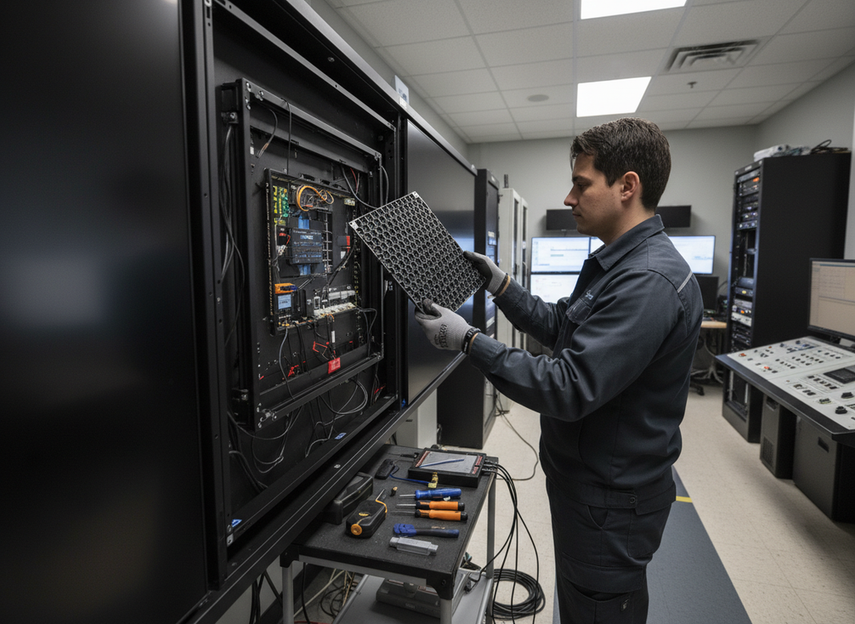
Three terms help frame the decision: module replacement is the swap path, spare strategy is the plan for what sits on the shelf, and front service is the cabinet design that lets technicians work from the room side instead of the back side. If your installation has tight rear clearance or limited after-hours access, those details can matter more than the marketing label on the panel.
How COB Module Replacement Works
Service Access and Cabinet Design
The first thing to verify is access. Some walls are designed for front service, some for rear service, and some support both. That choice affects whether the technician can reach the failed area without opening up the entire back of the installation. A front-access design can reduce cabinet friction and space demands, but only if the exact model and wall depth support it. A front-service comparison from XVisualLive describes why front-service access often shortens the path to internal components, yet the real outcome still depends on the cabinet build.
For buyers, the important distinction is not abstract convenience. It is whether the service path fits the room. If the wall sits in a dense control room with little rear clearance, even a serviceable display can be awkward to maintain. If the wall is installed with generous rear access and documented service points, the maintenance team has more room to work and less chance of extending downtime with access delays.
Module Swap Sequence
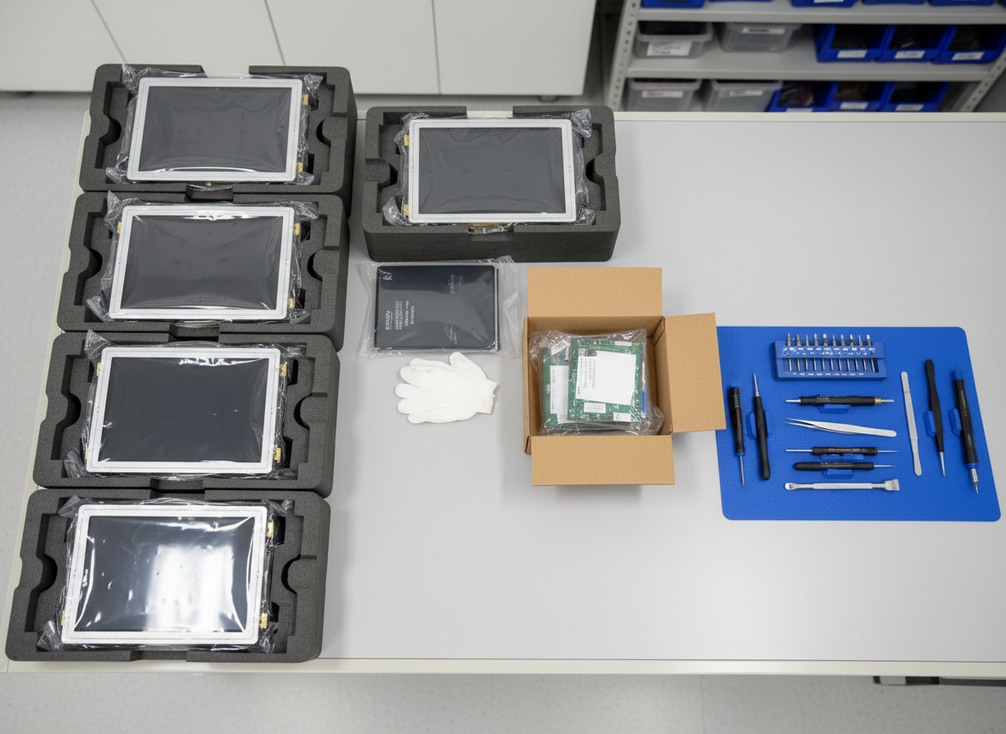
The common field sequence is straightforward: isolate the affected area, remove the damaged module, install the replacement, then verify alignment and image continuity. That sounds simple, but the steps are only fast when the wall, tools, and technician workflow are ready. A technical repair guide from LEDScreenParts shows how module-level replacement usually becomes the practical path for COB service.
That is where buyers often misjudge serviceability. A wall can be "repairable" and still be slow to service if the swap requires awkward access, special tooling, or too much re-alignment after installation. In a live control room, the difference between an easy swap and a messy one is often the cabinet design, not the panel technology alone.
Tooling, Skills, and Site Prep
A serviceable wall still needs the right support items. Spare modules should be labeled and stored in a way that avoids confusion during an after-hours repair. Technicians need the access tools the cabinet requires, and the site should be ready for a brief service window without improvisation. If the room relies on a vendor for every repair, response speed will depend on travel time, access approval, and the exact replacement process.
That is why "serviceable" should not be read as "easy in every room." A wall that is simple to maintain in a showroom can be slow in a locked operations center with limited access windows. The article of record should be the vendor drawing, service instructions, and spare-part plan, not the brochure language.
What to Verify Before Deployment
Before purchase, ask for four things: access path, replacement sequence, spare-module storage guidance, and escalation contacts. Also confirm the physical constraints that affect service, including wall depth, clearance, and whether maintenance can happen during the hours your team can actually support it. If those details are missing, the quoted serviceability claim is not ready for procurement use.
COB Versus SMD Service Time
The service-time comparison is usually less about a universal winner and more about where the work happens. COB can reduce service frequency in some installs because the surface is more protected, but the part cost and replacement model may be different from SMD. One comparison source notes that TCO depends on how often service is needed, what the parts cost, and how much downtime the room can tolerate. That is why service time should be read as a system outcome, not a single-spec promise.
| Service Variable | COB In Control Rooms | SMD In Control Rooms | Procurement Question |
|---|---|---|---|
| Access method | Often benefits from documented front-service or clearly defined service access | Can also be front- or rear-service depending on cabinet design | Can technicians reach the failed area without disrupting the whole wall? |
| Likely field action | Usually module-level replacement | Can vary from module work to more granular component service, depending on design | What is the actual swap path for the exact model? |
| Spare handling | Needs labeled, batch-aware spares and storage discipline | Also needs spares, but handling rules may be less sensitive to visual matching in some builds | How will spares be stored, labeled, and rotated? |
| Technician dependence | Depends heavily on service drawings and access planning | Also depends on service design, but repair paths may differ by module architecture | What skills and tools are required on-site? |
| Downtime exposure | Lower if access is clean and spares are ready, higher if access is tight | Can be lower or higher depending on module design and access | What delays are most likely in your room layout? |
For procurement teams, the table above is the right way to compare COB LED video wall service time in a command room. It keeps the question anchored to access, spare handling, and technician workflow instead of forcing a headline claim that may not hold for a specific installation.
A practical decision sentence is this: if the room has front access, trained staff, and shelf-ready spares, COB serviceability can be a strong fit for 24/7 use; if the wall is hard to reach or the maintenance process is weak, the service advantage may shrink fast. In those cases, the cabinet design matters more than the pixel package.
Spare Parts Strategy That Protects Uptime
Spare planning is where many control-room projects either protect uptime or create avoidable risk. The goal is not a universal ratio. It is enough ready inventory to avoid waiting for a part while the room is live. The right plan depends on mission criticality, lead times, and how expensive even a short service window becomes.
- Keep the spare module set aligned to the installed batch when possible, because matching can help preserve visual consistency after replacement.
- Store spares in a controlled environment and label them clearly so the wrong module does not get pulled during an urgent repair.
- Build in a rotation check so the stock you are counting as backup is still ready for use.
- Match inventory depth to downtime tolerance. A control room that cannot tolerate a long service call needs a different stock plan than a briefing room with flexible maintenance windows.
- Verify what the vendor recommends for storage, handling, and replacement documentation before you treat the shelf as your safety net.
That discipline matters because the spare strategy is part of the service model. Neoti’s planning guidance on batch matching and storage discipline is a useful reminder that inventory is not only about quantity. It is also about whether the spare you pull will actually match the installed wall well enough to be useful.
A second decision sentence helps here: if you do not have spare discipline, COB’s lower damage rate may not translate into lower maintenance stress. The parts savings can disappear quickly if the replacement process is delayed by labeling errors, storage problems, or mismatched batch stock.
When COB Serviceability Makes the Most Sense
COB serviceability is most attractive when the room is mission-critical, the wall is front-access or otherwise easy to reach, and the operator can support a real spare plan. In that setup, the protected surface can reduce casual damage, and the replacement workflow can stay manageable because the cabinet design fits the room. That is the strongest case for fine-pitch COB field maintenance cost benefits.
It is a weaker fit when rear access is cramped, service windows are short, or the team has no clear spare-process discipline. In those cases, the access design may outweigh the COB vs SMD label. If the wall is likely to be handled by rotating technicians with limited display-specific training, ask for service drawings, replacement steps, and spare storage rules before you compare price.
The final filter is simple: choose COB when the install brief rewards protected surfaces and a controlled module-swap process; lean harder on other architectures when the room cannot support the access and spare discipline that COB serviceability assumes. A useful next step is to compare the access design, then review vendor drawings and maintenance documentation before you sign.
Final Takeaway
COB LED serviceability repair replace module decisions come down to access, spare discipline, and the real cost of downtime. COB can be a strong fit for control rooms when the wall is easy to service and the team can keep the right spares ready. It is less compelling when access is cramped or maintenance planning is weak. Compare the cabinet design, ask for service drawings, and verify the spare plan before you buy. We recommend treating that checklist as part of the procurement decision, not an afterthought.
FAQs
How Fast Can a COB Module Be Replaced in a Control Room?
There is no universal number. Replacement speed depends on access, how the module is mounted, whether the room is front-service, and whether a spare is already on site. The practical check is simple: ask the vendor for the exact swap steps and the service conditions they assume, then compare that against your room’s clearance and access windows.
What Spare Parts Should a 24/7 COB Wall Have on Hand?
At minimum, you should discuss spare modules, labeling, storage conditions, and the vendor’s rotation guidance. The right quantity depends on downtime tolerance and lead times, not a fixed percentage. If a room cannot absorb a long outage, the spare plan should be tighter and the storage process more controlled.
Can Front-Service Design Reduce Downtime?
It can, but only when the cabinet design, service depth, and technician workflow support it. Front service reduces the need to reach behind the wall, which can shorten maintenance visits in tight rooms. The useful question is not "front or rear" by itself, but whether the exact model can be serviced cleanly in your installation.
What Drives the Maintenance Cost of Fine-Pitch COB?
The main cost drivers are labor, spare-part cost, access complexity, and whether the room needs after-hours service. COB can reduce service frequency in some environments, but a harder replacement path or expensive spare modules can offset that benefit. The buying question is how often the room is likely to need service and how disruptive each visit would be.
When Is COB a Better Serviceability Choice Than SMD?
COB is usually the better serviceability choice when the room is 24/7, the wall has practical access, and the team can support a spare strategy with clear documentation. If access is tight or maintenance is ad hoc, the advantage can fade. In that case, compare the actual cabinet design and support plan before deciding which technology is easier to keep running.





