





Compare Brompton and NovaStar by exact processor, receiver card, firmware, panel configuration, and camera workflow. Test synchronization, shutter/phase control, low-gray color, processing delay, and operator handoff on the same setup. Either family can suit virtual production; brand name alone does not establish the better camera or latency result.
What Matters Most in Virtual Production
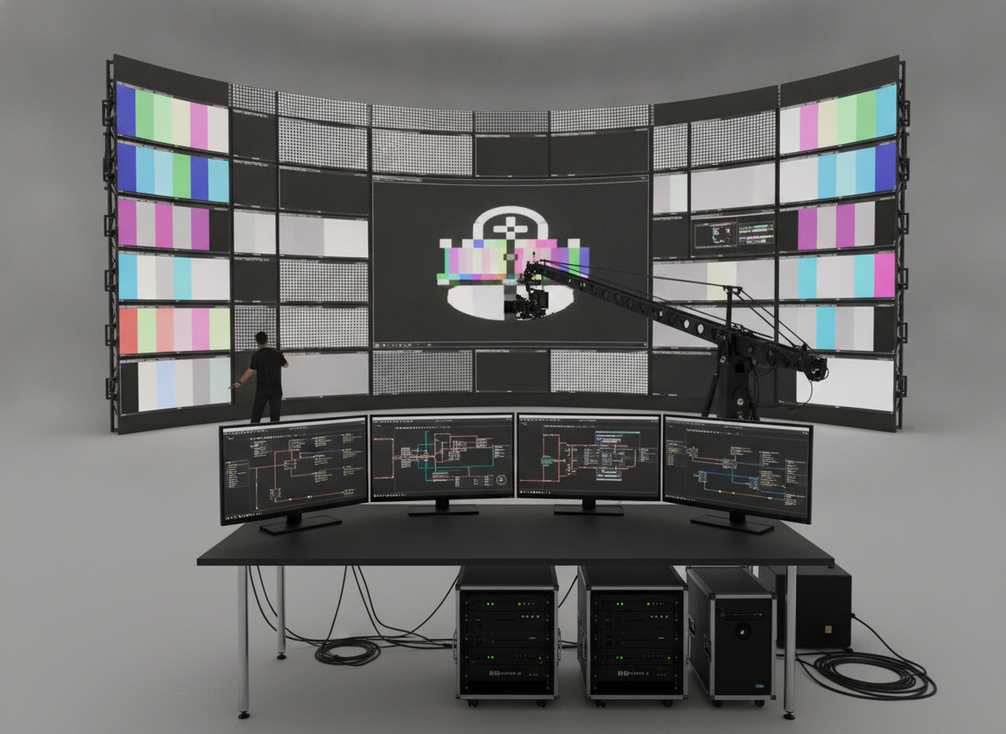
Before you compare models, check three things: camera sync, latency, and workflow stability. Those are the variables that change whether a virtual production LED wall feels dependable on set or becomes a source of resets and guesswork. A processor is only one part of the chain, so the comparison starts after you assume the display, camera, and timing system all need to work together.
Camera Sync and Timing
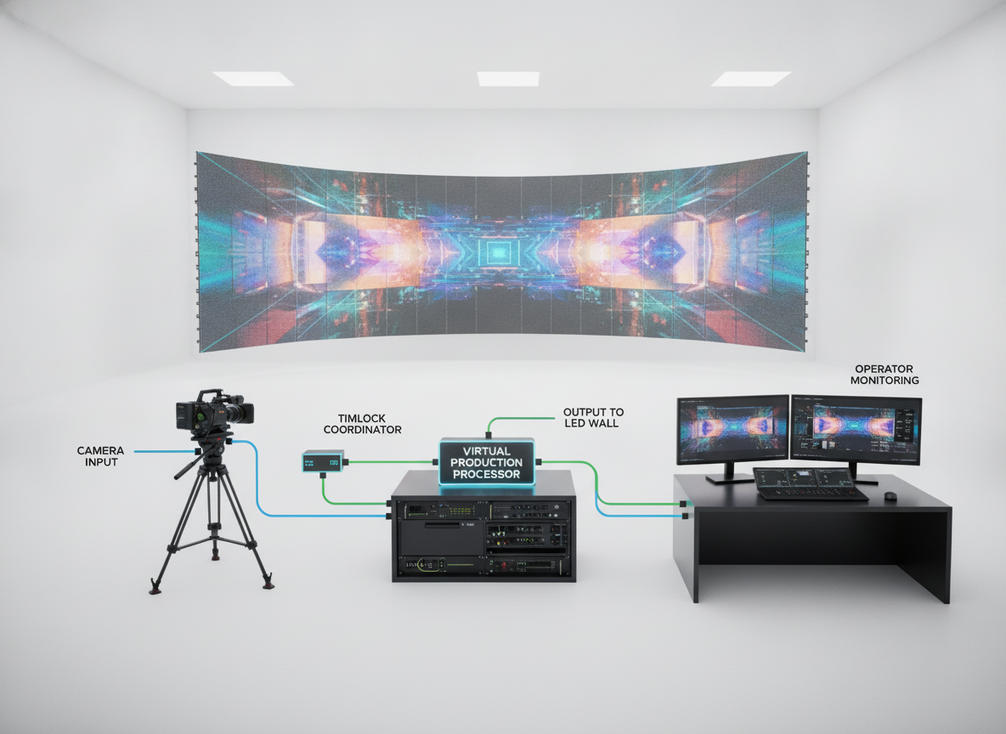
For camera-facing LED walls, timing alignment is the baseline. Netflix’s on-set infrastructure guidance treats genlock as the coordination layer that keeps the LED refresh cycle aligned with the camera shutter, which helps prevent rolling black bars and tearing. That does not mean every XR stage needs the same sync design, but it does mean timing should be checked before anyone blames the processor. SMPTE’s precision timing profile is useful background for how professional systems distribute timing over Ethernet.
Latency and Operator Feel
Latency matters when the wall has to respond cleanly to live camera moves, cue changes, and on-set grading decisions. In plain terms, it is the delay between an input change and what the operator sees on the wall. Small delays can disappear in simple playback, but they become noticeable when camera movement and live operation are happening together. For many teams, the useful question is not "which spec is higher," but "which workflow feels steadier under pressure."
Workflow Stability on Set
Stability shows up as fewer surprise resets, fewer control handoffs, and fewer last-minute reroutes during a tight shoot day. That matters most on multi-camera stages, where one odd change can ripple through the whole schedule. If a setup already needs frequent retuning, a marginal brand advantage will not feel like an advantage for long.
Compatibility Checks to Confirm
Before purchase, confirm the exact processor model, signal path, refresh behavior, camera test method, and control handoff. If those answers are vague, the comparison is still premature. If you need a broader starting point for stage hardware, browse the rental and stage LED display category and verify the processor requirements separately.
Brompton and NovaStar in Practice
Brompton’s virtual-production tools include documented shutter-timing and frame-remapping options for supported hardware. For NovaStar, use the official COEX xR manual and the exact model documentation to verify genlock, shutter, latency, and color controls. Confirm firmware, receiver-card, and panel requirements before comparing features.
| Workflow Question | Brompton Capability To Demonstrate | NovaStar Capability To Demonstrate |
|---|---|---|
| Camera sync and alignment | Supported camera timing and shutter controls on the quoted setup. | Supported genlock/shutter controls and stable lock on the quoted setup. |
| On-set camera behavior | Required multi-camera/remapping behavior with supported hardware. | Measured latency and the required grading interface on the quoted setup. |
| Operator workflow | Documented presets, changeovers, recovery, and operator handoff. | Documented presets, grading controls, recovery, and operator handoff. |
| Best-fit use case | Match supported models to the actual stage requirements. | Match supported models to the actual stage requirements. |
Use the table as a list of capabilities to demonstrate, not a ranking of brand reliability. Run each proposed configuration against the same camera settings, content, timing reference, and measured delay boundary. Record unsupported functions and required options.
For stage hardware that sits alongside either processor family, an integrator may still point you to a broader event and stage solution or concerts and touring LED solution path, but those pages are only a starting point. The processor still has to match the camera workflow.
On-Camera Issues That Change the Choice
If an LED wall flickers on camera, do not start with a brand verdict. Start with the system. A mismatch between shutter angle, refresh rate, PWM behavior, brightness level, or cabling can create artifacts even when the processor is otherwise appropriate. That is why the comparison only becomes meaningful after the test chain is stable.
Why Flicker Shows Up on Camera
A camera sees the wall differently than the human eye does. The wall may look fine in person while the shutter settings reveal banding or tearing. JEM Productions’ genlock and timecode explanation is a useful reminder that shutter behavior, refresh behavior, and low-brightness operation can all shape the result.
What to Check Before Blaming the Processor
Use a simple sequence. First, confirm camera settings. Then check refresh behavior and brightness behavior on the wall. After that, verify cabling and signal path consistency. Only then compare processors. If the same artifact appears across multiple tests, the issue may be in the setup chain rather than in the processor family itself.
Practical Fixes for a Better Camera Test
Keep one test configuration stable while you evaluate. Record the shutter angle, frame rate, brightness level, and sync settings that produced the cleanest result. If the team keeps changing variables between tests, the results stop being useful. In practice, the fastest LED wall flicker on camera fix is usually not a single toggle; it is a disciplined test order.
Setup Complexity and Operator Workflow
The easiest system to live with is the one that needs the fewest last-minute handoffs. In day-to-day use, that means looking at control touchpoints, cable load, and how much field tuning the team should expect after the wall is built. A slightly less ambitious spec can still be the better buy if it cuts changeover friction on busy shoot days.
- Check who owns the timing chain. If one person has to babysit sync during every session, the workflow is fragile.
- Check how many control handoffs happen between camera, processor, and grading. More handoffs usually mean more operator friction.
- Check how often the stage needs to be reset. If the answer is "often," repeatability matters more than marketing language.
- Check how the system behaves after lunch, after a move, and after a camera change. Real production stress shows up in resets, not in demo mode.
Choose the configuration that gives your crew a repeatable, documented workflow with the required camera and grading tools. Rehearse presets, camera changes, restart recovery, and control handoffs for both proposed systems.
Which Processor Fits Your Stage
Start with the required camera, timing, color, capacity, service, and operator workflow, then compare the supported configurations. This comparison does not establish that one family is universally safer for film or faster for live production.
Choose Brompton When
Choose a Brompton configuration when its demonstrated timing, camera, calibration, capacity, and support features meet the stage requirements. Confirm exact supported hardware and firmware rather than choosing from the family name alone.
Choose NovaStar When
Choose a NovaStar configuration when its demonstrated timing, color, latency, capacity, and operator controls meet the stage requirements. Confirm the applicable firmware, receiver-card, panel-file, and integration requirements.
Questions to Ask Your Integrator
Ask which part of the camera chain owns timing, how the wall handles refresh behavior at the brightness levels you will actually use, and how the operator will verify a clean camera test. Also ask what happens when the camera package changes mid-production. If the answer is vague, the comparison is not ready.
Pre-Buy Validation Checklist
Before signing off, confirm the exact processor model, run a live camera test with your real shutter settings, document the output that works, and have the operator rehearse the handoff. If a vendor cannot show that workflow clearly, treat the deal as incomplete rather than hoping the issue disappears later.
Final Takeaway
Compare the configurations on repeatable camera results, measured delay, color workflow, capacity, service readiness, and operator effort. The most useful starting point is a controlled test of the real stage chain, followed by the processor configuration that meets its documented requirements.
FAQs
How Do I Choose Between Brompton and NovaStar for Virtual Production?
Choose from demonstrated capabilities for the exact configuration. Compare both systems with the same camera settings, panel, content, timing reference, and latency measurement boundary; then review support and operator workflow.
Do I Need Genlock for an LED Wall in XR Production?
Not every stage needs the same sync design, but timing stability matters when the wall is on camera. Genlock is most relevant when you need the refresh cycle and shutter to stay aligned. If your setup is simple playback with little camera sensitivity, the requirement may be less strict, but you should still verify the full chain.
Why Is My LED Wall Flickering on Camera?
The cause is often a system mismatch, not a single bad box. Shutter angle, refresh behavior, PWM behavior, low brightness, cabling, and signal-path consistency can all matter. Test one variable at a time so you can separate a wall issue from a camera setting issue.
What Should I Ask a Processor Vendor Before Buying?
Ask for the exact model, the supported timing method, the camera test procedure, and the operator handoff steps. You should also ask how the setup behaves when brightness changes or the camera package changes. If they cannot show that process in the real workflow, keep comparing.
Can a Processor Fix All On-Camera LED Problems?
No. A processor can help with timing and workflow control, but it cannot override every camera, wall, or cabling issue. Treat it as one part of a larger system. The best result comes from matching the processor to the stage design and then validating the setup on camera before purchase.





