





Choosing the right pixel pitch for command center video walls is mostly a decision about readability, viewing distance, and operator comfort. The best choice depends on where people sit or stand, what they watch all day, and whether the room needs around-the-clock serviceability. For most buyers, the safest approach is to start with the closest regular viewing position and the most demanding daily content, then narrow the shortlist from there.
What Pixel Pitch Means for Command Centers
Pixel Pitch in Plain English
Pixel pitch is the center-to-center distance between adjacent LED pixels, usually measured in millimeters. In plain terms, it tells you how tightly the pixels are packed. Tighter spacing usually creates a denser image that looks cleaner up close, which is why fine pitch matters so much in control rooms. A clear definition of pixel pitch helps buyers avoid treating it like a brightness spec or a cabinet-size spec.
For command center video wall planning, the main question is not "What is smallest?" It is "What stays readable at the distance operators actually use?" That is where denser pixels earn their keep.
Why Fine Pitch Matters in Control Rooms
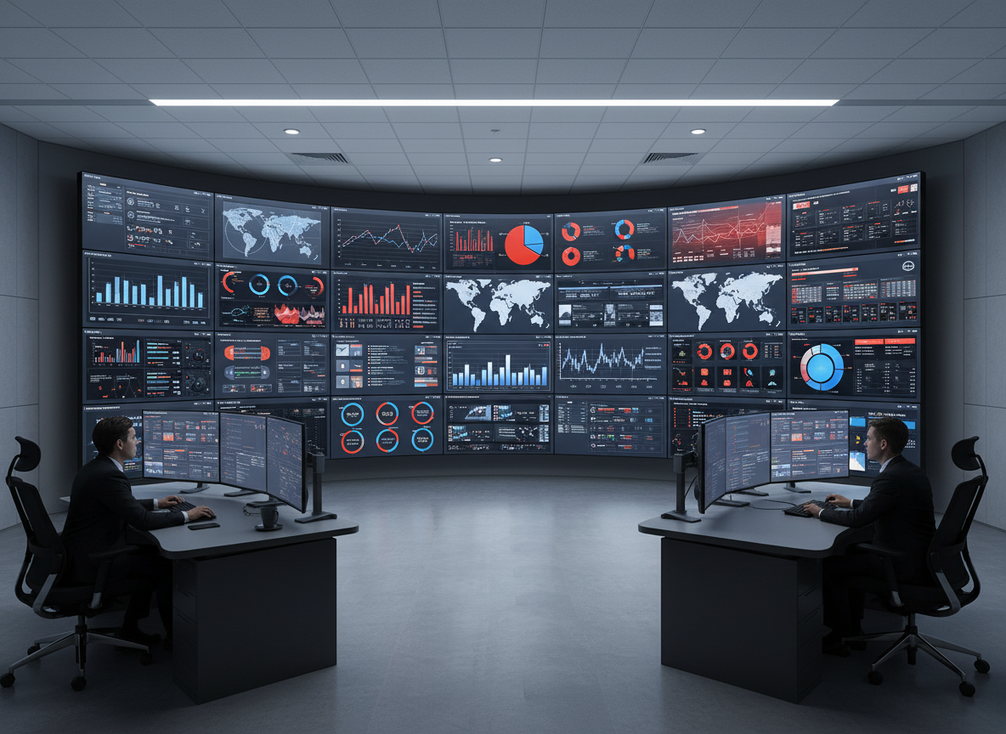
Control rooms are information-dense spaces. Operators may need to read maps, dashboards, alarm lists, camera mosaics, and status overlays for long stretches of time. In that setting, a tighter pitch often makes small text and interface details easier to follow without leaning in or straining to separate symbols.
That also means the best pixel pitch for 24/7 control room displays is not a universal number. The ergonomics of the room matter, because ISO 11064 control-room guidance emphasizes display layout and viewing distance as part of reducing fatigue and supporting situational awareness. If the wall is built for operators who sit close and work all day, pixel pitch deserves more attention than it would in a briefing room.
What Pixel Pitch Does Not Decide
Pixel pitch alone does not tell you whether a wall is easy to service, redundant, or built for mission-critical uptime. It also does not guarantee image quality if the rest of the system is mismatched.
That is why a narrow pixel pitch LED wall buying guide should always end with a full spec review. If the cabinet design, signal path, and maintenance access are weak, a finer pitch may still be the wrong purchase.
How Viewing Distance Shapes Readability
For most buyers, the closest and most common operator position should drive the shortlist. A common planning heuristic says that roughly 1 mm of pixel pitch maps to about 10 feet of viewing distance, but that is only a rule of thumb, not a standard. Use it to narrow options, then check the actual room workflow.
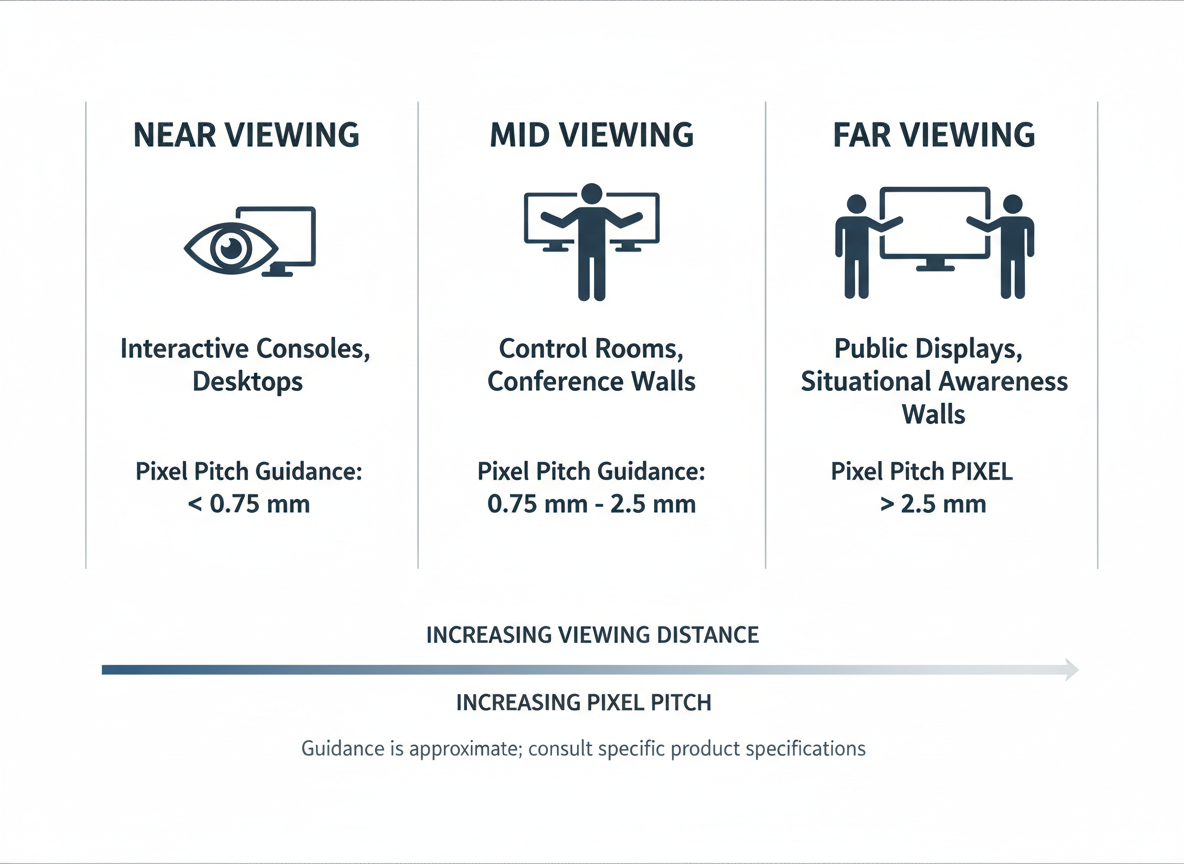
The ISO 11064 framework for control rooms is useful here because it keeps the focus on human factors, not just panel density. In practice, viewing distance is shaped by where the primary operators sit, how high the wall is mounted, and whether the room has one shared viewing zone or several. A wall that looks fine from the back of the room can still feel too coarse at the front console.
A simple way to think about how to calculate viewing distance for control room LED is to measure the distance from the display to the nearest regular viewing position, then compare it with the content the operators need to read every day. If the distance varies a lot across the room, choose for the most demanding everyday position, not the easiest one.
| Viewing distance tier | Content type | Pitch shortlist guidance | Reader-safe note |
|---|---|---|---|
| Near | Detailed text, alarms, operator-driven work | Tight pitch shortlist | Better when readability is the priority |
| Mid | Mixed text and graphics | Balanced pitch shortlist | Use a conservative middle ground |
| Far | Large graphics, overview displays | Wider pitch shortlist can work | Readability pressure is lower |
This command center video wall selection guide is most useful when you treat distance as a filter, not a promise. If the room has multiple operators at different positions, use the nearest frequent user as the anchor and then verify that others can still read the shared content comfortably.
Engineering resilience notes can be useful if your team also needs to check compliance and test documentation while narrowing the shortlist.
Match Pixel Pitch to Content Type
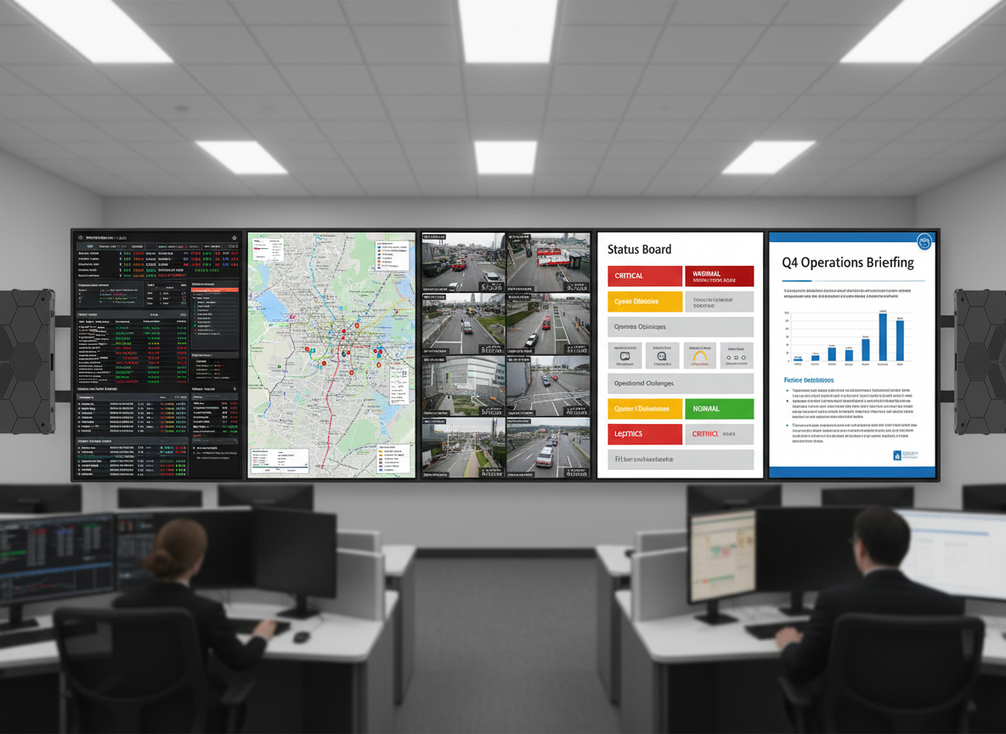
Daily content should drive the decision more than occasional presentation use. If the wall mostly carries dense dashboards, GIS maps, camera feeds with overlays, or small status labels, tighter pitch usually deserves a closer look. If the wall is mainly for large briefing graphics or broad situational overviews, a wider pitch may be acceptable.
The point is to spec for the most demanding everyday content, not the least demanding one. Buyers often overestimate how much a wall needs to serve presentation mode and underestimate how often operators need to read small details quickly.
| Content type | Readability pressure | Pitch tendency | What to check first |
|---|---|---|---|
| Dense text and alarms | High | Tighter pitch | Can operators read it from the nearest seats? |
| Maps and GIS dashboards | High | Tighter pitch | Are labels and symbols still legible? |
| Camera walls with overlays | Medium to high | Usually tighter pitch | Do overlays stay readable during motion? |
| Status boards and mixed feeds | Medium | Balanced pitch | Is the room mainly operational or mixed-use? |
| Presentation or briefing mode | Lower | Wider pitch can work | Is this only a secondary use case? |
For buyers comparing fine-pitch LED wall options, the content mix usually matters more than the marketing label. A room that looks impressive in a walkthrough can still be frustrating if daily text is too small to scan quickly.
If you need a practical next step, start by identifying the most demanding content that appears every day. Then check whether the shortlist still works when that content is shown at the nearest operator position, not just on a polished demo feed.
Balance Budget, Maintenance, and 24/7 Reliability
Finer pitch often increases cost, so buyers should only pay for the clarity they actually need. That is especially true in 24/7 rooms, where the display choice has to fit both reading distance and maintenance reality. Reliability in mission-critical spaces depends on the broader system architecture, including power and signal design, front-service access, and the maintenance plan, not on pixel pitch alone.
That is the key trade-off in pixel pitch selection for command center video walls: tighter pitch can improve readability, but it can also raise budget pressure without solving uptime by itself. A room that cannot tolerate long service windows should ask harder questions about access, spares, and continuity before it worries about a small step in pitch.
The mission-critical control room path is a useful reminder that ergonomic design and uptime planning belong together. If the display is hard to service, a beautiful image will not save the procurement decision.
Reliability Factors Beyond Pixel Pitch
Uptime comes from cabinet design, service access, and system architecture. If the room runs continuously, confirm whether the platform is intended for continuous operation and whether the service model matches the downtime cost of the site.
This is where buyers sometimes make a wrong assumption. They treat pixel pitch as if it were a reliability grade. It is not. A tighter pitch may support better readability, but it does not replace redundancy planning or a serviceable design.
Service and Maintenance Questions to Ask
Before you request quotes, ask who can service the wall, how quickly parts can be accessed, and what happens if maintenance is needed during operating hours. If the room cannot absorb downtime, front-service and access strategy matter as much as the image spec.
A 24/7 command center option can be a useful browsing path if your requirement is mission-critical rather than general commercial use. The important part is to verify the actual spec sheet and service model before assuming fit.
A Practical Mission-Critical Browsing Path
If you want a more specific product path after the neutral filter is set, C-Pad Command is a narrower browsing step than a broad category page. Use it only after you have confirmed that the room’s viewing distance and uptime needs justify a mission-critical display family.
Use a Shortlist Before You Request Quotes
- Define the nearest regular viewing position. Measure where operators actually sit or stand, not just the room dimensions.
- Identify the most demanding daily content. Use the densest dashboards, maps, or overlays as the decision driver.
- Check layout and mounting limits. Height, sightlines, and shared viewing zones can change the answer.
- Balance clarity against budget and service needs. Do not overbuy pitch if the room does not need it.
- Compare shortlist candidates against verified specs, service access, and support terms before requesting a formal quote.
If you are comparing broader indoor LED display options or a more general commercial indoor display family, keep the shortlist tied to the room’s actual use. A good quote request should name the closest viewing distance, the daily content type, the number of operator positions, and any 24/7 service constraint.
For teams that want a more mission-critical browsing path, command center solutions can be reviewed after the neutral filter is set. If the room is not truly uptime-sensitive, stay with the general selection process and do not pay for features you will not use.
Final Takeaway
The safest way to choose pixel pitch is to anchor the decision to the nearest regular viewing position and the most demanding daily content. Then check service access, uptime needs, and budget before you compare product families. If you need help narrowing the list, ask vendors for a quote based on actual operator distance, not room size alone.





