





Front service LED video wall maintenance matters most when rear access is cramped or unavailable. In those installs, technicians may need to work from the display face, so access planning, module swap steps, and spare-parts decisions all affect how fast the wall can return to service. The catch is simple: front access helps only if the cabinet design and mounting plan support it.
What Front Service Changes in Maintenance
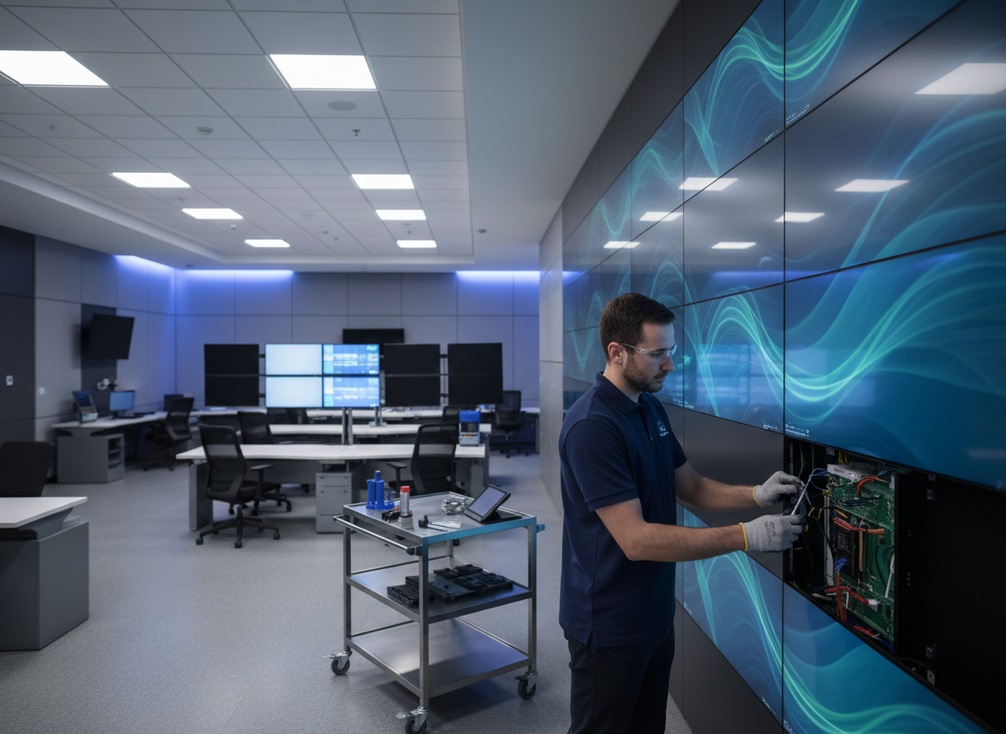
Front service means the display is designed so maintenance can happen from the front side of the wall when rear access is limited or blocked. That is why the idea comes up so often in control rooms, wall-mounted installs, and other tight spaces where a rear service path is unrealistic. A plain-language way to think about it is this: front access can reduce the pain of servicing the wall, but it does not make every installation easy.
For mission-critical display systems, the key question is not just "Can it be serviced from the front?" It is "Can it be serviced from the front in this room, with this mounting method, and with this spare plan?" If the answer is unclear, the wall may still be a poor fit even if the product brochure says front service is available.
That is the decision layer for the rest of this guide: first check access, then check the swap workflow, then decide what spares you actually need for 24/7 use. If you are comparing broader system options, our mission-critical display systems and front-service LED wall options pages are the right starting points.
How Front Access Should Be Planned Before Install
The biggest mistake is treating front access as something the maintenance team can figure out later. It should be planned during the project phase, because the final service path depends on wall geometry, mounting hardware, power access, and signal routing. An integrator-focused planning guide from One Screen Solutions stresses that mounting and access decisions need to be made early, not after the wall is already in place.
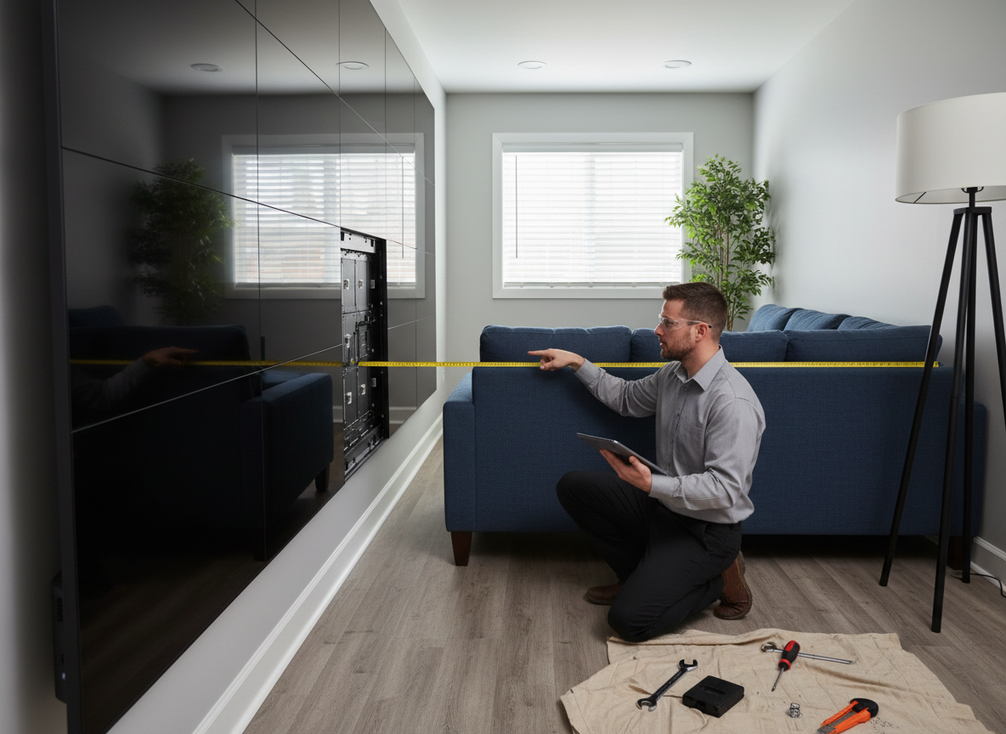
For a buyer or installer, the practical checks are straightforward. Confirm that technicians can physically reach the service area from the front without moving fixed furniture, trim, or other obstructions. Confirm that the mounting method supports the intended service path. And confirm that the cabinet layout leaves enough room for safe handling of removed modules or panels. If the wall looks serviceable on paper but the room leaves no working space, front service becomes a paper feature instead of a real maintenance advantage.
Here is the point where front service changes the buying decision: it is useful in constrained spaces, but only if the install plan preserves that access path. If you are specifying a commercial indoor wall for a less demanding environment, C-Max is a browse path worth checking; if you are building around tighter operational constraints, C-Max-Eco Commercial LED Display is a natural place to verify current service details before buying.
Access Clearance and Wall Layout
Front-service walls still need room for technicians to work. That means checking the clearance in front of the wall, the height of the working area, and any nearby fixtures that could block panel removal. Wall framing, bezels, trim, and adjacent cabinetry can all create problems if they were not included in the install drawing.
Mounting Method and Service Path
The mounting method determines whether service is a clean face-side operation or a stressful field workaround. Map the service path before procurement, not after installation. If the cabinet or mounting system does not support that path, the wall may still require more disruptive access than the buyer expected.
Tools, Handling, and Technician Workflow
Keep the workflow simple enough that a field tech can repeat it without improvising. The exact tool set varies by model, but the documentation should explain what releases the module, how it is supported during removal, and how it is secured again. A maintenance plan that depends on guesswork is a repair delay waiting to happen.
Compatibility Checks for Modules and Spares
Spare modules should be checked against the installed configuration, not just against the product family name. Pixel pitch, cabinet revision, connector layout, and maintenance method all matter. A part can look similar and still be wrong for the wall, which creates avoidable delays and fit problems.
Module Swap Workflow
A conservative front-service module replacement flow is isolate, remove, replace, then verify. That order matters because it keeps the work controlled and reduces the chance of disturbing adjacent modules or leaving a visible mismatch behind. A repair guide from AZAR Pixel emphasizes that the final check should include image alignment, brightness, and color consistency, not just whether the panel powers back on.
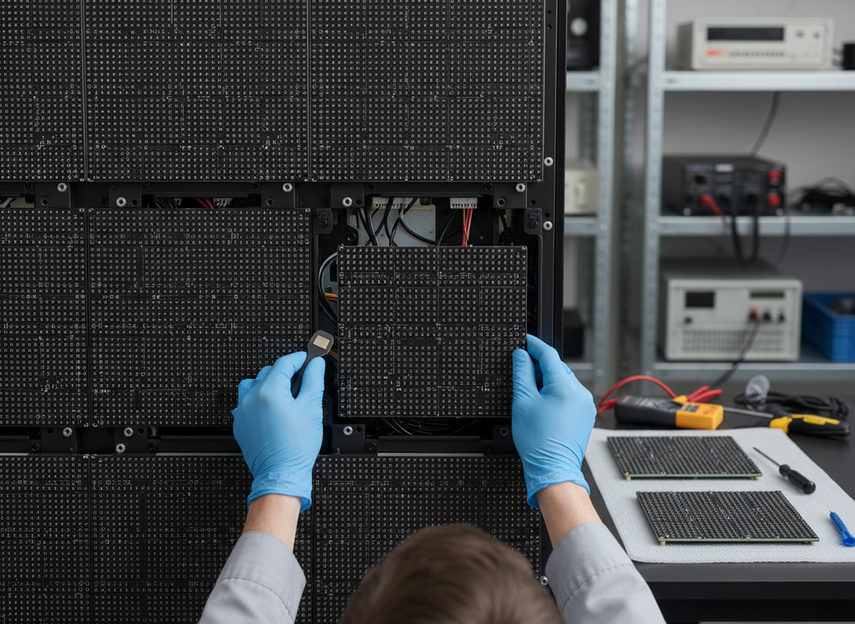
Start by taking the wall out of service or isolating the affected area according to site procedure. Then follow the product-specific release method for the failed module. On some systems that may involve fasteners, magnets, or latches, so the exact mechanics must come from the cabinet documentation rather than a generic repair checklist.
The replacement step is where many field repairs go sideways. The new module has to seat cleanly and sit flush with the surrounding face. If it is slightly off, the wall may show seams, uneven brightness, or a color shift that becomes obvious as soon as the content goes full screen. In a control room, that is not a cosmetic problem, it is a second service issue.
The last step is the quality check. Confirm that the repaired area blends with adjacent modules and that the image is stable before returning the wall to normal use. If the repair does not pass that check, the wall should stay in a maintenance state until the issue is corrected. That is especially important for the mission-critical display systems path, where a quick restart is not the same thing as a finished repair.
Safe Isolation Before Removal
The wall should be taken out of service or isolated according to site policy before work begins. That is a control step, not a suggestion. The goal is to prevent accidental damage, protect adjacent panels, and keep the technician working in a predictable sequence.
Removing the Failed Module
Treat removal as a controlled face-side action. Protect the surrounding cabinet surface and adjacent modules while the bad module is released. The exact release mechanism varies by model, so this is where product documentation matters more than a generic how-to video.
Installing the Replacement Module
The replacement should sit flush and align with the surrounding face. If the module is not seated properly, the wall may show an uneven seam or a visible step. Replacement parts should also match the installed batch or approved spare plan before they go in.
Verifying Image, Alignment, and Color
After the swap, verify brightness, seams, alignment, and color consistency. That final review is what tells you whether the wall is ready to return to service or whether the area still needs adjustment. In field repair, the verify step is often the difference between one visit and two.
Spare Parts That Actually Reduce Downtime
For 24/7 sites, spare planning should focus on restoration risk, not just replacement cost. Mission-critical environments often need redundant power and other uptime-oriented components, and that is the right frame for thinking about spares too. Constant Technologies notes that 24/7 video walls should account for redundant power supplies and related support components when uptime matters.
The most practical spare list is the one tied to the installed configuration. Generic kits look convenient, but they can miss the exact module revision, control part, or connector standard that the wall actually uses. Batch-matched modules are a useful planning heuristic because they reduce the chance of a replacement looking different from the rest of the wall, even though they are not a universal guarantee.
| Spare parts category | Why it matters | When to stock | Compatibility check |
|---|---|---|---|
| LED modules / cabinets | Keeps the wall running if a panel or cabinet fails | Keep on hand for high-use walls and any site where downtime is costly | Match pixel pitch, module size, cabinet format, and connector type |
| Power supplies | A failure can take a section offline | Stock when the wall runs many hours per day or uses aging hardware | Verify voltage, wattage, mounting, and connector compatibility |
| Receiving cards / control components | Helps restore signal processing and image stability | Keep spares for systems that are difficult to service quickly | Confirm sender/receiver model, firmware family, and port layout |
| Cables / connectors | Useful for intermittent faults and signal loss | Stock for installations with frequent service access or moving parts | Check length, pinout, connector standard, and cable rating |
| Fans / cooling parts | Reduces heat-related failures and prolongs component life | Stock in warm environments or enclosed installations | Match size, airflow direction, power rating, and mounting points |
| Mounting / fastening hardware | Supports safe removal and reinstallation during service | Keep a basic service kit available at every maintenance location | Verify thread type, dimensions, and cabinet-specific fit |
A spare plan gets stronger when the site documentation travels with it. Keep the installed batch reference, cabinet revision, and service notes in the maintenance file so the next repair does not start from zero. If you are comparing platform families, mission-critical LED platforms can be a useful navigation path for teams that need to review support-ready options before they specify a stocking plan.
Buyer Checklist for Serviceable Front Access
Use this checklist before you sign off on a front-service LED video wall:
- Can a technician reach the service path from the front without moving fixed furniture, trim, or equipment?
- Does the mounting plan show how a module is released, supported, and reinstalled?
- Are the replacement modules or spares matched to the installed pixel pitch, cabinet revision, and connector layout?
- Is the post-swap verification step defined, including brightness, seams, and color checks?
- Does the support process specify who confirms the repair before the wall returns to normal use?
- Have you documented the spare stock list and the batch or revision references that belong with it?
If you cannot answer those questions from the drawings and the project documents, the wall is not fully service-ready yet. That is the point where a front-service design still needs refinement before purchase or install.
Final Decision: Verify Access, Then Commit
If front service matters on your site, verify the access path in the drawings, confirm the swap workflow in writing, and match the spare plan to the installed configuration before you buy. That is the fastest way to see whether a front service LED video wall is practical for your room, not just possible on paper.
FAQs
Can a Front-Service LED Wall Be Serviced Without Rear Access?
Yes, if the cabinet and mounting plan are designed for face-side maintenance. The useful test is not the marketing term, but whether the room still gives technicians a workable access path and enough room to handle the removed part safely.
How Do You Replace LED Module Front Service in a Mission-Critical Room?
Use a controlled isolate, remove, replace, verify flow, and follow the cabinet-specific release method. The model-specific part matters because the wrong release step can damage adjacent modules or leave the repair incomplete.
What Spare Parts Should Buyers Request for 24/7 Use?
Start with replacement modules, power supplies, and any control or signal components that match the installed configuration. Then add cables, connectors, and basic fastening hardware if the site expects frequent service. The key is matching the actual wall, not buying a generic kit.
Why Do Batch-Matching and Compatibility Checks Matter?
Because parts that look identical can still differ in revision, connector layout, or visual output. A simple compatibility check before deployment helps avoid the common problem where a replacement technically fits but does not blend cleanly with the rest of the wall.
Can Front-Service Planning Reduce Downtime in Control Rooms?
It can reduce restoration friction when the room layout and support process are planned correctly. It does not guarantee instant repair or zero downtime. The best way to judge it is to ask how long the access path, swap, and verification steps would take in your actual room.





