





Command centers usually choose COB vs SMD LED as an ownership decision, not a spec debate. The real question is which system can support 24/7 visibility, lower disruption risk, and a workable maintenance path over time. In many rooms, the best fit comes down to TCO, uptime, service access, and how much operational interruption the team can tolerate.
Why Command Centers Compare COB and SMD
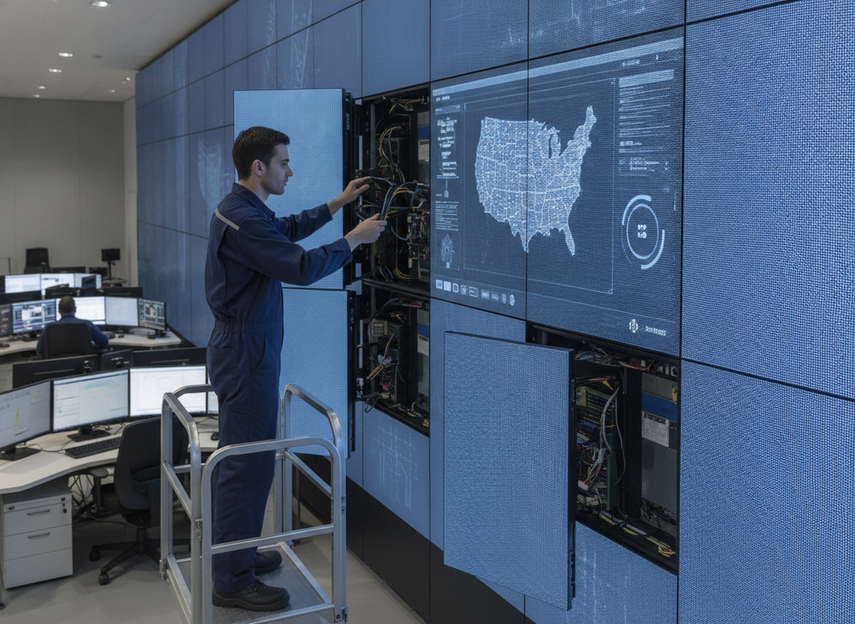
Command-center buyers often shortlist COB because long shifts make stability, uniform visibility, and reduced operator fatigue more valuable than marketing claims. In the command-center buyers compare COB for stability and reduced fatigue framing, the point is not that COB wins every project. It is that the buying question changes once the wall has to run all day, every day, with limited room for maintenance surprises.
That is why this comparison starts with ownership logic. A command room is not just buying pixels. It is buying uptime, supportability, and the ability to keep the wall running without disrupting operations.
The first filter is simple: if the room cannot easily absorb downtime, the display system needs a stronger service plan, not just a lower price. If the room has more budget pressure and more predictable maintenance windows, SMD can still stay in the running. That is the decision layer that matters before product browsing starts.
[ ]
]
COB and SMD at a Glance
Here is the quick scan buyers usually need before going deeper:
| Factor | COB | SMD | What It Means For A Command Center |
|---|---|---|---|
| Upfront cost profile | Often higher or more project-specific | Often easier to compare across vendors | CAPEX alone should not decide the buy |
| Surface protection | More protected front face in many designs | More exposed components in many designs | Protection can affect cleaning and damage risk |
| Service access | Depends on cabinet and module design | Depends on cabinet and module design | Service workflow can shorten or lengthen outages |
| Power implications | Can be favorable in some configurations, but verify by model | Varies widely by model | Operating cost depends on the exact system |
| Uptime impact | Can reduce damage risk in some rooms | Can still be dependable with the right design | Uptime depends on the installed system, not the package name alone |
| Best-fit scenario | High-use rooms that value protection and reduced disruption | Projects with tighter budget pressure or established SMD service practices | Fit should follow room conditions, not habit |
The practical takeaway is that COB and SMD are not interchangeable in every room. Their differences matter most when the wall runs continuously, the room is busy, and a maintenance event is expensive to absorb.
Where TCO Really Changes
TCO becomes clearer when you separate what you pay to buy the wall from what you pay to keep it useful. A lower purchase price does not automatically mean lower total cost in a 24/7 control room.
Upfront Spend Versus Lifecycle Cost
Purchase price includes the panels, cabinets, processing, mounting, and commissioning. But command-center ownership also includes service labor, spare parts, calibration time, and the cost of a visible interruption. That means the cheapest quote can become the more expensive choice if it raises service burden later.
Power Use and Operating Cost
Power use matters more when the wall runs for long hours and the room is already sensitive to heat. It can influence both electric bills and HVAC load. For that reason, compare published values for the exact configuration instead of assuming COB vs SMD LED will always use less power. That is especially important when the room’s cooling system is already near capacity. ENERGY STAR guidance for signage displays also notes that site conditions, design, maintenance, and usage affect life-cycle cost, so model-level comparison is more useful than package-level assumptions.
Service Labor and Parts Exposure
Serviceability affects labor cost in a very direct way. If the team can reach the failure point faster, replace it with less disruption, and recalibrate it quickly, the ownership burden usually drops. If service requires more time, more staff, or more room interruption, TCO can rise even when the hardware price looked attractive.
Downtime Risk as a Cost Driver
A control room outage has an operational cost, not just a repair cost. Even brief interruptions can affect situational awareness, operator confidence, and response speed. That is why uptime risk belongs in the cost model. The COB protection can reduce damage risk in high-traffic control rooms idea matters here, but it should be treated as one input, not a guarantee.
Lifecycle Support
The long-tail cost often shows up in support. Buyers should ask how spare modules are handled, whether replacement parts stay matched over time, and how the vendor supports firmware or calibration changes. A wall that is easy to buy but hard to maintain can become a poor TCO choice.
What Affects Uptime in 24/7 Rooms
Uptime is not determined by COB or SMD alone. It is shaped by protection, access, room conditions, redundancy, and the service model behind the wall. In real command centers, the most useful question is not "Which LED type is stronger?" It is "Which system is easier to keep online?"
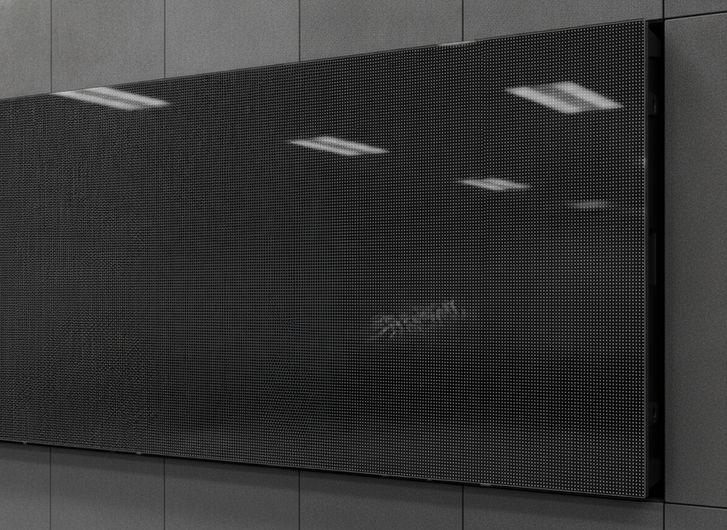
COB packages can improve physical protection against dust, moisture, and accidental impact compared with traditional SMD, which is one reason they are often discussed for high-traffic control environments. But better protection does not equal guaranteed uptime. The installed system still has to survive cleaning, room traffic, thermal load, and electrical stress over time. AllPCB’s package comparison is useful background for that protection-and-resilience discussion.
The uptime variables buyers should check first are straightforward:
- Front-service or rear-service access
- Spare module availability
- Repair time for a failed area
- Color matching after replacement
- Controller and signal redundancy
- Dust and temperature control in the room
In other words, package choice can lower risk, but the room’s uptime comes from the whole design. If the support plan is weak, the technology advantage gets small fast.
[ ]
]
How COB and SMD Handle Maintenance
Maintenance is where many buyers feel the difference most sharply. A protected front surface can make COB attractive for rooms that get cleaned often or that have more accidental contact risk. That is useful, but it does not mean every COB product is equally easy to service.
SMD remains a familiar option for many integrators and facility teams. In some organizations, the existing spare-part strategy, training, and service procedures are already built around SMD workflows. That familiarity can reduce transition friction even when the display is not the newest design.
Here is the practical checklist:
- Can the service team access the failed area from the front?
- How long does a typical repair or swap take?
- Does the vendor expect module-level replacement or finer-grain repair?
- What cleaning agents are approved for the surface?
- How many people are needed for a normal service event?
- How much room interruption is acceptable during the fix?
The right answer is the one that fits the room’s maintenance window. In a 24/7 room, easier service planning can matter as much as image quality. If the wall cannot be taken offline for long, the maintenance workflow becomes part of the buying decision.
If you want a navigation path into mission-critical COB options, browse mission-critical COB video wall options or compare commercial indoor LED options by use case.
Which Technology Fits Each Command Center
The best fit usually depends on how much the room values protection, budget flexibility, and service familiarity.
Choose COB When Protection and Service Access Matter Most
COB is a stronger candidate when the room has limited tolerance for visible damage, frequent cleaning, or disruption from accidental contact. It can also make sense when the display sits close to operators and visual consistency matters across long shifts. In that setup, the appeal is not novelty. It is reduced handling risk and a more controlled front surface.
Choose SMD When Initial Budget and Familiarity Matter More
SMD still makes sense when upfront budget pressure is high, the team already knows the service workflow, or the project depends on an established procurement path. That does not make it inferior. It just means the room’s constraints are different. If the organization can tolerate more conventional maintenance planning, SMD can remain a practical option.
Check These Constraints Before You Decide
Before finalizing either path, verify the details that actually affect the project: viewing distance, brightness needs, service access, support response, spare-part lead times, room layout, and any compliance or certification requirements tied to the site. If those checks are not clear, the specification is not ready yet.
For teams that want a product-level starting point, command center solutions can be a useful navigation path, but the exact fit still needs to be confirmed against the room’s access and uptime requirements.
What Buyers Should Verify Before Specifying
Use this pre-spec checklist before you write the purchase order:
- Define how much downtime the room can realistically absorb.
- Compare service access, not just display specs.
- Review power, thermal, and operating-hour assumptions for the exact configuration.
- Confirm spare-part availability and support response time.
- Test the wall with real command-center content before signing off.
That sequence helps keep CAPEX, operating cost, and uptime in the same frame. It also prevents a common mistake: choosing a display that looks good on paper but creates friction once it is installed.
Final Takeaway
COB vs SMD LED is a command-center ownership decision, not just a display-format choice. COB may fit better when protection, cleaning tolerance, and reduced disruption matter most. SMD may fit better when budget pressure and existing service workflows are the bigger factors. The safest path is to compare complete systems, verify maintenance access, and judge TCO over the expected service life. If you are planning a 24/7 room, we recommend checking service terms and support details before you commit.
FAQs
Is COB Worth the Extra Cost for Command Centers?
It can be, if the room values better surface protection, reduced disruption risk, and a lower-friction service path over a long ownership cycle. If the project is mostly driven by budget, familiar service practices, and predictable maintenance windows, SMD may be the more practical buy.
Does COB Use Less Power Than SMD?
Sometimes it can in certain configurations, but you should not assume that by package type alone. Power depends on the exact product, brightness target, content, and system design, so buyers should compare published specs for the configuration they plan to install.
Which LED Technology Lasts Longer in Control Rooms?
Lifespan depends on the installed product, room conditions, and maintenance discipline. A broad category claim is less useful than a model-level review of thermal handling, service support, and operating limits.
Which Option Is Easier to Maintain in a 24/7 Room?
The easier option is the one with the best access, the shortest replacement workflow, and the clearest support plan for the specific room layout. In many projects, that is decided more by cabinet design and service policy than by the LED package name alone.
What Should Buyers Check Before Replacing Monitor Stacks With LED?
Start with viewing distance, room layout, service access, operating hours, and support expectations. Then confirm that the display can handle the visual tasks the old stack performed, including text legibility, operator comfort, and any certification or compliance needs tied to the site.





