





COB LED serviceability is mainly about how a wall is serviced in the real world, not just how it looks on day one. For a COB LED wall in a control room or any uptime-sensitive space, the key question is whether the display can be repaired, cleaned, and supported in a way that fits your outage window and maintenance staff.
What COB Serviceability Means
For buyers, COB LED serviceability covers four things: how technicians reach the wall, what gets replaced when something fails, how the surface can be cleaned, and how the vendor handles support. That is different from picture quality. A wall can look excellent and still be a poor fit if service access is awkward or parts support is unclear.
The technical baseline matters because COB packages LED chips directly onto a substrate and seals them under resin, which helps explain why service assumptions differ from SMD how COB is built. In plain terms, the construction changes the repair path. That is why buyers should judge serviceability separately from contrast, pixel pitch, or color performance.
If you are buying for a control room, the service model matters most when downtime has a cost. A display that is simple to specify but slow to service can create more risk than a slightly pricier wall with clearer access and support steps. That is the decision layer behind COB LED serviceability.
If model-specific service details are thin, treat serviceability as a checklist item and verify the exact access method, replacement path, and support workflow before you sign. The procurement verification checklist is the right mindset here: confirm what the system can do, then confirm how it will be maintained.
Can COB LED Walls Be Repaired on Site?
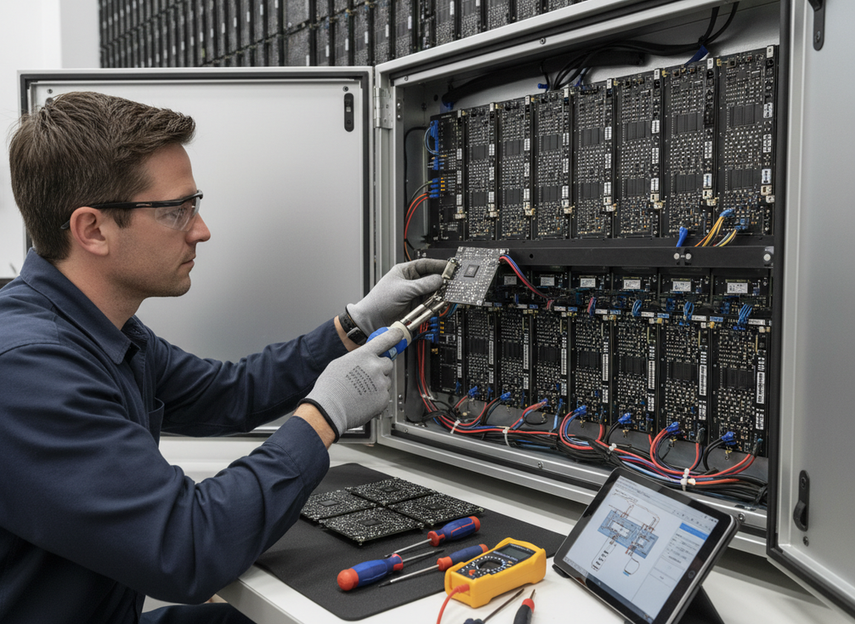
The short answer is: sometimes, but not in the simple one-pixel-at-a-time way many buyers imagine. In practice, COB repair commonly centers on module replacement rather than individual pixel repair, because the encapsulated surface makes lamp-level fixes impractical in many designs module-level repair path. That does not mean every COB wall is factory-only, but it does mean the repair path is model-specific.
Front-Service Access
Front-service access can make a big difference in tight control rooms, especially when rear clearance is limited. It may reduce the need to move furniture, racks, or wall structures just to reach the display. But front access is only useful if the exact model also supports the service workflow your technicians need.
Do not assume that front-service automatically means fast recovery. It can still involve removing a module, swapping parts, and rechecking alignment. For buyers, the important question is whether the access method is documented clearly enough for your installer or in-house team to use without guesswork.
Module Replacement Path
A module swap is usually a more realistic service path than individual pixel repair on COB walls. That matters because it changes what "fixable" means. If a damaged area requires a whole module exchange, you need compatible spare modules, the right tools, and a service plan that allows the work to happen on schedule.
This is where downtime risk becomes concrete. A wall that needs module replacement may still be serviceable on site, but it is not the same as a display that can be patched instantly. Buyers should ask whether the replacement procedure is documented for installers and whether the system is designed for quick reassembly after the swap.
Authorized Service and Spare Parts
On-site repair often depends on who is allowed to open the display and who can supply spare modules. If parts are difficult to source, serviceability drops quickly, even when the wall itself is technically accessible. The vendor’s support model matters as much as the hardware design.
For procurement, this is not a vague "confirm with support" issue. It is a specific question: who stocks spare modules, who can install them, and how long parts support is expected to continue? If the answer is unclear, treat the wall as higher risk for mission-critical use.
Downtime Planning for Control Rooms
In control rooms, the best service model is the one that fits the site’s outage window. If your team can tolerate only a short maintenance window, service access and parts logistics matter more than a glossy spec sheet. If the room has redundancy or lower daily pressure, the same repair model may be acceptable even if it is less convenient.
COB vs SMD Maintenance Costs
COB and SMD are not just different in how they look; they often differ in how much effort they create over time. AVIXA’s guidance on long-term maintenance burden supports the idea that COB can make sense in 24/7 environments when downtime exposure and support model are part of the decision. That is a TCO question, not a pure spec question.
| Maintenance Factor | COB | SMD |
|---|---|---|
| Repair access | Often easier to service as a module-based system, but exact access design varies by model. | Often more familiar to service teams, with more exposed lamp-level repair patterns in some designs. |
| Cleaning risk | Usually more forgiving on the surface, but approved methods still depend on the model. | Exposed lamps can be easier to disturb during cleaning or handling. |
| Dead-pixel handling | Commonly handled through module replacement rather than individual pixel fixes. | May allow different replacement patterns depending on the cabinet and lamp architecture. |
| Spare-parts dependence | Strong dependence on matching modules and vendor support. | Also depends on spares, but the service path may be more familiar in some installs. |
| Service labor | Can be simpler when the vendor has a clear module workflow. | Can vary widely with cabinet design and technician familiarity. |
| Downtime exposure | Often lower when the site has fast parts access and a clear support plan. | Can be competitive, but the service path may not reduce downtime as much in some fine-pitch installs. |
The practical takeaway is simple: if downtime is expensive, the cheaper upfront wall is not always the cheaper ownership choice. COB may justify a higher purchase price when the room runs long hours, service windows are tight, or a faster swap path reduces operational risk. If the site is lower pressure, the maintenance advantage may matter less.
Dead Pixels, Cleaning, and Surface Damage
Buyers usually worry about two separate issues here: whether the surface can be cleaned without damage, and what happens when a pixel area fails. Those are related, but they are not the same. A surface can be more protected and still require careful handling, and a dead-pixel issue can still lead to module-level service.
- Check the approved cleaning method for the exact model. COB surfaces can be more forgiving than exposed SMD lamps, but the allowed method is still model-specific.
- Ask what counts as a serviceable pixel problem. Do not assume every bad pixel is repaired individually on site.
- Inspect for surface marks during acceptance, especially on walls that will be touched by staff or cleaned regularly.
- Confirm whether your technicians can clean the wall in the field without voiding support or creating new damage.
A reasonable buyer benchmark can help frame acceptance, but it should be treated as an example, not a universal rule. Some quality checklists use very low dead-pixel rates as a planning target, yet that does not replace a project-specific acceptance standard. The key is to get the vendor’s written cleaning instructions and pixel-failure policy before deployment.
What to Verify Before You Buy
Use this checklist to turn COB LED serviceability into a procurement decision instead of a vague preference.
- Confirm the repair path. Ask whether the display is front-service, rear-service, or a mix of both, and whether the normal fix is a module swap or something more involved.
- Confirm who can perform the work. Internal AV staff, the integrator, or the manufacturer may each have a different role.
- Confirm spare-parts logistics. Ask who supplies modules, how quickly they can ship, and how long that support is expected to continue.
- Confirm cleaning instructions. Get the approved cleaning method in writing so routine maintenance does not create avoidable damage.
- Confirm acceptance criteria. Ask how dead pixels, surface marks, and module faults are handled during install and warranty support.
- Confirm downtime tolerance. Match the service model to the room’s real outage window, not the ideal one.
If the answers are clear and the support path fits your site, COB can be a strong choice for mission-critical rooms. If the answers are vague, the wall may still be attractive, but it is not ready for a control-room decision yet. That is the difference between a display that looks right and one that is actually serviceable.
The zero-downtime COB wall is worth reviewing if your project puts uptime ahead of everything else, while the broader mission-critical COB walls category is a better starting point if you are still narrowing the service model. For commercial indoor comparison shopping, the fine-pitch COB display option is useful when you want to check fit, access, and support details before committing.
Final Takeaway
COB LED serviceability is strongest when the wall has a clear module replacement path, documented cleaning rules, and a support model that fits your outage window. It is weaker when repair details are vague or when spare parts and authorized service are hard to secure. For control rooms, the right decision is usually the one that lowers downtime risk, not the one that only looks best on paper. If you are reviewing bids, use the checklist above before you approve the purchase.
FAQs
Can COB LED Walls Be Repaired on Site?
Sometimes, but the realistic path is usually module-level service rather than individual pixel repair. Whether that can happen on site depends on the cabinet design, service access, spare parts, and who is authorized to perform the work. For a control room, ask for the exact repair workflow in writing before you buy.
What Makes COB Serviceability Different From SMD?
The main difference is service access and handling. COB packaging changes how the surface and electronics are protected, so the repair and cleaning assumptions are not the same as with exposed SMD lamps. That does not automatically make COB better or worse; it changes the maintenance model.
Why Does Dead-Pixel Handling Matter in Fine-Pitch COB?
Because pixel issues affect both uptime planning and confidence in the display over time. If a dead pixel area requires module replacement, the service plan, spare parts, and outage window matter more. In fine-pitch control rooms, that can shape whether the wall is a good fit.
Can Cleaning Damage a COB LED Surface?
It can if the wrong method is used. COB surfaces may be more forgiving than exposed SMD lamps, but the approved cleaning process is still model-specific. Buyers should get the cleaning instructions in writing and make sure the staff who will maintain the wall can follow them.
Is Higher Upfront COB Cost Worth It for Control Rooms?
It can be, if the site has tight downtime limits and the service model reduces maintenance friction. The higher upfront price is easier to justify when the wall has clear access, reliable parts support, and a cleaner repair path. If those conditions are missing, the extra cost is harder to defend.





