





COB LED video wall can be a smart shortlist candidate for command centers, but only if you validate service access, spare-parts planning, and five-year ownership cost before you compare it to SMD or MicroLED. The biggest mistake is treating a clean-looking quote as proof of mission-critical fit. In 24/7 rooms, COB LED adoption barriers for control rooms usually show up in repair workflow, vendor support, and downtime exposure, not just picture quality.
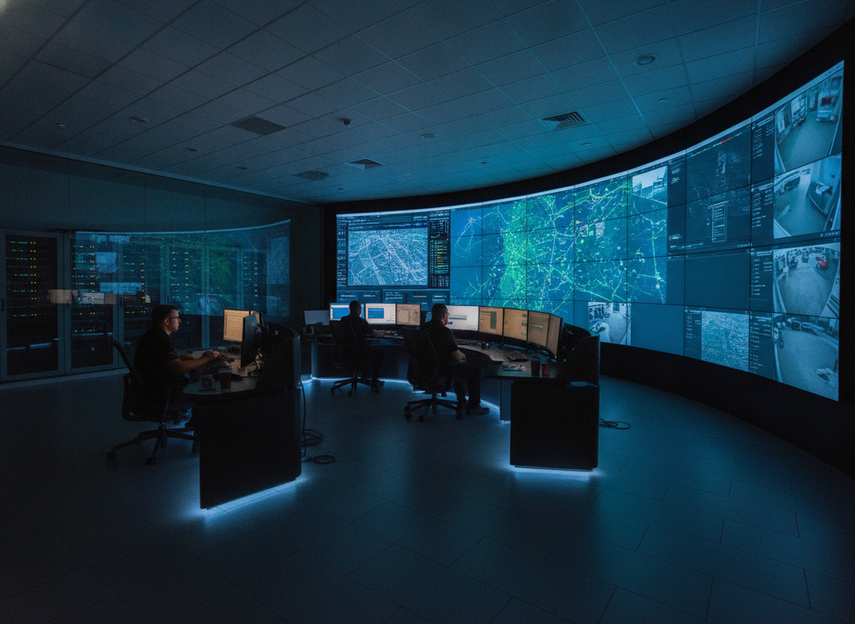
Why Command Centers Hesitate on COB
The hesitation is usually practical. Procurement teams are not asking whether COB can look good; they are asking whether it can be supported when a wall runs all day, every day. AVIXA’s overview of COB technology explains why the format attracts attention, and its control-room fit is part of the conversation. The catch is that a strong surface finish does not automatically solve serviceability, spare strategy, or vendor trust.
That is why buyers hesitate before COB goes into a 24/7 command center: the surface can be robust, but the repair path still needs to be clear. Procurement teams usually want to know whether faults are handled through module replacement, what spares are needed, who responds, and how much room disruption the fix will cause.
Do not buy COB just because it is robust on paper. Buy it only when the room’s service plan, access path, and escalation terms are documented well enough for a 24/7 approval process. That is the bridge from adoption barrier to TCO and service terms.
What True TCO Includes for 24/7 Use
True TCO is bigger than panel price. For a command center, the five-year view should include acquisition, installation, energy, maintenance, decommissioning, and support. That lifecycle framing is the right place to start when buyers ask about five-year LED display ownership. It is also why a lower upfront quote does not automatically mean a lower five-year cost.
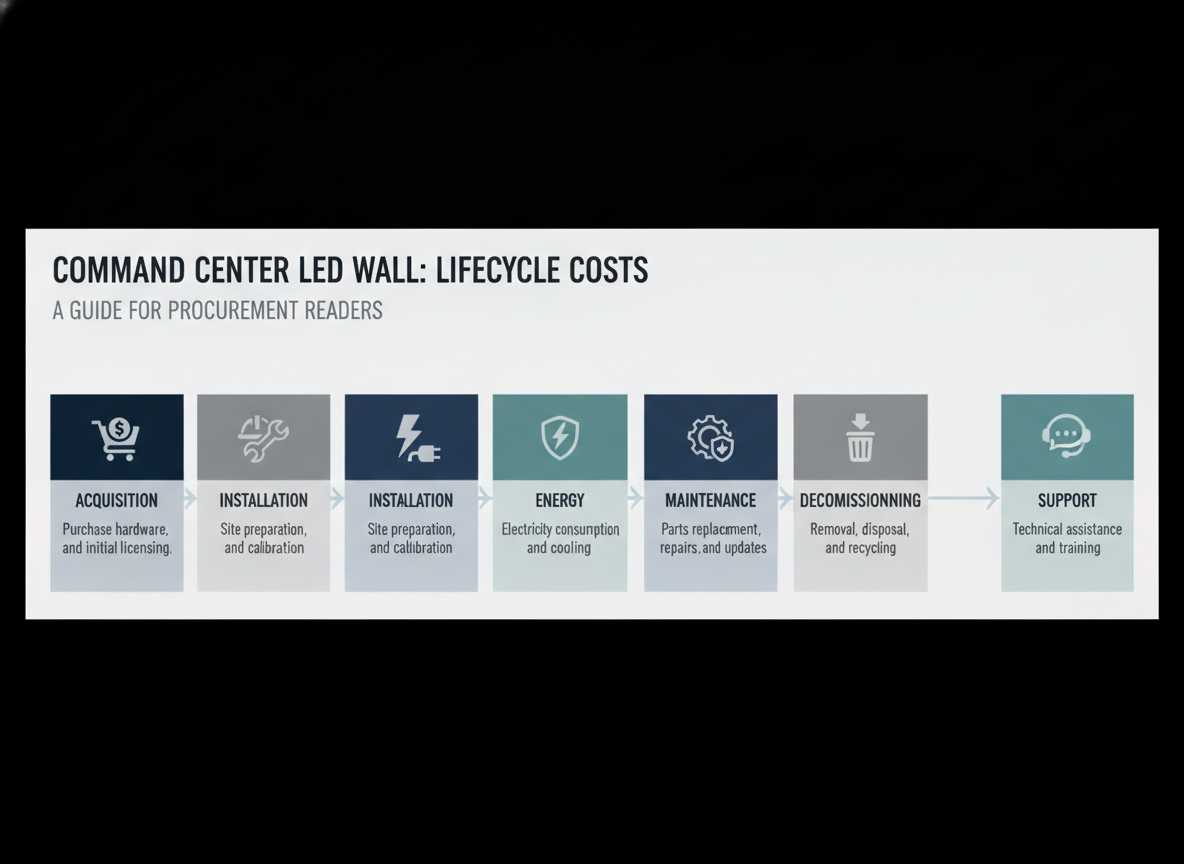
For 24/7 rooms, the hidden line items matter. Installation may involve structure, power, cabling, commissioning, and coordination with the room’s operating schedule. Support terms matter because the real cost of a wall includes how fast issues are resolved, not just what the hardware cost on day one. Mission-critical uptime expectations make this even more important, because an outage is an operational cost, not just a facilities inconvenience.
Service access is another TCO driver. If repairs require more labor, more spares, or more interruption than the team planned for, five-year cost can rise even when the purchase price looks attractive. In procurement terms, COB LED maintenance SLA requirements belong in the quote review, not the post-install handoff.
A useful buying rule is simple: if a vendor cannot explain the repair path, spare-part plan, and support response clearly, you do not yet know the real TCO. That is when a cheaper quote becomes a riskier quote.
Upfront Price Versus Installed Cost
Installed cost is the number that usually matters most. Panel pricing is only one part of the bill. Mounting, integration, commissioning, and room-specific access can move the total more than buyers expect. If you are comparing fine pitch COB cost per square meter, keep the comparison aligned by pixel pitch, room size, and service model. Otherwise, the quote looks simpler than it really is.
Service Access and Repair Workflow
COB repairability is a real adoption barrier because service workflow can differ from SMD. In practice, the buyer should ask whether faults are handled through module-level replacement, what spare units are needed, and how much wall access the process demands. That does not mean every COB wall is hard to maintain, but it does mean repairability is vendor- and architecture-specific.
Downtime Cost and Lifecycle Support
For a 24/7 command center, downtime belongs in the ownership model. If a display fault disrupts operations, the cost is bigger than the replacement part. It can affect staffing, incident response, and confidence in the room. That is why the quote should be judged alongside support windows, escalation terms, and parts availability, not after them.
COB Versus SMD and MicroLED
The best comparison is not about technology prestige. It is about which option fits the room’s cost, service, and continuity needs. COB often sits between lower-cost SMD and premium MicroLED, but the real question is whether that middle ground matches the project’s risk tolerance.
| Technology | Visual performance | Cost burden | Serviceability | Best-fit use case | Main caution |
|---|---|---|---|---|---|
| COB | Strong fine-pitch visuals, smooth surface, good close-range readability | Moderate to high, depending on pitch and support model | Often more involved than buyers expect, so verify repair workflow | Control rooms that need strong image quality and a tighter pixel pitch without jumping to the most expensive tier | Do not assume easy field repair or lower TCO without support proof |
| SMD | Good for many video wall projects, especially when extreme fine pitch is not required | Usually lower at similar class and scope | Often more familiar to service teams | Projects where budget control and familiar maintenance matter more than the smoothest close-range surface | Can become less attractive when very tight pitch or premium visual continuity is needed |
| MicroLED | Very strong visual potential and premium positioning | Highest burden in most procurement conversations | Service model and budget justification need extra scrutiny | Cases where the mission, room, and budget justify the premium | Do not pay for MicroLED by default if COB already meets the operational need |
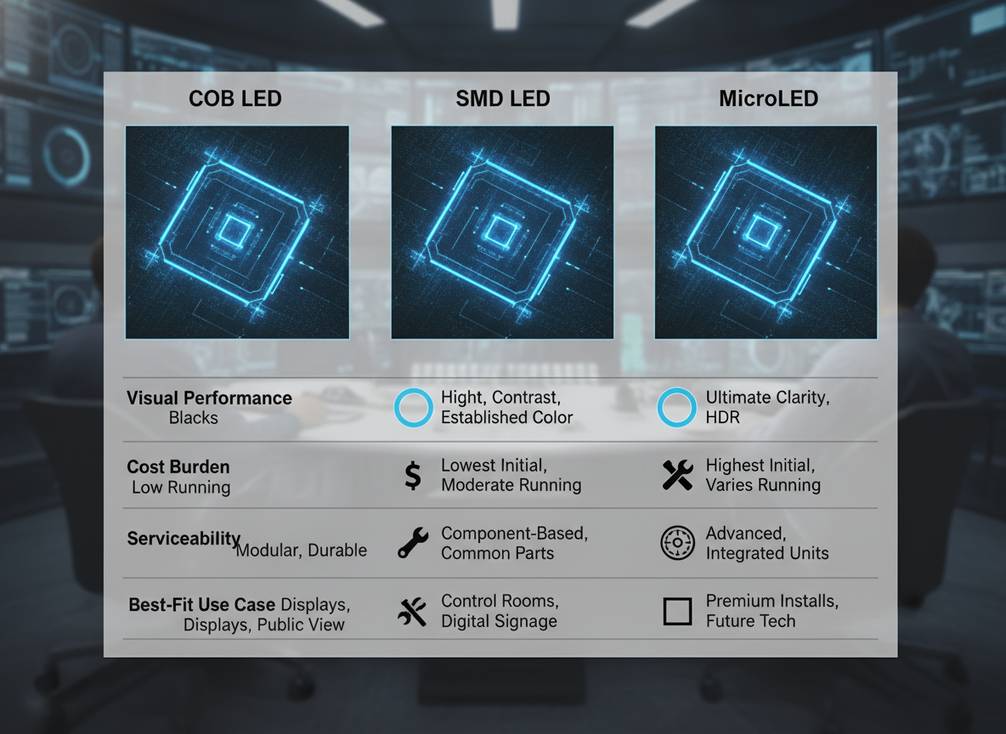
For most buyers, COB is the middle-ground option when the room wants better close-range visuals than SMD but does not have a strong case for MicroLED pricing. That flips if the project has unusually strict visual goals, a premium budget, or a specific requirement that only the higher tier can meet. Otherwise, the safer decision is to stay with the technology whose service model you can actually support.
If the comparison gets stuck on headline specs, reset the discussion around three questions: how will it be repaired, what does downtime cost, and what support terms are actually promised? Those answers usually matter more than the label on the cabinet.
Fit COB to Command Center Requirements
ISO 11064-5 is the relevant control-room reference point for displays and controls. It does not tell you to buy COB, but it does remind buyers that control-center design is about the interaction between the display, the operators, and the room. That is why COB should be approved only after the room layout, sightlines, and service access are checked.
Use viewing distance as a planning check, not a hard law. Practical pixel pitch guidance suggests that legibility improves when pitch is matched to the room’s typical viewing distance, and the pixel pitch math is best used as a heuristic. For text-heavy command centers, that means the right pitch is the one operators can read comfortably from their normal position, not the one that sounds best in a brochure.
Before COB goes on the shortlist, verify four things: whether the display can be serviced without major room disruption, whether the chosen pitch suits the operator distance, whether the room layout leaves enough access clearance, and whether the support model matches the room’s availability target. If one of those fails, COB may still be attractive, but it is not ready for approval.
Buyer Checklist for Shortlisting COB
- Confirm the room’s uptime expectation and write it into the RFP.
- Ask how faults are repaired, who performs the work, and what spare parts are required.
- Compare installed cost, not just panel price, across all shortlisted options.
- Check whether support terms and response windows fit the room’s operating schedule.
- Validate viewing distance, pitch, and sightlines against the actual control-room layout.
- Decide whether COB solves a real need, or whether SMD or MicroLED fits the mission better.
When the answers are clear, COB LED video wall can be a sensible command-center choice. When the repair path, access plan, or support terms are vague, defer the purchase until those gaps are closed.
FAQs
How Much Does a COB LED Video Wall Cost for a Command Center?
Cost depends on pixel pitch, cabinet design, installation scope, service model, and support terms. A useful budget review compares installed cost and five-year ownership cost, not just panel price. If a quote does not separate hardware, installation, and support, treat the number as incomplete rather than final.
Is COB Better Than MicroLED for 24/7 Command Centers?
Not automatically. COB can be the better fit when you want strong close-range visuals and a more manageable budget, while MicroLED may make sense when the room has a premium visual requirement and the budget supports it. The right answer depends on serviceability, uptime expectations, and lifecycle support.
How Does COB Repairability Affect Total Cost of Ownership?
Repairability affects how long a fault keeps the wall out of service and how much labor and spare inventory you need to carry. If the repair path is simple and well supported, TCO is easier to defend. If access is difficult or spares are unclear, lifecycle cost can rise quickly.
What Should Buyers Verify Before Approving COB for a Control Room?
Check service access, spare-parts planning, support response terms, and whether the chosen pitch fits the room’s actual viewing distance. Also confirm that the display layout works with the room’s operator sightlines and maintenance access. Those checks matter more than a vendor’s broad performance claims.
Can COB LED Walls Meet Mission-Critical Availability Expectations?
They can be considered for mission-critical use when the full system design, service model, and acceptance criteria are validated. The key is not the technology label alone, but whether the room can sustain the required support, repair, and continuity plan. If those parts are weak, the wall is not ready yet.





