





A command center LED wall for airport and rail operations should be specified for viewing distance, nonstop use, and live multi-source workflows, not for showroom-style close viewing. The right choice depends on room geometry, content density, and how much maintenance access you can preserve after installation.
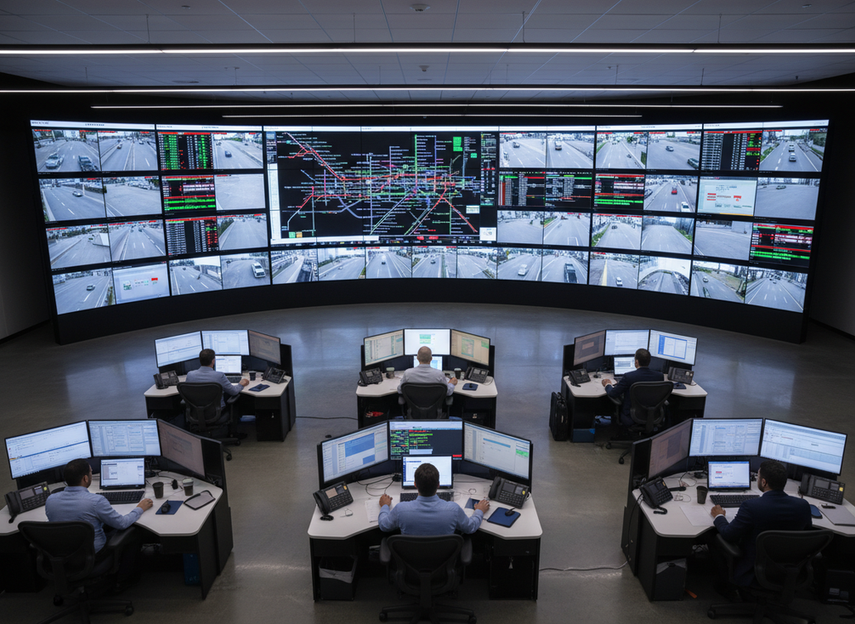
What Transportation Command Centers Need From an LED Wall
Airport operations centers and rail dispatch rooms ask more from a wall than a typical meeting space does. Operators may be reading text, watching maps, checking camera feeds, and tracking live status updates at the same time, often from different seats and under long-shift conditions. That means the LED wall has to support awareness, not just look sharp in a demo.
For most buyers, the first question is not "What is the best panel?" It is "What will people actually be able to read from their farthest seat, and what work has to happen on that wall every day?" If the room is built around incident response, the spec should favor clarity, control, and uptime over decorative image quality.
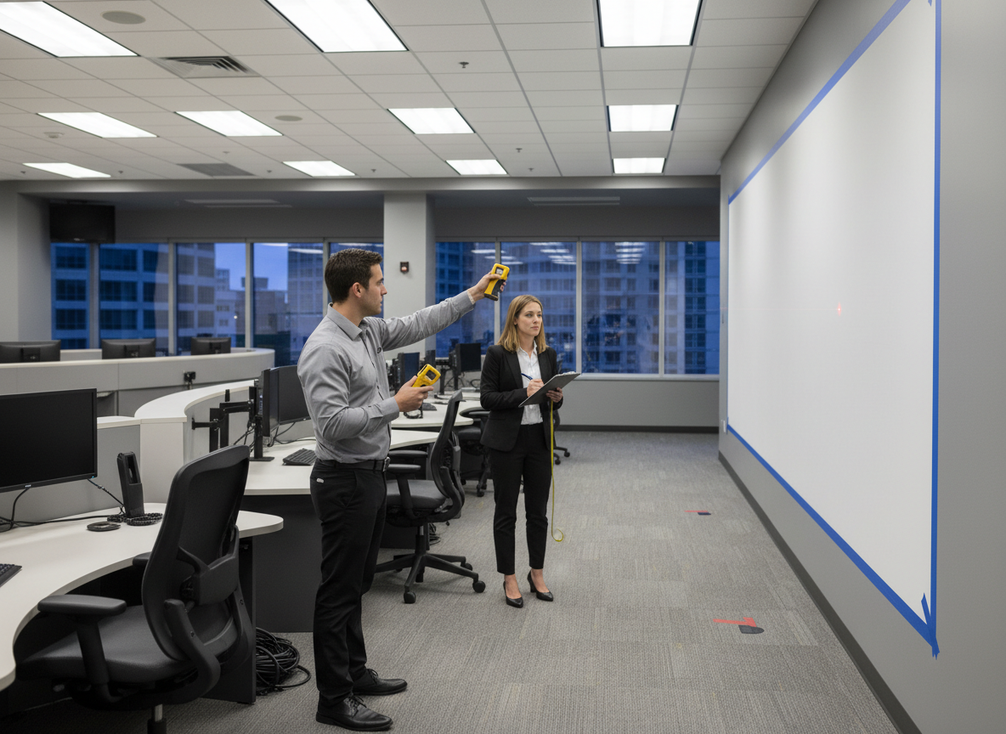
A useful opening rule is this: if the wall is meant for airport or rail command use, start with the operator workflow and sightlines, then work backward to the display. That keeps you from overspecifying for the wrong reason or under-specifying a wall that needs to stay readable across the room.
Choose Pixel Pitch by Viewing Distance
Pixel pitch is one of the few LED wall decisions that can quickly change both usability and budget. In plain terms, it is the spacing between pixels, so smaller pitch usually gives finer detail. For command center LED wall planning, that matters most when the wall carries small text, GIS layers, camera tiles, and dense status boards.
A practical way to think about it is this: the farther the farthest operator sits, the less benefit you get from chasing an ultra-fine pitch. The wall still needs to be readable, but the improvement from one very fine option to an even finer one may be hard to see from the seats that matter most. The control-room brightness limits in ISO 11064-6 also remind buyers that long-shift ergonomics matter, not just image sharpness.
Rail projects give a useful reference point. A major rail operations center was reported with a rail operations pitch benchmark around 1.6 mm, which shows how fine-pitch can support a large shared operational canvas. Treat that as a benchmark, not a universal rule.
Map Operator Distances Before You Set Pitch
Measure the farthest and most common operator positions before you compare pitch options. Include seated positions, standing review spots, and any console locations that will be used during incidents. If the wall must serve both close operators and wider-room viewers, the farthest seating position should drive the first cut of the spec.
What this means in practice is simple: if distance is modest, pitch can be chosen more aggressively for detail. If distance is greater, a slightly coarser pitch may still be the smarter procurement choice because the room will not gain much from the extra fineness. That is especially true in transportation rooms where reliability and service planning already push cost upward.
Match Pitch to Content Density
A transportation dispatch center that shows camera mosaics, alerts, and live maps needs different legibility than a room that mostly shows large situation tiles. The more text and interface detail you expect operators to read, the more carefully you should evaluate pitch. Airport command center LED wall specs often need to preserve map labels and route markings, while rail operations LED video wall requirements may lean toward broad network visibility with frequent source switching.
A good decision sentence here is: choose the smallest pitch that is still useful from the farthest normal viewing distance, then stop. If a finer pitch does not improve legibility at that distance, it is usually budget creep rather than a usability gain.
Avoid Over-Specifying for Large Rooms
The smallest pitch is not always the best fit. In large command rooms, the extra cost may not improve the operator’s actual experience, especially if the room already gives viewers enough distance to resolve text and icons clearly. That is the core buying mistake in this category: paying for detail nobody can see from their normal seat.
If you are comparing two specs that look similar, ask whether the finer option changes how maps, labels, or alarms are read during a live shift. If the answer is no, use that money for redundancy, serviceability, or controller flexibility instead. If you want a deeper background reference later, fine-pitch indoor display options can be useful as a browsing path, but only after you verify room fit.
Plan Redundancy for 24/7 Operations
For airport and rail buyers, redundancy should be split into separate questions. Power continuity is not the same thing as signal continuity, and neither one is the same as service access. That separation matters because a wall can look resilient in a brochure while still creating a single point of failure somewhere in the chain.
A useful procurement lens is to ask what happens if one path fails, how quickly operators can recover, and whether maintenance can happen within the site’s allowed window. Chipshow’s own power and signal redundancy planning frames the 24/7 expectation, but buyers should still verify each layer against the room’s actual risk and maintenance plan.
Here is a simple comparison table you can use when talking to vendors:
| Reliability layer | Decision question | What to verify | Risk if missed |
|---|---|---|---|
| Power continuity | Can the wall keep running through a power fault or local interruption? | Power path design, backup behavior, and recovery method | A brief outage can become an operational blind spot |
| Signal path | What happens if the primary video path drops? | Backup path behavior and failover logic | Operators may lose the wall even if power stays on |
| Controller / source path | Can source handling keep up with live maps, cameras, and alerts? | Source switching, controller handoff, and layout recovery | A technically "on" wall can still be hard to run |
| Service access | Can maintenance happen without disrupting operations? | Front or rear access, clearance, and replacement method | Longer outages and harder repair cycles |
The table above is the right mental model for 24/7 mission critical LED for transit hubs. If one layer is weak, the whole wall is weaker, even if the other layers are strong.
What Integration Features Matter Most
Integration is where many LED wall projects look good on paper and then get awkward in real use. The wall should preserve dispatch, monitoring, and incident-response workflows instead of forcing staff to work around it.
Airport specs can be a useful benchmark here. A Houston Airport System procurement document calls for airport 4K text-and-map clarity requirements at 4K, 60Hz, with 4:4:4 or 4:2:2 chroma handling in the spec. In other words, the wall and controller should preserve small text and map detail, not just output a picture.
Eurocontrol’s workflow-preserving source integration guidance reinforces the same idea: the display system should support weather, surface, and time information without getting in the way of the operator’s individual monitoring tasks.
- Verify that the wall can handle multiple live sources at once, such as maps, camera feeds, dispatch systems, and status dashboards.
- Check how source switching works during routine monitoring and during a live incident.
- Ask whether layouts can be reconfigured quickly when a shift supervisor needs a different screen view.
- Confirm that the wall does not force awkward handoffs between operators or software tools.
- Treat compatibility as site-specific, because software stacks and source ecosystems vary widely.
- Use one clean control path for common tasks whenever possible, because extra steps become friction during busy shifts.
- If the room depends on frequent source changes, test that exact workflow before you buy.
If you need a closer category browse path after that, commercial indoor LED platform is a reasonable internal route, but it should still be checked against your actual control stack.
Check Service Access Before You Specify
Serviceability is easy to ignore until the room is already built. For transportation sites with limited maintenance windows, that is a costly mistake. The service method should be part of the spec, not a late-stage installation detail.
A practical placement reference from a U.S. control-room bid suggests that the bottom of the wall may sit around 48 inches above finished floor when sightlines require it. That control-room wall placement heuristic is not a universal rule, but it does show how quickly ergonomics and access planning become part of the design.
Front Service Versus Rear Access
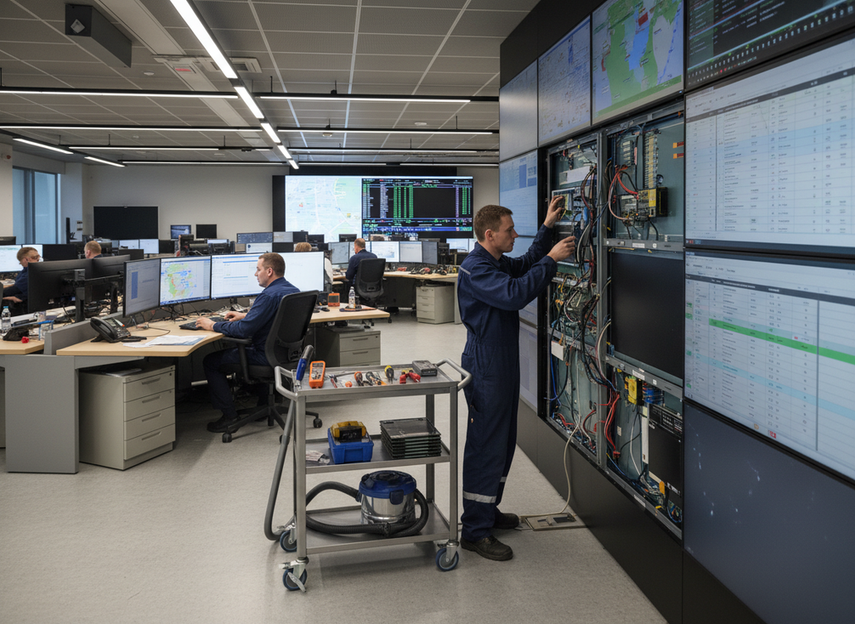
Front service is often the safer choice in tight control rooms or wall-mounted layouts where back-of-wall clearance is limited. Rear access can still work when the room design leaves enough space and maintenance can happen without interrupting operations. The right answer depends on the building, not the marketing sheet.
If you are in a retrofit, ask whether the chosen service method matches the real room constraints. If the answer depends on a future renovation, treat that as a red flag and rework the spec now.
Cabinet Swap Speed and Aisle Clearance
A modular wall is only helpful if technicians can reach and replace what they need within the site’s maintenance window. That means aisle width, cabinet removal, cable routing, and re-alignment time all matter. In a 24/7 rail dispatch room, even a short repair can become a workflow disruption if access is awkward.
The best check is operational: have the installer describe exactly how a cabinet or module is replaced, and where the replacement parts are staged. If that explanation sounds vague, the service plan is probably not ready.
Plan for Maintenance Windows
Airport and rail teams should map security rules, access controls, and after-hours staffing before finalizing the wall. A spec that assumes easy access can fail the moment the site’s own rules are applied.
This is also where lifecycle cost shows up. Better access can reduce labor, shorten disruption, and make repairs more predictable over the life of the wall. If maintenance windows are tight, service design can matter as much as the panel choice.
Build the Final Spec Sheet
Before you request final quotes, turn the earlier decisions into a procurement checklist. The goal is to compare proposals on the same terms so the cheapest option does not quietly leave out the parts that matter most.
- Write down the room geometry, including the farthest operator distance and the main viewing zones.
- Define the pitch range you will accept, based on the readability you need for text, maps, and camera tiles.
- List the redundancy layers separately: power, signal, controller/source path, and service access.
- State how many live sources the wall must support during normal use and during incident response.
- Note the service method you can support, including front access, rear clearance, cabinet swap access, and aisle constraints.
- Add acceptance questions for source switching, layout changes, and repair timing before you sign off.
For a cleaner internal browse path, you can review mission-critical LED wall category or a broader mission-critical command wall, but only after the room requirements are fixed. A wall that looks impressive is not enough; it has to fit the shift, the workflow, and the maintenance plan.
Final Takeaway
The right command center LED wall is the one that fits the room, the workflow, and the maintenance plan. For airport and rail buyers, that usually means choosing pitch from viewing distance, separating redundancy into power, signal, and service layers, and confirming that multi-source control works the way operators actually work. If you are building a shortlist, keep the spec sheet tight and verify each claim against the room before you buy.
FAQs
What Pixel Pitch Works Best for Large Command Centers?
The best pitch is the one that stays readable from the farthest normal operator position without overspending on detail nobody can see. Use room geometry and content density first, then compare options. For airport and rail command centers, the answer is usually a range decision, not a single universal number.
How Do Airports Specify LED Walls for 24/7 Operations?
They usually start with viewing distance, uptime expectations, redundancy layers, service access, and acceptance criteria. The important part is to define how the wall will be used during normal monitoring and during an incident, then verify that the proposal matches that workflow.
What Redundancy Should a Rail Dispatch Wall Have?
Power, signal, and service access should each be reviewed separately. A rail dispatch wall may have strong uptime design on paper, but if one layer is weak, maintenance or recovery can still become a problem. The right mix depends on the site’s allowed downtime and repair window.
Can a Single LED Wall Support Maps, Cameras, and Alerts?
Yes, if the wall and controller are specified for source flexibility, layout control, and clear content handling. The key check is not just whether it can display multiple things, but whether operators can switch and read them without extra friction in a live shift.
Why Does Service Access Matter in Mission-Critical Transportation Rooms?
Because maintenance access affects downtime, labor planning, and how easily repairs fit into restricted windows. In always-on rooms, a wall that is hard to service can create more operational risk than a slightly less flashy display with better access.
When Should You Prefer a Finer Pitch?
Choose a finer pitch when the room has closer viewing positions, denser text or map content, or a shared screen that many operators read directly. If the farthest seat is already comfortably readable, a finer pitch may add cost without changing day-to-day use.





